10. Employee Expenses
In Odoo 18 Accounting, managing employee expenses has been
streamlined to ensure accurate tracking, timely approvals, and
proper reimbursements. The Employee Expenses feature in Odoo 18,
accessible through the Vendors menu in the Accounting module,
provides a structured way to document, submit, and approve these
costs.
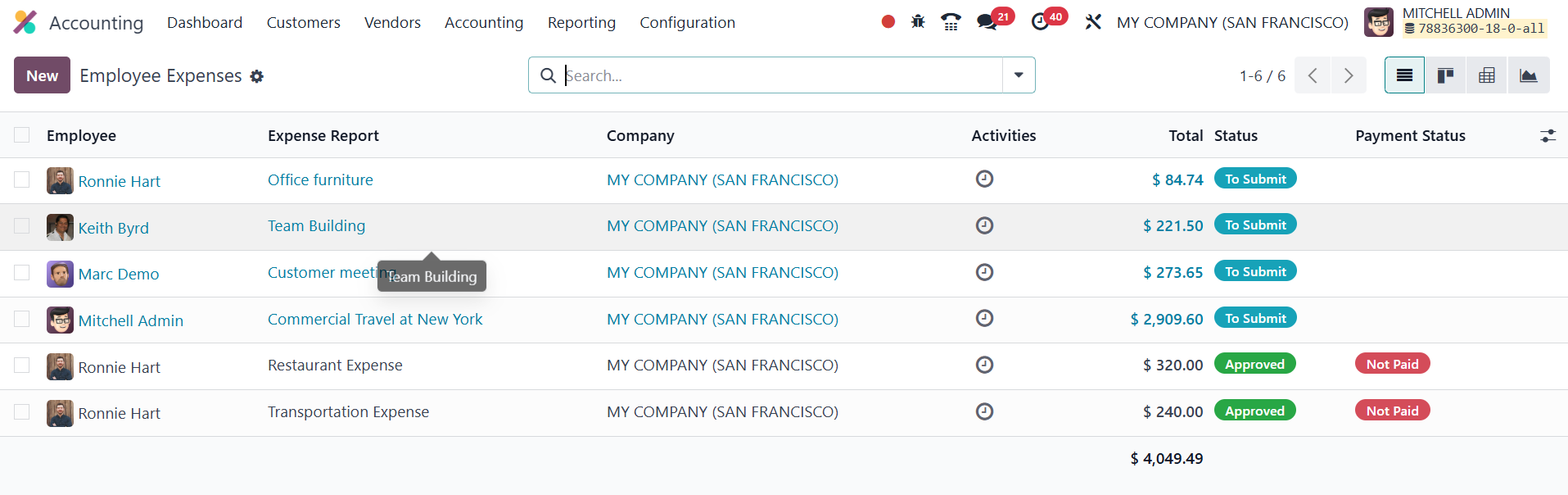
When navigating to the Employee Expenses section, users are presented
with a list view that displays key details including the name of the
employee, the title of the expense report, associated company,
ongoing activities, total amount, current status of the report, and
payment status. This overview enables finance teams and managers to
monitor and manage expense claims effectively. To create a new
expense report, users can click the New button.
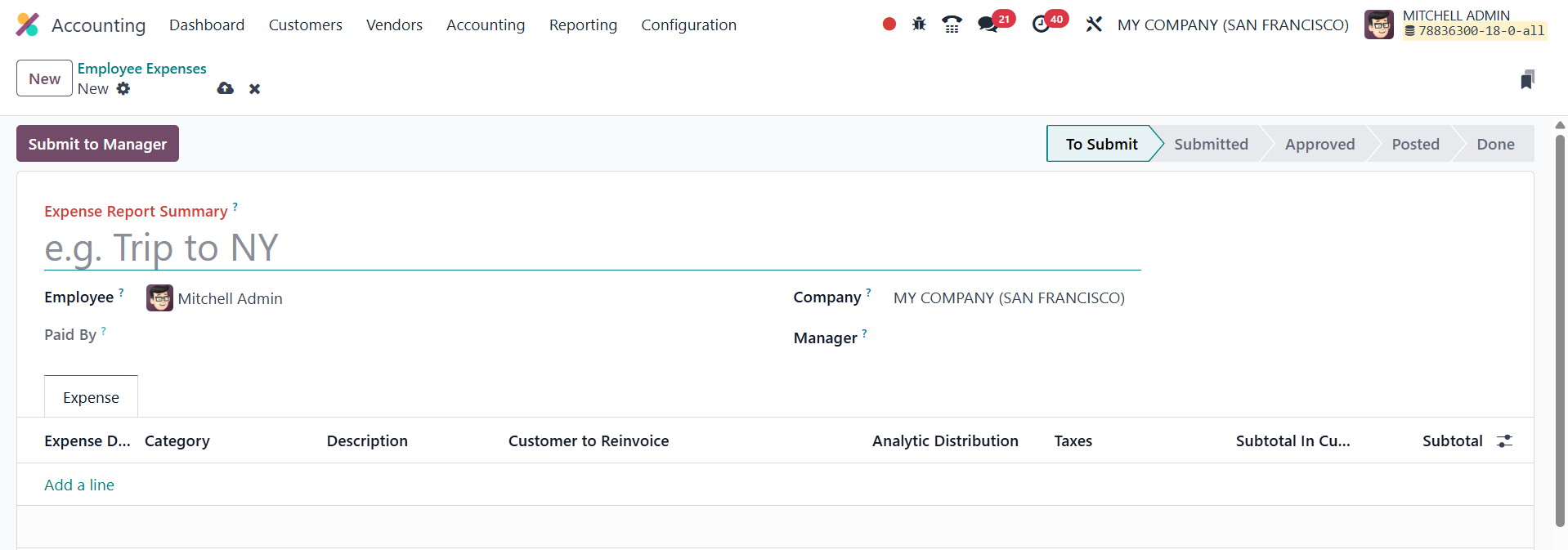
This opens a new form where the Expense Report Summary can be added
as the title of the claim. The Employee field is auto-filled based
on the logged-in user, ensuring accurate attribution. The Paid By
field allows the employee to specify whether the payment was made
from a personal or company account, which is important for
determining the method of reimbursement. The Manager field
designates the person responsible for reviewing and approving the
expense report. The associated Company is also recorded
automatically.
Under the Expense tab, employees can list individual expenses using
the Add a Line button.
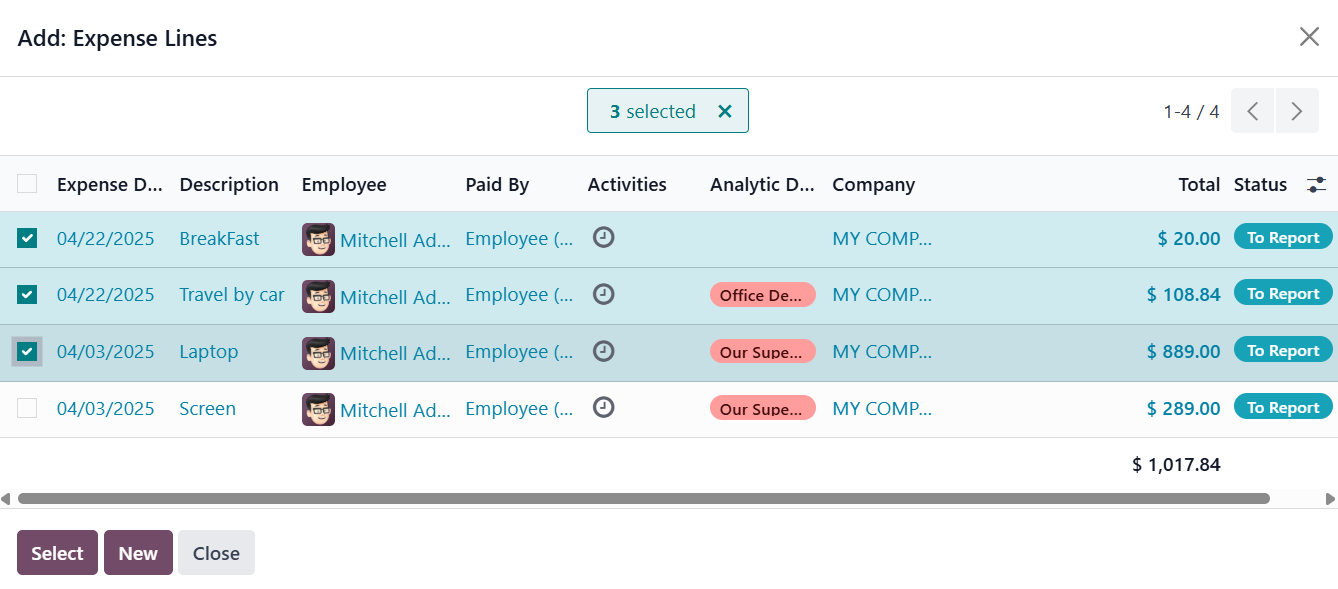
If no previous expense entries exist, a popup will appear prompting
the user to create a new expense line by clicking the New button.
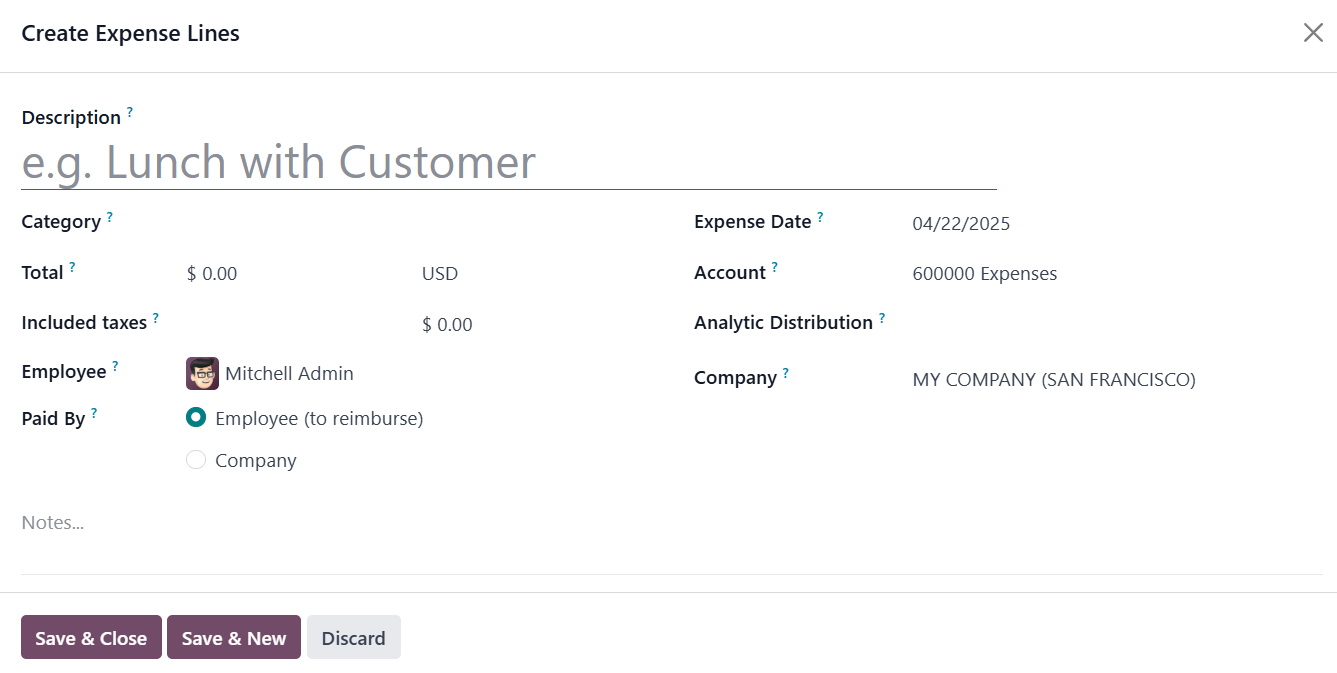
Each expense line requires a Description of the item or service
purchased, a relevant Category (e.g., travel, food, supplies), and
the Total cost in the applicable currency. Additional details such
as the Expense Date, Account, Analytic Account, Bill Reference, and
the Company are also recorded for accounting purposes. This detailed
structure ensures that each expense is properly categorized and can
be accounted for accurately in the company’s financial records.
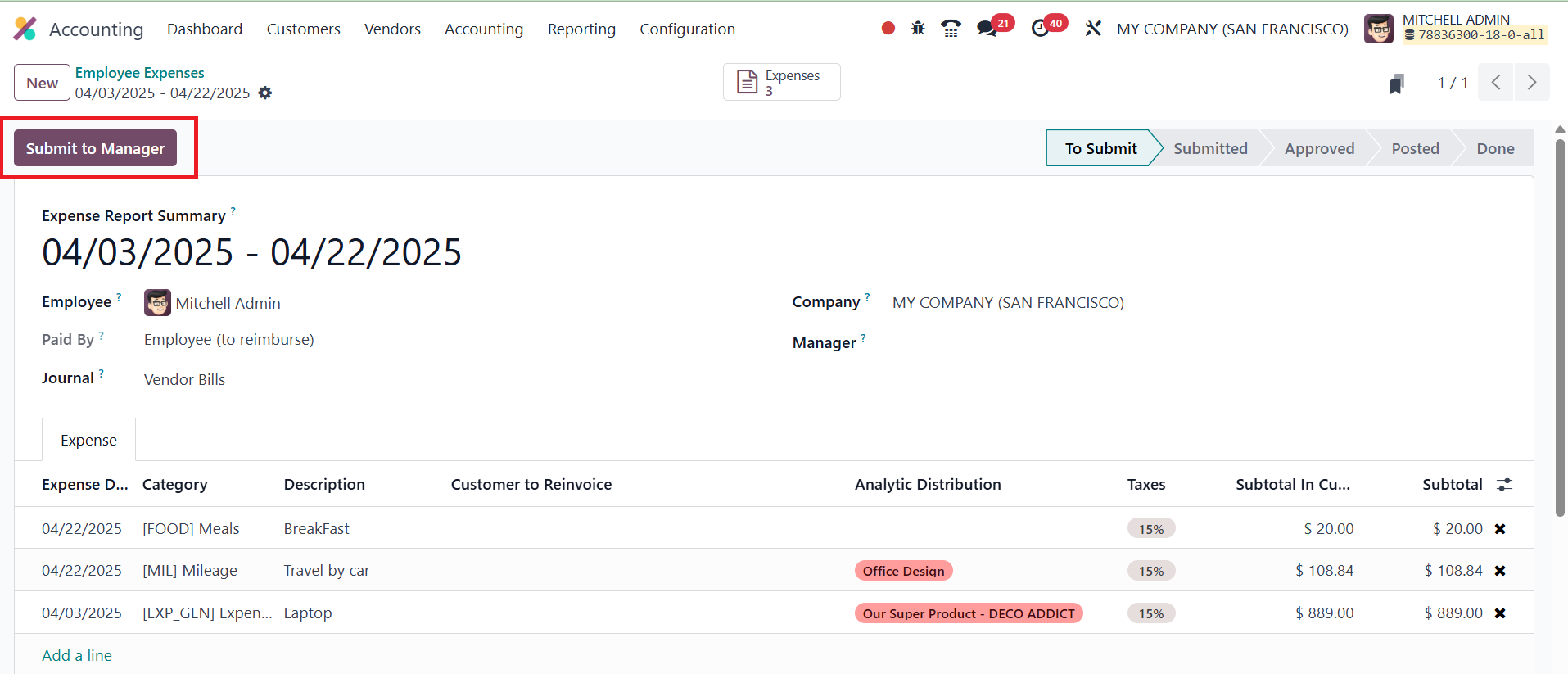
Once all relevant expenses are entered, the employee can submit the
report for managerial review by clicking the Submit To Manager
button. This action forwards the expense report to the designated
manager, who can then approve, refuse, or request modifications.
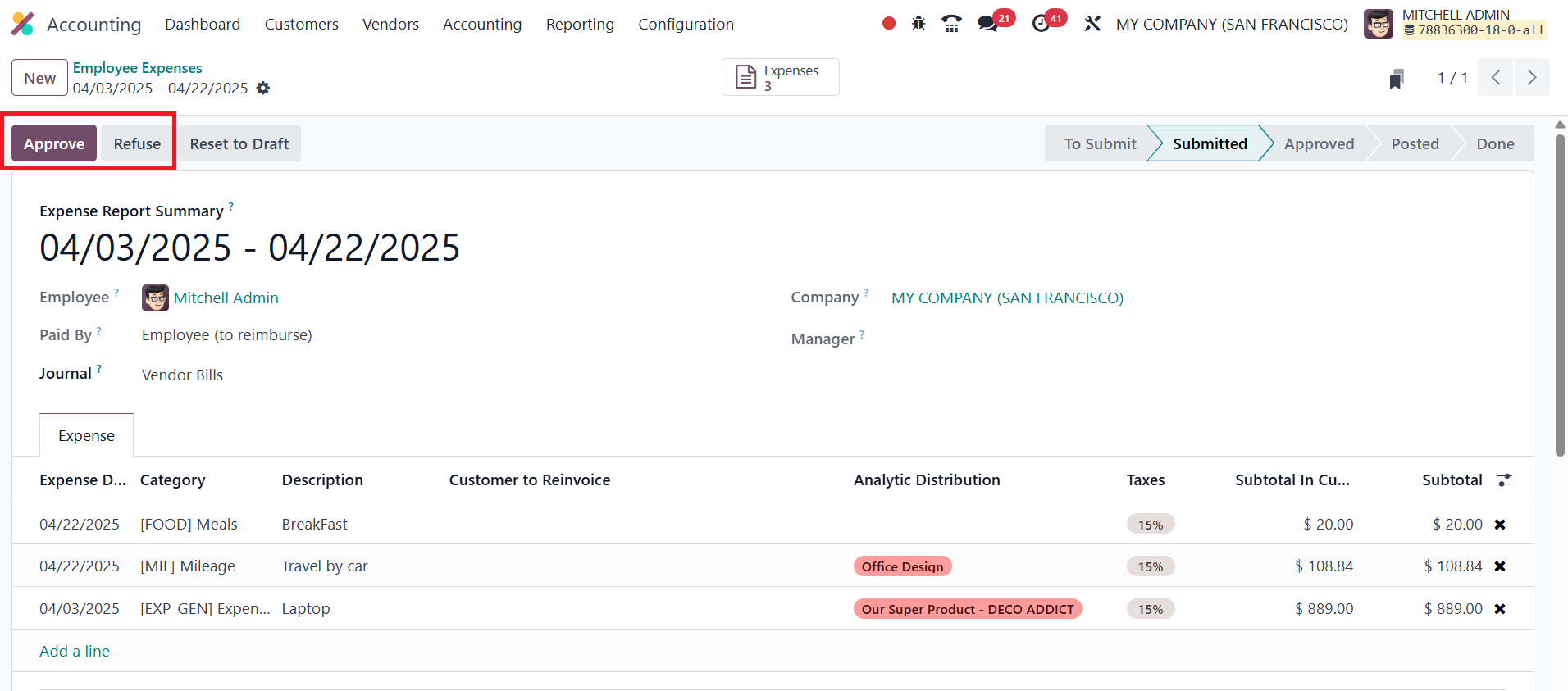
If necessary, the manager may send the report back to draft status
for clarification. In cases where expenses are disallowed, the
manager can use the Refuse option to reject the report, providing
transparency in the approval process.