28. Fiscal Position
In Odoo 18 Accounting, fiscal positions let you adapt taxes and
accounts automatically whenever business is conducted in a
jurisdiction with rules that differ from your own. You configure
them from Accounting ▸ Configuration ▸ Fiscal Positions, where a
list of existing fiscal positions appears with their names and
associated companies.
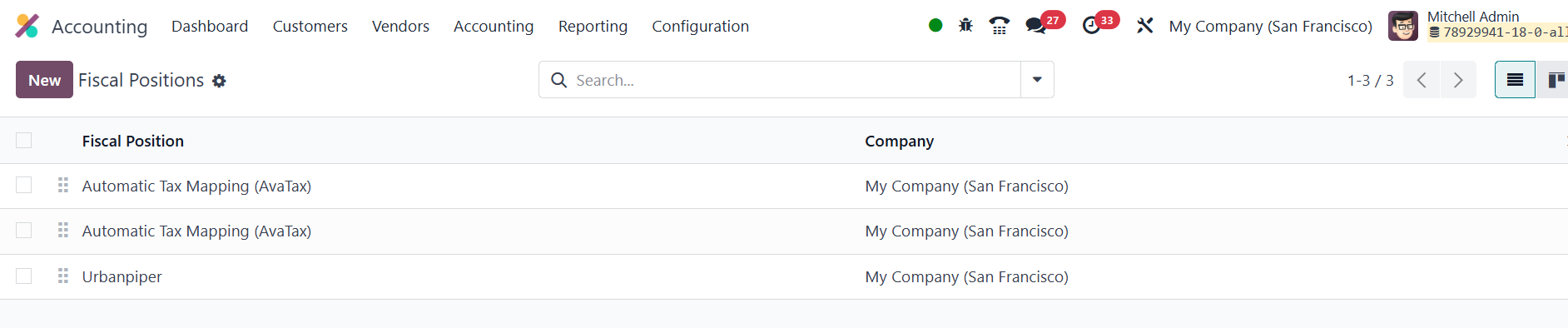
To create one, click New and assign a clear label.
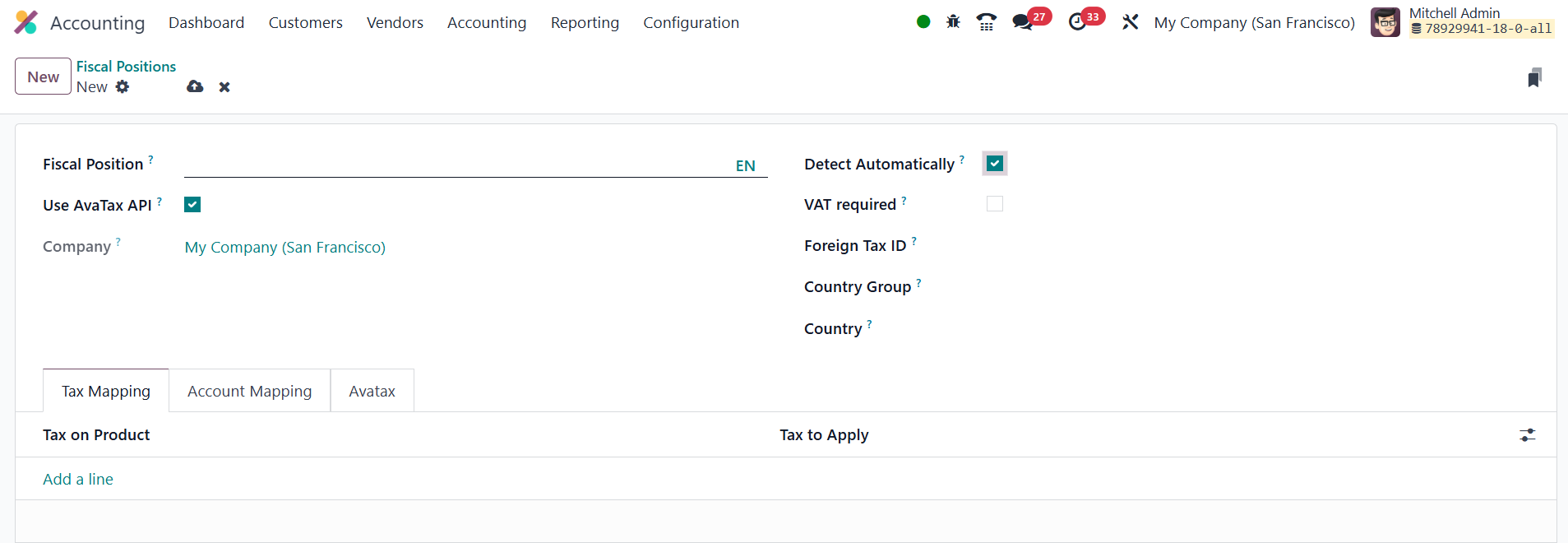
Several automation options are available. Activating Detect
Automatically tells Odoo to apply the fiscal position whenever the
delivery address matches the chosen Country or Country Group; you
can additionally require that the partner have a VAT number by
ticking VAT Required. The Foreign Tax ID field stores your own tax
registration for that territory.
Under Tax Mapping, you define substitutions: specify the original tax
in Tax on Product and the replacement in Tax to Apply.

The Account Mapping tab works the same way for ledger accounts,
letting you switch to region‑specific accounts when needed.

If you turn on Use AvaTax API, an AvaTax tab appears where you choose
an invoice account, a refund account, and any legal notes that must
be printed on documents generated under this fiscal position.
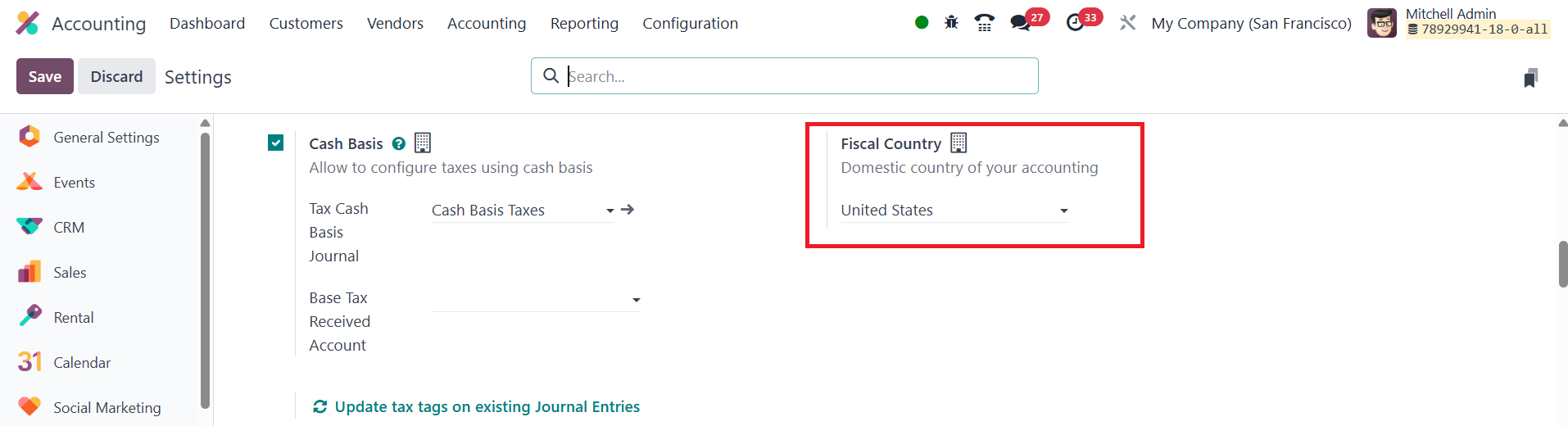
Global settings that influence fiscal positions are found in
Accounting ▸ Settings. In the Taxes section, set your home Fiscal
Country.
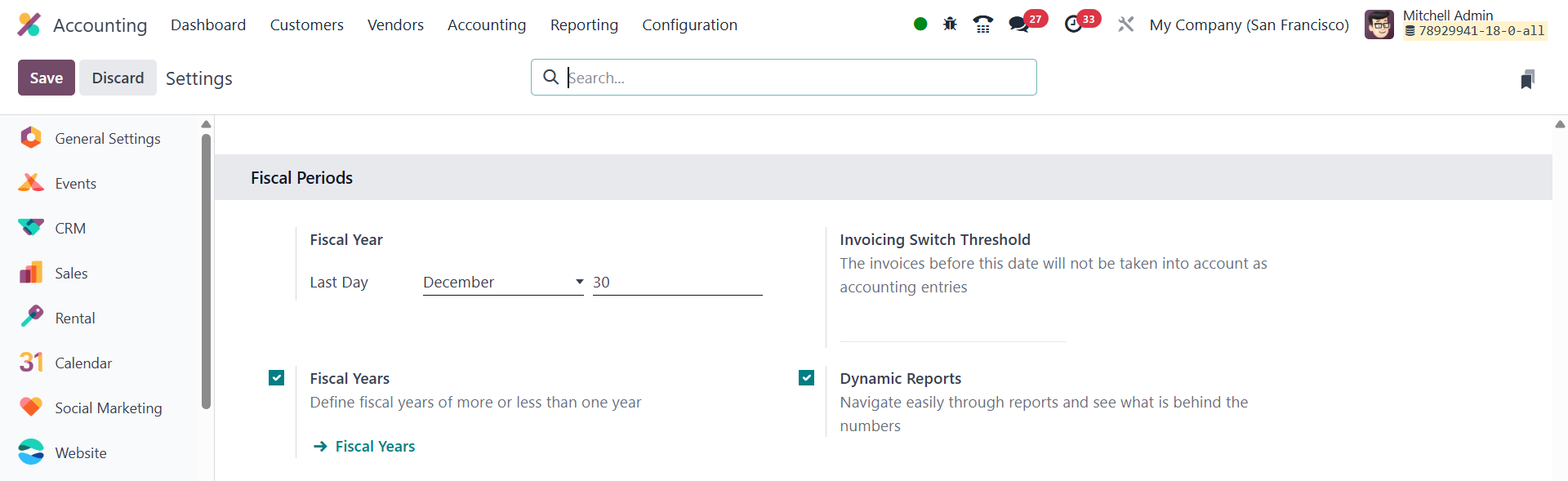
In the Fiscal Period section, specify the last day of your financial
year so Odoo can automatically open new periods; enable Fiscal Years
if you operate with periods longer or shorter than 12 months.
Finally, use Invoicing Switch Threshold to declare a date after
which draft invoices remain in the Invoicing and do not post to the
general ledger until they are validated.
Once you activate the Fiscal Years from the Settings menu, you will
get an option to manage the Fiscal Years under the Configuration
menu.

Clicking the New button will open a window to configure the details
of the new fiscal year.
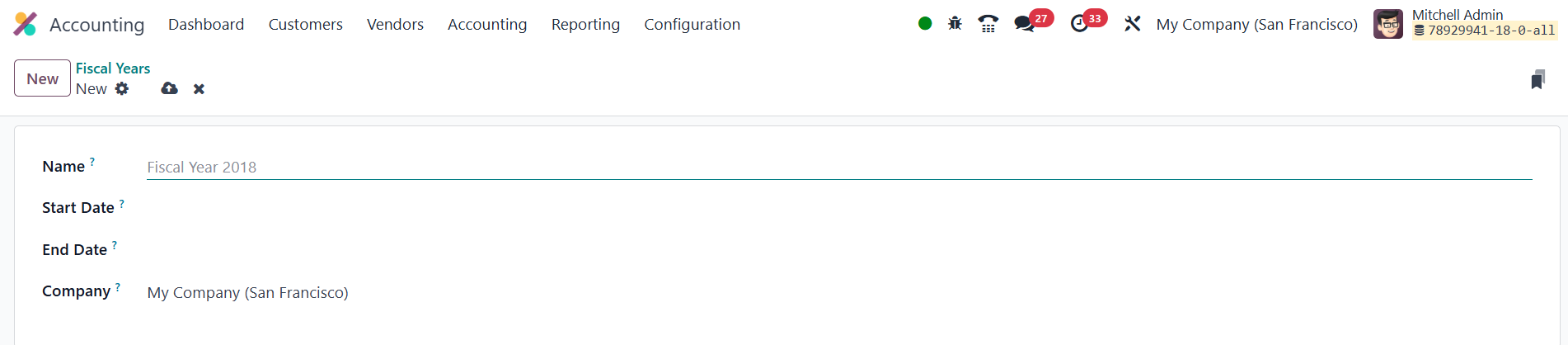
You can mention the Name, Start Date, End Date, and Company of the
fiscal year in the given fields.