22. Follow-up Levels
In Odoo 18 Accounting, the Customer Follow‑Ups tool lets you
systematize collections by defining escalating follow‑up levels.
From Accounting → Configuration → Follow‑up Levels, you can see at a
glance each level’s description, linked company, and the Due Days
offset that triggers it; for example, sending a reminder 15 days
after an invoice falls due.
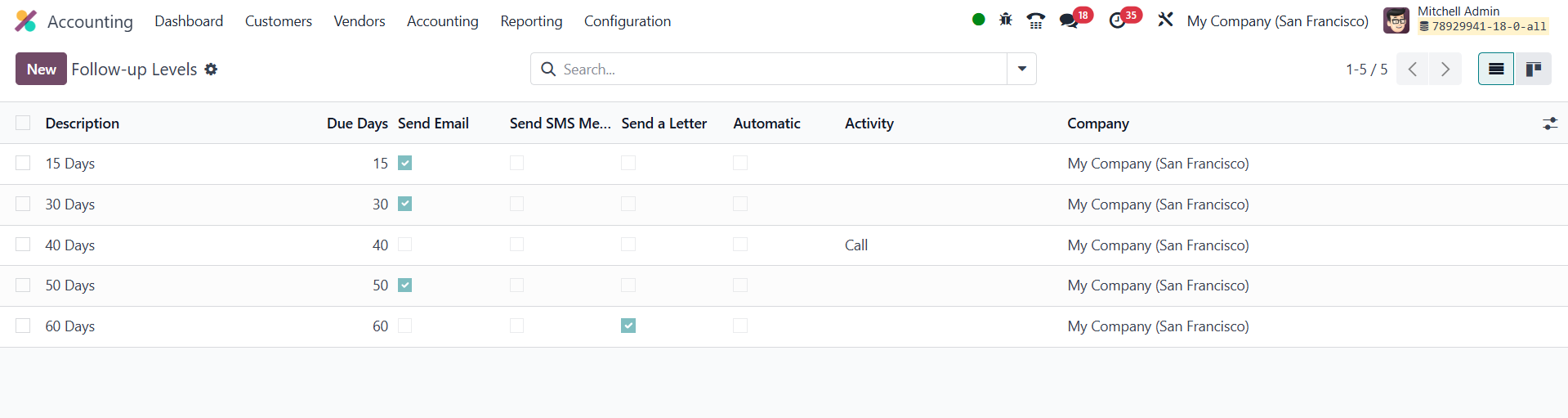
For every level you decide which actions to fire: email, SMS, paper
letter, or a fully automatic workflow, and the list view instantly
shows which channels are enabled. Click New to create an additional
level, give it a clear description, and set the Due Days.
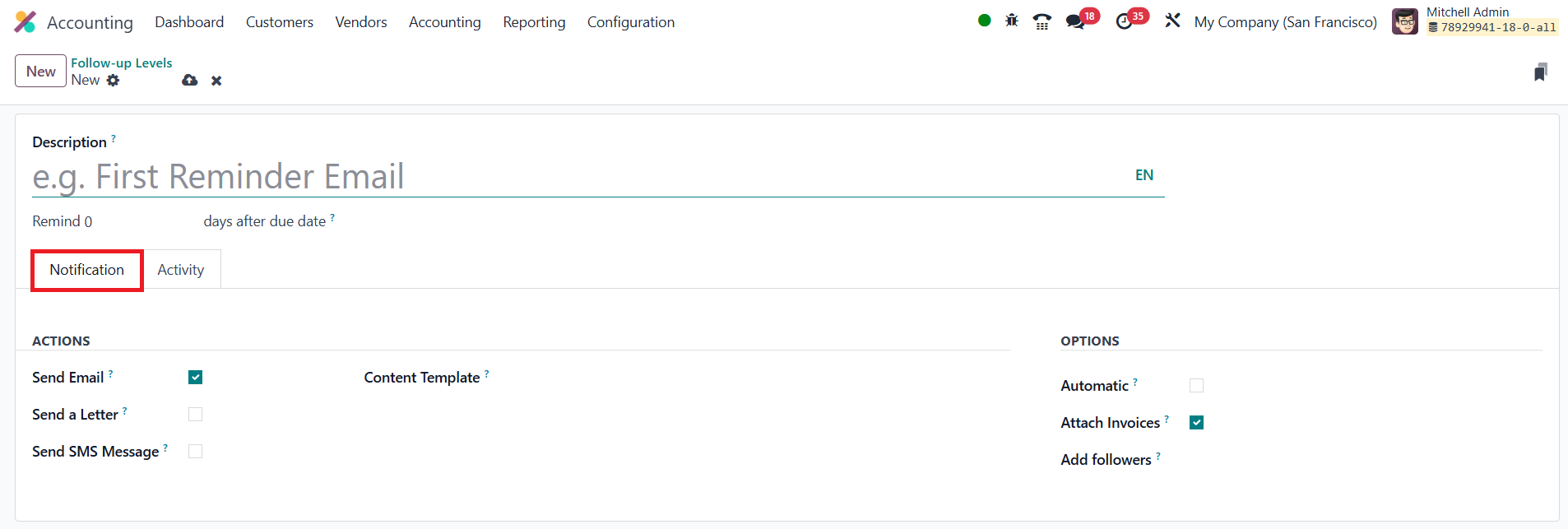
Under Notifications you toggle the desired channels, then pick the
appropriate email, SMS, or letter template; you can even attach the
overdue invoice PDF and mark the step as automatic so it runs
without human intervention.
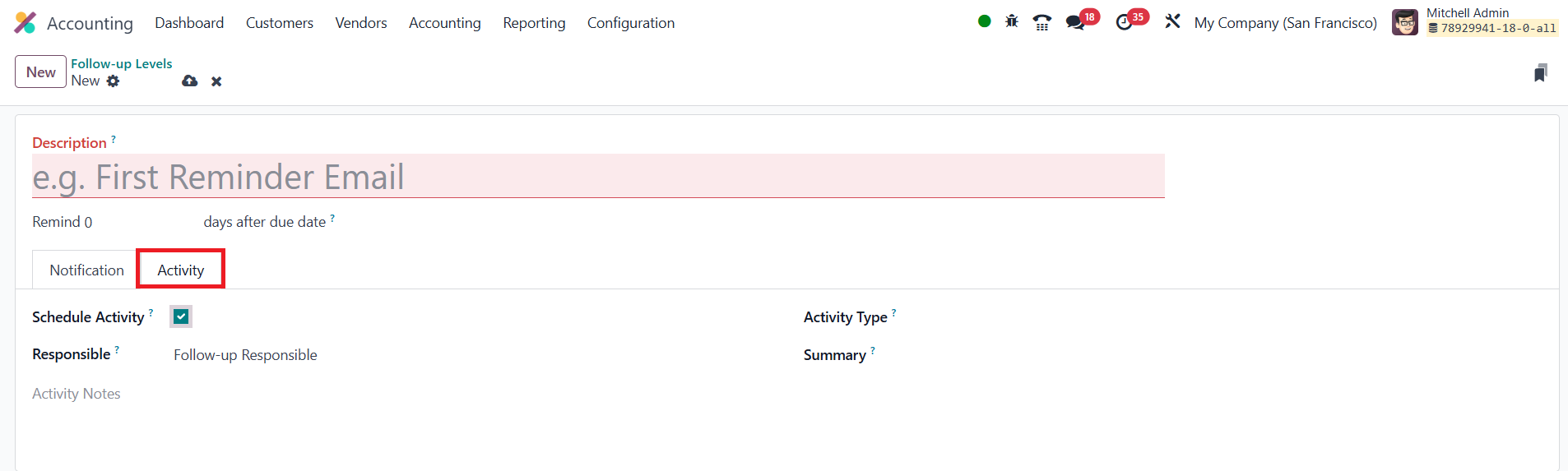
If the step should also create a to‑do inside Odoo, switch to the
Activity tab, activate Schedule Activity, select the responsible
party (Account Manager, Salesperson, or the Follow‑up Responsible),
choose an activity type, and add a concise summary plus any
notes. By chaining these levels, gentle reminders first, firmer
notices later, you automate a courteous yet effective collection
process that accelerates cash‑flow while maintaining positive
customer relationships.