12. Journal Entries
In Odoo 18 Accounting, a Journal Entry represents the detailed
recording of a financial transaction within a selected journal. Each
entry captures key elements such as the accounting date, amounts to
be debited and credited, a reference note, and a description of the
transaction. Odoo follows the Double Entry Bookkeeping System,
meaning each journal entry must contain at least one debit line and
one corresponding credit line, and the total debits must always
equal total credits. The individual lines that comprise a journal
entry are referred to as Journal Items.
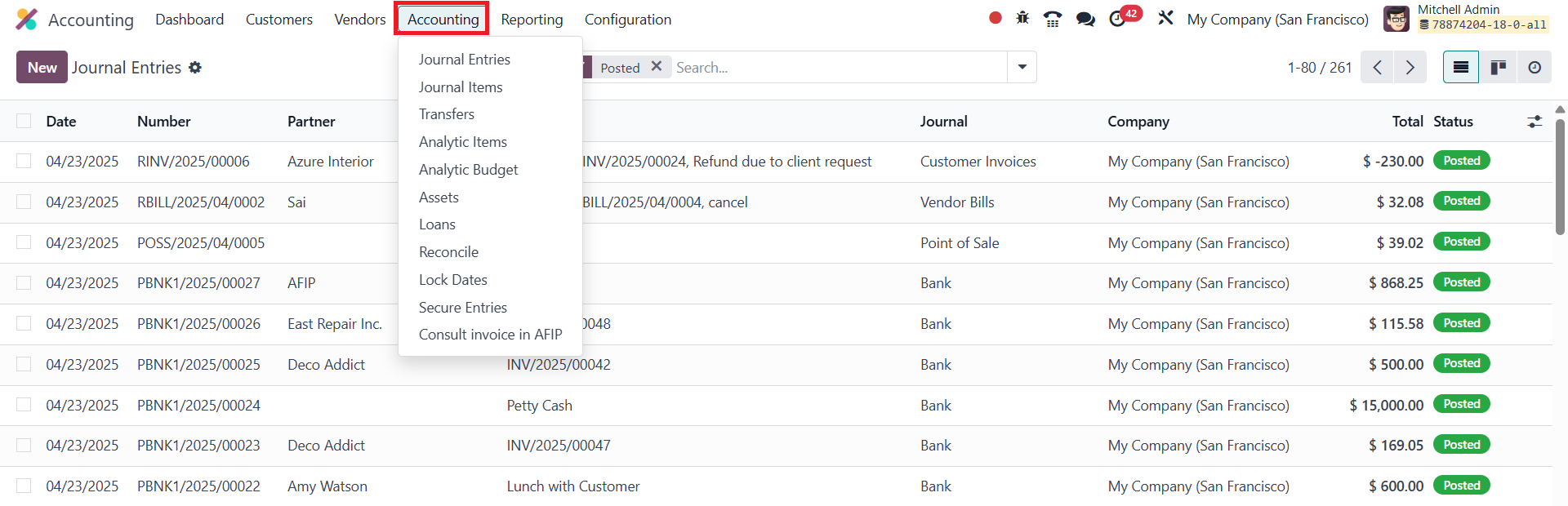
You can access and manage journal entries from the Accounting menu
under the Journal Entries section.
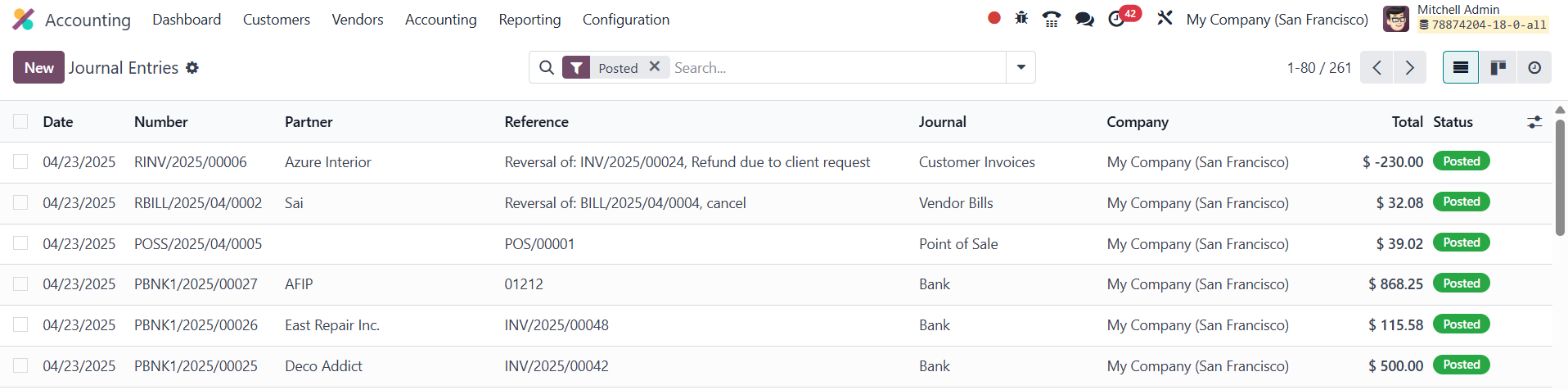
The list view presents essential information for each entry,
including the Date, Entry Number, Partner, Reference, Journal,
Company, Total Amount, and Status. To create a new entry, simply
click the New button and begin filling in the details.
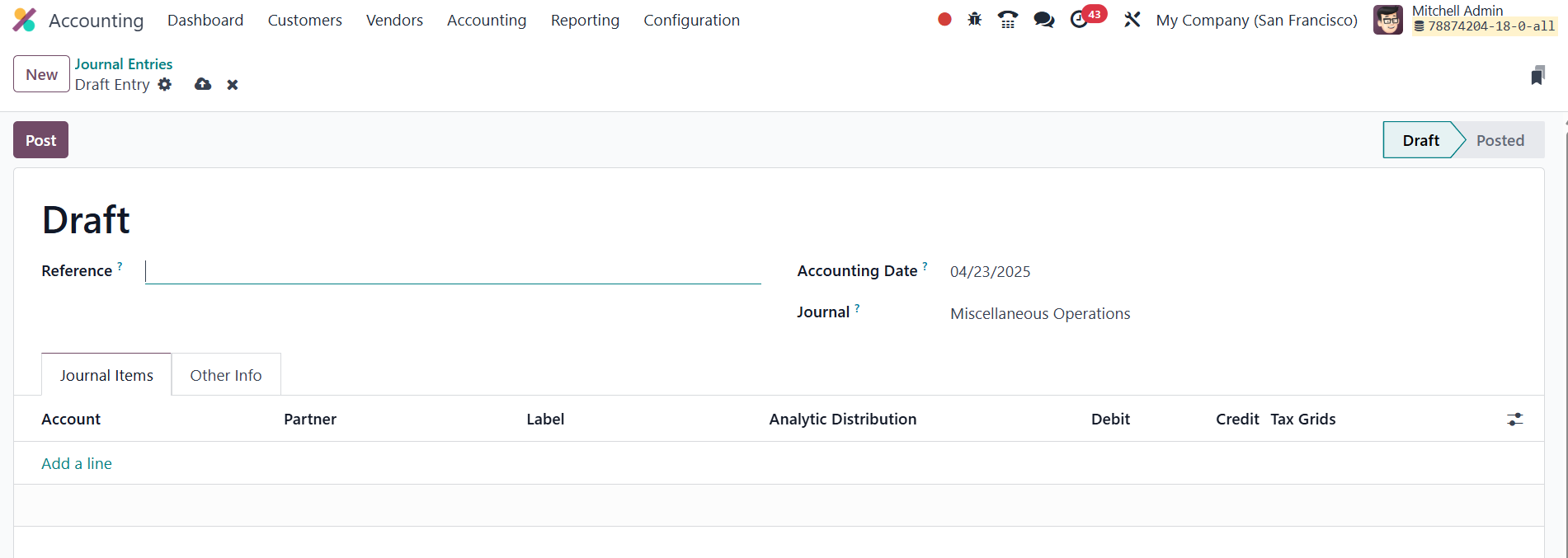
The Reference field allows you to cite source documents, and the
Accounting Date reflects when the transaction should be posted. You
must choose an appropriate journal and use the Add a Line button to
input journal item details like the Account, Partner, Label,
Analytic Distribution, Debit, Credit, and applicable TaxCloud
information.
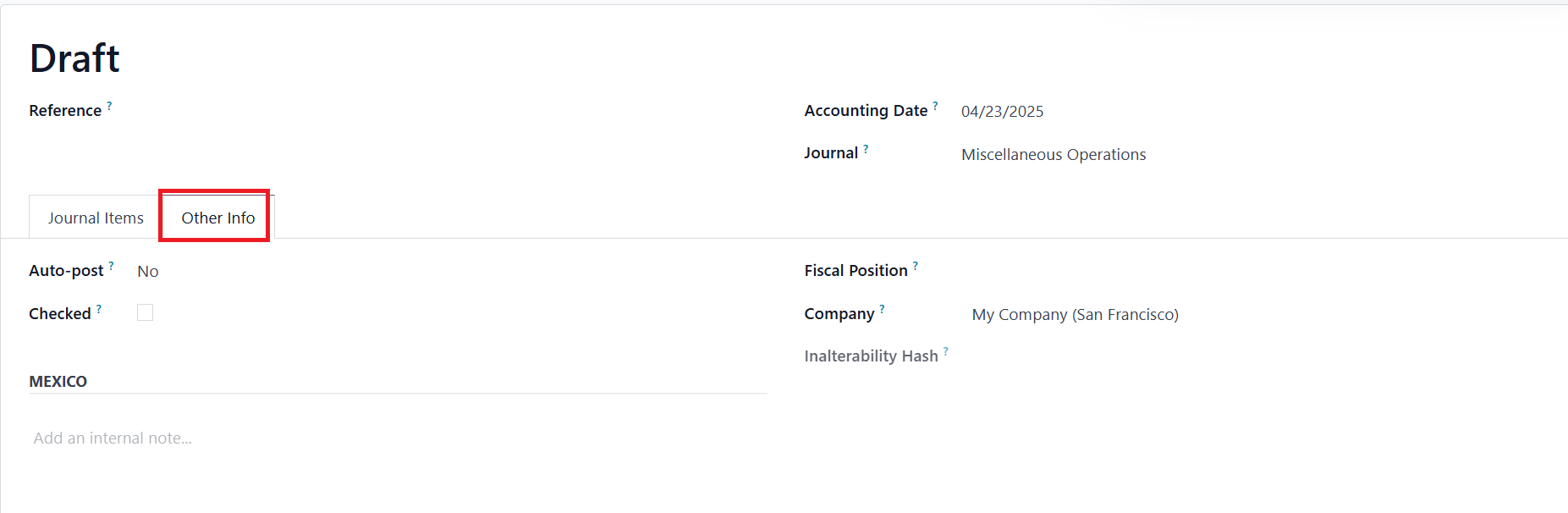
In the Other Information tab, the Auto-post option ensures the
journal entry is automatically posted on the selected accounting
date. You may also enable the Checked flag for entries requiring
verification. Mention the Fiscal Position and Company in the
corresponding fields. Once the data is finalized, clicking the Post
button will officially record the transaction.
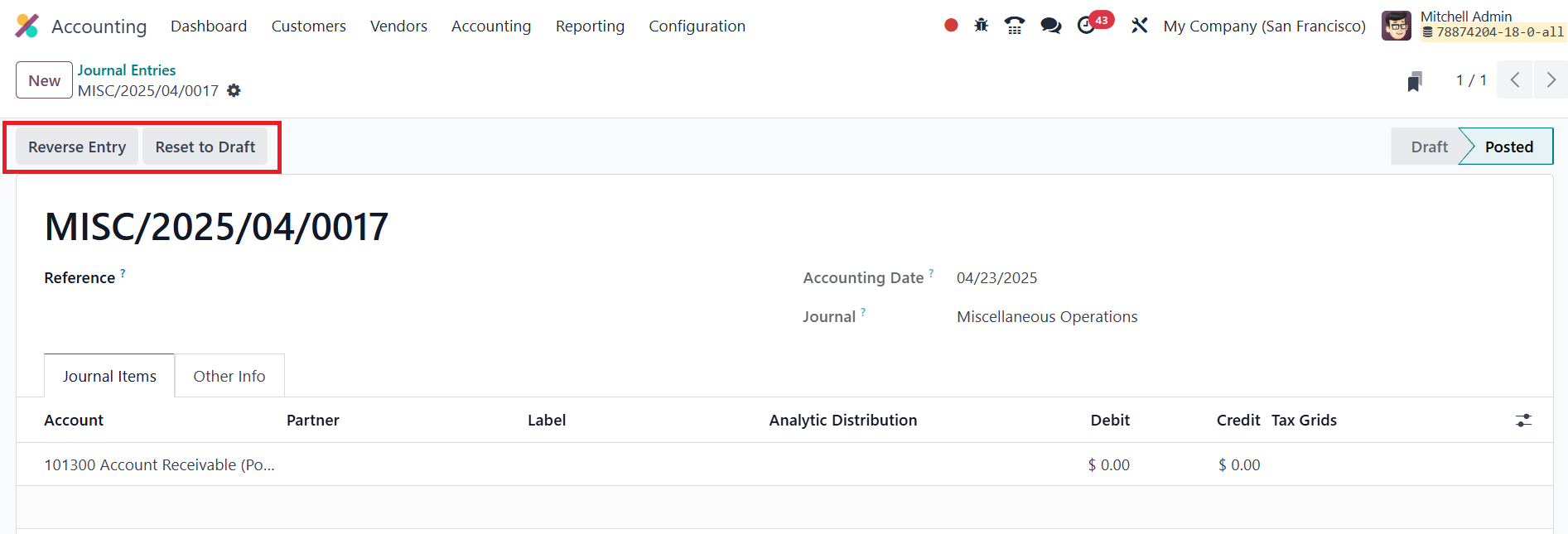
After posting, a Reverse Entry option becomes available, allowing you
to undo the entry if needed.

You can choose the Reversal Date (either the same as the journal
entry date or a specific date) and designate a Journal for the
reversal. The reversal is completed upon clicking the Reverse
button, ensuring accurate and flexible accounting adjustments when
necessary.
12.1 Journal Items
In Odoo 18 Accounting, the Journal Items section provides a
comprehensive platform to review every line item recorded within
your various journal entries. Each journal item represents a single
debit or credit entry, and together, they constitute the full
accounting movement in accordance with the double-entry system.
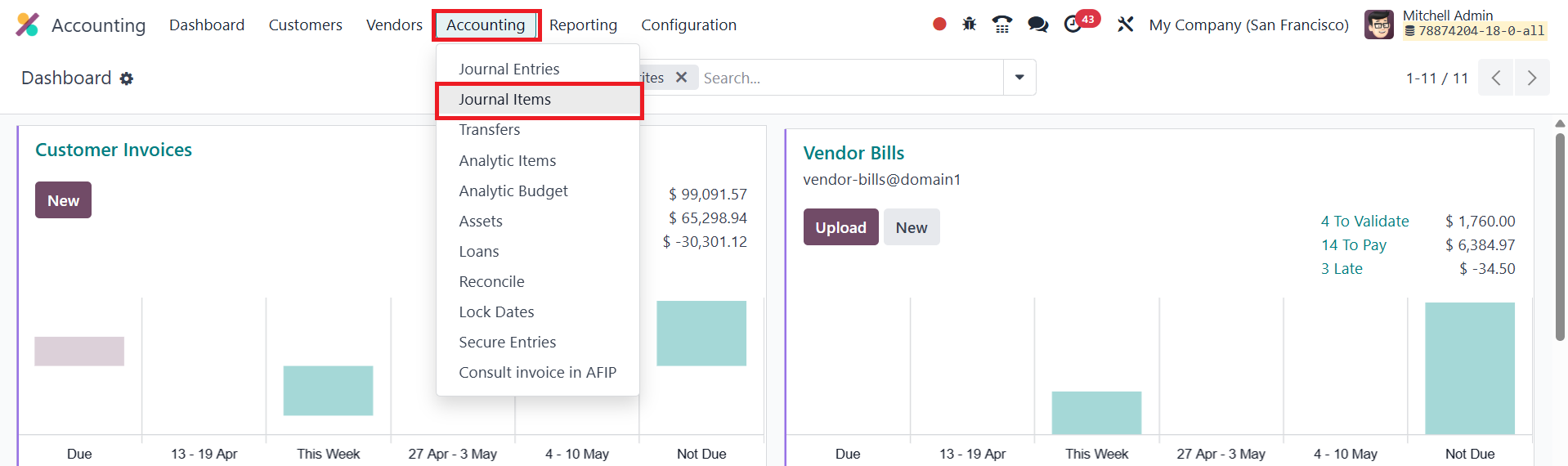
You can access this feature by navigating to the Accounting menu and
selecting the Journal Items option.
The list view presents detailed information such as the Date, Journal
Entry name or number, Account involved, Partner (if any), Label,
Debit, Credit, and Matching Number.
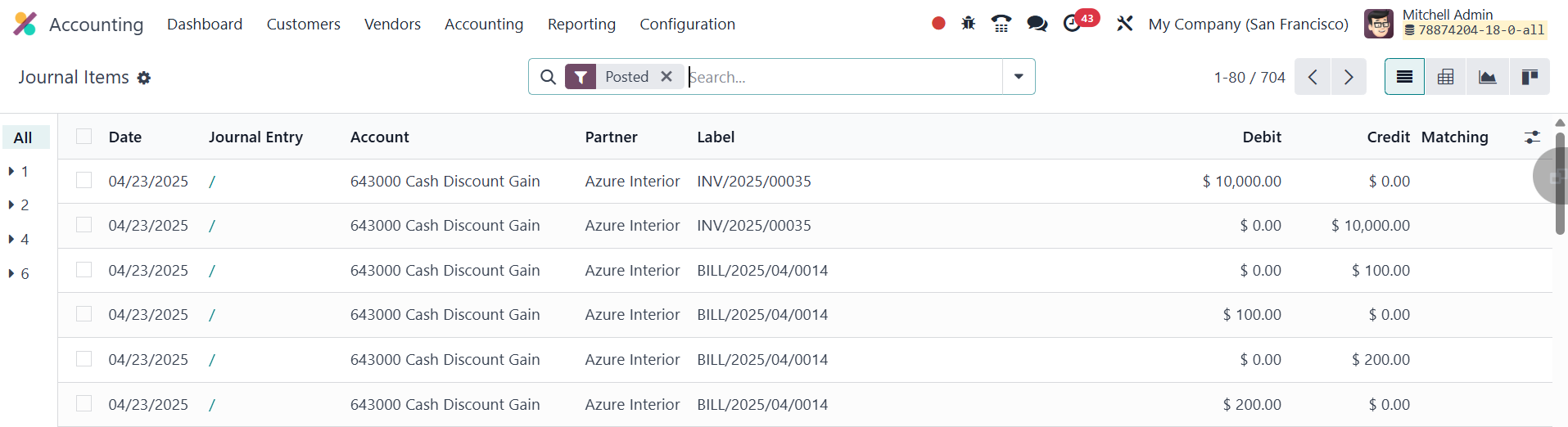
This organized view makes it easy to monitor, audit, or filter
transactions across different accounts and periods.