17. Loans
In Odoo 18 Accounting, the new Loan Management feature lets you link
long‑term debts; such as mortgages, equipment loans, or vehicle
financing, directly to the related fixed assets and monitor them
through every stage of repayment.
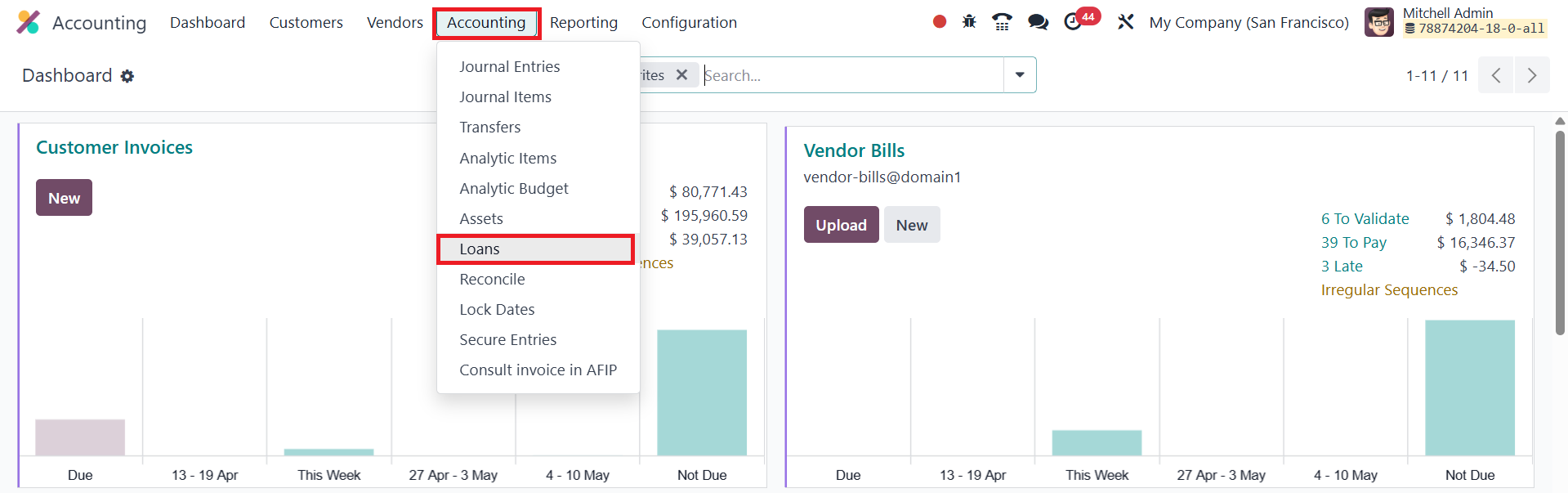
Accessed from Accounting › Loans, the loan dashboard lists each
agreement with its name, start and end dates, amount borrowed,
outstanding balance, and current status.
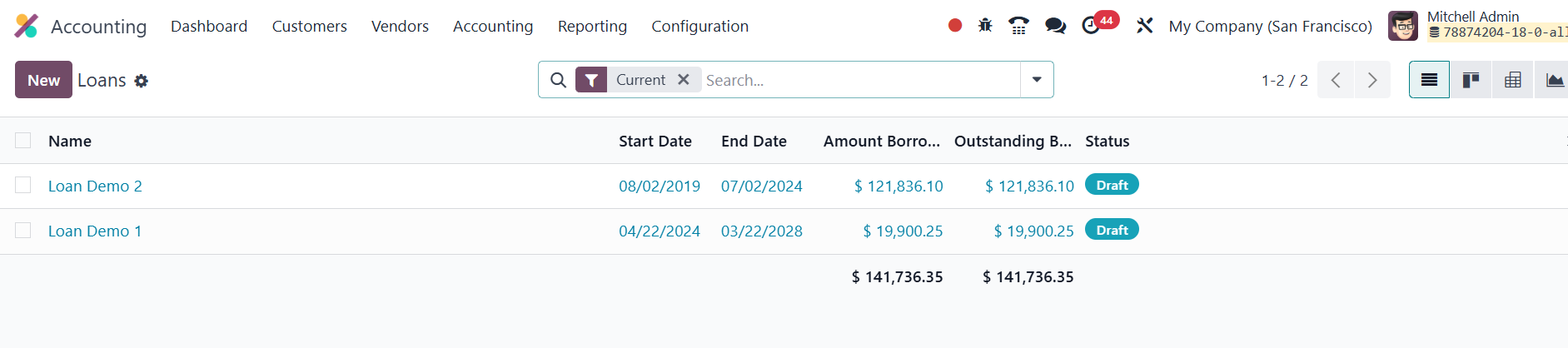
Creating a loan begins by entering a descriptive name, amount
borrowed, interest rate, start date, and loan duration; once you
choose the asset group, Odoo automatically computes the outstanding
balance.
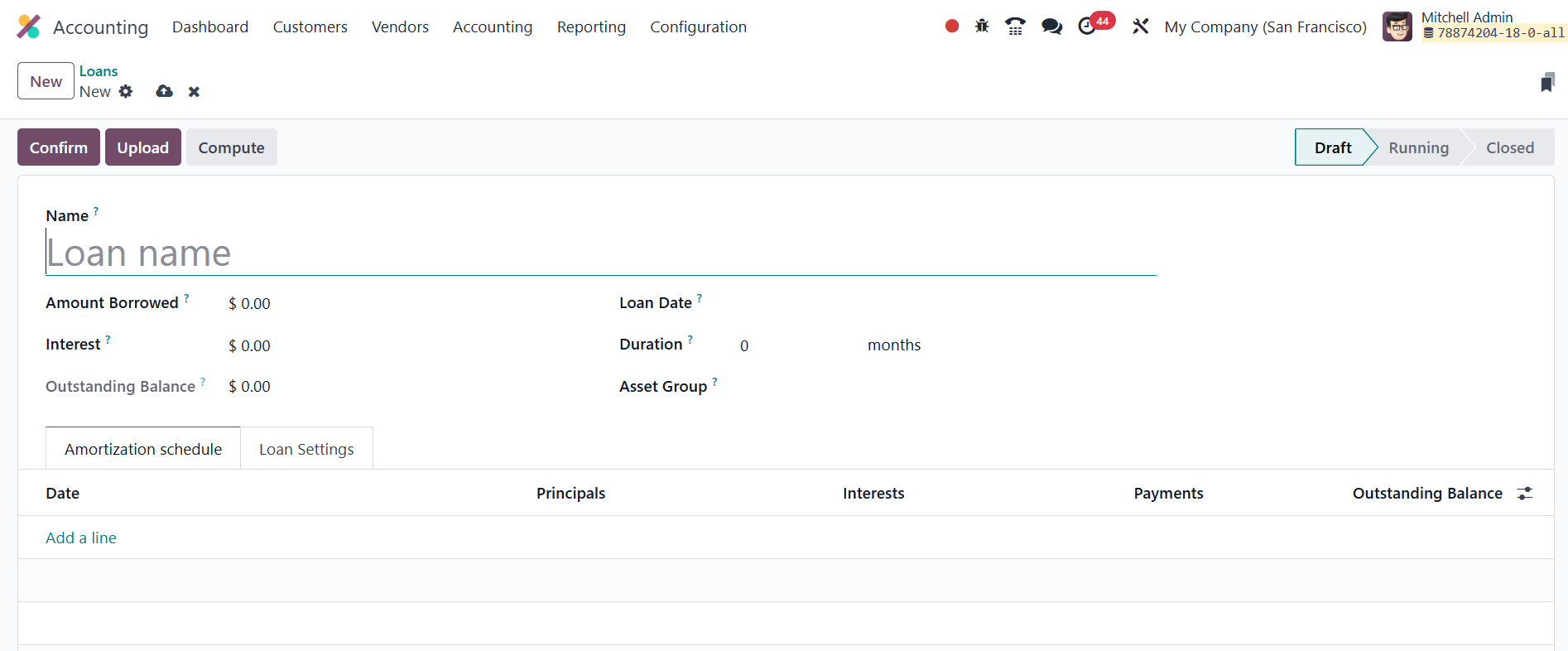
The system can generate a full amortization schedule; itemising every
instalment’s principal and interest, based on the selected
compounding method, or you can add the schedule manually.
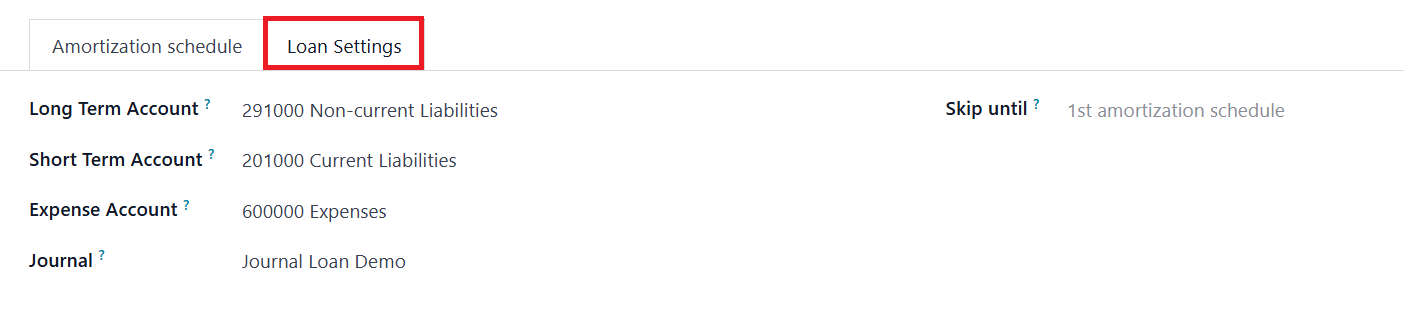
Under Loan Settings you assign the posting Journal along with the
Expense, Long‑Term Liability, and Short‑Term Liability accounts; a
Skip until date is available if earlier installments were posted
manually before the loan record was created. `
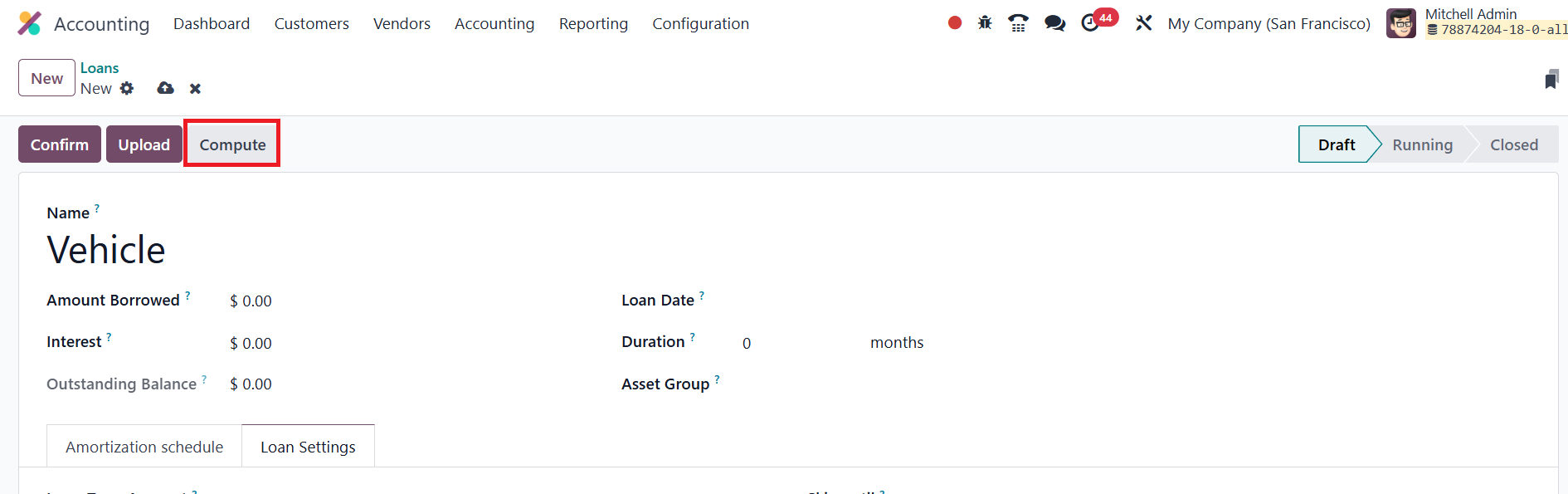
Three actions appear at the top of the form: Confirm (activates the
loan), Upload (attaches supporting documents), and Compute (opens a
wizard where you can recalculate the schedule by entering loan
amount, interest rate, term, start date, and payment frequency).
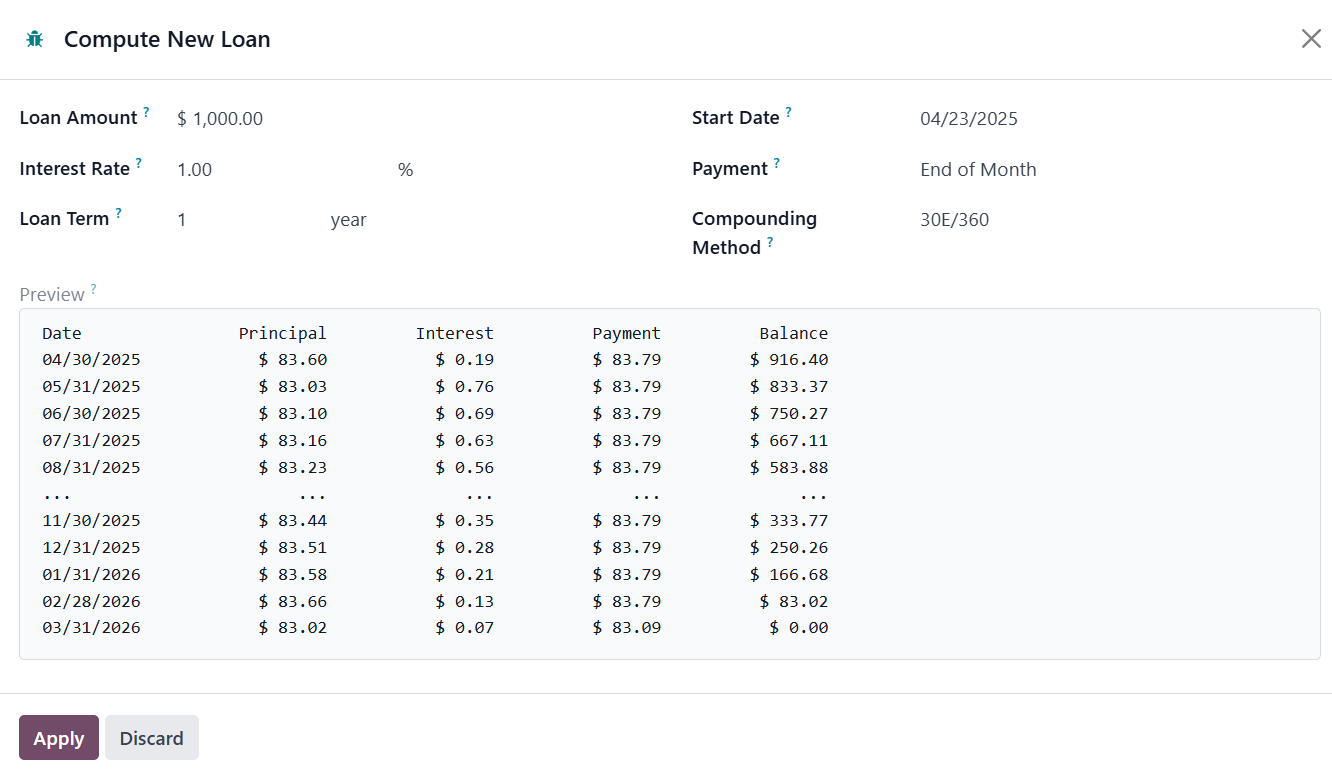
After you apply the computation and confirm, the loan’s stage changes
from Draft to Running, and Odoo begins generating journal entries
automatically.
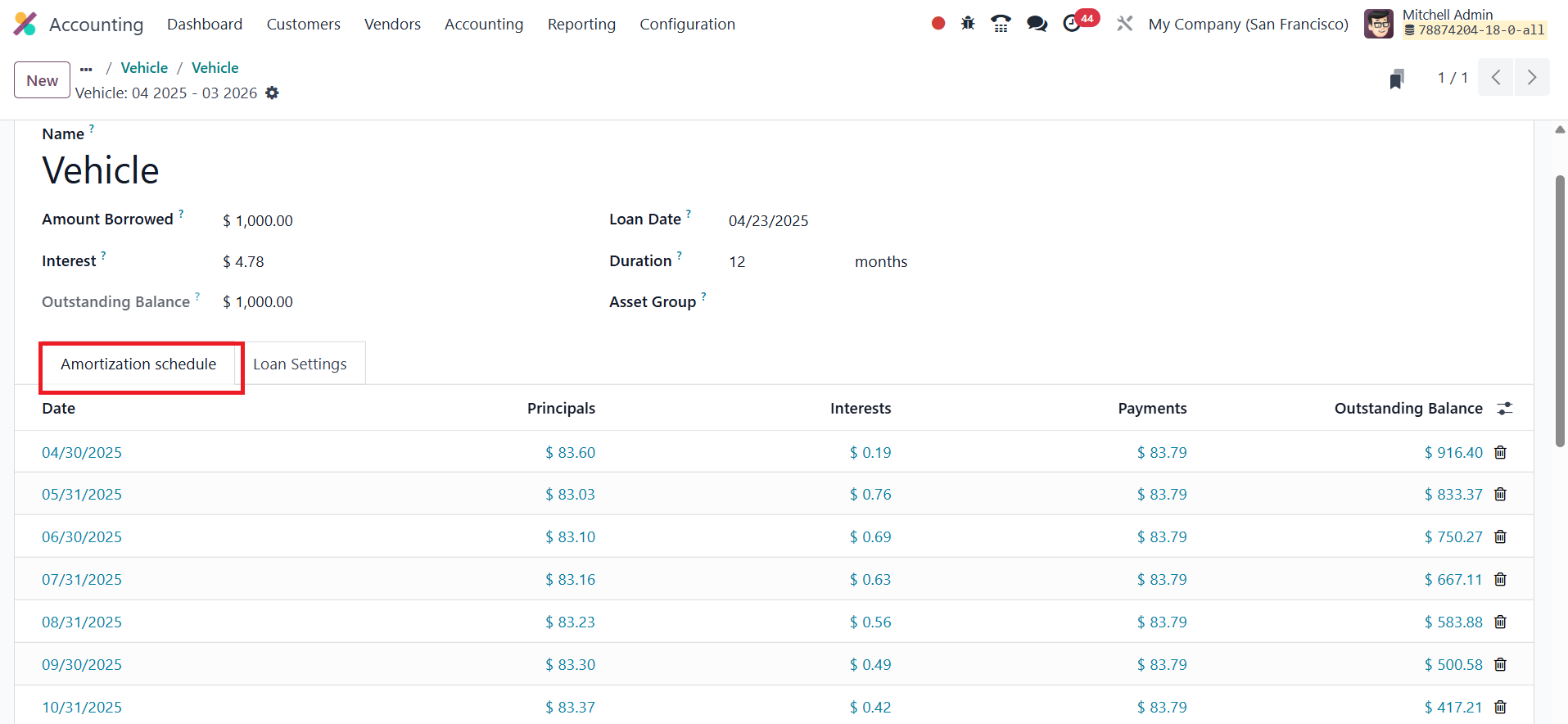
Each repayment posts a debit to the long‑term liability account
(reducing principal), a credit to the short‑term liability account,
and a debit to the expense account for the interest portion.
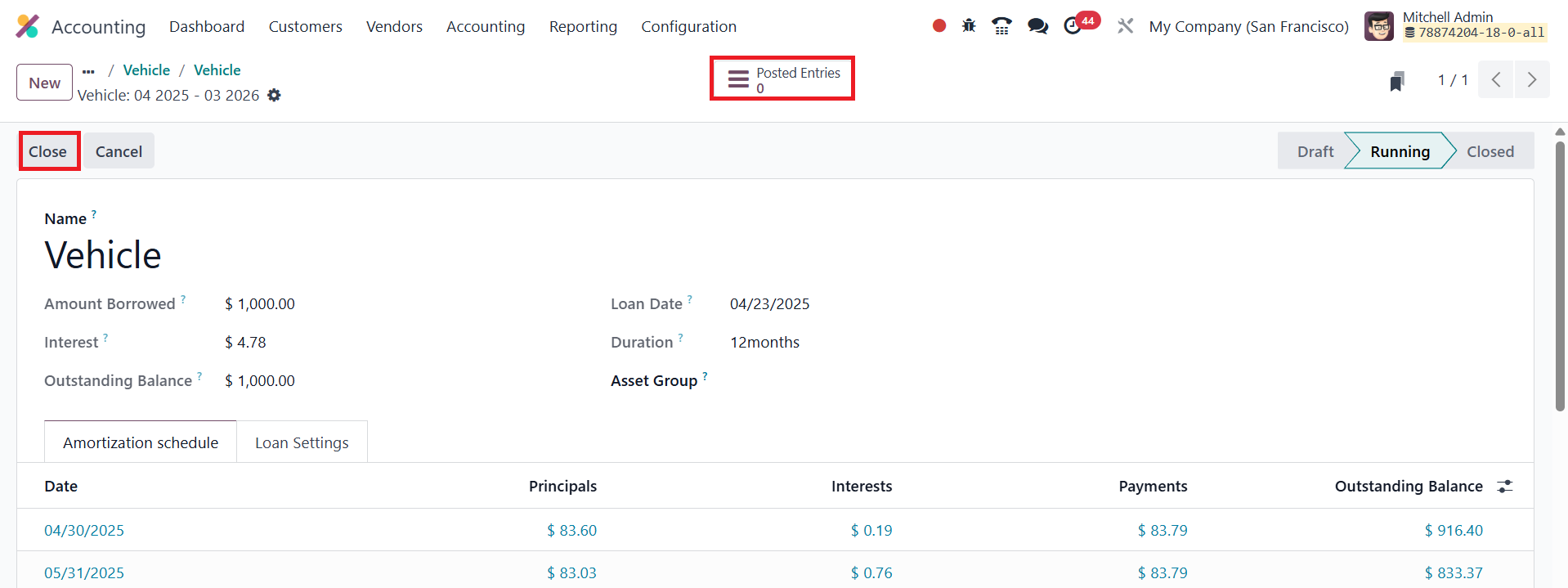
A handy Posted Entries smart button lets you review every generated
entry, ensuring complete transparency of principal reduction,
interest expense, and reclassification between long‑ and short‑term
liabilities. When the amortization schedule is finished, the loan
automatically moves to Closed status; alternatively, you can click
Close at any time, which deletes any unposted installments and
finalises the liability.
17.1 Loans Analysis
Odoo 18 Accounting complements its loan‑tracking tools with a
dedicated Loan Analysis report that delivers a concise picture of
every active or closed loan’s performance. Accessible from
Reporting › Loan Analysis under Management reports, it opens by
default in a pivot view that lists loan names on the Y‑axis while
the columns display, year by year, the principal repaid, interest
incurred, and total payments.
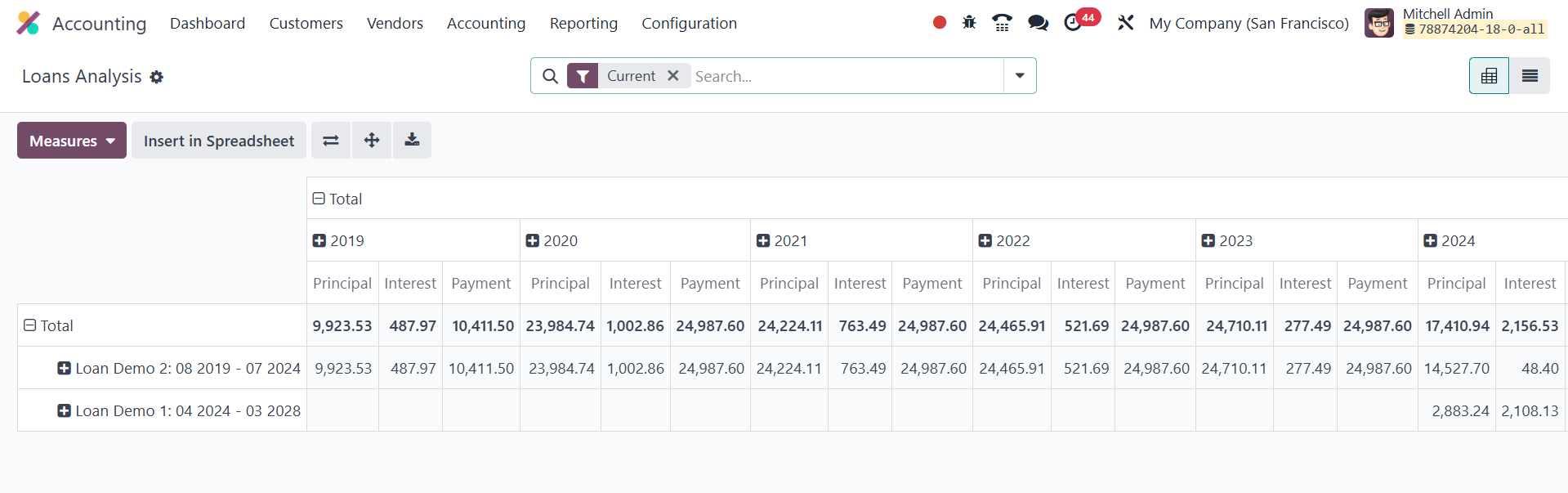
This layout lets finance teams gauge at a glance how each loan is
progressing and how repayment schedules affect cash flow across
fiscal periods. A switch to list view provides line‑by‑line detail,
and the interface includes quick filters for Current loans, Closed
loans, and Loan Date, along with “Group By” options for Loan, Loan
Date, or Asset Group. Users can add custom filters, create custom
groupings, and even save their preferred search layouts for future
reference.