19. Lock Dates
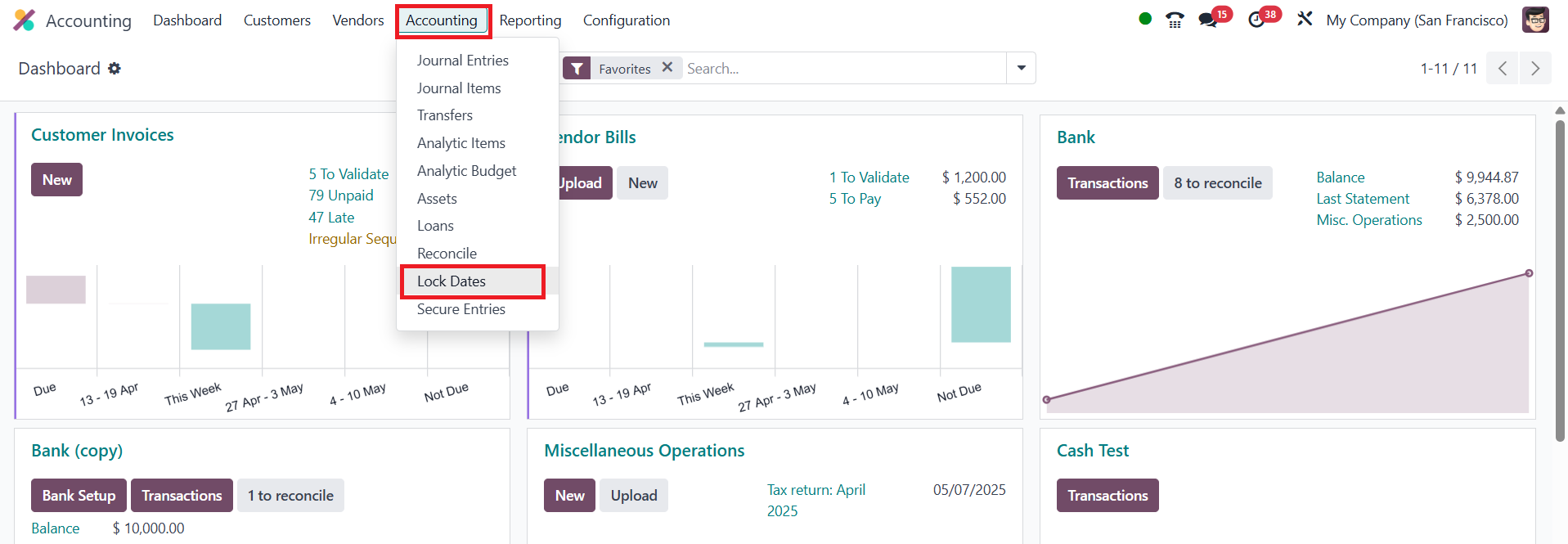
The Lock Dates feature in Odoo 18 lets you lock your transactionss so
no one can back‑date or change entries before a chosen date. This
option is available in the Accounting menu.
You can lock Sales, Purchases, Tax Return, or the whole ledger. After
you set a lock date, users who try to create or edit anything dated
on or before that day will get an error.
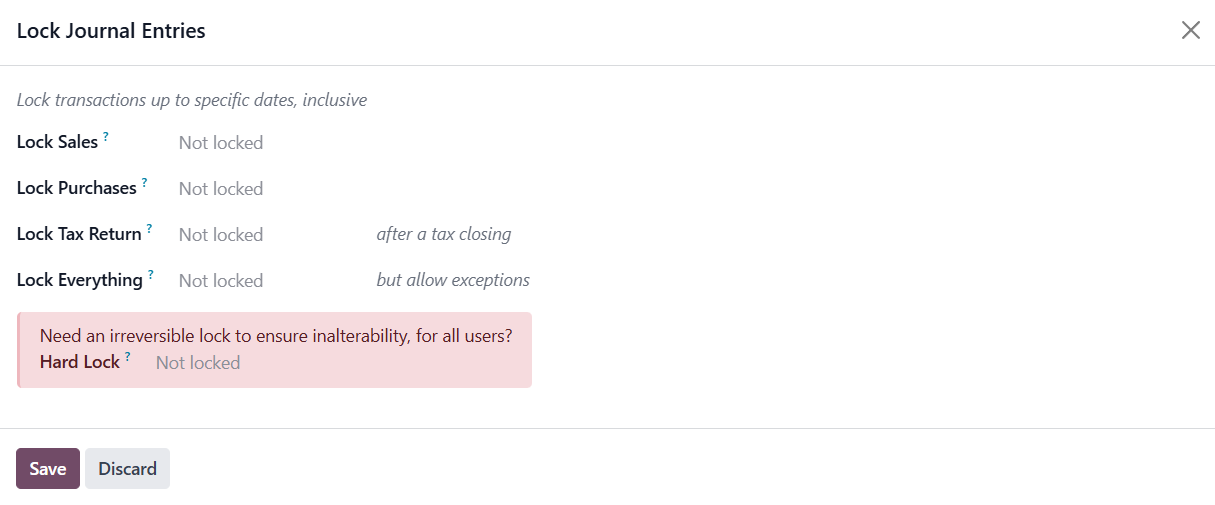
A normal lock can be moved later if you need to reopen a period. If
you tick Hard Lock, the freeze is permanent unless someone with
direct database access removes it.