21. Payment Terms
In Odoo 18 Accounting, Payment Terms let you formalize exactly when
and how much a customer or vendor must pay and whether they are
rewarded for settling early. You will get this option in the
Accounting module. Go to the Configuration menu and click on the
Payment Terms.
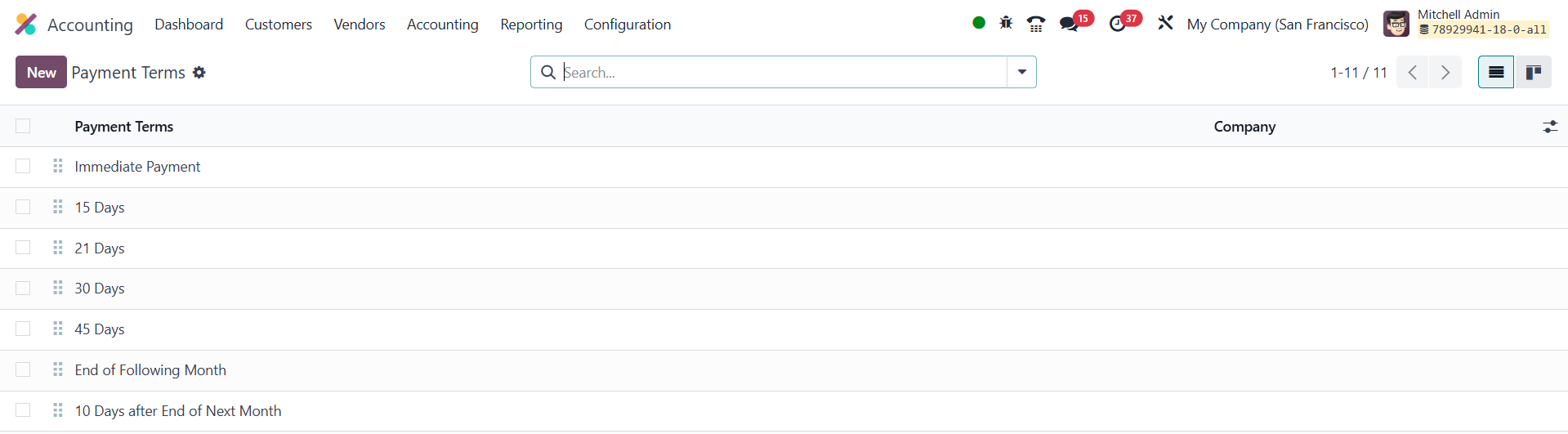
Clicking New button will open a new window to create a new payment
term.
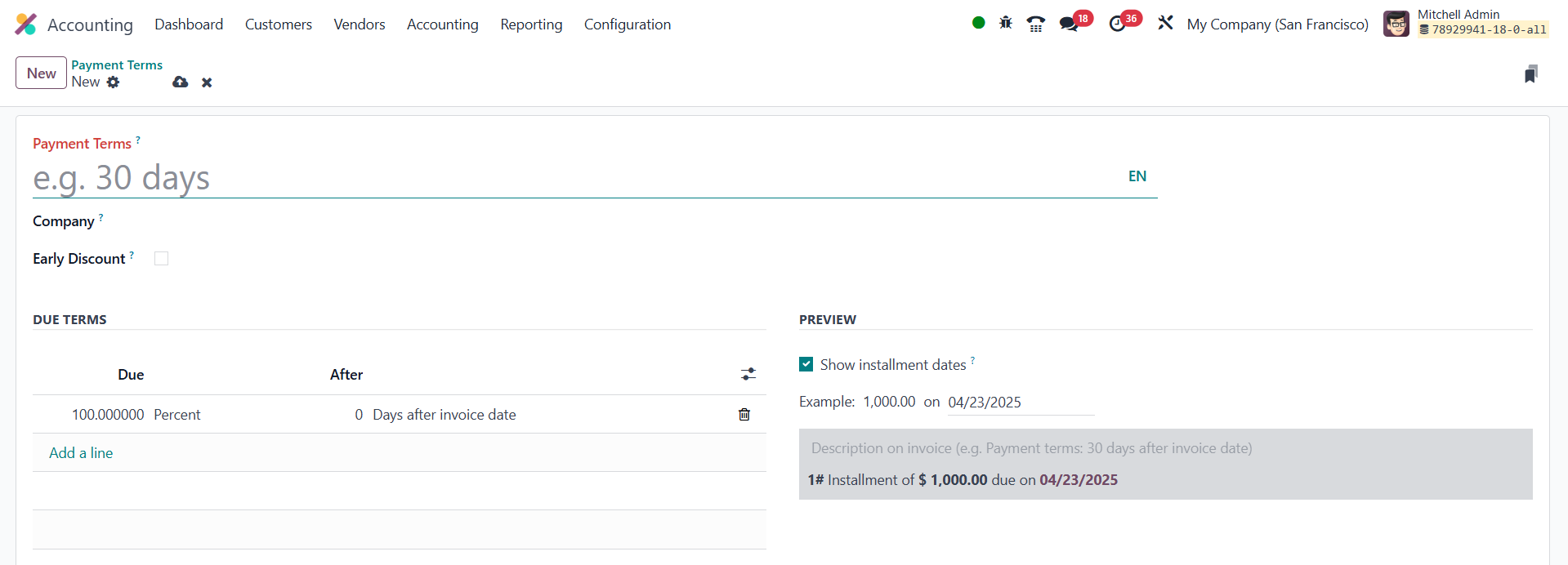
Inside the form you first pick the Company (useful if you operate
multiple firms in the same database) and assign a clear, descriptive
Name so users instantly recognize the policy. If you wish to
incentivize prompt settlement, toggle Early Discount, enter the
percentage and Odoo will automatically compute the reduced amount on
any invoice that respects the early‑payment window you
specify. Next, under Due Terms you add one or more lines that tell
the system when each portion becomes collectible. A single‑line term
such as “100 % , 30 days after invoice date” reproduces the classic
Net 30 arrangement, but you can just as easily split it into
staggered instalments (e.g., 50 % on day 0 and 50 % on day 30) to
match complex contracts.
To help recipients understand their obligations at a glance, you can
fill in the Preview Text and tick Show Installment Dates so that
every printed or emailed invoice lists the exact calendar dates, not
just relative offsets.
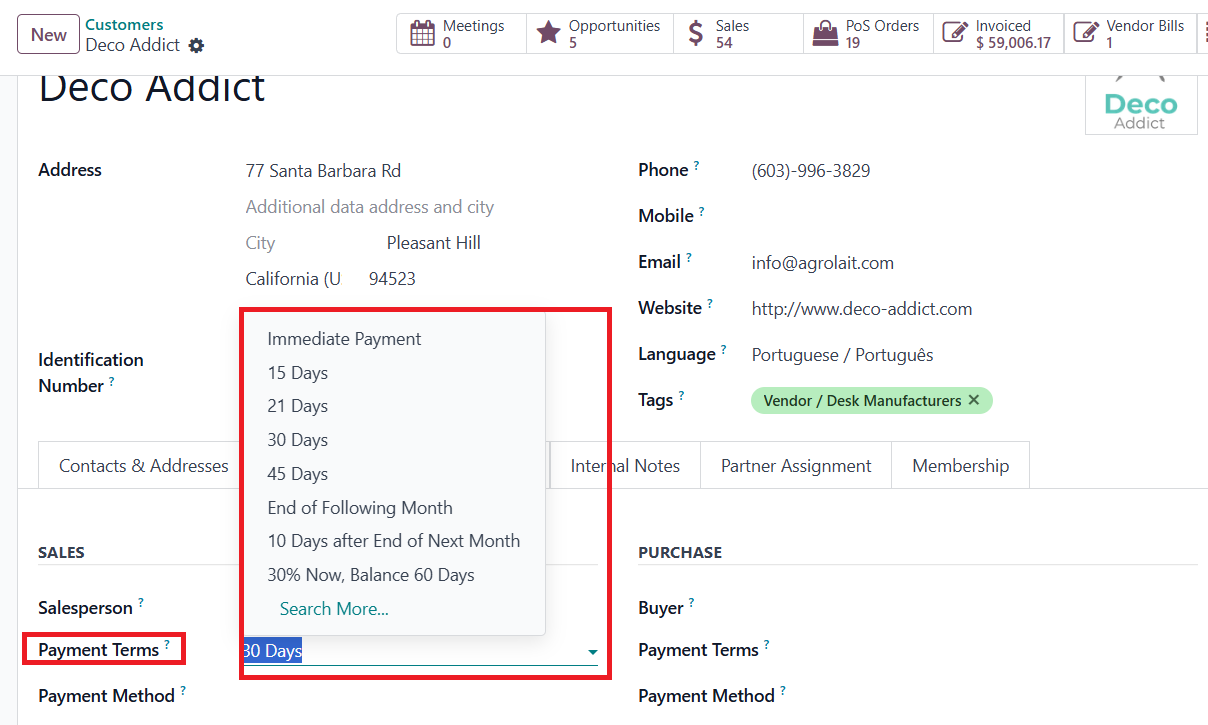
Once your payment terms are configured, assign them in the Sales &
Purchase tab of each contact’s form. Doing so ensures that whenever
you select that vendor or customer, the correct payment term is
automatically applied to their purchase orders or sales orders.
With thoughtfully configured Payment Terms in place, your Odoo 18
Accounting setup turns credit policy into an automated, transparent
process that improves cash‑flow predictability for you and clarity
for your customers.