7. Products
The Accounting module in Odoo 18 is closely integrated with the
Inventory and Sales modules, allowing users to manage and access all
existing products directly. To view or manage product records from
within the Accounting interface, navigate to the Customers menu and
select the Products option. This section displays a comprehensive
list of products available in your system.
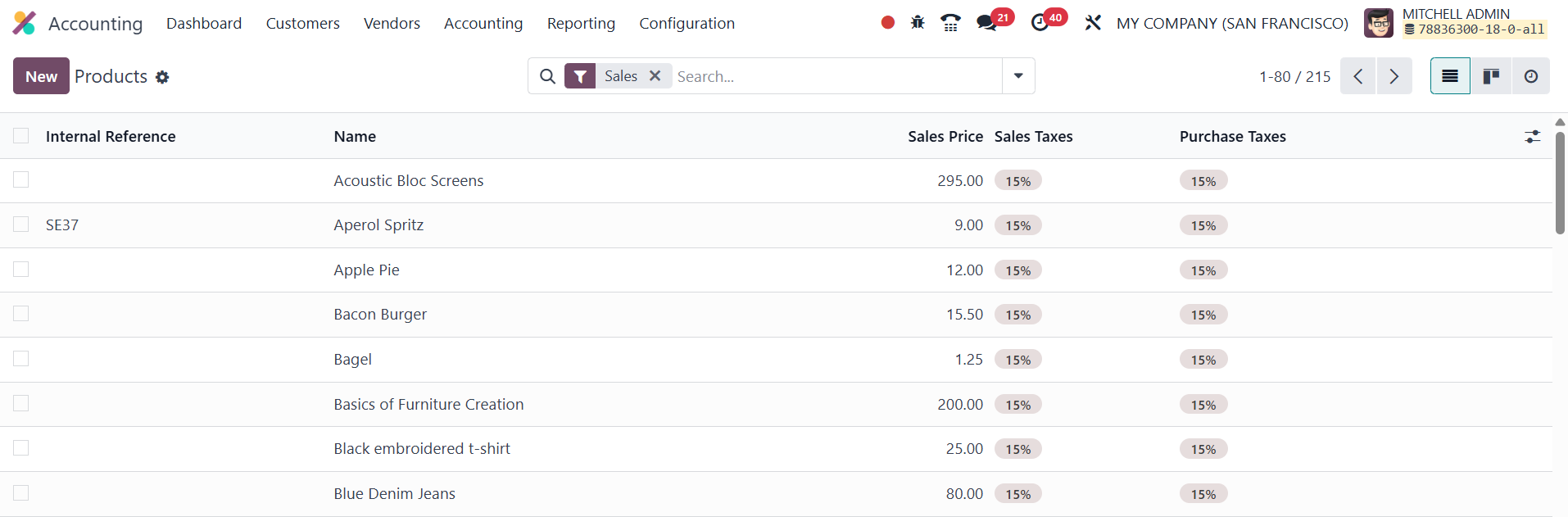
The product list view provides key details such as the Internal
Reference, Product Name, Sales Price, Sales Taxes, and Purchase
Taxes. This consolidated view helps accountants quickly access
pricing and tax information relevant for invoicing and financial
reporting.
To add a new product, simply click the New button. Odoo offers
additional tools like Search, Group By, Filters, and Favorites to
help users efficiently locate and organize product data. These
features are especially useful for businesses with a large product
catalog, enabling customized views and streamlined workflows.
In Odoo 18 Enterprise, the Accounting tab enables businesses to
efficiently manage and track a product's financial data, supporting
accurate accounting and financial reporting. Within this tab, users
can define the Income Account under the Receivables section to
designate where revenue from product sales is recorded, while the
Expense Account under the Payables section captures the cost of
purchasing the product, ensuring proper documentation of purchase
expenses.
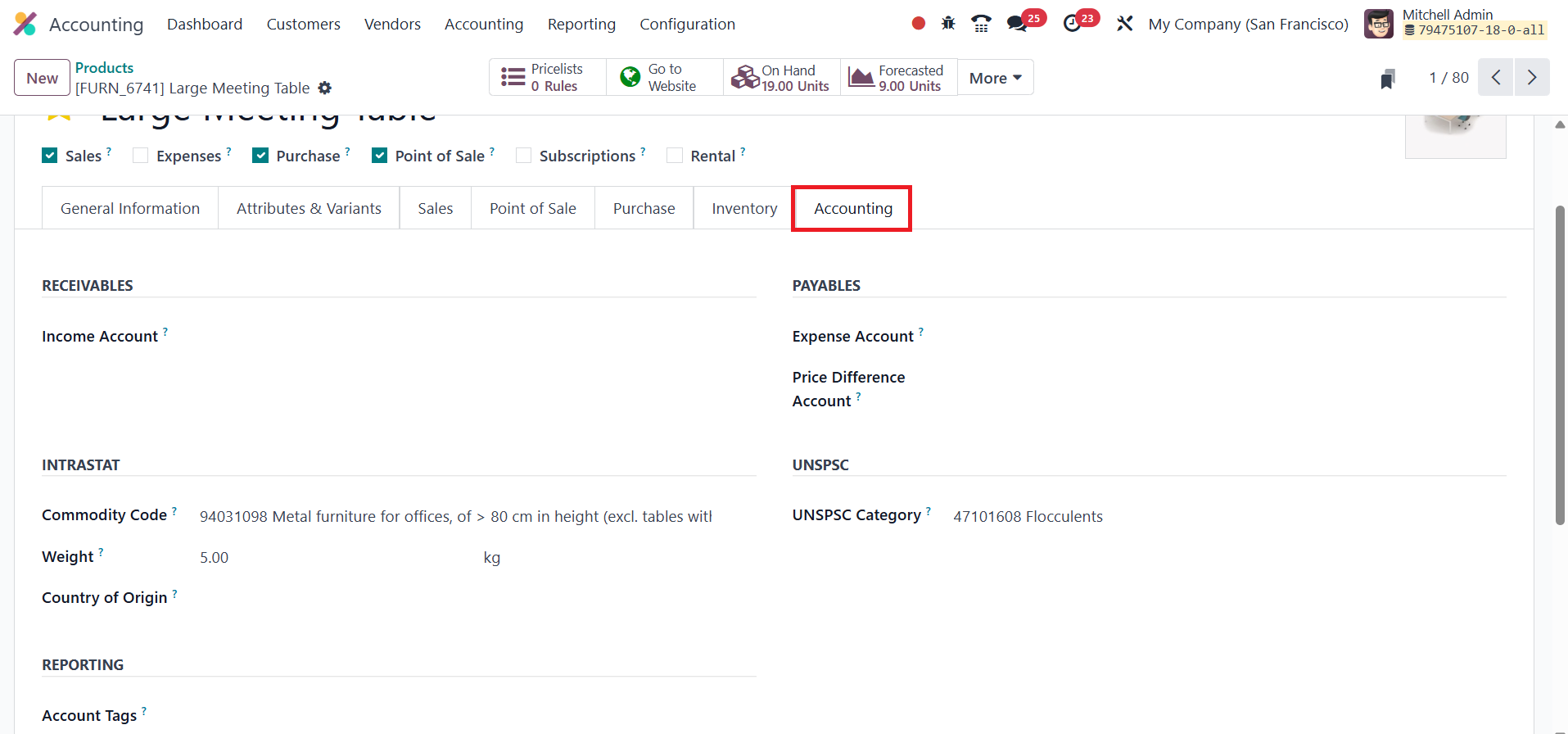
Upon confirming a vendor bill, Odoo automatically logs any pricing
discrepancy between the purchase order and the vendor bill in the
Price Difference Account, updating inventory valuations without
requiring manual adjustments. For international trade compliance,
users can specify the Commodity Code and Country of Origin in the
Intrastat field. The UNSPSC Category field allows businesses to
assign a UNSPSC (United Nations Standard Products and Services Code)
to the product, facilitating standardized product classification for
improved reporting, procurement, and global trade compliance. The
Account Tags field, available in the Reporting section of the
Accounting tab in Odoo 18, allows users to assign specific tags that
will be applied to the base and tax journal items generated for this
product, helping categorize and filter transactions for more
detailed financial analysis and reporting.