43. Sales Credit Limit
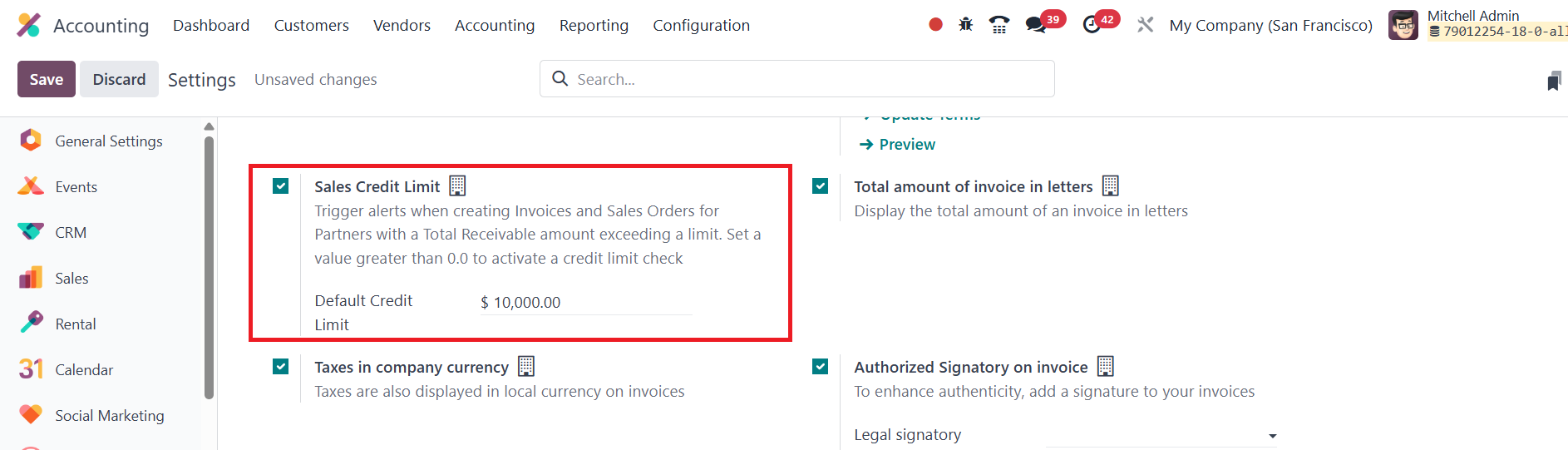
The Sales Credit Limit feature in the Odoo 18 Accounting module helps
businesses manage invoices and sales orders for customers whose
total receivables exceed a predefined limit. This functionality can
be enabled from the Settings menu under the Customer Invoice tab.
Once activated, a new field appears where users can define a default
credit limit for partners. For instance, if the Sales Credit Limit
is set to $1000, Odoo will begin monitoring the customer’s
receivable amounts against this threshold.
When an invoice or sales order is created for a customer whose
outstanding balance has already surpassed the set credit limit, Odoo
automatically displays a warning.
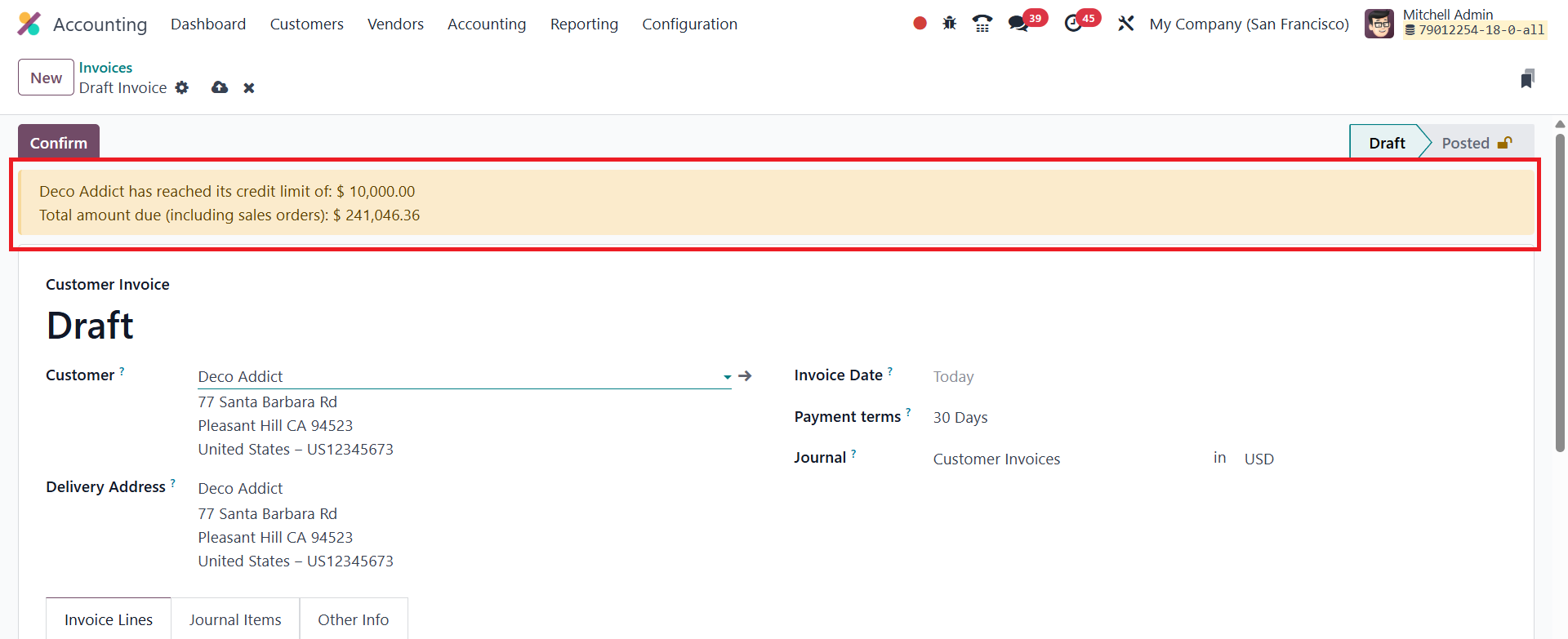
This alert not only notifies the user that the limit has been
exceeded but also shows the total balance owed by that customer.
This helps businesses make informed decisions before confirming new
transactions.
Additionally, credit limits can be configured on a per-customer
basis. To do this, navigate to the Customers menu within the
Accounting module, and select a specific customer from the list.
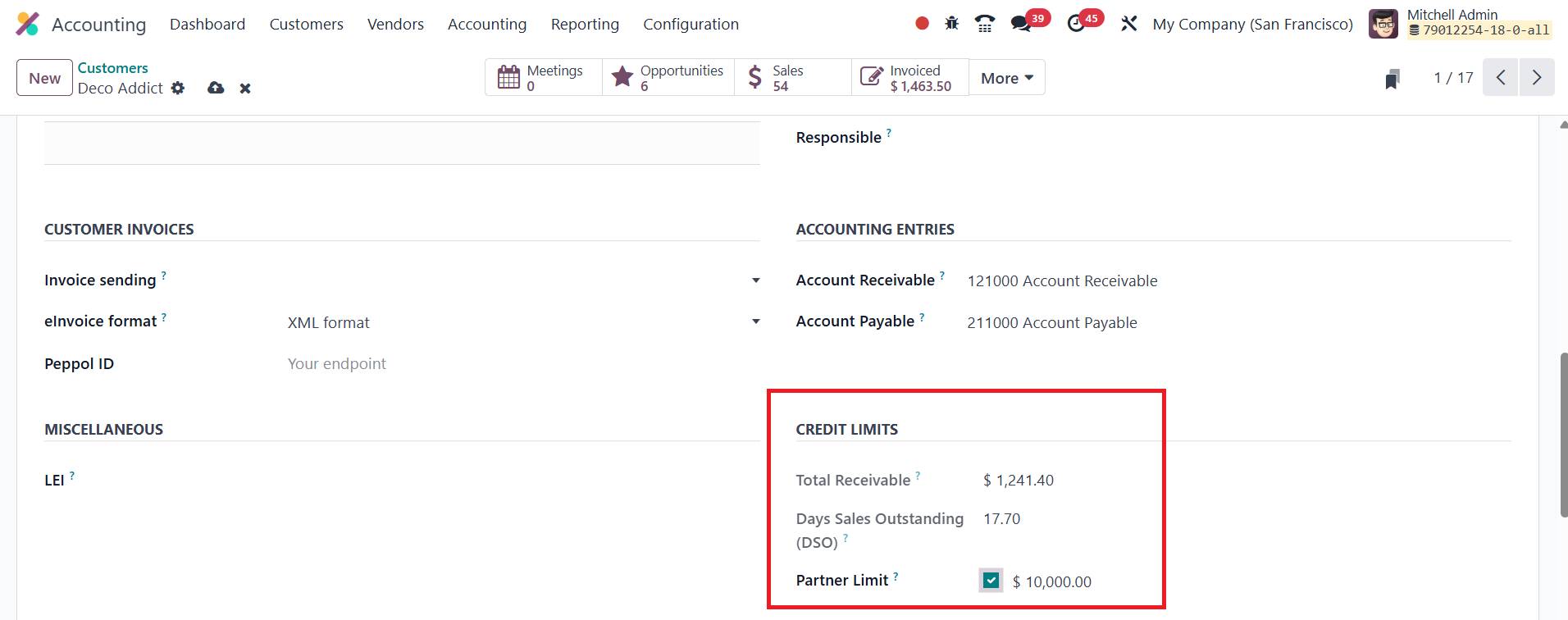
In the form view under the Accounting tab, enable the Partner Limit
option. Once activated, you can assign a unique credit limit for
that customer. The total amount that the customer owes you will also
be shown in the Total Receivable field. This allows companies to set
and manage tailored sales credit limits for each customer in their
database efficiently.