42. Storno Accounting
Storno Accounting is a powerful and practical feature introduced in
Odoo 18 Accounting, designed to simplify the correction of
inaccurate accounting entries. This method uses negative credit or
debit amounts to reverse previously recorded transactions, offering
a more transparent and audit-friendly way to handle errors in
financial reporting.

In essence, when Storno Accounting is enabled and used, Odoo
automatically generates a mirror image of the original journal
entry; only this time, the amounts are represented with a negative
sign. This indicates a full reversal of the original transaction.
Importantly, the process doesn’t delete the erroneous data; rather,
it preserves a complete trail by reversing the incorrect entry and
letting users input the correct one, ensuring clarity and
traceability in financial records.
Suppose your company accidentally posts an invoice for $180 instead
of the correct amount, which is $160. Since this discrepancy impacts
your accounting accuracy, the original entry needs to be reversed.
In Odoo 18, this is easily done using the Storno method.
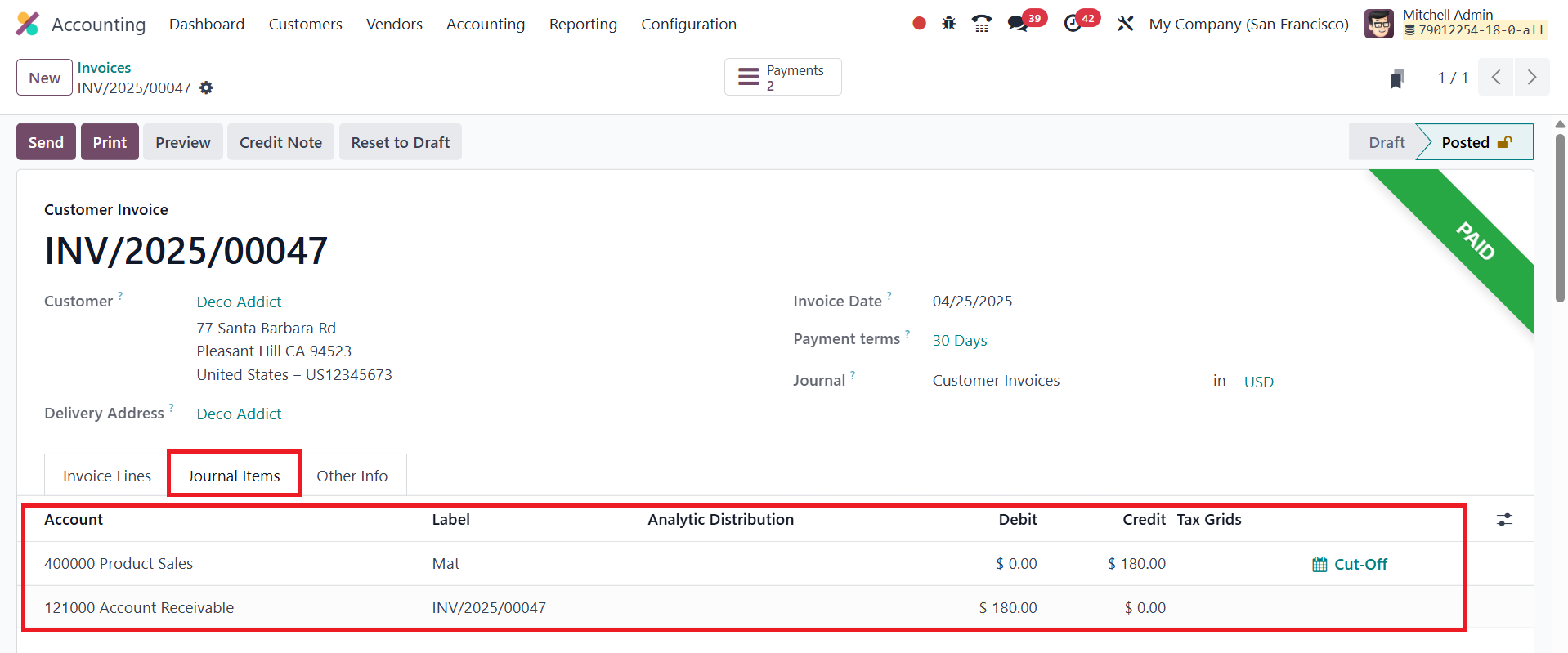
You’ll find the journal entries associated with this transaction
under the Journal Items tab.
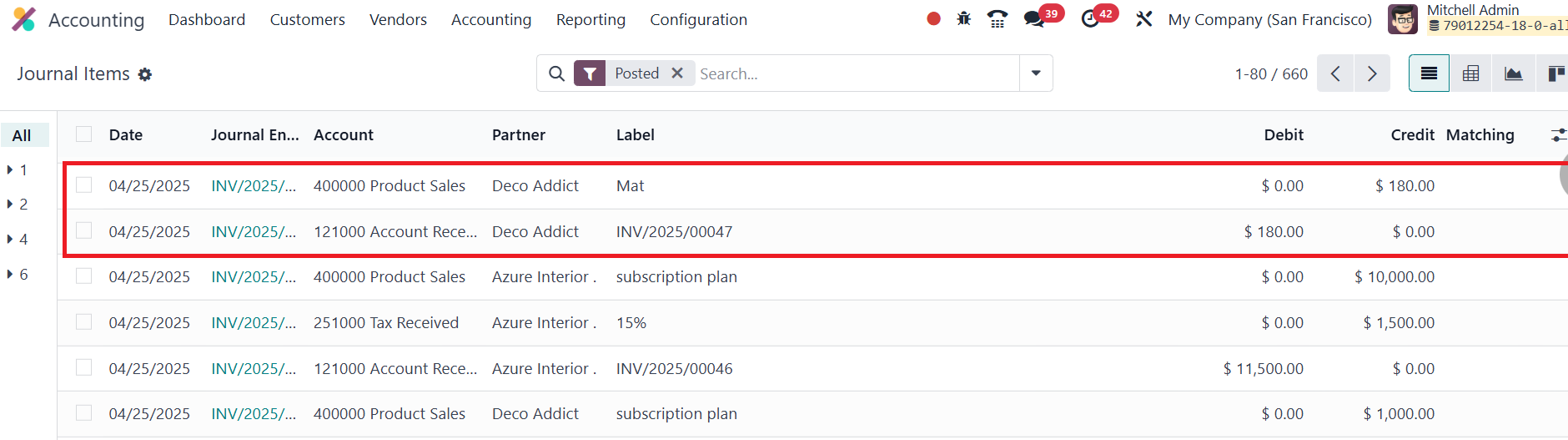
As the invoiced amount does not match the actual amount, we will
proceed to reverse the entry.
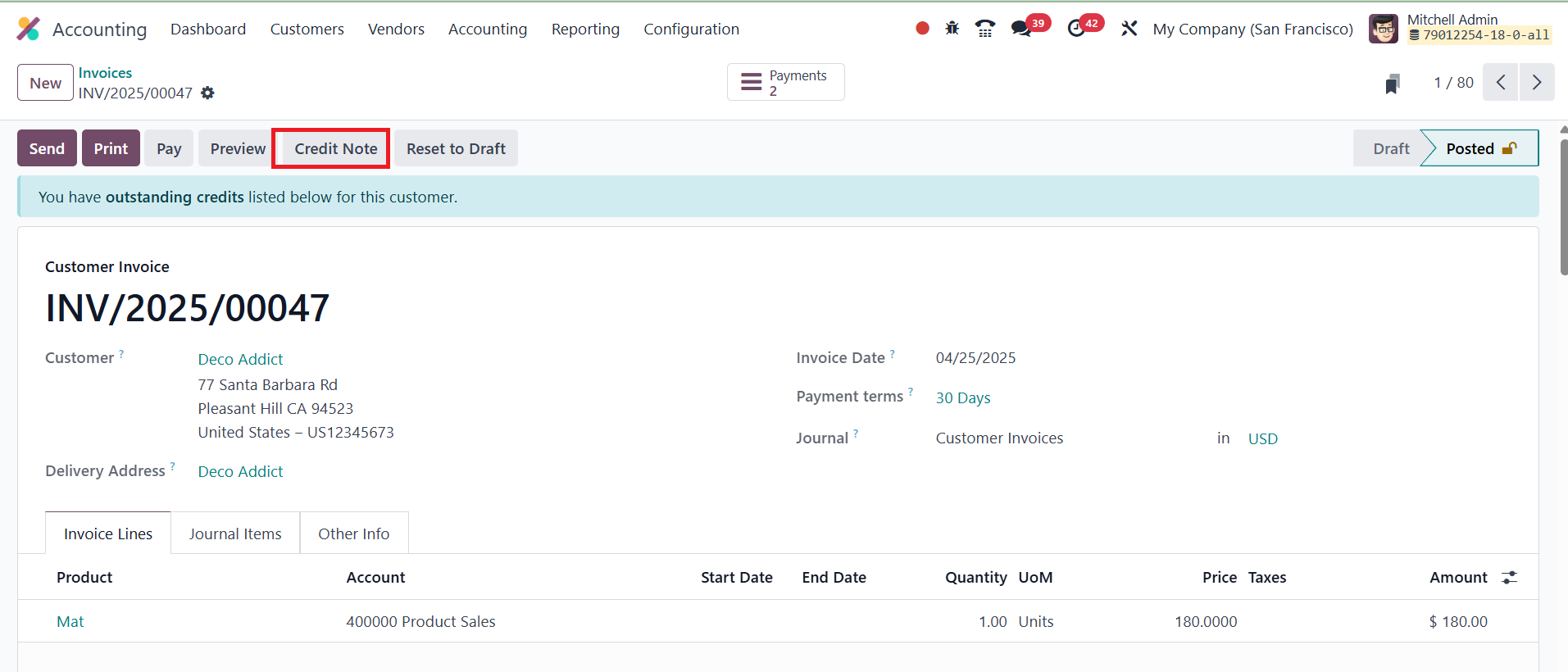
Then, click Add Credit Note.
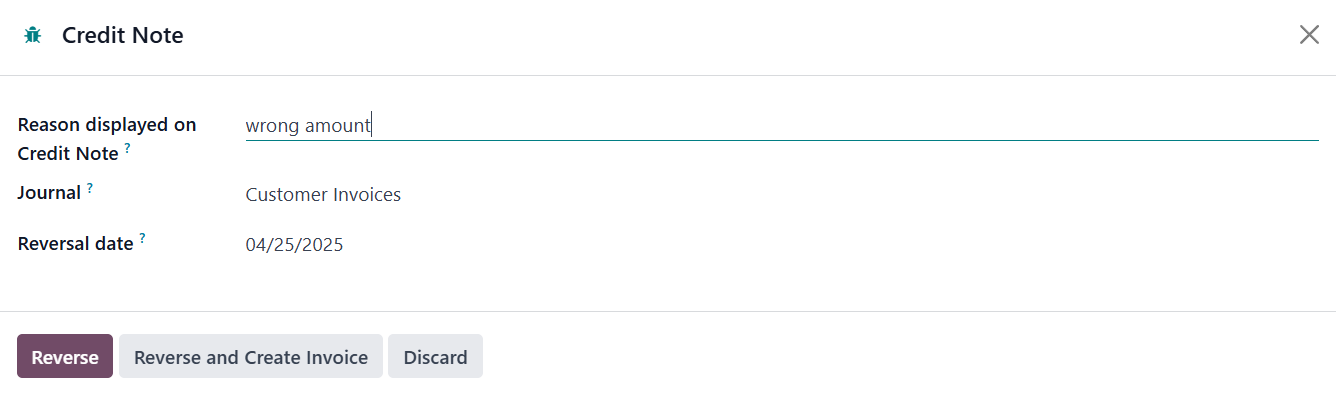
A pop-up window appears, prompting you to fill in the necessary
credit note details. Once the required information is entered, click
the Reverse button.
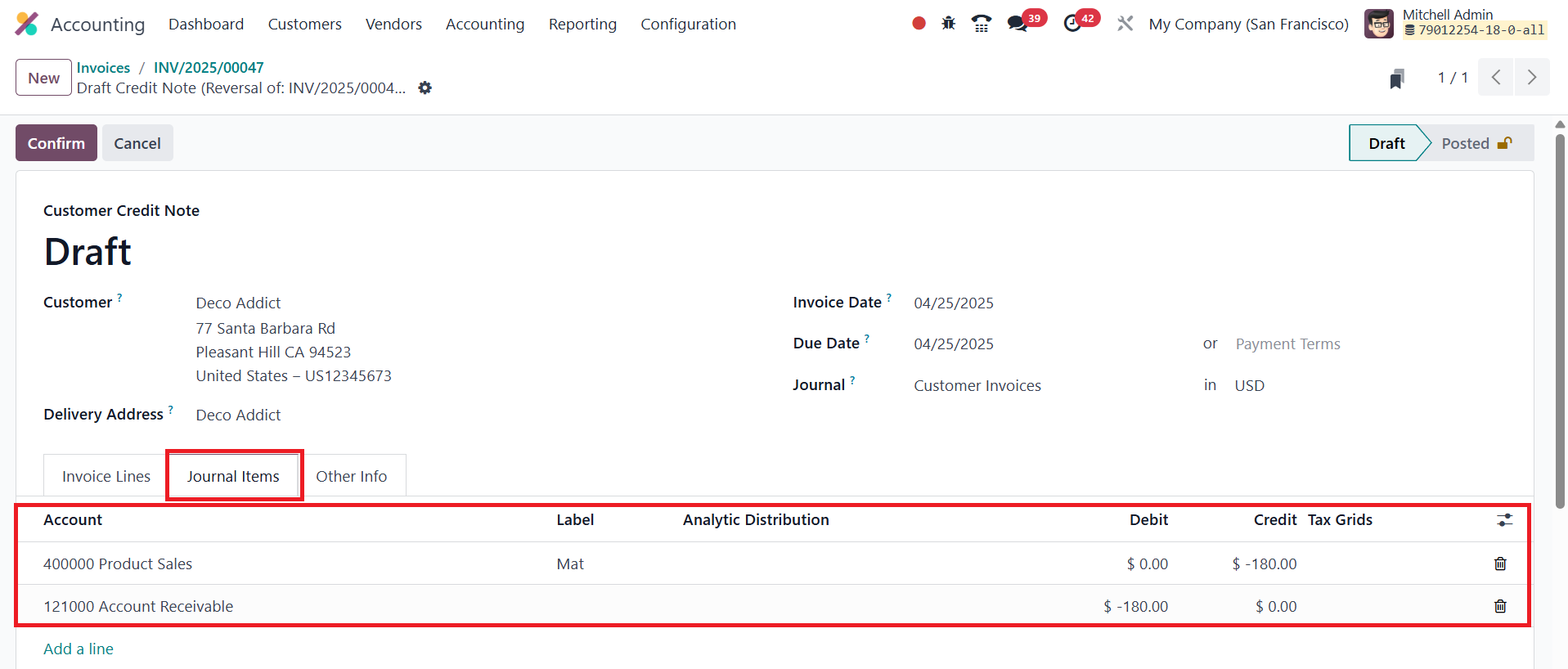
Odoo will now create a new journal entry, a Storno entry, that
reflects the original invoice’s values, but with negative amounts.
This negative posting effectively cancels the previous incorrect
transaction, without physically deleting it from the records.
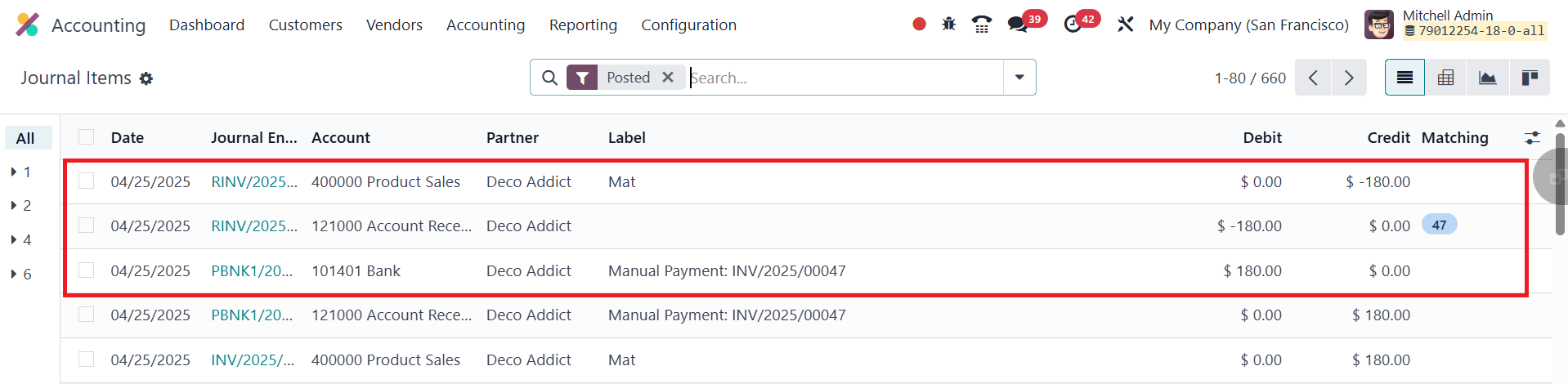
After this reversal is completed, you can proceed to create a new
invoice with the correct amount, in this case, $160. This process
ensures that your accounting books show both the original mistake
and its rectification, followed by the accurate record.
The Journal Items menu within the Accounting module will now display
all three entries: the original (incorrect) invoice, the Storno
entry, and the correct invoice. This chain of records enhances
financial transparency and aligns with best practices in auditing
and compliance.