3. Configuration Menu
In Odoo 18, the 'Configuration' menu within the Approvals
module is used to set up and customize the approval systems. Its
primary purpose is to allow companies to define their own
Approval Types, Products, and Product Variants.
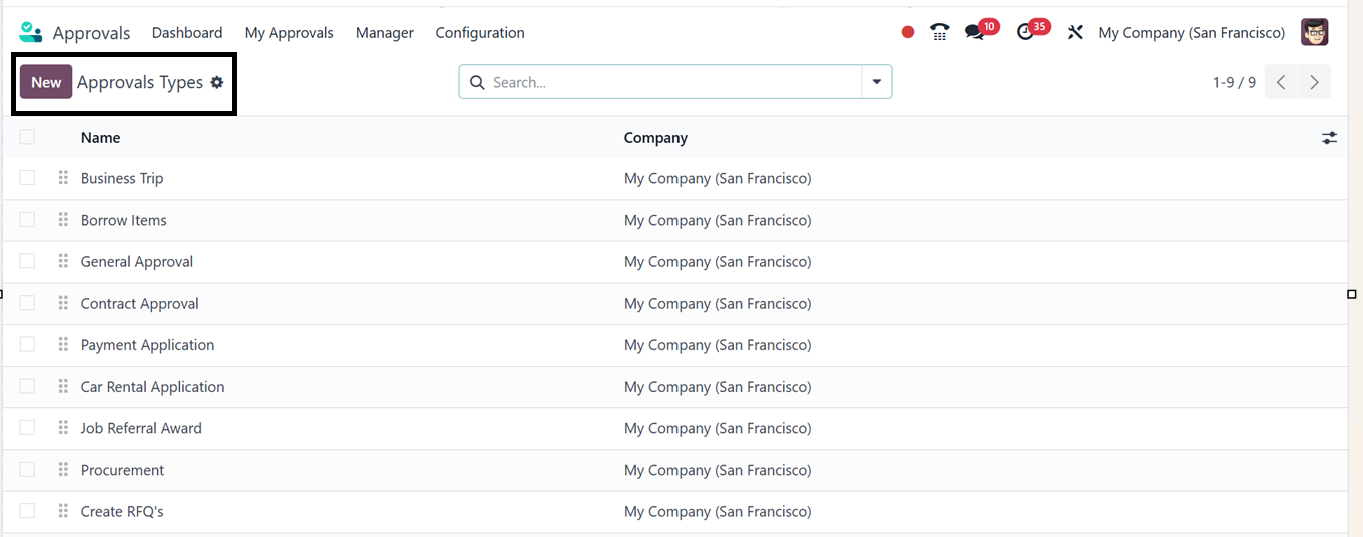
1. Approval Types
The ‘Approval Types’ settings feature can be used to configure
rules, and set approver requirements to match their specific
workflows. Through this menu, users can create and manage approval
types such as Business Trip Requests, Purchase Requests, Equipment
Requests, and Time Off Requests, each customizable based on the
information that needs to be collected.
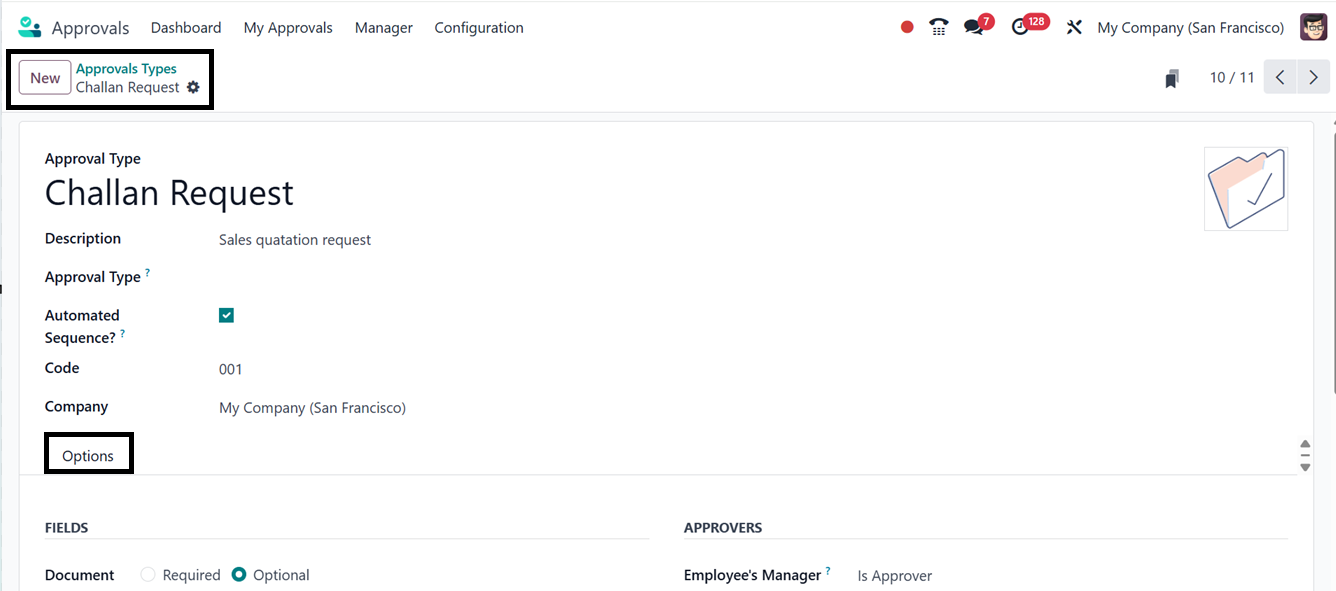
To create a new Approval Type, click on the ‘New’ button and
define required fields like the Approval type name and a
Description. Then, activate the Automated Sequence,
Code, and Company details.
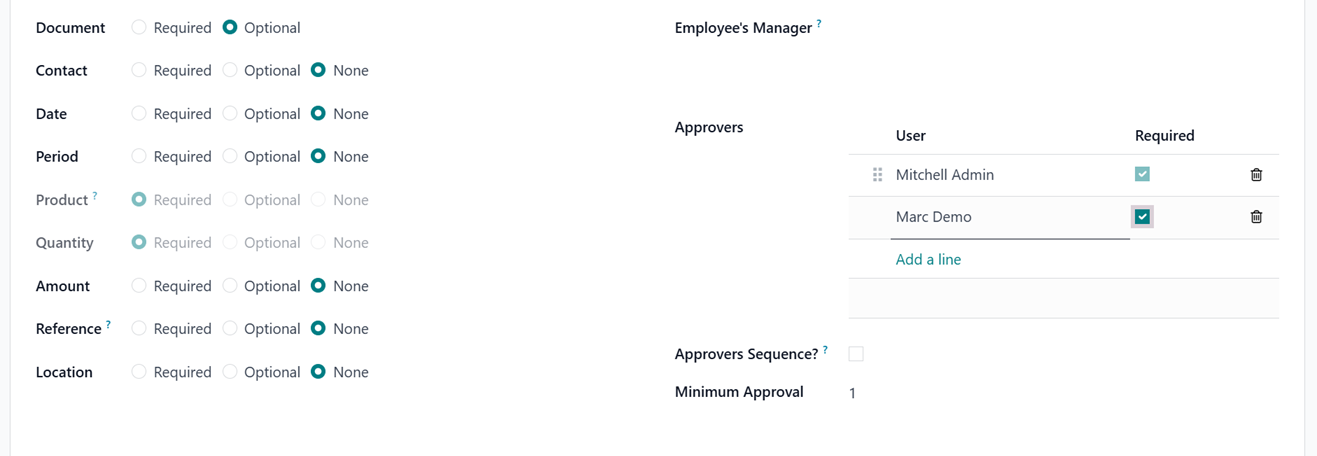
By selecting 'Required,' 'Optional,' or 'None' for each field,
you may indicate its relevance in the approval request
configuration's 'FIELDS' tab. The 'None' completely
conceals the field. The 'Required' guarantees that it must be
filled up prior to submission, and 'Optional' permits it to
remain blank but still accessible for input. This feature can be
used for the purpose of managing field visibility and to customize
approval forms according to your requirements.
The ‘APPROVERS’ tab of the Operations configuration tab
options allows managers to set the Employee’s Manager, Approvers
Sequence, and Minimum Approval Required. By
specifying the ‘Approvers,’ who must approve a request,
whether specific users, managers, or roles. You can also establish
mandatory approvers, minimum approval counts, or hierarchical
approval chains, as depicted in the screenshot below.
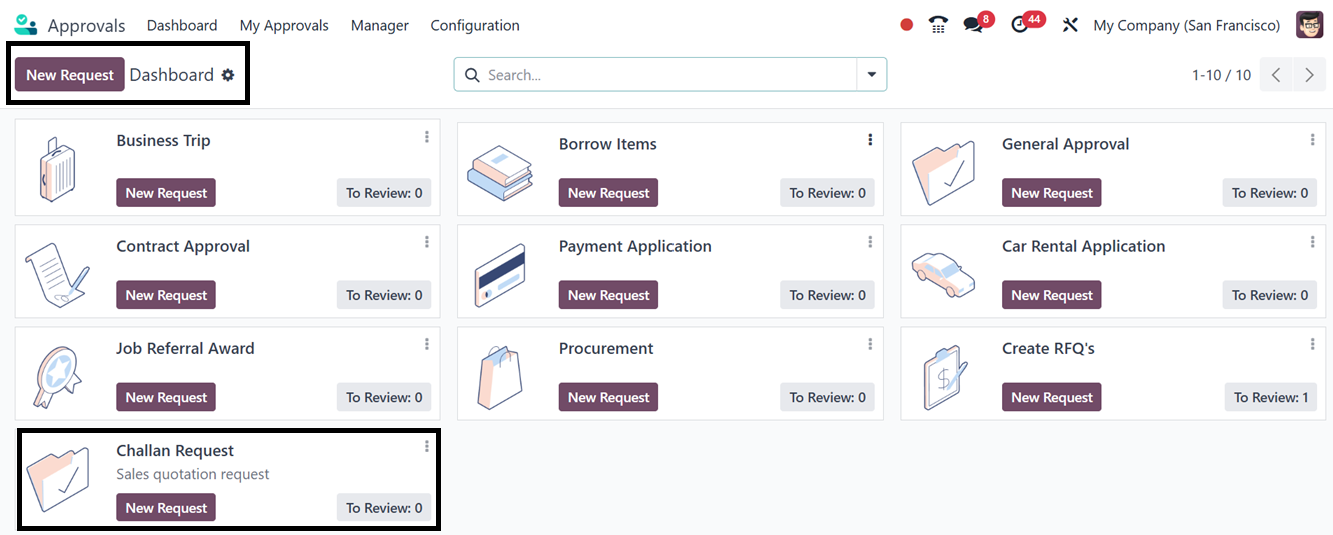
The new approval type will show up on the Approvals dashboard when
the details have been saved. This will enable you to submit approval
requests under this category, as depicted in the screenshot below.
2. Products
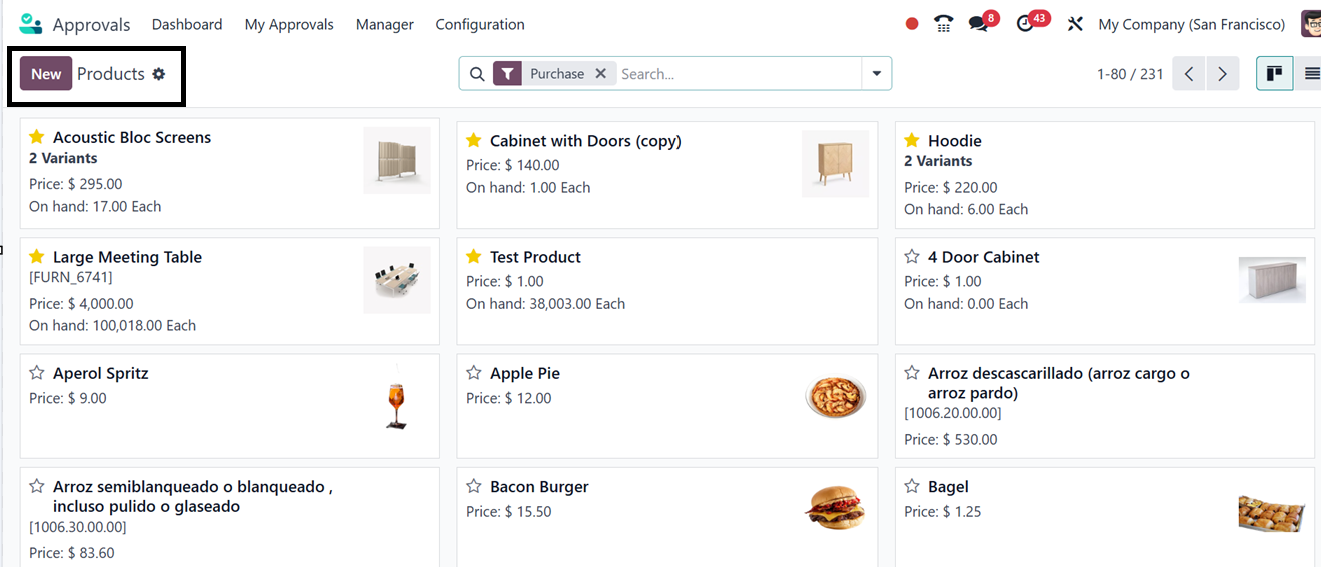
Odoo 18's Approval module uses the 'Product' menu to track
specific products or items for approval requests. Users can
associate products with requests for equipment, purchases, or asset
allocation, and access the product catalog. You can see the product
catalog in a kanban dashboard, as illustrated in the screenshot
below.
The process for creating and maintaining products in Odoo 18's
Approval module is quite similar to those of other Odoo modules,
including Sales, Purchase, or Inventory. Just click on the
"New" button to add a new product. This will open the normal
product configuration form. You can then enter the required
information in several tabs. Enter basic details like the product
Name, Type, Cost, and Sales price under the "General
Information" tab.
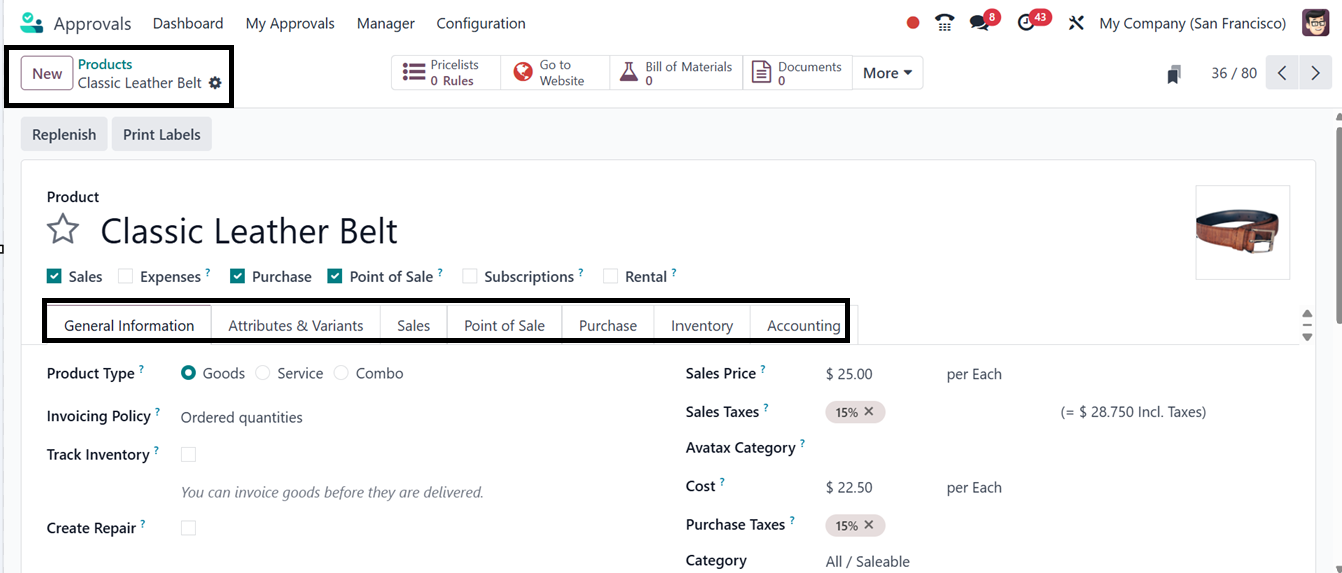
Size and color variants of the product may be defined under the
'Attributes & Variants' page. Configure relevant parameters,
including vendor details, price, and sales descriptions, under the
"Sales" and "Purchase" tabs.
Retail-specific settings are handled by the "Point of Sale"
tab, while stock-related information, such as routes, logistics, and
tracking, is managed by the "Inventory" tab. Lastly, you may
create tax information, revenue and spending accounts, and fiscal
positioning using the "Accounting" page. By guaranteeing that
product data are accurate and consistent across all modules, this
extensive form facilitates smooth interaction with the larger Odoo
system.
3. Product Variants
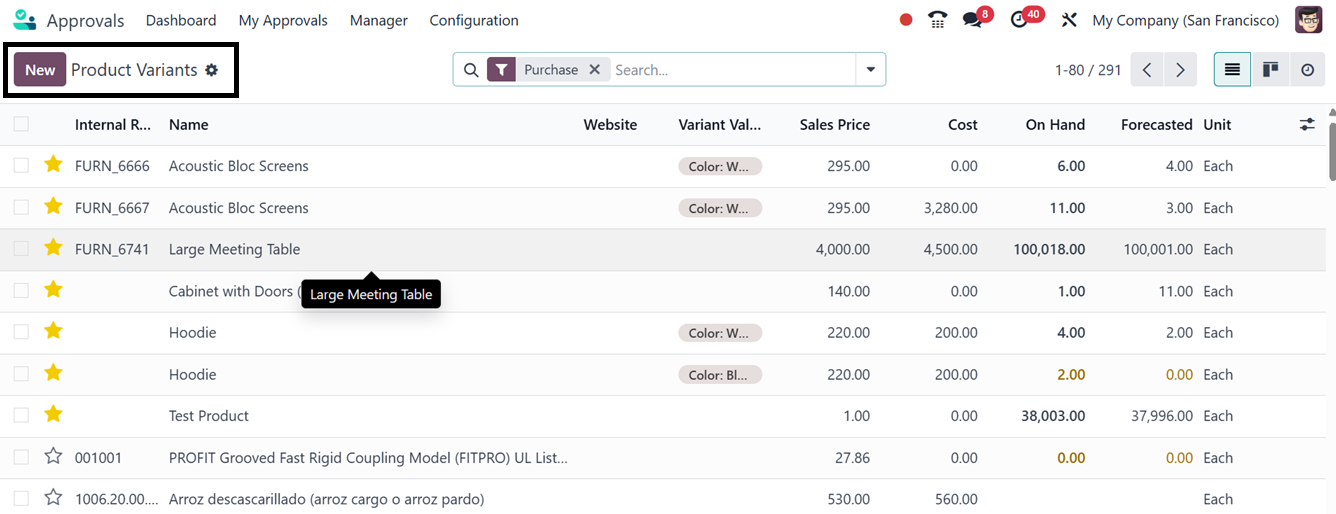
The 'Product Variants' menu of the Approval Module allows
users to view, create and manage product versions based on
attributes like size, color, or material. This is useful for
approvals involving multiple variations, where each variant may need
to be selected or tracked individually. The menu displays all
product variants generated from attribute combinations under the
main product and allows users to manage variant-specific details
like Internal References, Name, Website, Cost, Sales Price, and
Inventory Quantities, as depicted in the screenshot below.
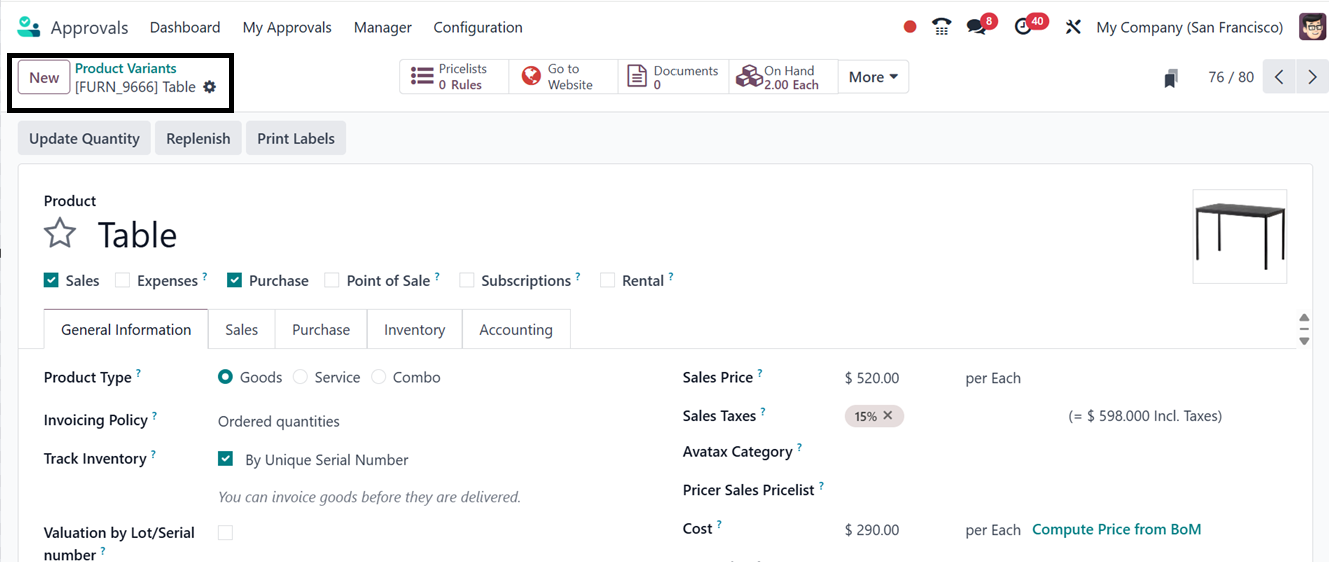
Creation of a new product variant is also similar to the basic
production creation process. After opening a new product variant
configuration window, edit the product details in the designated
fields.
While configuring an approval request, you can utilize these products
and product variants according to the requirement of the approval
request inside the ‘Product’ tab of the approval
configuration form, as illustrated in the screenshot below.
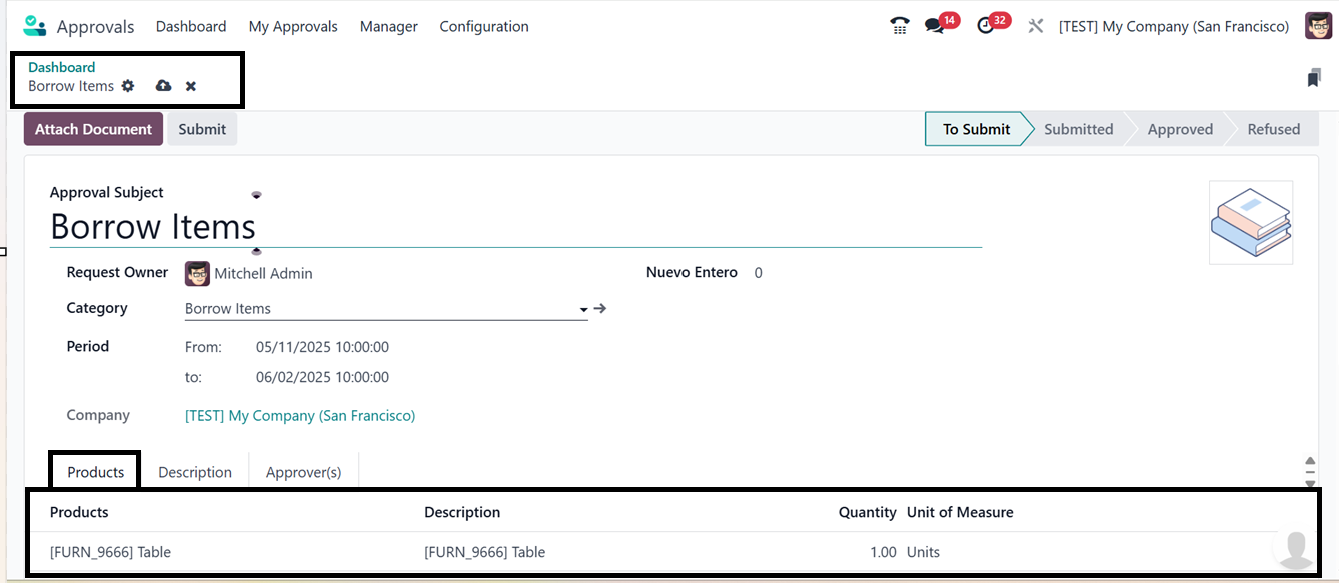
Here, You can see a demonstration approval request for borrowing a
product from the above screenshot. The feature enhances product
selection accuracy, improves tracking and reporting, and supports
inventory or asset-related approvals. It also enhances flexibility
and precision in product-related workflows and integrating with the
Odoo ecosystem.
Overall, the Odoo 18 Approval module empowers businesses to implement
a more automated, compliant, and efficient approach to handling
authorization workflows.