1. My Approvals Menu
The 'My Approvals' option in the Approvals module of Odoo 18
shows all of the requests that you have submitted so far. You can
also see those approvals that have been allocated to you
specifically or that are part of processes that need your approval.
So, you can manage all the requests within a dedicated window, as
illustrated in the screenshot below.
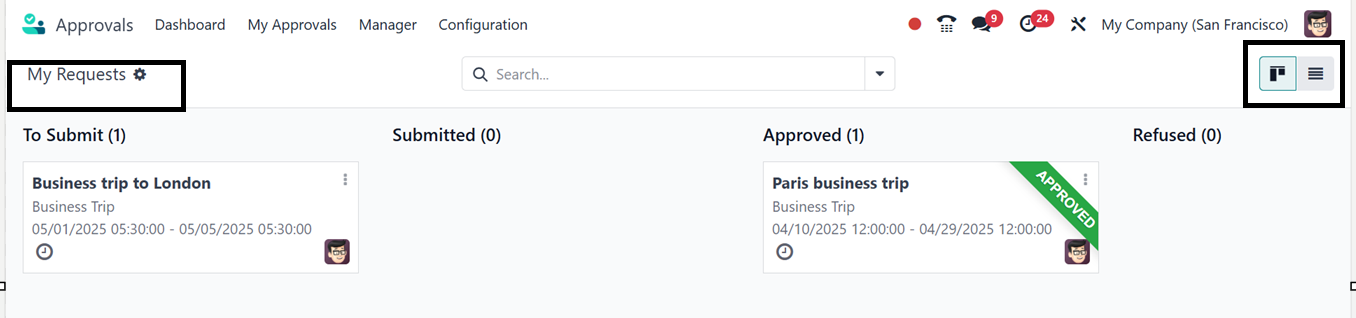
The menu is typically organized into stages such as 'To Submit,’
‘Submitted,’ ‘Approved,’ and ‘Refused.’ The Kanban
view can be changed to a list view using the ‘List’ icon provided at
the top right corner of the screen. The vertical menu placed on each
kanban card can be used to Edit Request, Delete and
Withdraw the approval request. The submitted approval only
has the option to ‘Approve’ in the vertical three dots of the
kanban card. The Settings icon provided at the top right side
of the kanban card can be used to Fold and Automate
the request stages as per the requirements.