4. Reporting
Users have the option to create weekly, monthly, or annual employee
attendance reports. To access attendance analysis reports in Odoo 18
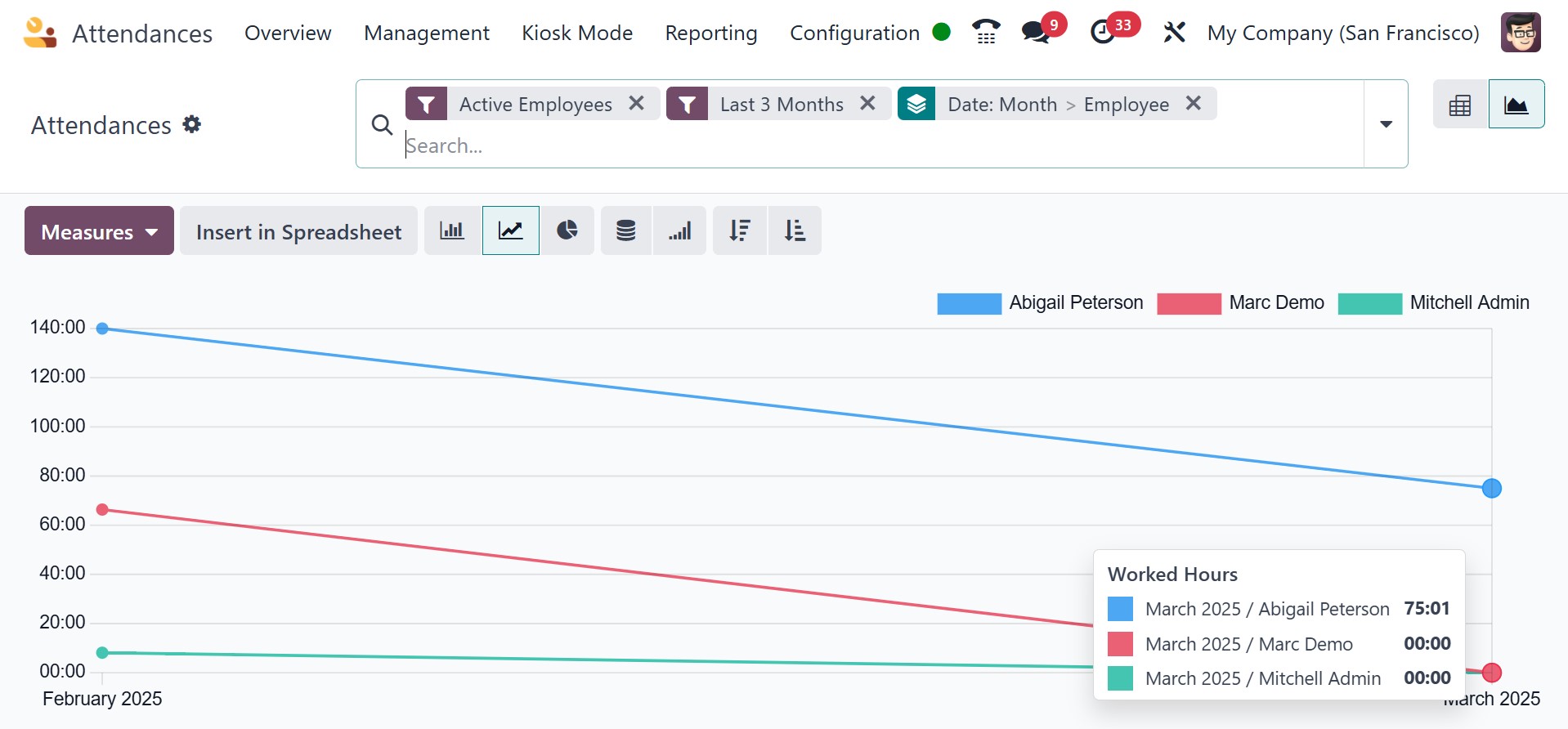
Attendance, choose the Reporting tab. The graph of the Attendance
Analysis window shows the count on the Y-axis and the employee
check-in data on the X-axis. Users can view each employee's check-in
details in a range of colors on the graphical representation. By
choosing the MEASURES icon, we may add particular figures to the
graph, like the number of hours worked and employee overtime.
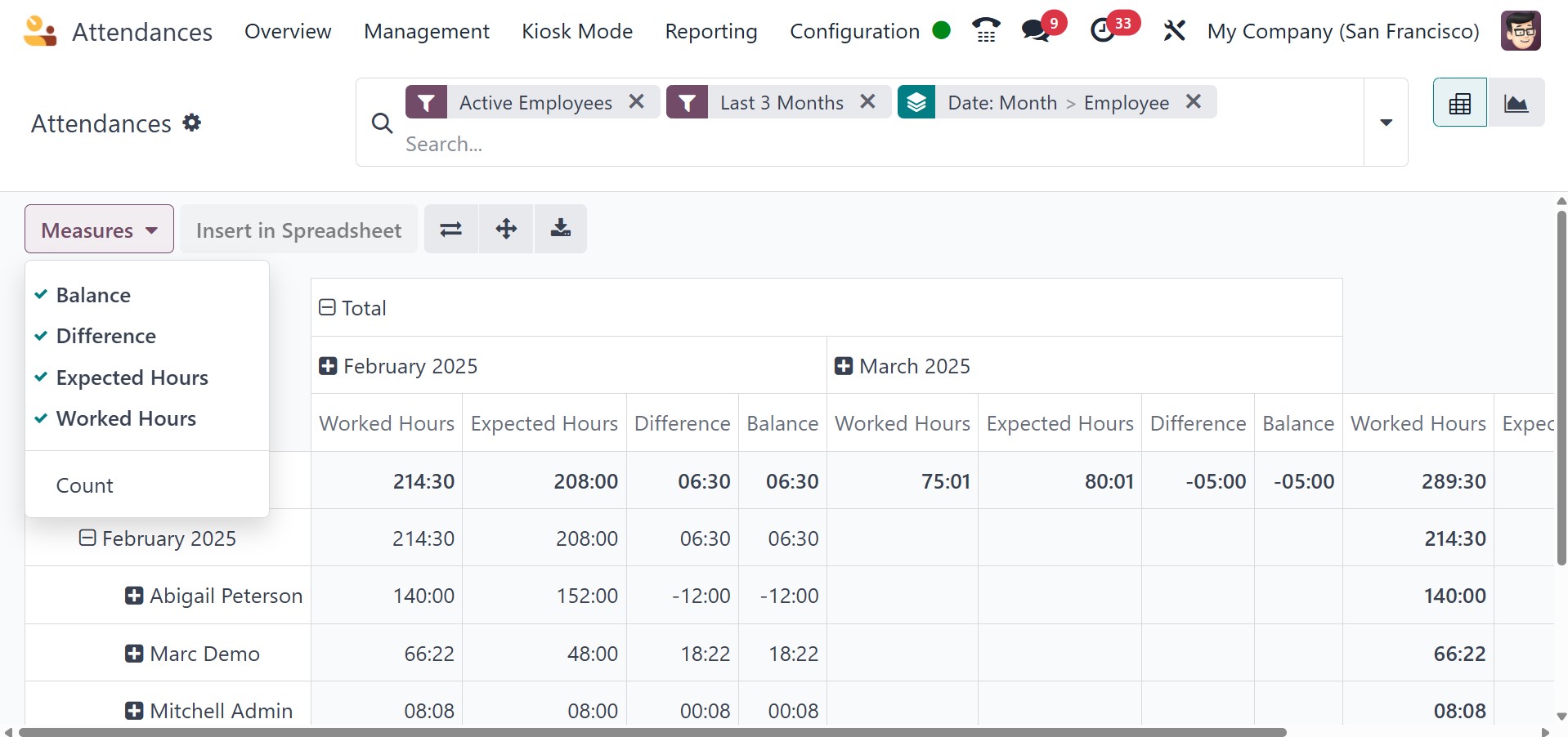
The total number of working hours for each employee can be seen
independently by the user in the pivot table. Based on each month,
the user can ascertain an employee's actual working hours within the
company.
Managing an organization's employees' actual working hours is made
simple with the Odoo 18 Attendance module. Reports can be evaluated
by a business to better understand employee performance and make
future plans.