3. Meetings
The Discuss module extends its communication capabilities by
providing powerful tools for scheduling and conducting virtual
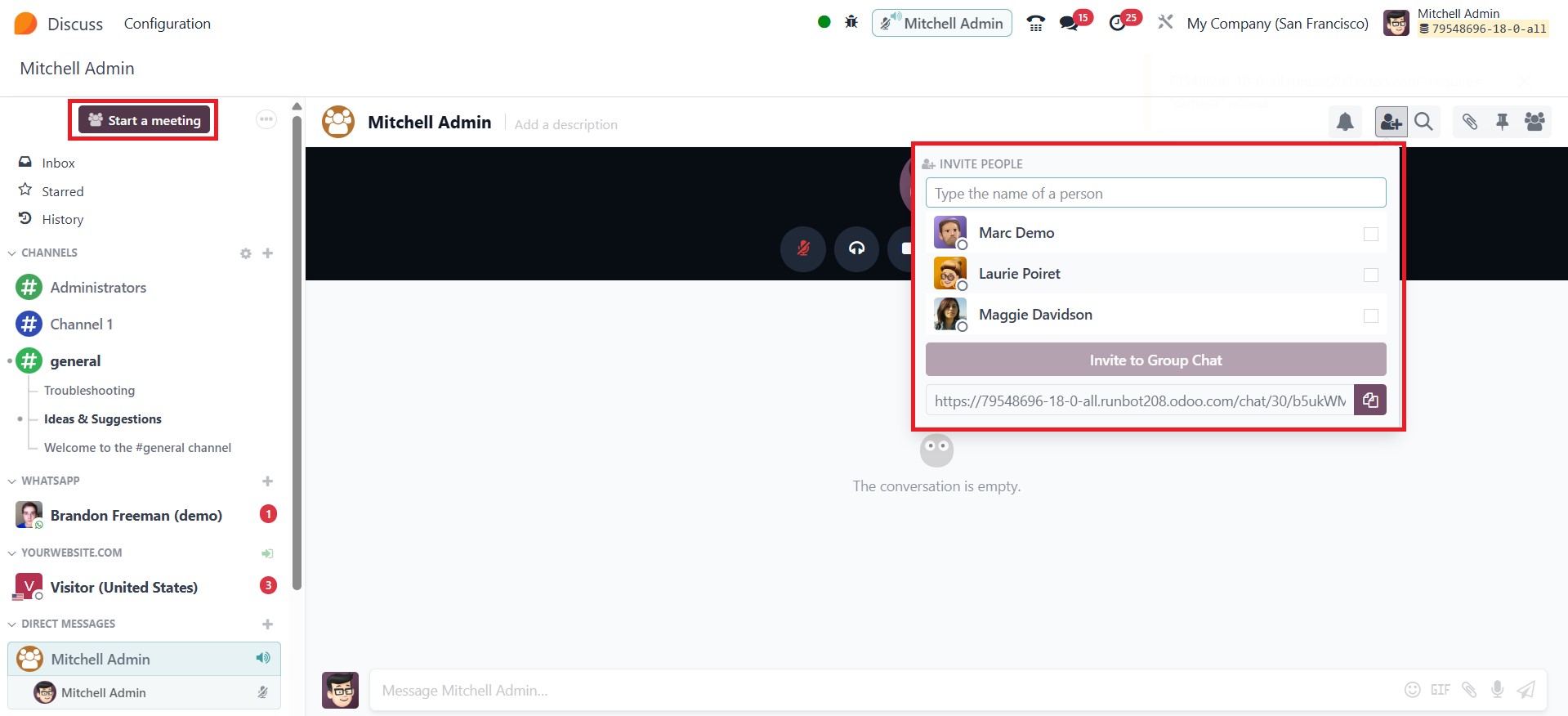
meetings directly within the platform. To initiate a meeting, users
can select the Start a Meeting option, which triggers a pop-up
window where participants can be added manually. Once the desired
participants are selected, users may either click Invite to Group
Chat or share a meeting link for effortless access.
During meetings, users benefit from a range of interactive and
productivity-focused features. These include the ability to hide
notifications to reduce distractions, mute conversations, and
utilize the Share Screen function to present content to attendees.
Such tools foster a more organized and collaborative virtual
workspace.
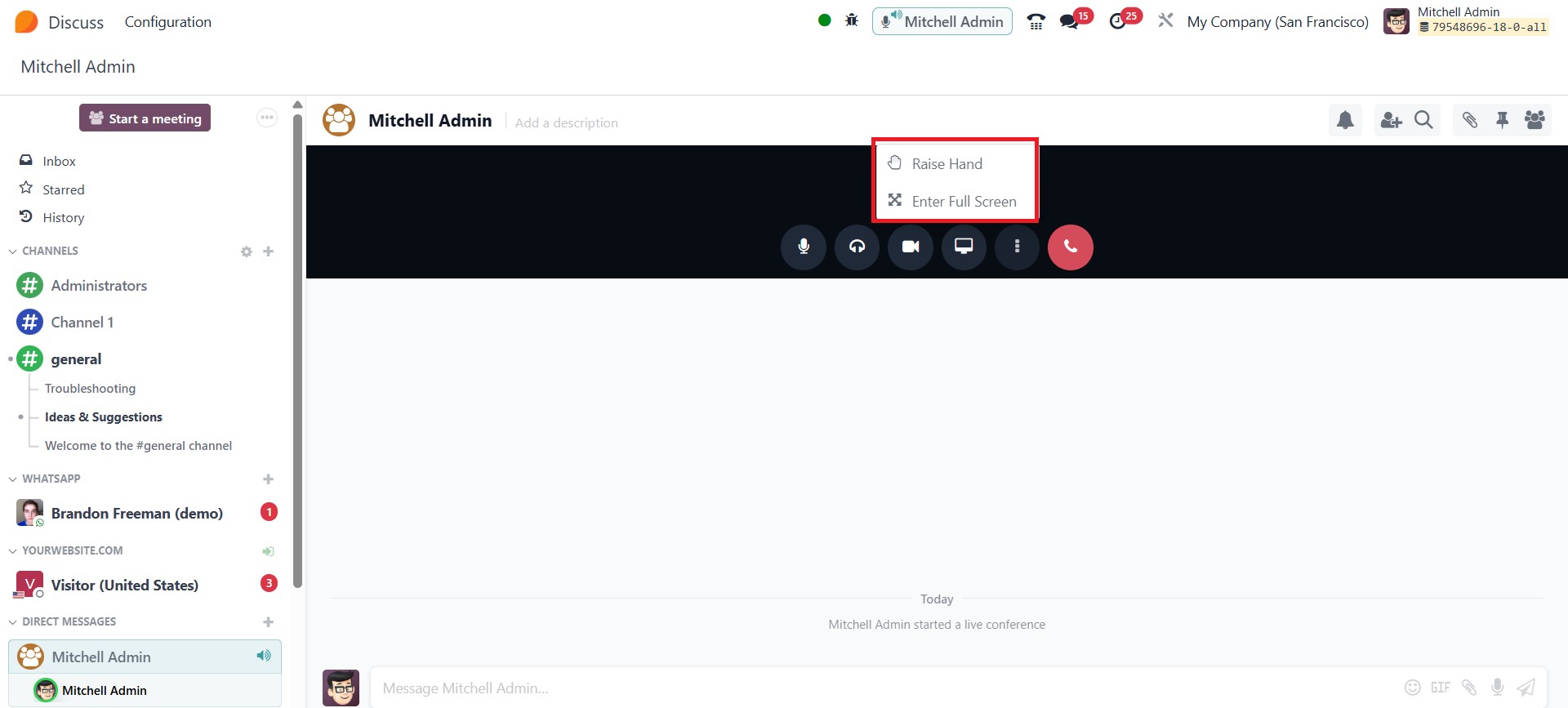
Additional meeting controls include:
Raise Hand: Allows participants to signal their intention to speak,
supporting orderly discussions. Users can easily raise or lower the
hand icon.
Full-Screen Mode: Expands the meeting window for a more immersive
viewing experience.
Blur Video Background: Enhances privacy by obscuring the user’s
background during video calls.
Push-to-Talk: An effective tool for controlling audio input,
particularly useful in large group meetings where continuous audio
can cause disruptions.
Deafen: This feature temporarily disables message notifications from
a specific channel or chat without removing the user from the
conversation. It helps maintain focus during busy discussion periods
while keeping messages accessible for later review.
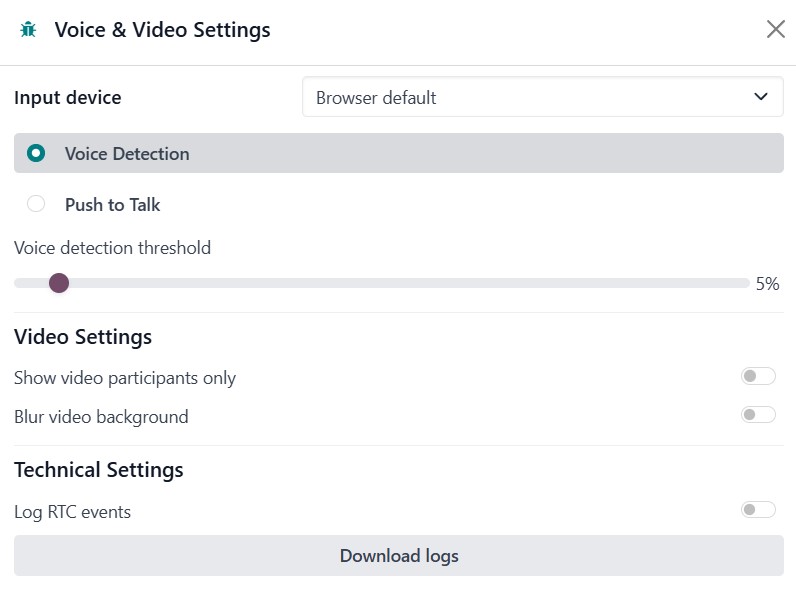
While attending a video conference, participants can also activate
options like “Show Video Participants Only” to streamline the view
and minimize clutter. The system adapts based on the default
settings of the browser and input devices, allowing features like
Push-to-Talk to be easily managed. These options will be available
in the Voice & Video Settings options under the Configuration menu
of the module. Importantly, the Deafen option only affects the
user’s personal notification settings and can be toggled on or off
at any time, providing flexibility to manage distractions without
missing key information.