4. Loyalty
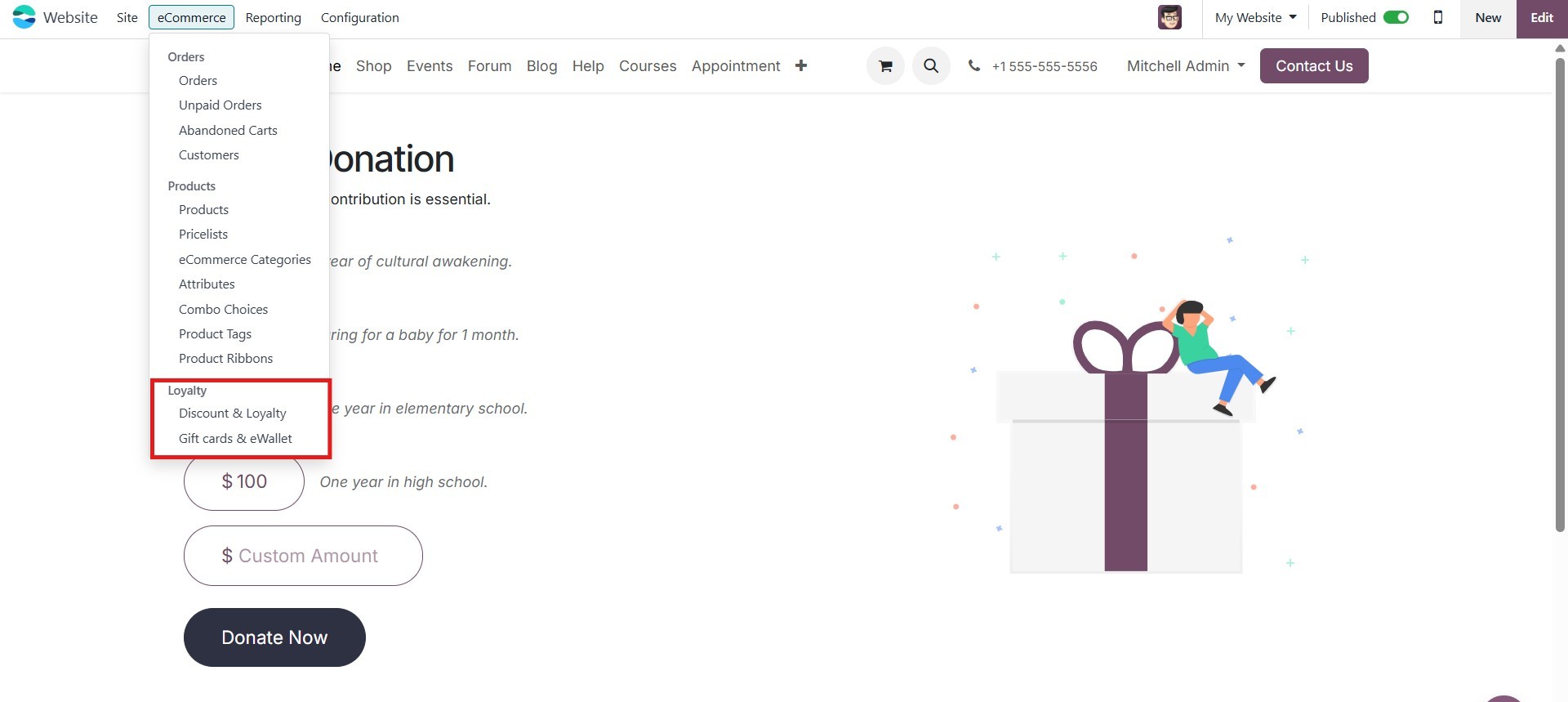
Odoo 18 allows businesses to seamlessly integrate loyalty programs
into their websites through its comprehensive suite of business
management tools. Within the Website module, the Loyalty option can
be found under the eCommerce menu, offering support for both Gift
Cards and eWallets.
These features are recognized as effective marketing strategies that
can significantly boost online sales and customer retention. The
integration of eCommerce functionalities with loyalty tools in Odoo
18 enables businesses to create and manage visually appealing and
customizable gift cards and eWallets, enhancing the shopping
experience and encouraging repeat purchases.
4.1 Discount & Loyalty
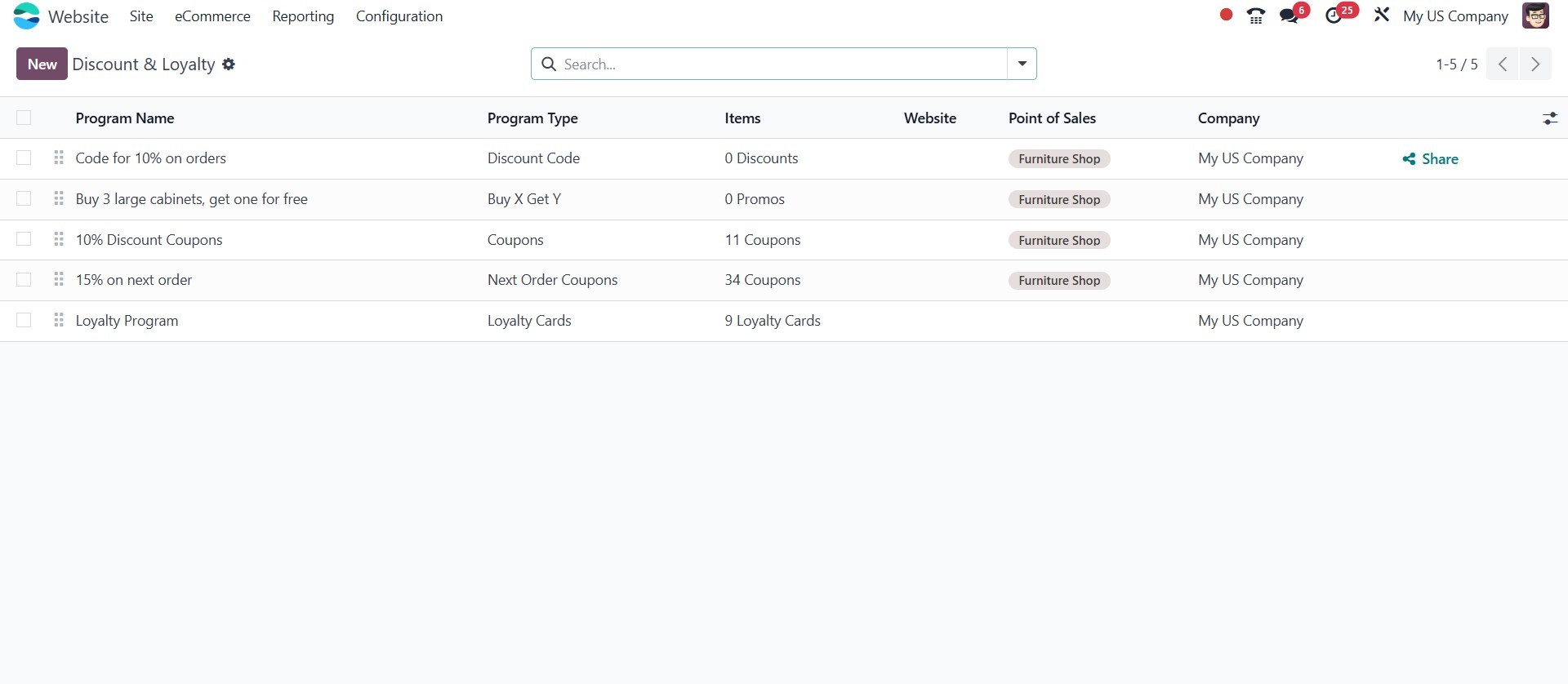
Various promotional programs, such as Promotions, Discounts, Next
Order Coupons, and Buy X Get Y, can also be made available on the
website to enhance customer engagement and boost sales. However, to
utilize these features, you must first it from the Website settings.
Once enabled, you can navigate to the promotional programs section
and click the New button to create a new promotion. This allows you
to define the promotion type, conditions, and rewards, which will
then be visible and applicable during the checkout process on your
website.
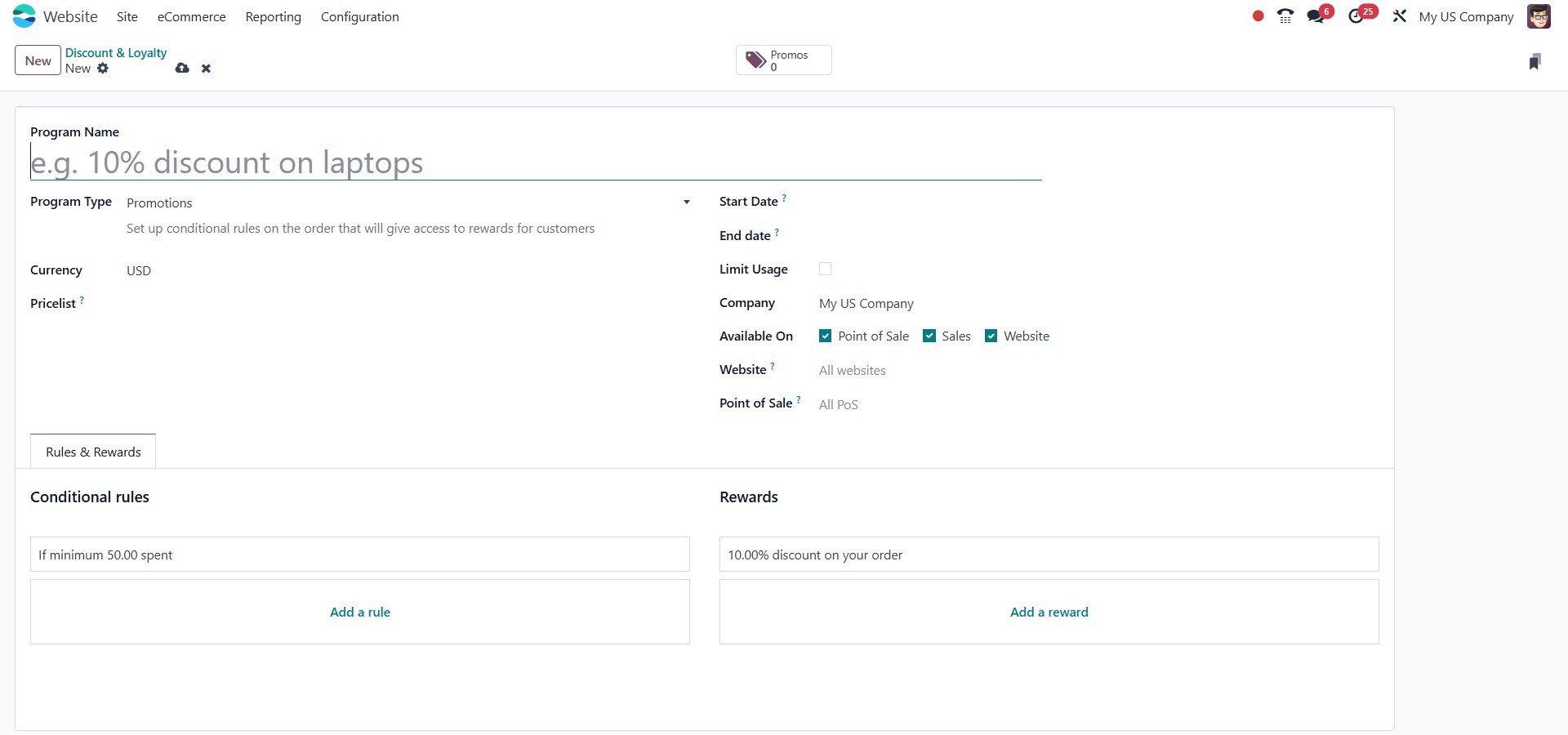
Within the creation window, you can add the corresponding Rules and
Rewards to configure the promotion according to your business needs.
4.2 Gift Cards & eWallets
The Gift Card option can be found in the eCommerce tab of the Website
module, under the Loyalty section. As shown below, you can access
the Gift Cards & eWallets menu, which leads you to the Gift Cards
and eWallets window.
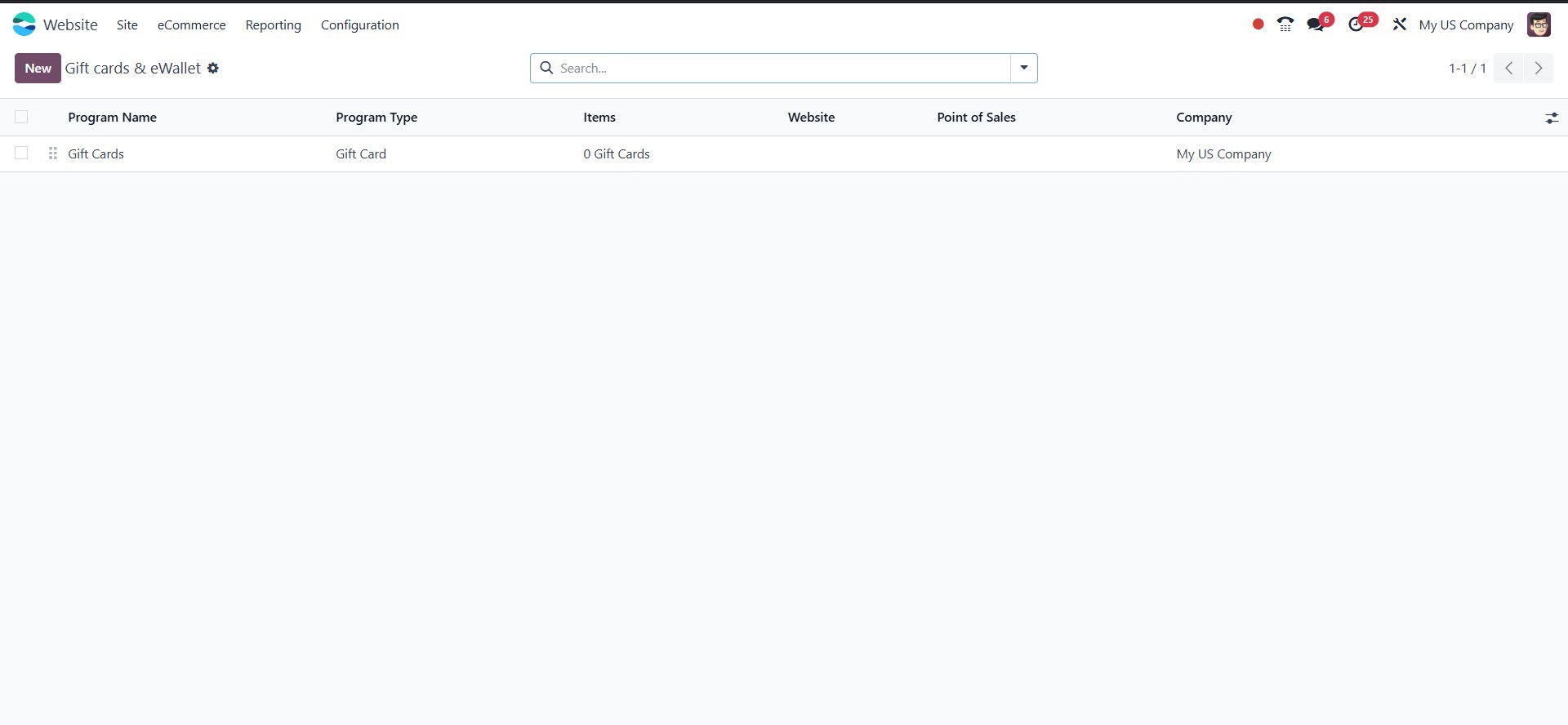
In this window, all predefined gift cards are displayed along with
their Code, Balance, and Status. To create a new gift card, click on
the New button. The creation window will appear as shown in the
image below.
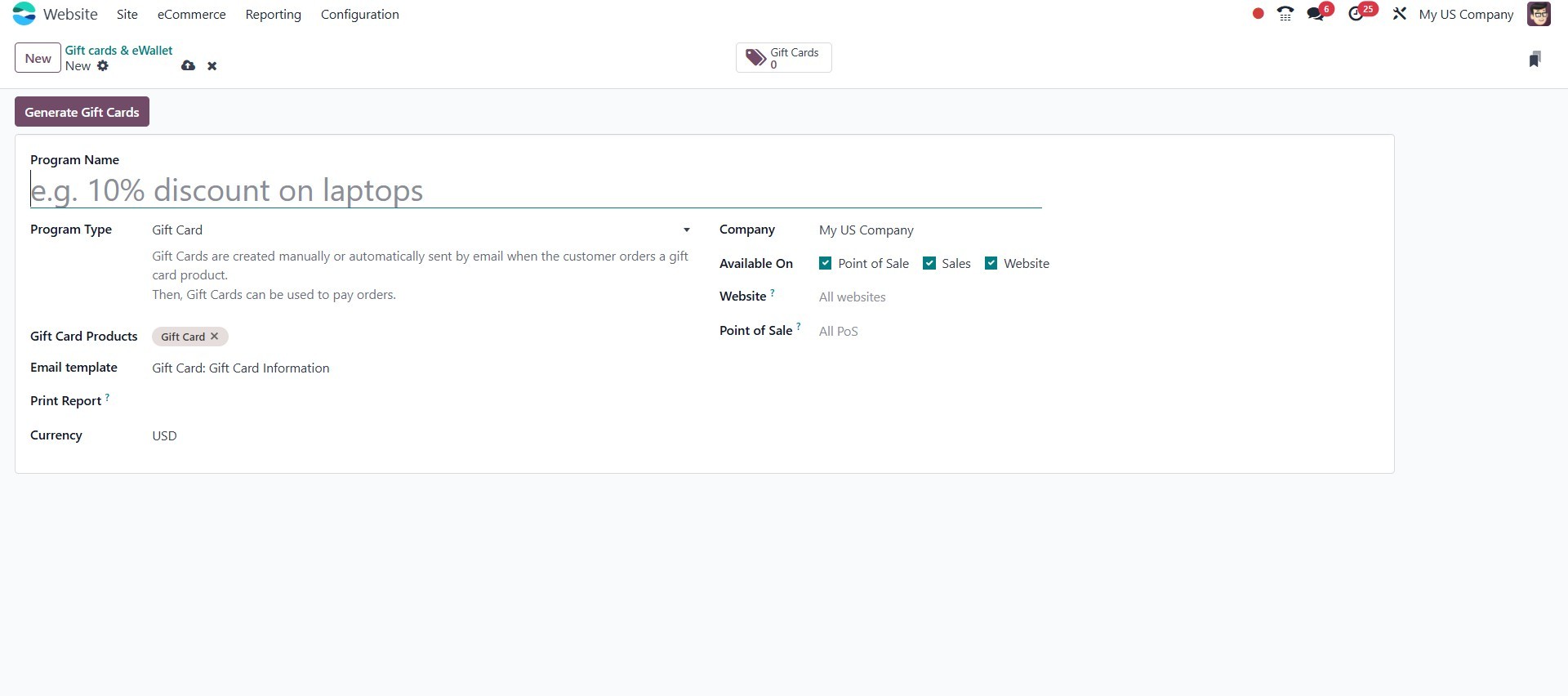
In the Gift Card Creation window, you can enter the program name in
the Program Name section. Then, choose the program type, which is
either Gift Card or eWallet. The gift card will be automatically
generated, and a secret code will be provided for transaction
purposes. The Sale Order Line where the gift card was purchased will
be displayed in the Buy Line, and the POS Order Line where it was
purchased will be shown in the Buy POS Order Line field. You can
also provide the Partner information along with a description, the
Initial Amount, and the Balance in the respective fields. Once all
details are entered, save the information.
Promotions or discounts created can be added directly from the cart
page.
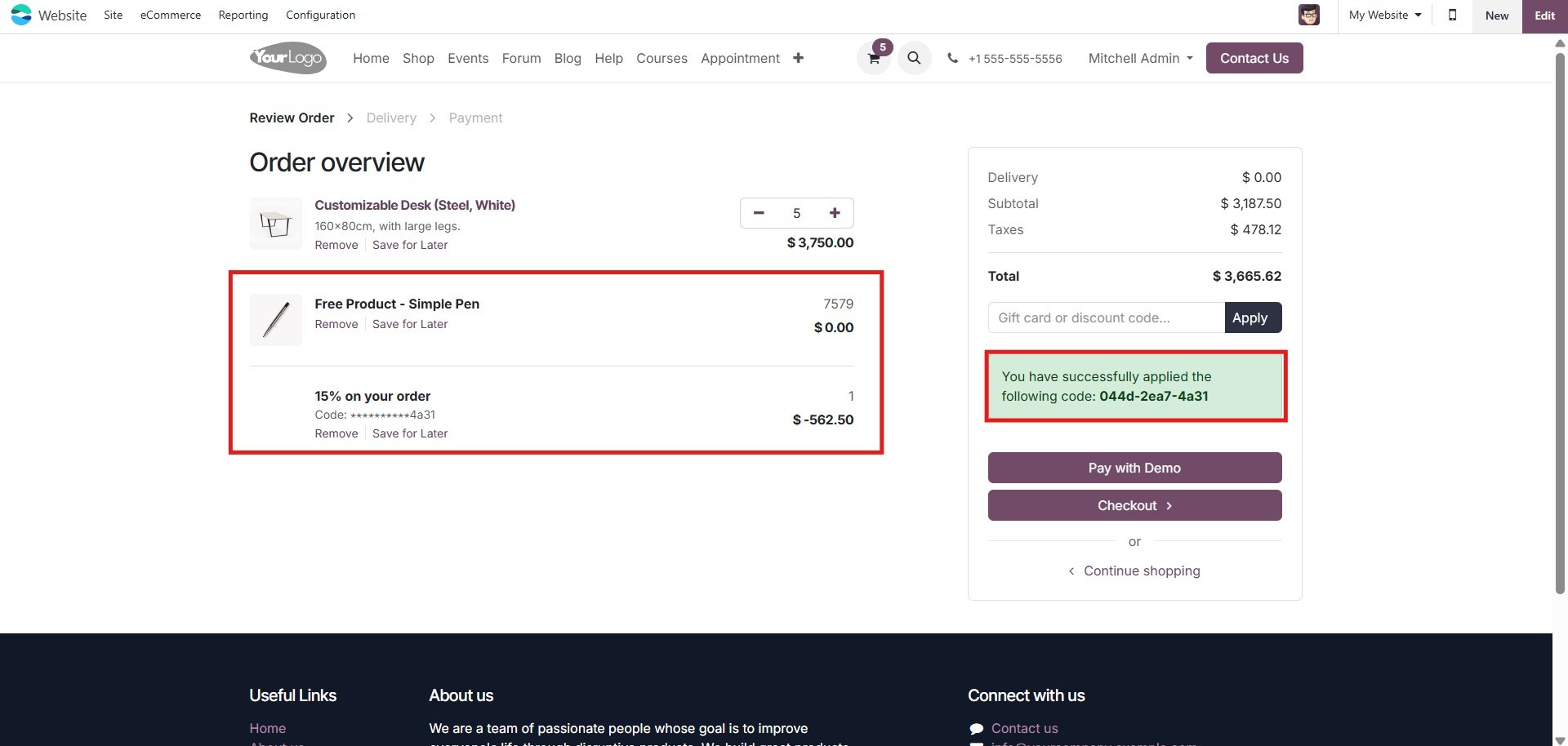
Additionally, from the back end, it is possible to process payments
and ship e-commerce orders. These options are located in the
Configuration menu. Let's take a closer look at these choices.