3. Planning Menu
A dedicated platform for scheduling field services systematically is
available in the Odoo 18 Field Service Module. The "Planning" menu
provides a "By User" view displaying tasks allocated to each user in
a Gantt format. The "By Project" view organizes tasks according to
associated projects, while the "By Worksheet Template" view
categorizes tasks based on worksheet templates. Finally, the "By
Location" view of the reporting menu enhances job organization by
determining job locations, improving route planning and optimizing
technician assignments for increased efficiency.
3.1 Planning By User
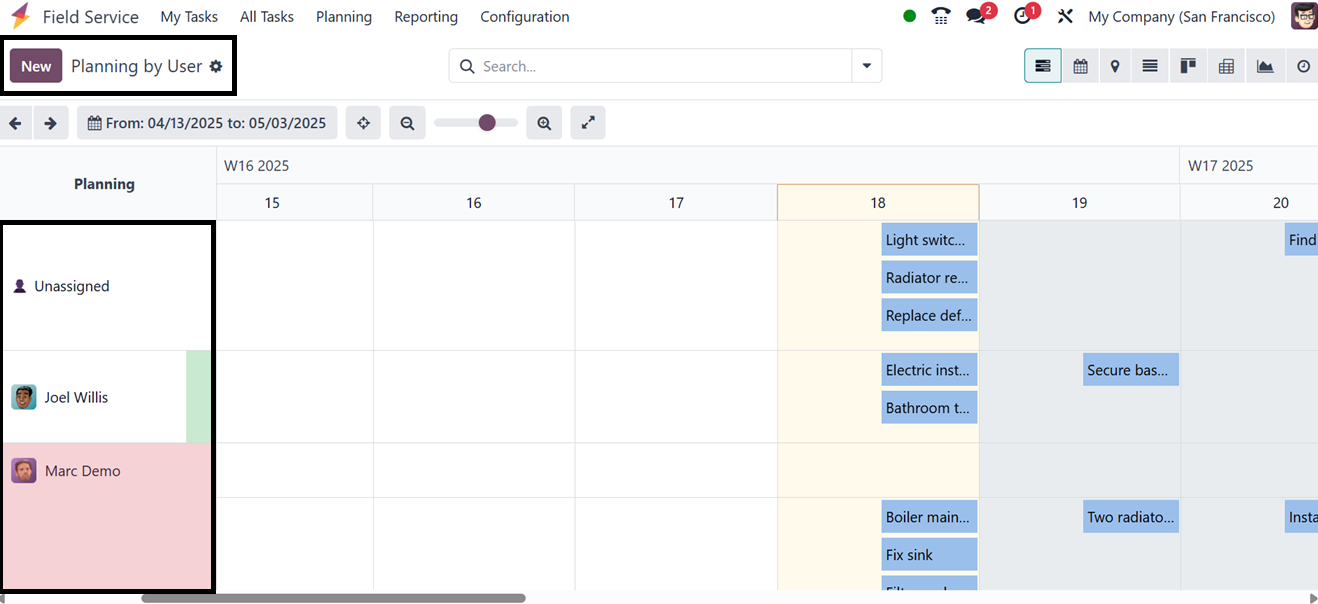
Teams can see workloads and make better plans by using the Planning
“By User” option in Odoo 18 Field Service, which offers a
calendar-style or Gantt view of planned tasks for each field service
employee.
You can see the task planning based on users. The drag-and-drop
rescheduling makes changing assignments on the fly simple. Along
with highlighting any conflicts or gaps in technician availability,
the view allows you to filter by project, user, or date period. This
makes it an effective tool for team coordination, resource
allocation optimization, and guaranteeing on-time service delivery,
as illustrated in the screenshot below.
The task planner provides information about a specific date for a
user, which can be customized to reflect a day, week, month, or
year. Hovering over a date will reveal a plus (+) icon, allowing
users to enter the details of a new assignment. The work will be
automatically assigned to the appropriate employee. Users can also
expand or collapse the Gantt chart view and activate sparse mode
using the provided icons.
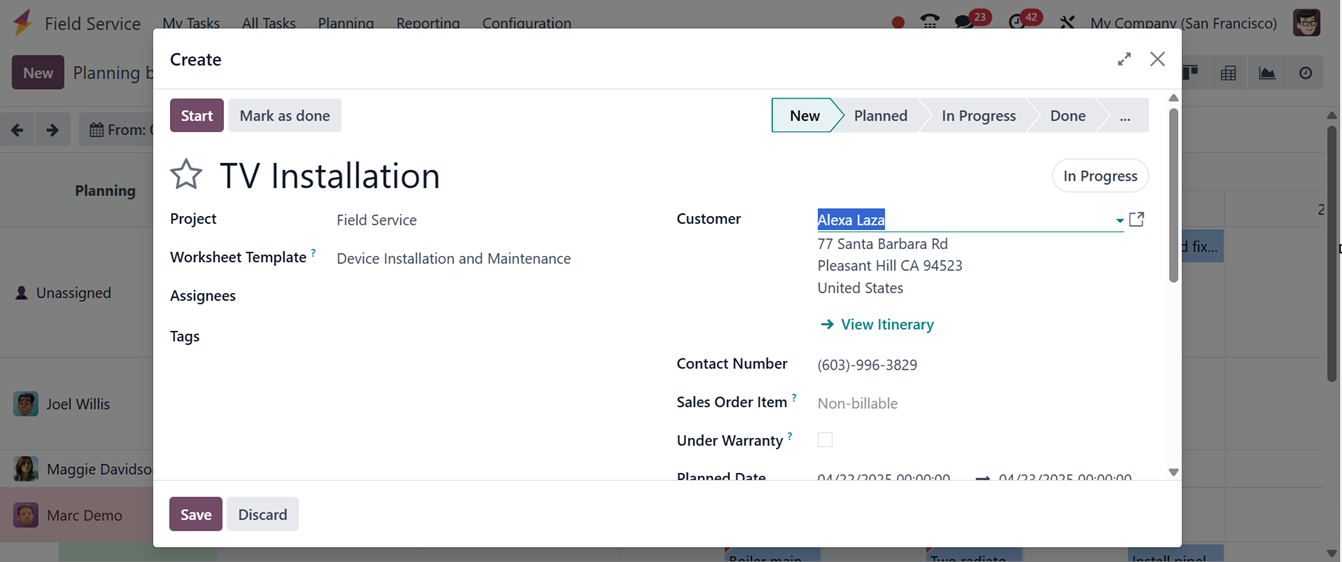
The new task plans can be created using the "New" button or by
clicking the plus icon on a specific date in the Gantt view. This
will open a new task creation window, where you can edit the task
details as we have discussed in the previous section.
3.2 Planning By Project
The Planning by Project menu in Odoo 18 Field Service offers a
centralized Gantt chart view of all scheduled field tasks, grouped
by project. This visual planning interface allows managers and field
service teams to efficiently plan, assign, and monitor tasks across
multiple projects. Users can drag and drop tasks to reschedule or
reassign them, apply filters for refined views, and switch between
daily, weekly, or monthly timelines, as illustrated in the
screenshot below.
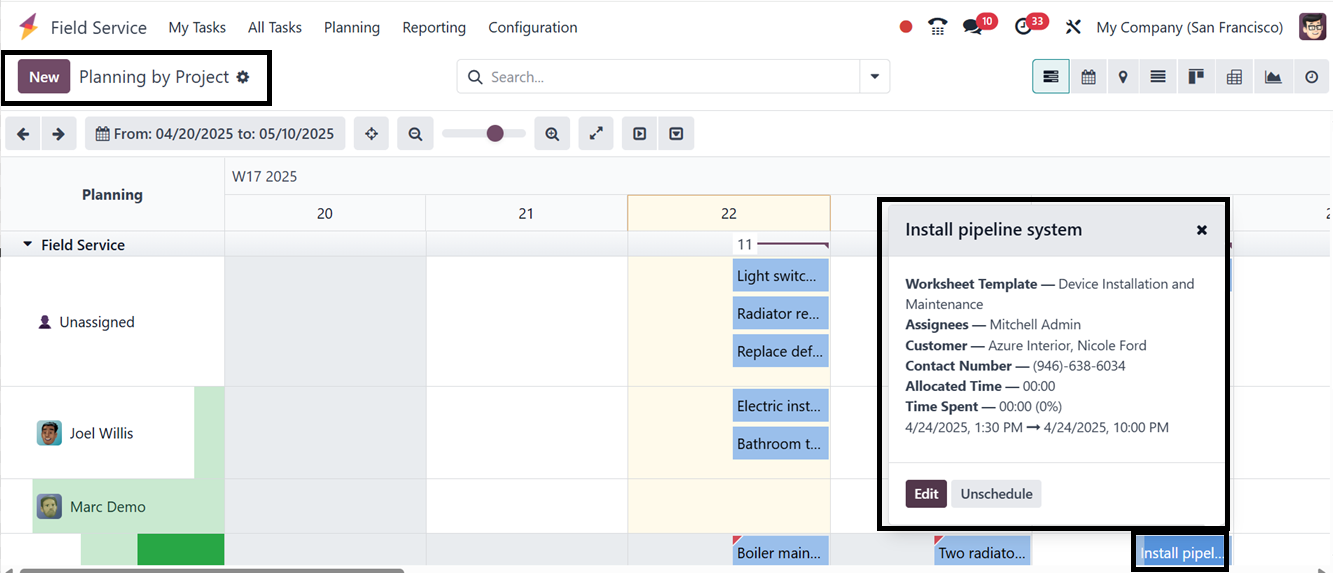
The project details, including the employee assignments, durations,
and opportunities to immediately modify task information, record
time, upload documents, and alter statuses, are displayed when you
click on a task entry. Click the "New" button and complete the form
fields just like you would when setting up a standard field service
request to establish a new plan based on a project.
3.3 Planning By Worksheet Template
The 'Planning By Worksheet Template' menu in Odoo 18's Field Service
module lets users schedule and manage jobs with pre-made worksheet
templates. These templates function as standardized formats that
contain certain forms, checklists, or data fields that are suited to
different kinds of service tasks.
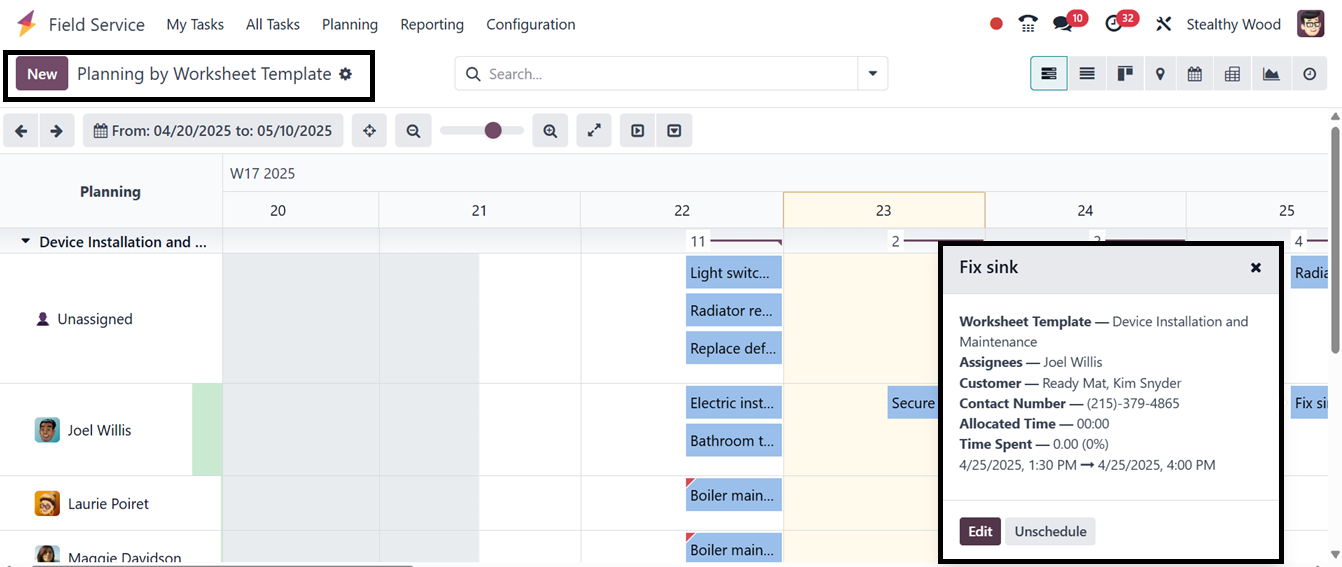
The menu's calendar or Gantt view simplifies scheduling and grouping
activities, ensuring consistency, improved work distribution, and
quality standards. It aids in allocating specialists based on
service type and planning installations, maintenance, or inspections
requiring specific paperwork.
3.4 Planning By Location
The 'Planning By Location' menu in Odoo 18's Field Service module
enables users to see and arrange jobs according to their geographic
location. This tool enhances route planning and maximizes technician
assignments. Users may plan, assign, and modify tasks according to
the service location by using the calendar or Gantt view that is
filtered by the service location.
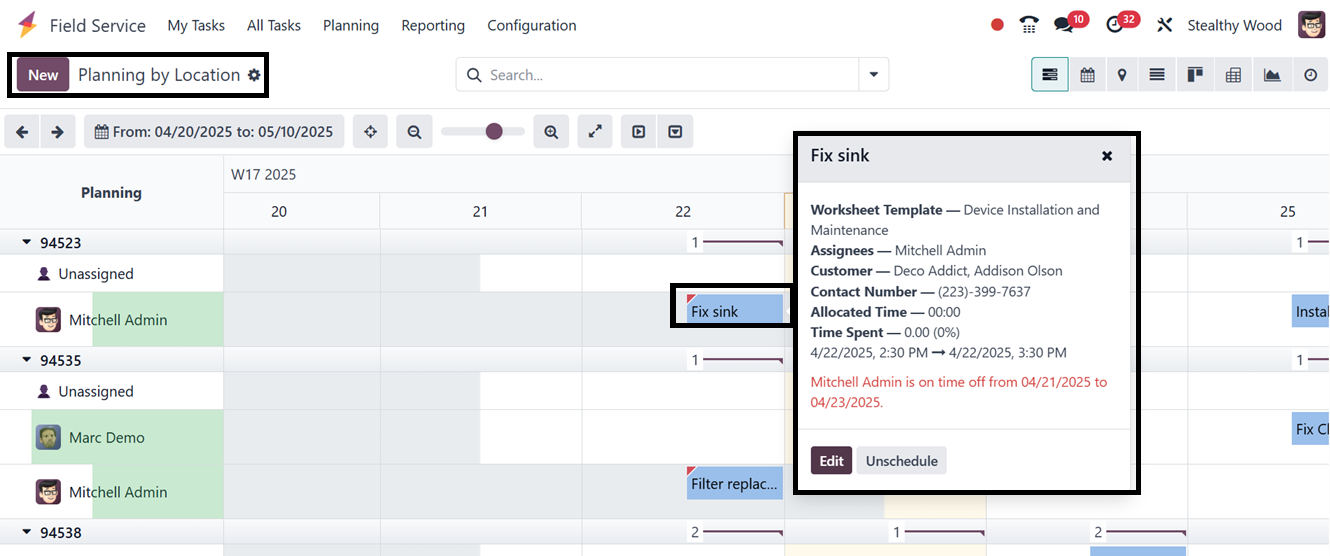
This planning window facilitates work clustering by geography,
cutting down on travel time, and increasing technician productivity.
Use applications include managing workload allocation across several
service zones, efficiently planning routes, and allocating many
service calls to a single technician.