When working with clients, having a customer care system in place is
essential to growing your business successfully. Effective customer
service should be the first priority for any firm. Offering the
greatest customer service will boost your marketing and sales
prospects. Meeting your clients' needs and quickly resolving any
issues they may be having is the best method to build a solid
relationship with them. The state-of-the-art Odoo 18 Help Desk
module offers a dedicated platform for performing customer service
provider activities. You can respond to all customer inquiries and
grievances about your company with this module.
After a customer submits a service ticket, your company's help desk
department can use this module to perform the required actions to
resolve the reported issue. In this chapter, let's look at how this
module works.
1. Helpdesk
When you initially activate the module, you will be presented with
the main dashboard, as seen in the screenshot below.
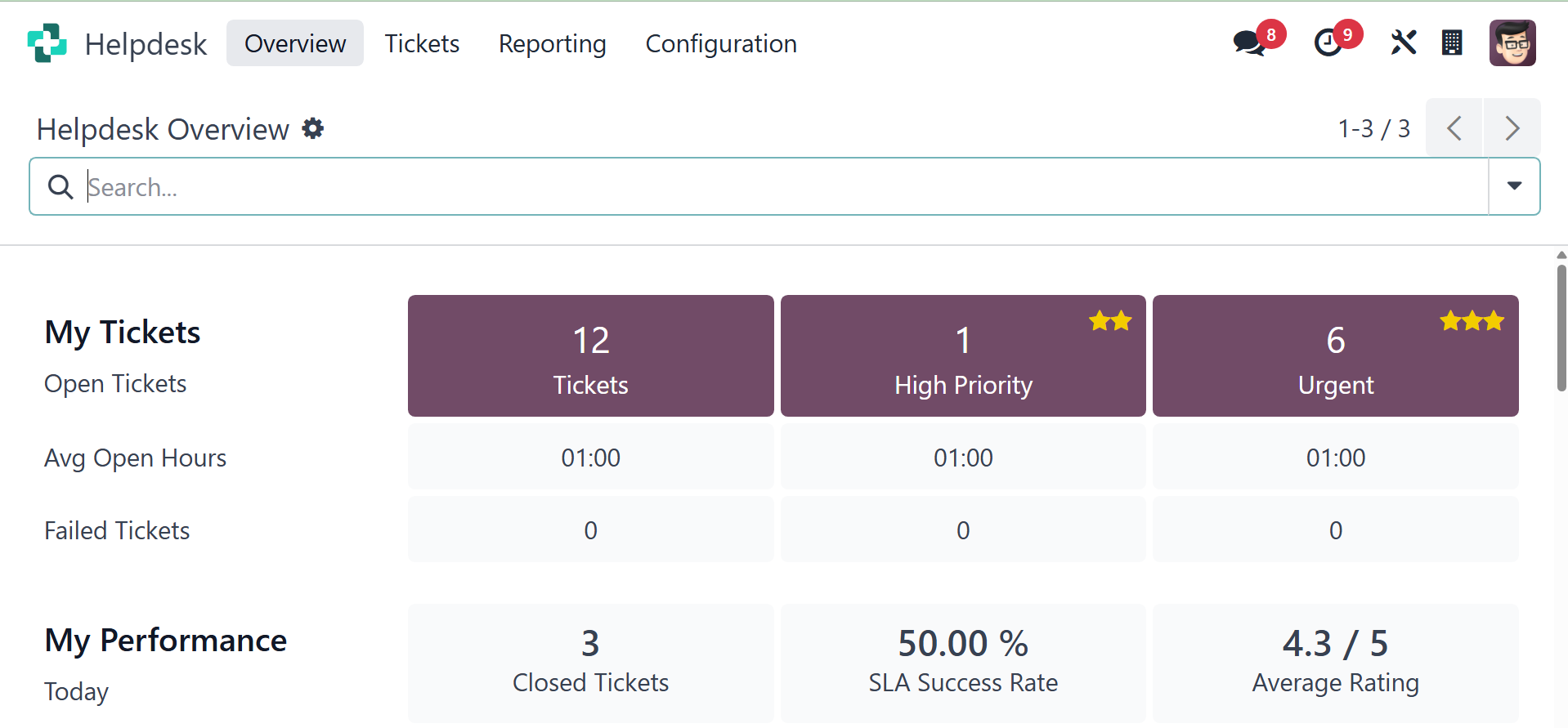
This is the Helpdesk Overview. A synopsis of the module's primary
features may be found right here. You may access My Tickets and My
Performance sessions in this window. The number of open, urgent, and
high-priority tickets is displayed in the My Ticket session window.
The average hours that each ticket is open are shown on this page.
In the relevant ticket fields, you can see how many tickets have
failed. You can undertake a performance analysis using the My
Performance session. All of the information you require to evaluate
performance is available here, including the average rating for the
last seven days as well as the closed tickets and success rate for
the current day. This section also shows the Daily Target.
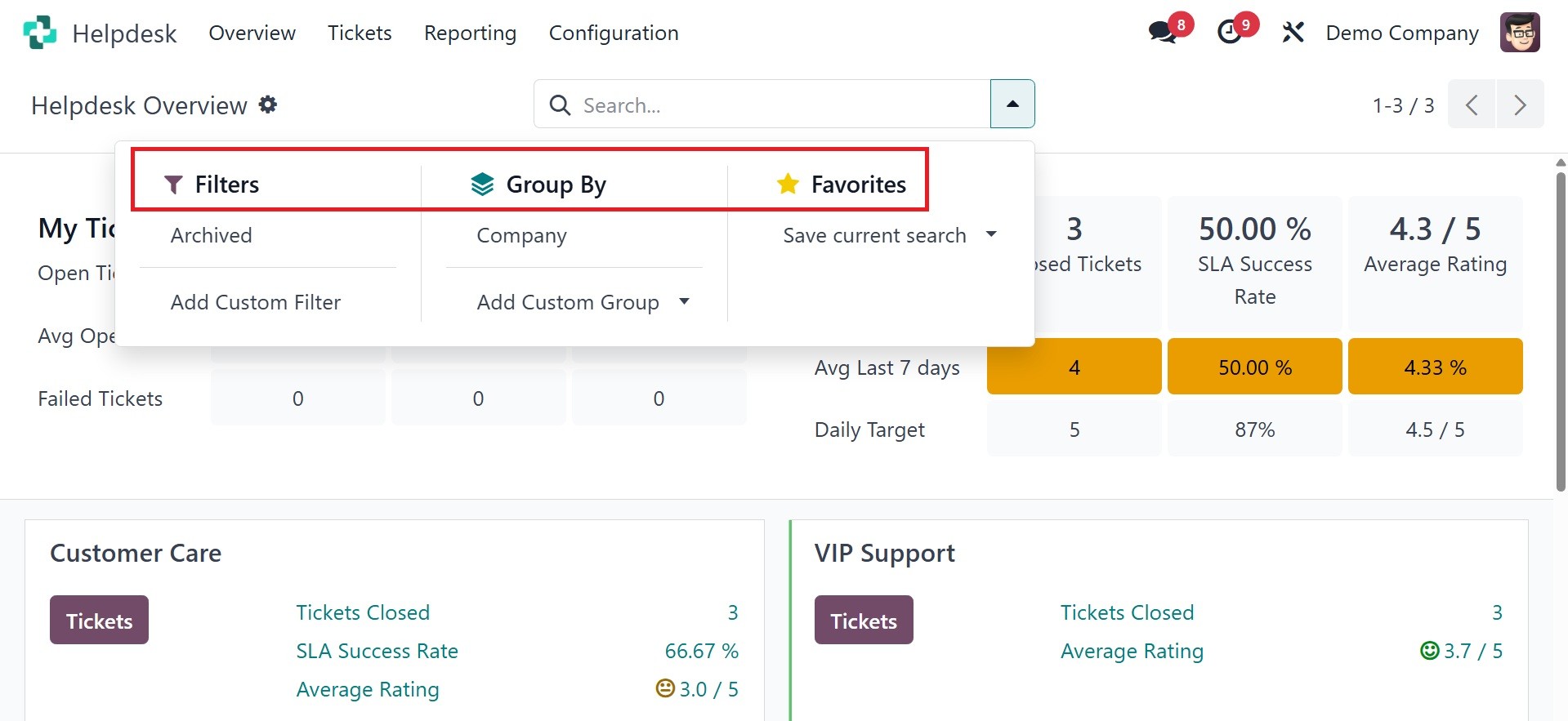
You can utilize Archived, Followed Teams, My Teams, and add a custom
filter as a filter. In the Group By menu, you can select the Company
as a grouping option, and add the custom group as well. To add
custom filters and groups in the Odoo Helpdesk module, you can
leverage the "Add Custom Filter" and "Add Custom Group" options
within the search view. These options allow you to refine your
search results based on specific criteria and group them for easier
analysis.
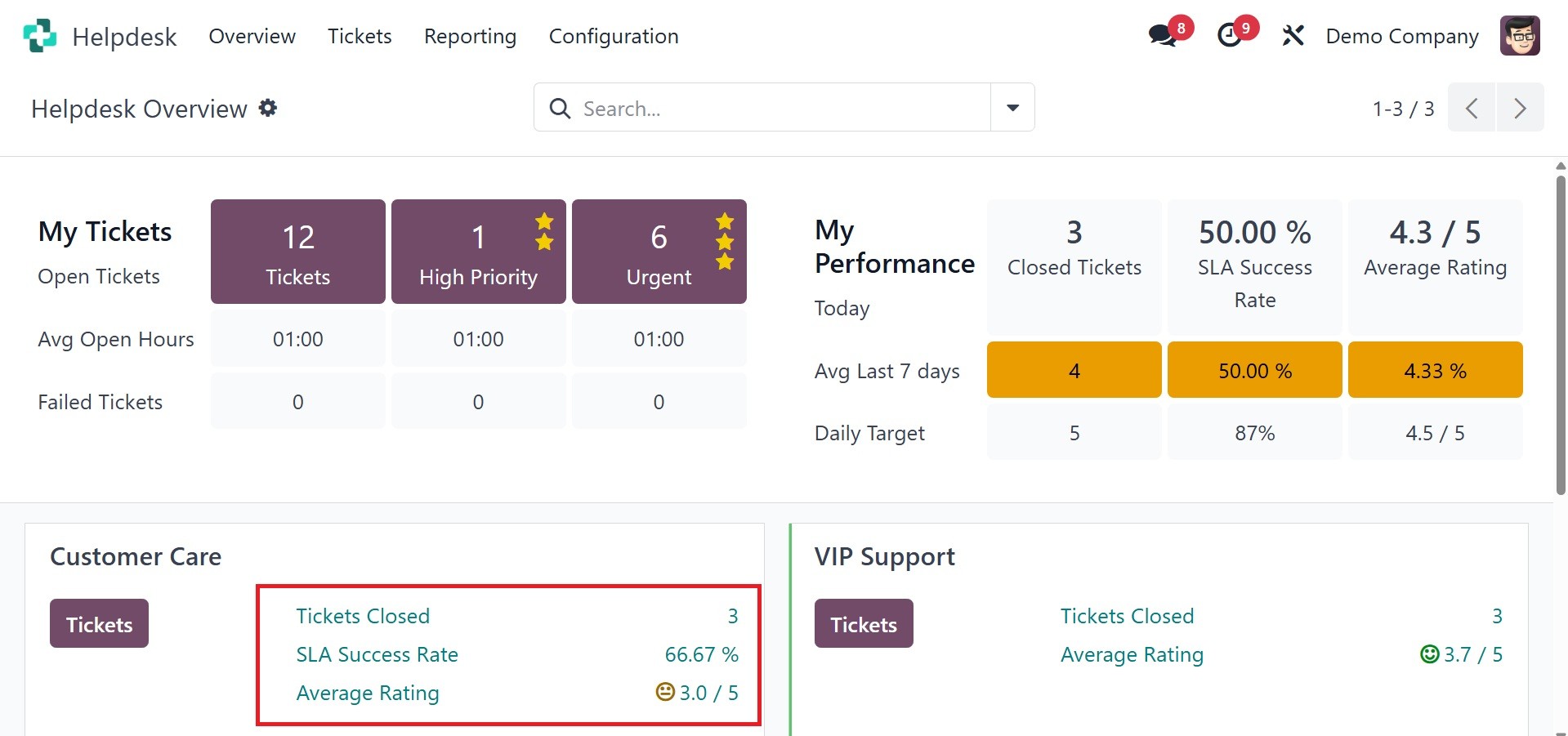
Right from the dashboard, you can see how the helpdesk staff is
configured in your database. Information about each service desk
team is shown separately. Along with the number of open tickets, the
data also includes the number of finished tickets, success rate,
average rating, unassigned, urgent, and failed tickets. When you
click the Tickets button, the tickets assigned to that particular
help desk will be opened.
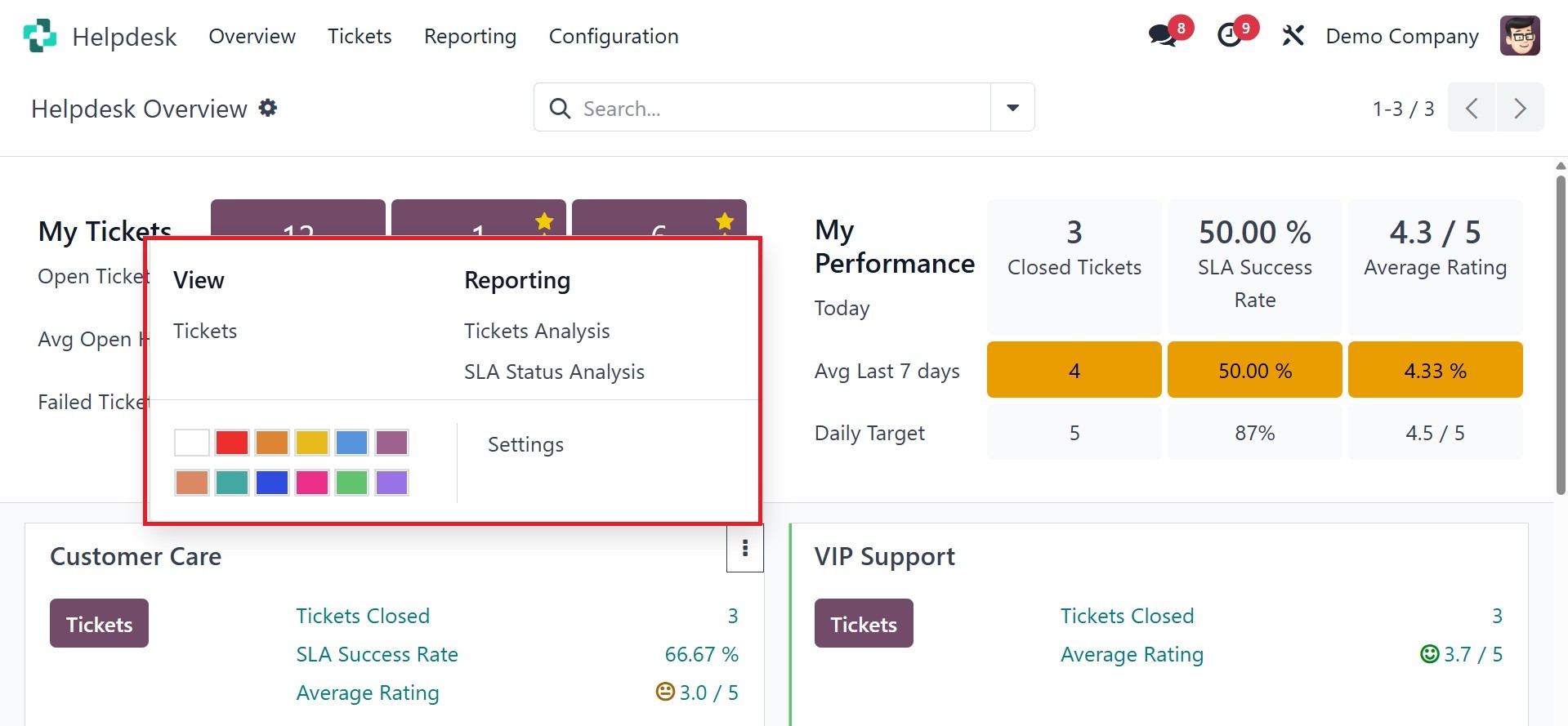
As shown in the screenshot above, clicking on the three vertical dots
in the top right corner of the help desk team tab will bring up a
new menu bar. There is a view option here to see the tickets. The
Reporting option has the buttons for SLA Status Analysis and Ticket
Analysis. This dashboard gives you an overview of how the Help Desk
module functions.