One of the most crucial aspects of business operations that requires
the utmost attention to detail and precision is inventory
management. Since even a minor error in the flow of goods has the
potential to harm their business, business owners always place a
high premium on effective inventory management. As the company
expands, there is a greater need for a specialized inventory
management system. The Odoo18 Inventory management system is
available to help you with thorough strategic plans that maximize
the processes of planning, tracking, and managing inventory in
real-time. Odoo ensures accurate inventory management, allowing your
business to fulfill orders as fast as possible.
Odoo18 ensures that the Inventory module operates at a high level and
has access to all the features that are essential for simplifying
inventory management. A company can benefit from inventory
management by utilizing Odoo's fully functional inventory management
system, which includes:
- Accurate and straightforward stock tracking should be provided
at the company's warehouses.
- Precise fulfillment of orders.
- Sophisticated methods for inventory planning and ordering.
- Inventory needs are quickly identified.
- Features that allow for instant product replenishment based on
demand.
- Gives a comprehensive rundown of the products in question.
- Provides a history of every action made on a product throughout
inventory movements.
- Moves orders between locations and warehouses automatically.
- There are useful analytical and quantitative reports available
for inventory analysis.
- Makes use of batches and serial numbers to track products.
These are a few of the main tools Odoo18 provides its users to make
inventory management easier. We will discuss other features in later
sessions of this chapter. Let's begin by discussing the Odoo 18
Inventory module's Overview.
1. Introduction
The best tool for the effective management of every type of inventory
activity is the Odoo18 Inventory module. Inventory management should
be appropriately supported in order to keep a business running
successfully. You will be interested in the functionalities Odoo18
provides when we introduce it as the perfect inventory management
tool. In this section, we will explain in detail how Odoo18's
separate Inventory module handles inventory activities. The Overview
window for the Inventory module gives a clear view of all the
processes that the module can handle.
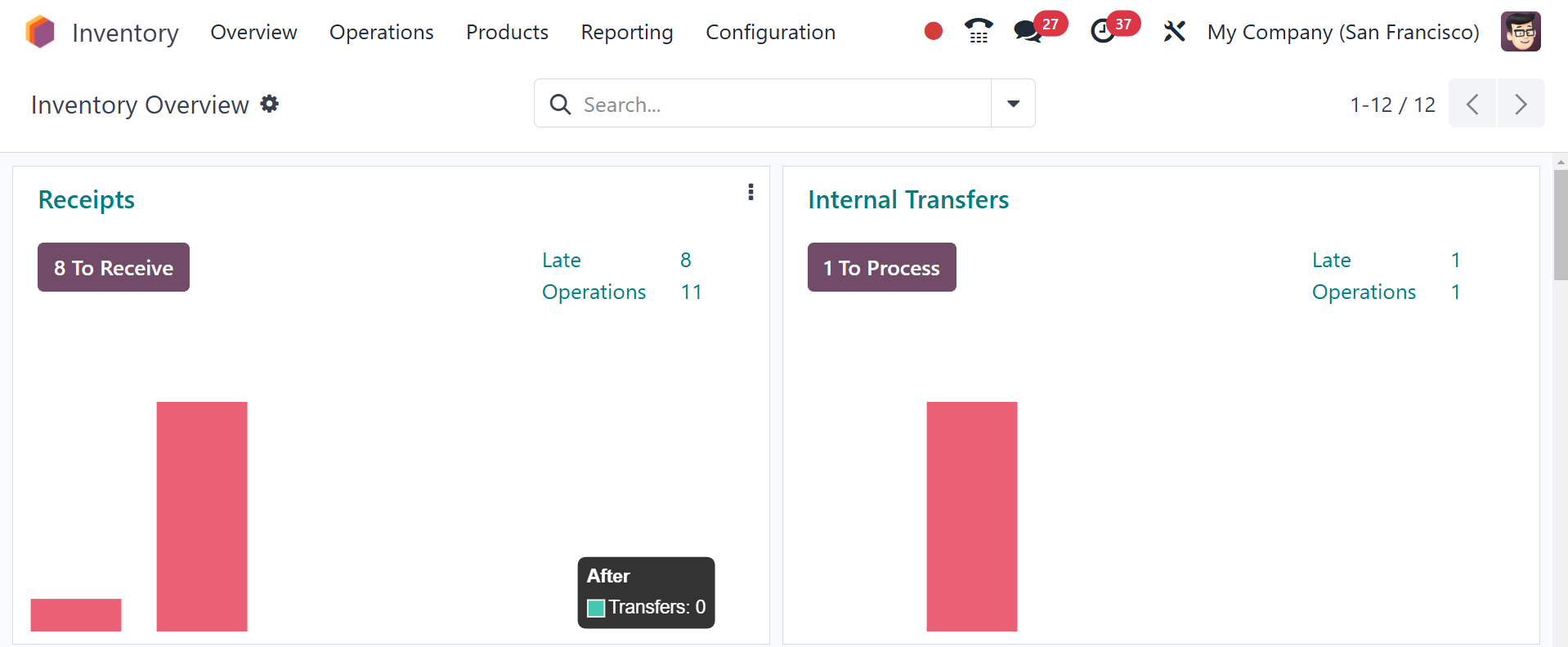
From the activities established in the module, you can process
receipts, internal transfers, delivery orders, returns,
manufacturing, resupply subcontractor, POS orders, dropship,
dropship subcontractor, and many more from the Kanban view of the
Inventory Overview window.
You will have individual options to manage each of these processes
individually in the menu bar of the Inventory module. This platform
will, however, allow you to view a quick overview of all processes
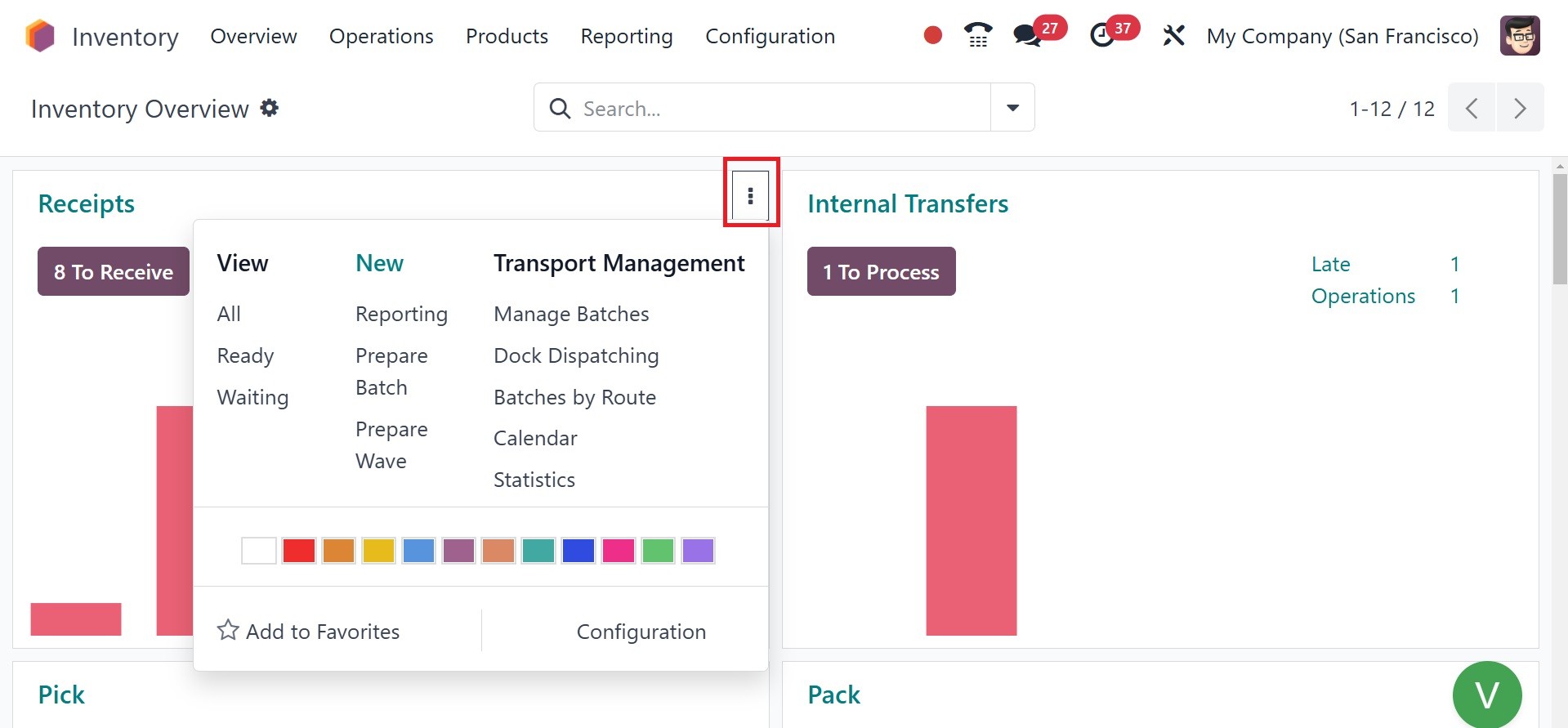
at once. You can click on the three vertical dots at the top right
corner of every operation tab to view additional options to manage
each of these processes.
If the database is used in a multi-company setting, the overview will
include the inventory operations of every company that has been set
up in your system.