3. Visitors Menu
The Odoo 18 Live Chat module is seamlessly integrated with the
Discuss module, ensuring that chat conversations appear as direct
messages in the Discuss module. The Visitors Menu within the Live
Chat module continuously updates information regarding website
visitors, as shown in the screenshot below.
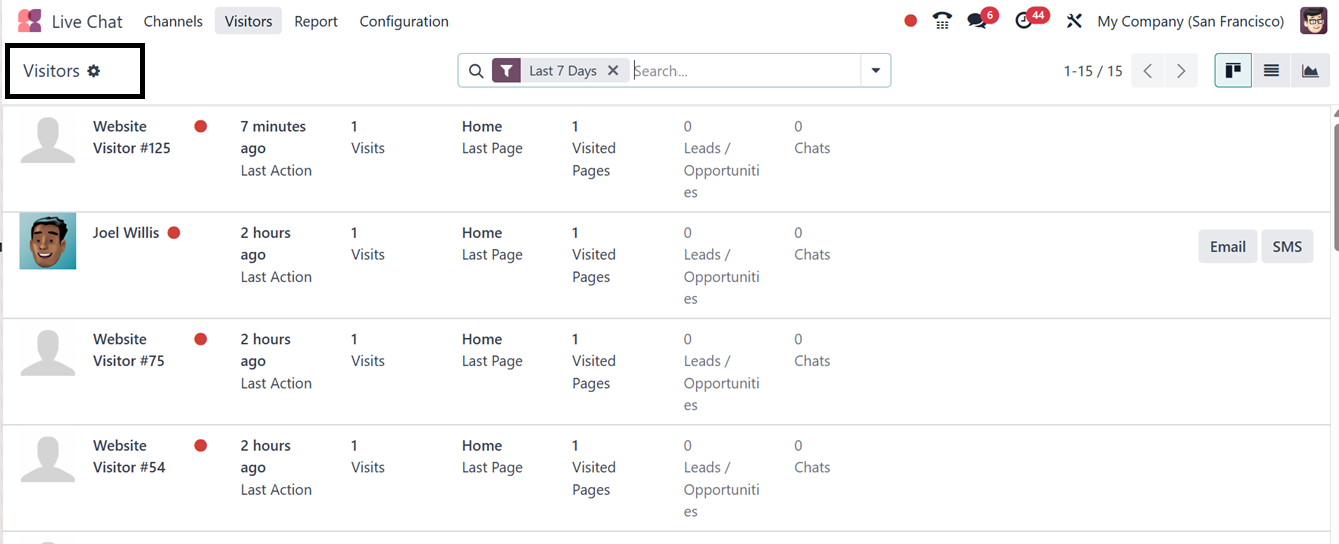
This data is accessible in List, Graph, and Kanban views and includes
visitor details such as name, last activity time, number of visits,
pages browsed, leads generated, and active chats. Additionally,
users can initiate SMS or Email interactions directly from this
window using the respective icons provided inside each visitor
column.
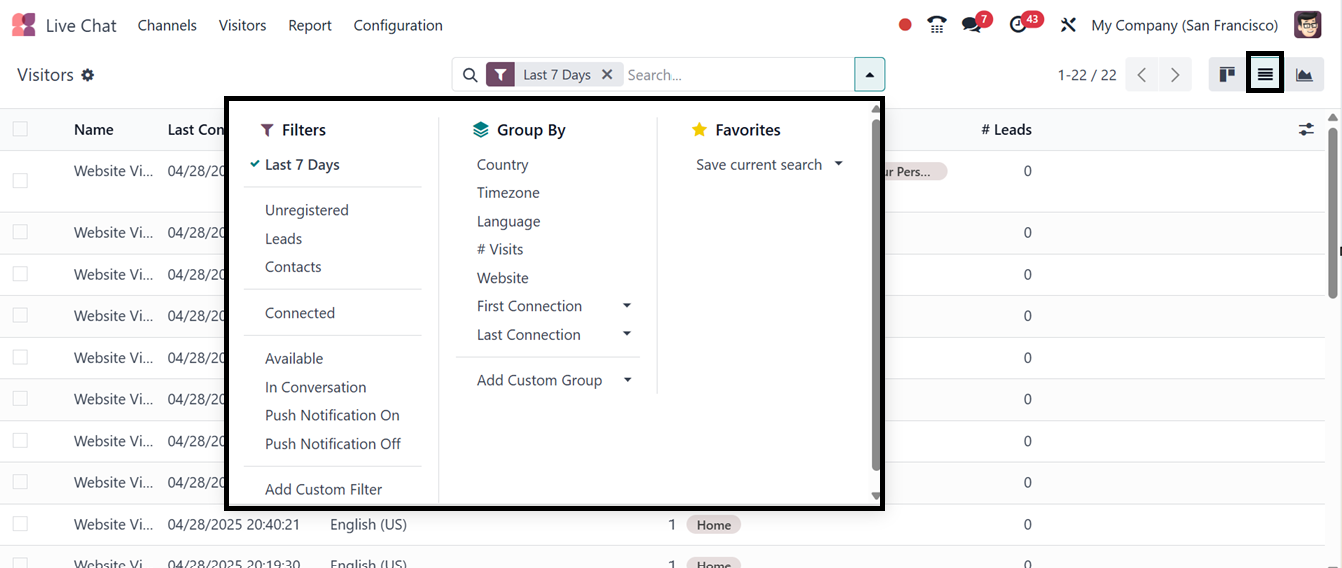
The system provides various default and customizable filters,
including options to sort visitors based on their registration
status, connection availability, push notification settings, and
archived status in the ‘Filters’ section of the search bar. Grouping
options based on country, time zone, language, website, first
connection, and last connection are also available in the ‘Group By’
section. Then, you can also mark important data using the
‘Favorites’ filter.
By clicking on a visitor data column, you can check the visitor data
in a form format, displaying comprehensive information, or in a chat
pop-up widget for real-time interaction.
The visitor form will show the visitors basic contact details,
Language, Push Notification Enabled or Not, Website, First and Last
Connection date and time, Pages and Products, as shown in the
screenshot below.
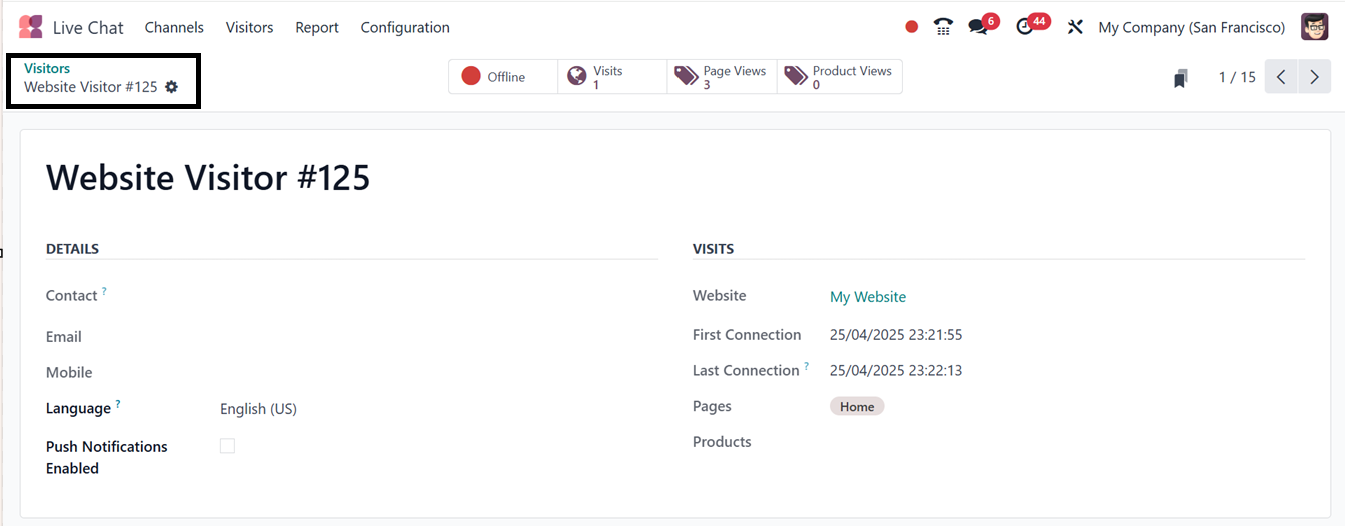
Then, you can see the current visitor status, total number of visits,
page views and product views from the ‘Offline,’ ‘Visits,’ ‘Page
Views,’ and ‘Product Views’ smart tabs located at the top of the
form.