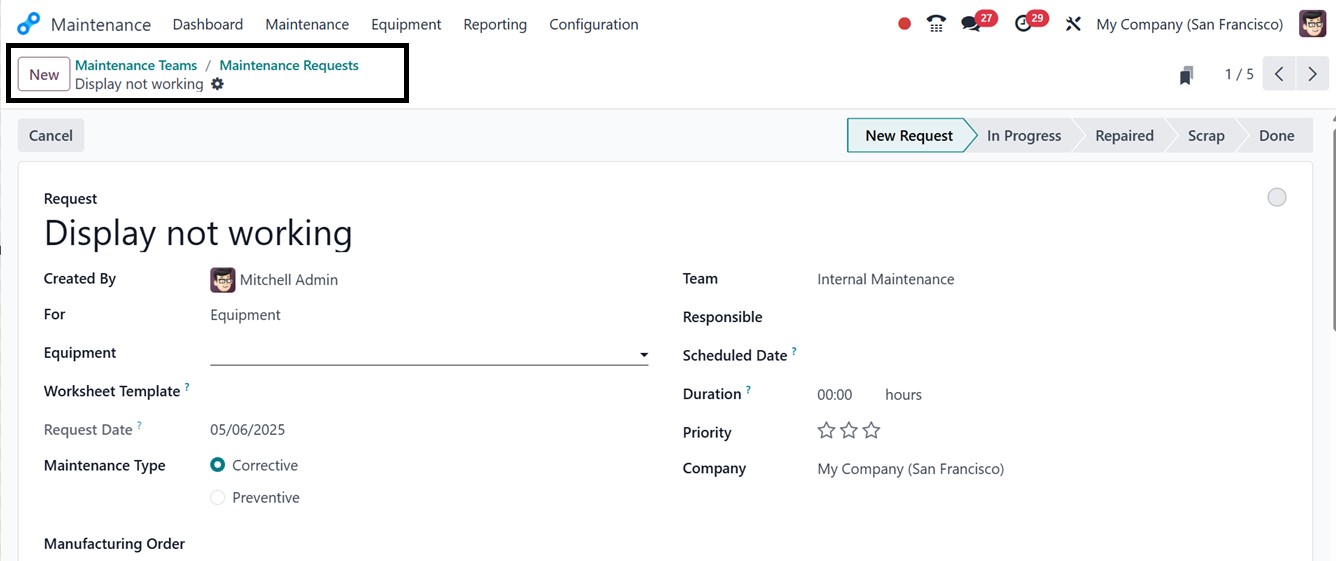
1. Maintenance Dashboard
To help industrial companies streamline and plan their maintenance
activities, Odoo 18 provides a complete maintenance management
solution. An easy-to-use Maintenance application is included with
the free Community edition, which is accessible within the platform.
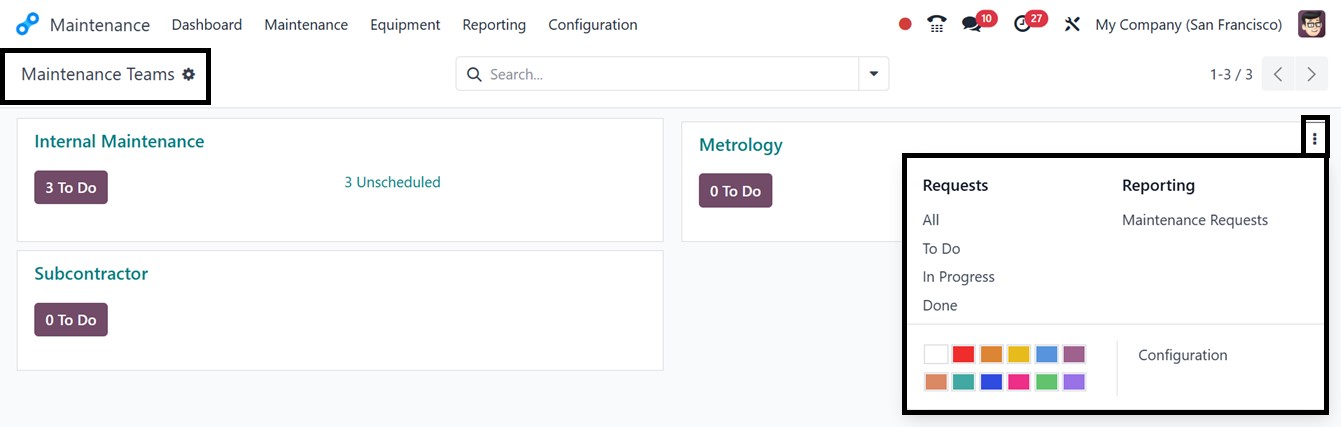
A Kanban-style dashboard that groups maintenance requests by teams,
such as Internal Maintenance, Metrology, and Subcontractor, is
displayed to users when they first activate the Maintenance app.
Efficient job allocation is made possible by this methodical
technique, which guarantees that problems are assigned to the right
teams and fixed quickly.
- Internal Maintenance: This category allows users to submit
maintenance requests for equipment or processes within the
company. The internal maintenance team is responsible for
reviewing and addressing these requests, focusing on both
preventive and corrective maintenance actions.
- Metrology: This category pertains to the science of measurement,
which is crucial for quality control in manufacturing.
Maintenance requests related to metrology ensure that
calibration procedures and measurement equipment remain accurate
and compliant with industry standards.
- Subcontractor: Certain maintenance tasks necessitate external
expertise or resources provided by subcontractors. This category
organizes and manages maintenance tasks assigned to third-party
contractors, ensuring timely resolution.
This structured, team-based approach in Odoo 18’s maintenance module
enables manufacturing companies to optimize maintenance processes,
ensuring effective task management by the relevant teams.
Using the three dotted vertical menu, you can check all the
Maintenance requests based on various stages, check the Reporting
analysis, and manage Configuration settings using the Requests,
Reporting, and Configurations options.
The Maintenance Requests dashboard also includes filtering options
and visualization tools to help users track and manage maintenance
requests effectively. You can create multiple maintenance teams to
assign requests based on their company’s structure, ensuring better
workflow and accountability. The Kanban view offers an intuitive
visual representation of maintenance requests categorized by
different statuses such as New Request, In Progress, Repaired, and
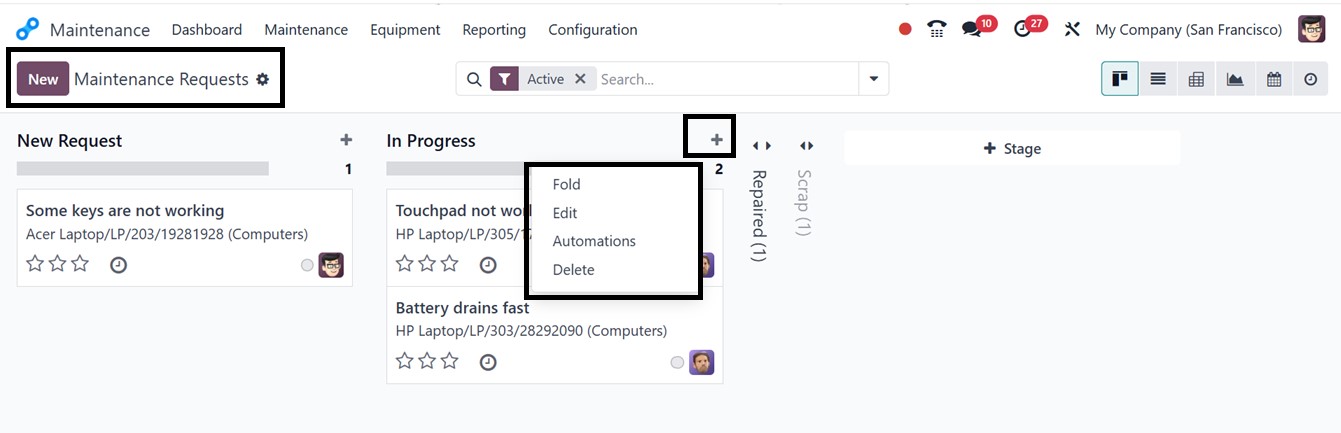
Scrap. Users can easily manage these stages through the settings
icon or add new stages using the ‘+Stage’ button.
Once created, these stages can be modified, deleted, or automated
based on business needs.
Automating Stages
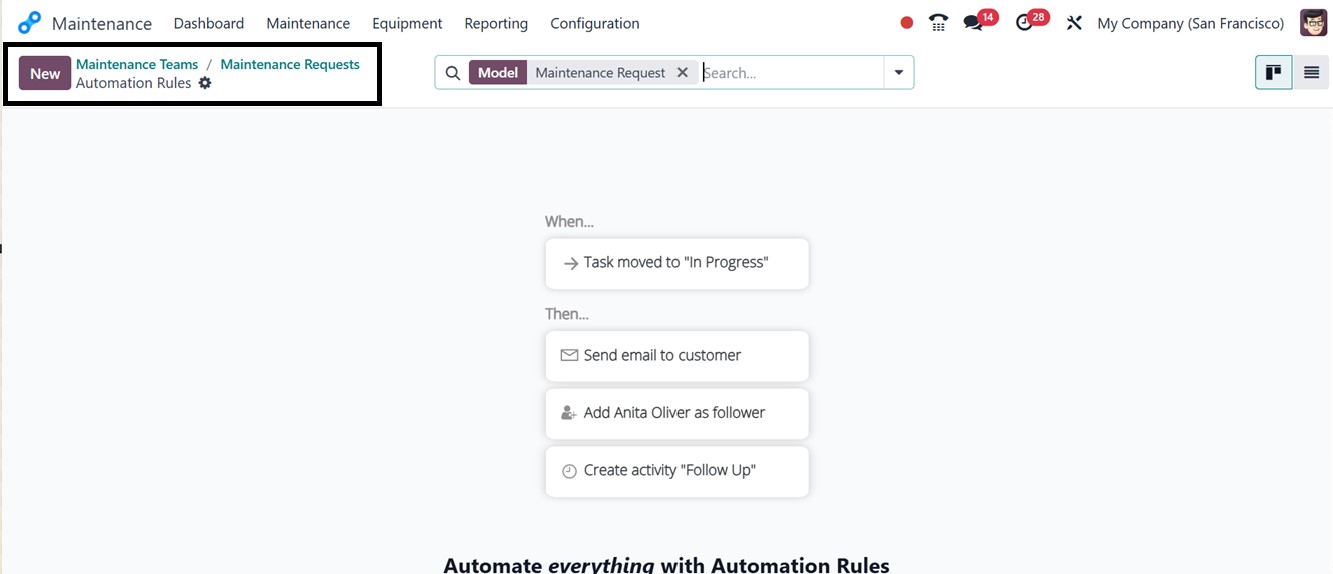
Stages of maintenance requests can be automated according to preset
rules and specifications. A request's stage will automatically change to
the appropriate one when it satisfies a particular rule. Click the
"Automations" button in the settings icon at the top of the stage column
to activate this function. As seen below, this launches the Automation
Rule dashboard.
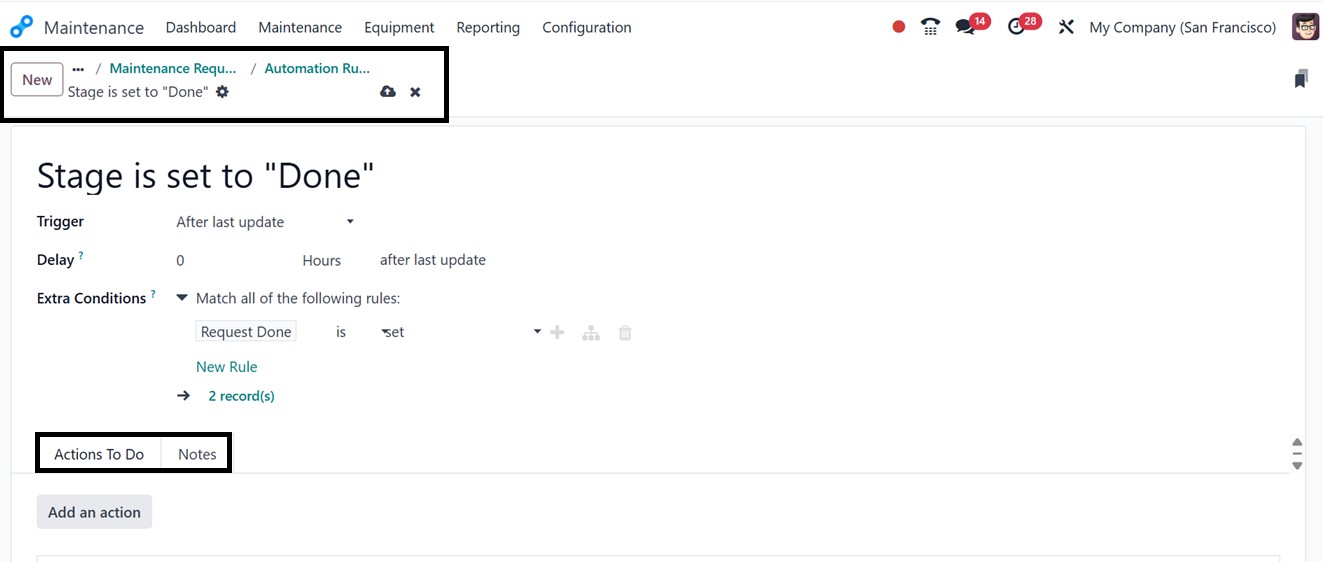
Click on the ‘New’ button to create a new rule and specify particular
conditions, like when a request is given a high priority rating or a
set period of time has elapsed in the description area. The request
is then automatically moved to a specified stage by setting a
Trigger action. The rule is automatically applied to any matching
maintenance requests after it has been saved. Then, you can set a
‘Delay’ time to upgrade to the new stage after the last update.
By using extra rules or filters according to your needs, you can
define "Extra Conditions" for more intricate and specialized stage
automations. As seen in the picture below, I've chosen a simple rule
in this example, such as the "Request Done" column is “set.”
After that, you can customize what should happen in response to the
trigger condition you've set up using the "Actions To Do" tab. So,
just click on the "Add an Action" button to start this
configuration. In the pop-up window, you can choose the required
action Type, such as Update Record, Create Activity, Send Email,
Send SMS, Send Whatsapp, Add Follower, Remove Follower, Execute
Code, etc, as depicted in the screenshot below.
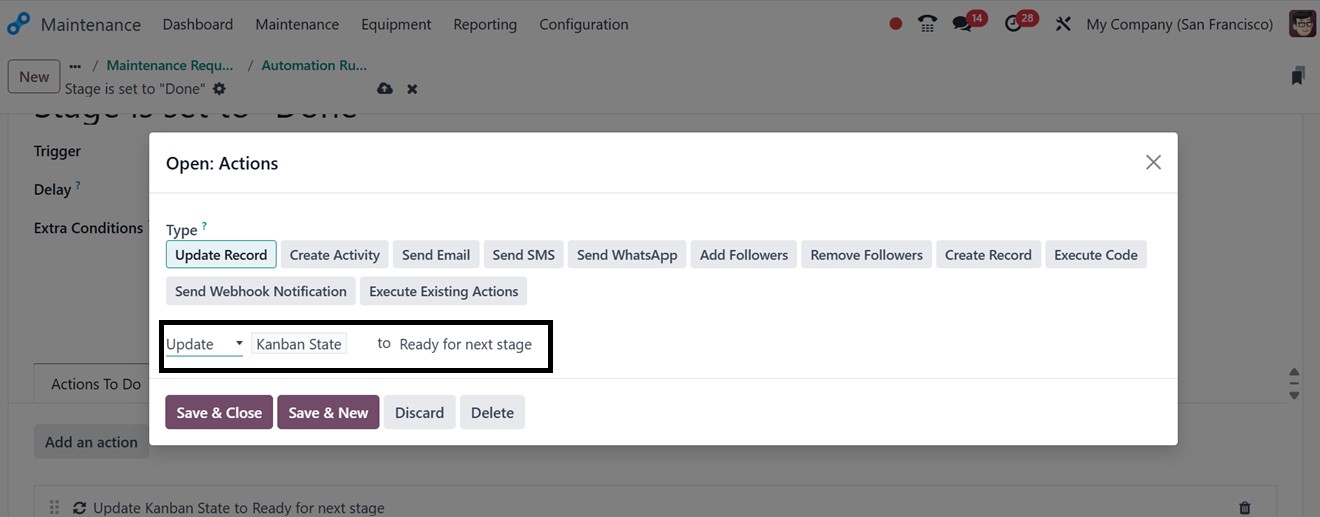
Then, in the rule settings area, choose the record update option and
indicate the subsequent step. Once set up, save the automation rule
by clicking the save icon.
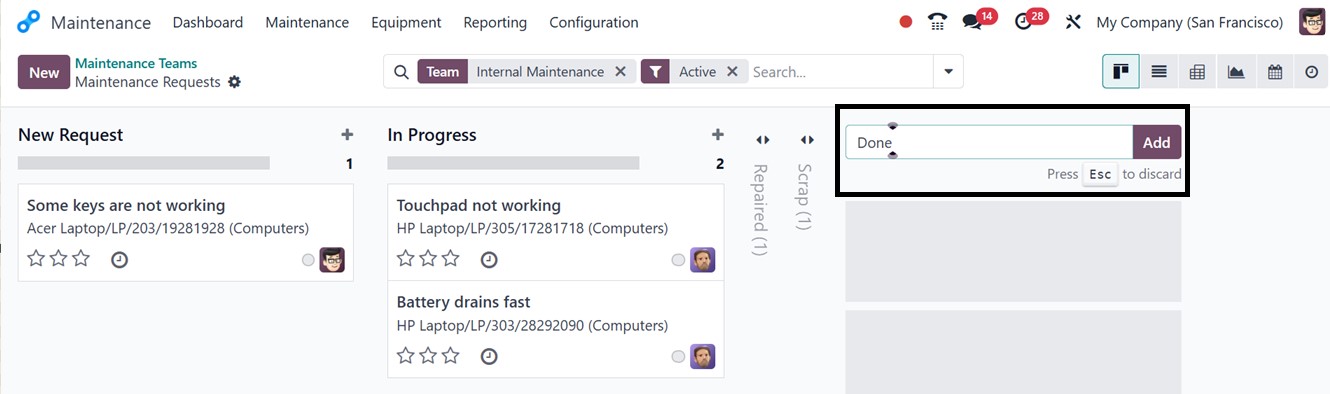
New maintenance requests can be added quickly using the ‘+’ symbol
next to each stage title and edit the request title, and click on
the ‘Add’ button to start the request creation process.
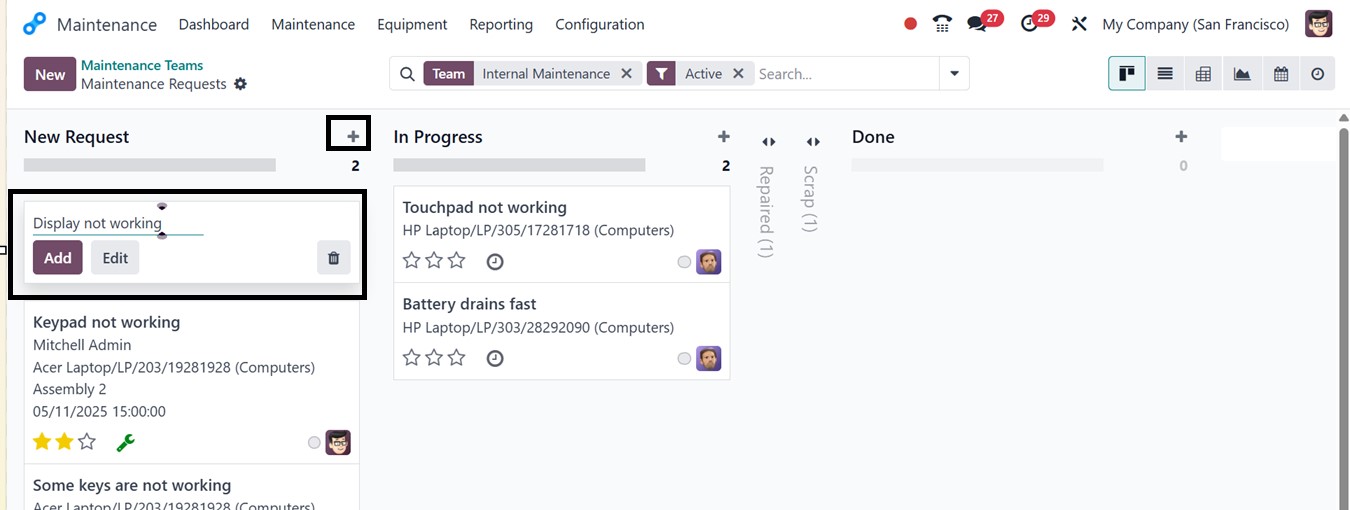
After adding a new request, click on its kanban card view to go to
the form view and edit more specifics about the requested issue, as
shown below.