5. Reporting
The Reporting feature in the Odoo 18 Maintenance module provides
detailed insights into maintenance operations in its ‘Maintenance
Requests’ reporting window.
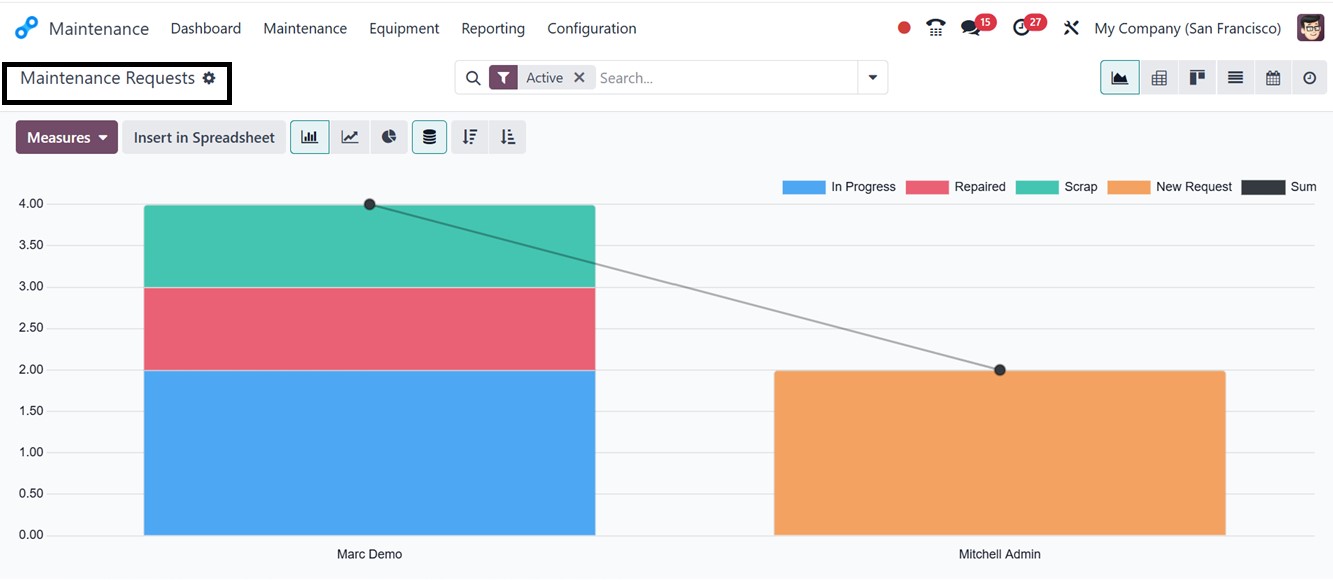
To improve the display of analytical data, users can alternate
between the Line, Bar, and Pie chart views. For an in-depth
assessment of maintenance requests, the platform also offers a
number of reporting styles, including Graph, Kanban, List, Pivot,
Calendar, and Activity views. These reports allow users to change
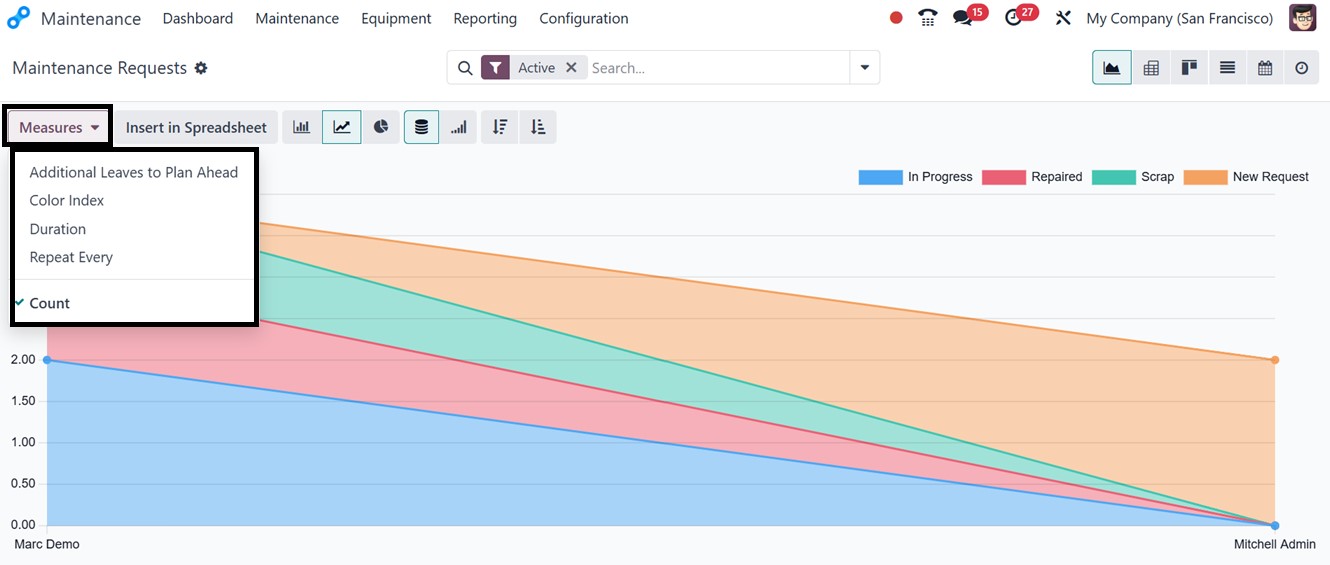
the data perspective for better maintenance management and staff
performance tracking by supporting a variety of graph metrics, such
as Additional Leaves to Plan Ahead, Color Index, Duration, Repeat
Every, and Count inside the ‘Measures’ button.
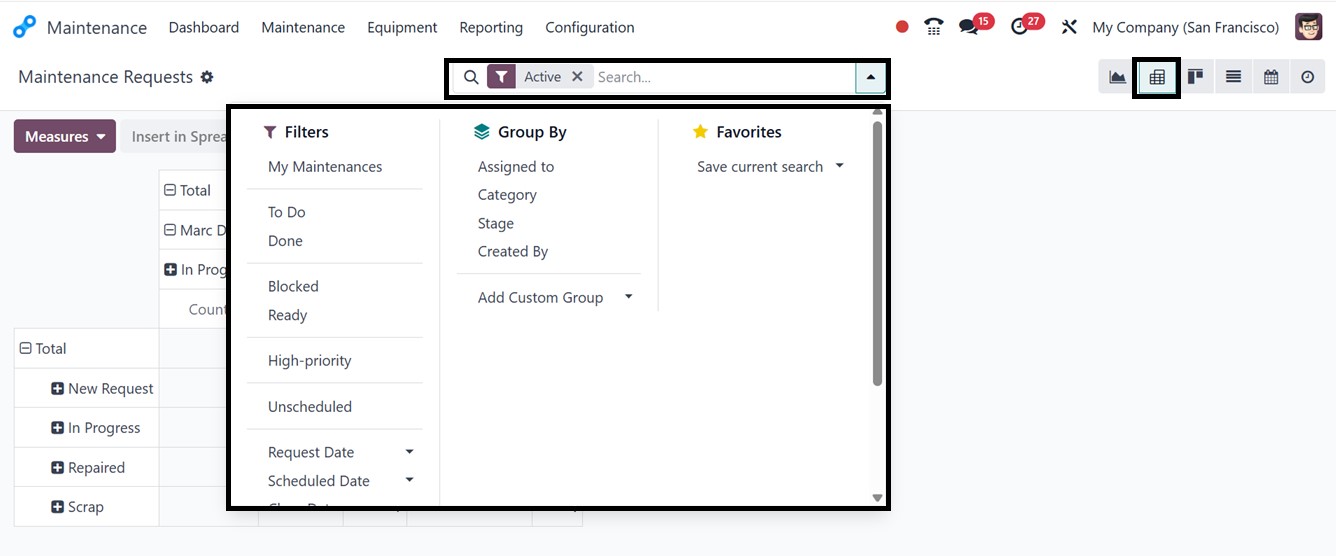
Inside the search bar area, you can utilize the ‘Filters’ feature to
sort the required data with the available filters include My
Maintenance, To Do, Blocked, Ready, High-Priority, Unscheduled,
Request Date, Scheduled Date, Close Date, Unread Messages, and
Archived.
The customization of new filters can be done through the ‘Add Custom
Filter’ option. The “Group By” function allows categorization by
Assigned To, Category, Stage, and Created By. Using the ‘Add Custom
Group’ button, you can create a new grouping option and save current
or important searches using the ‘Favorites’ feature.
This reporting feature of the Odoo 18 Maintenance module enhances
operational efficiency, optimizing workflows without unnecessary
labor or time wastage.
The Odoo 18 Maintenance Module serves as a robust solution for
managing manufacturing maintenance operations. It supports both
preventive and corrective maintenance, ensuring seamless
coordination between production and maintenance teams. Through
structured processes and detailed reporting tools, organizations can
enhance productivity, reduce downtime, and optimize asset
management. The system’s integration with Odoo’s Manufacturing
Module further facilitates efficient maintenance planning and
execution.