5. Reporting
Through comprehensive reporting capabilities, Engineering Change
Orders (ECOs) are effectively tracked and managed in Odoo 18's PLM
module. Navigate to the Reporting menu and choose the ECOs option to
view ECO reports. You can properly monitor and assess Engineering
change orders based on their stages with the aid of the insightful
information.
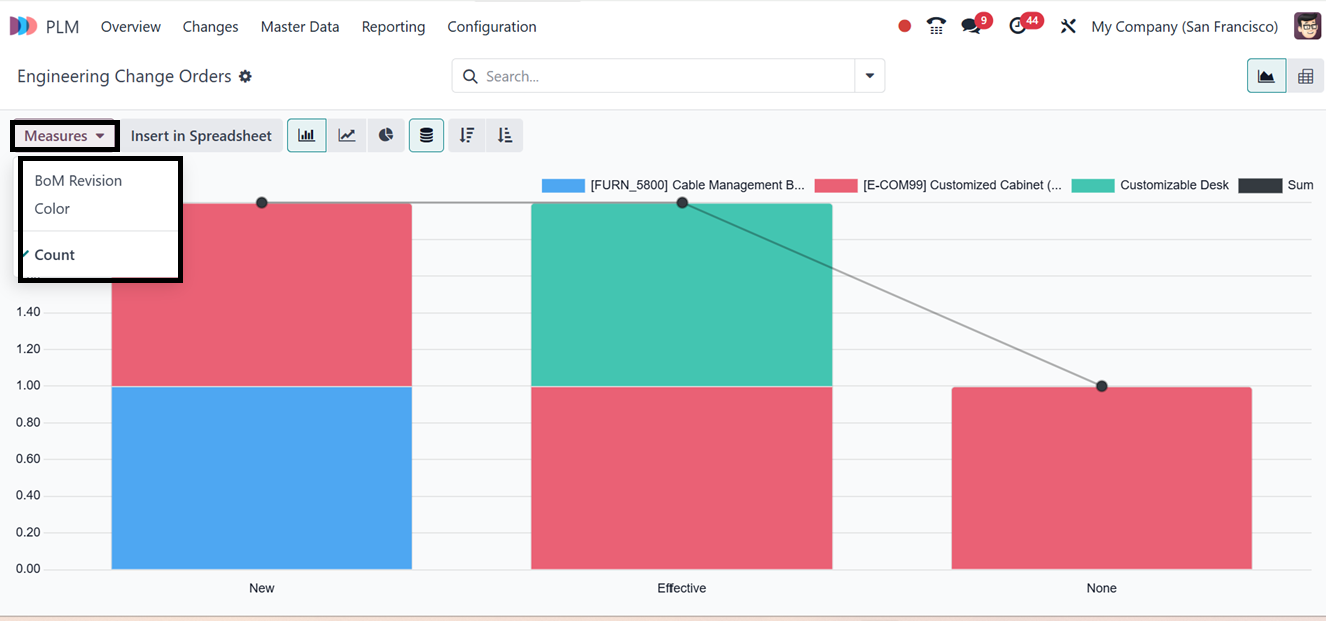
Numerous Measures, including BoM Revision, Color and Count, are
included in the reporting interface to enable customized study.
Using the advanced search bar Filters section, you can use various
filters including; My Change Orders, Awaiting Validation, To Apply,
In Progress, Rebase, Conflict, Done, and more to refine data.
Organizing reports for improved tracking also involves grouping
options in the ‘Group By’ section including; by Product, State,
Stage, or Company. Finally, you can mark important milestones using
the ‘Favorites’ filter options.
This report can be seen in a variety of formats, such as stacked
view, pie chart, line chart, and descending and ascending order, in
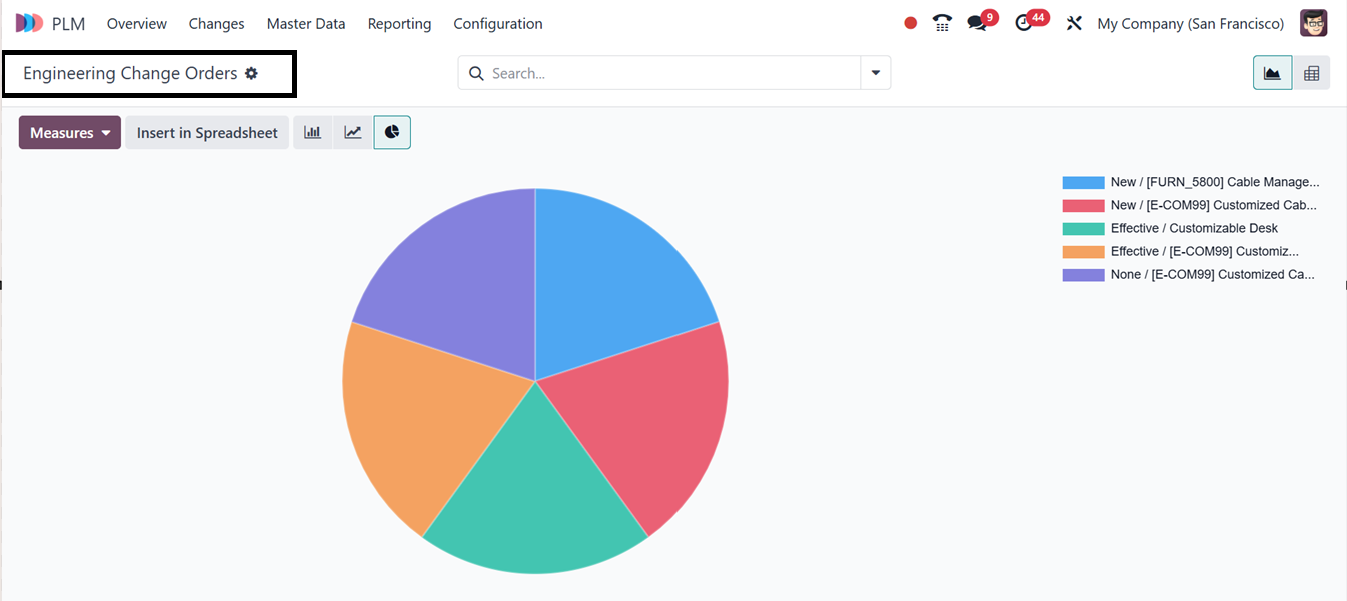
addition to the Kanban view. You can check the Pie chart view of the
reporting as depicted in the screenshot below.
Efficient monitoring of ECO progress is made possible by these
reporting tools, which provide accurate documentation and simplified
product change management over the course of the product lifetime.
By encouraging cooperation and data control, the Odoo 18 PLM module
expedites the whole product development process from design to
manufacturing and improves engineering changes, traceability, and
product lifecycle management for companies.