4. Reporting Menu
The Reporting menu serves as a valuable tool for businesses to
analyze, monitor, and enhance their sales operations. It provides a
detailed overview of sales data, enabling users to make
well-informed decisions and identify key trends. The Reporting
section in the Odoo 18 Point of Sale (PoS) module consists of three
primary analysis categories: Orders Analysis, Sales Details, and
Session Reports.
5.1 Orders Analysis
The Orders Analysis feature in the Odoo 18 PoS module offers
comprehensive tools for examining sales data. It allows businesses
to track performance, assess customer purchasing patterns, and
refine their sales strategies effectively.
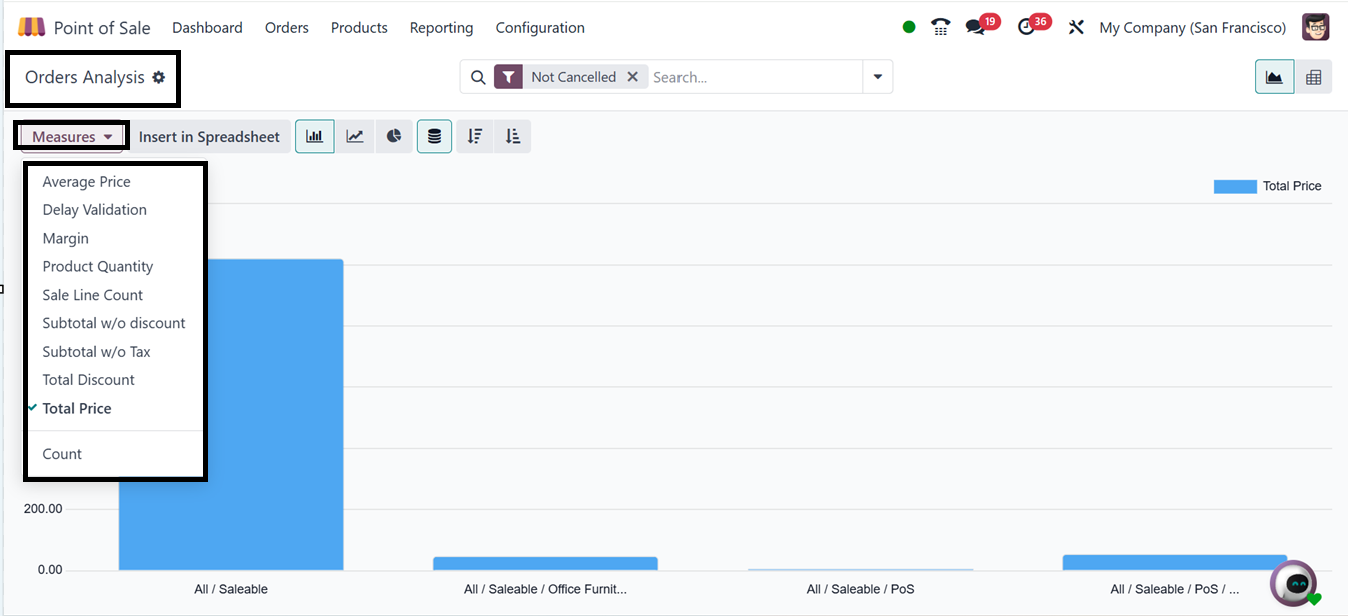
This section presents data in both graphical and pivot table formats,
offering advanced search functionalities, including filtering and
grouping options. Users can analyze key performance indicators such
as Average Price, Profit Margin, Order Volume, Product Quantity,
Number of Sales Transactions, Total Discount Applied, and additional
metrics available under the "Measures" section.
5.2 Sales Details
The Sales Details reporting feature provides businesses with a
detailed view of their sales transactions. It aids in monitoring
sales performance, analyzing revenue streams, and identifying
customer purchasing trends.
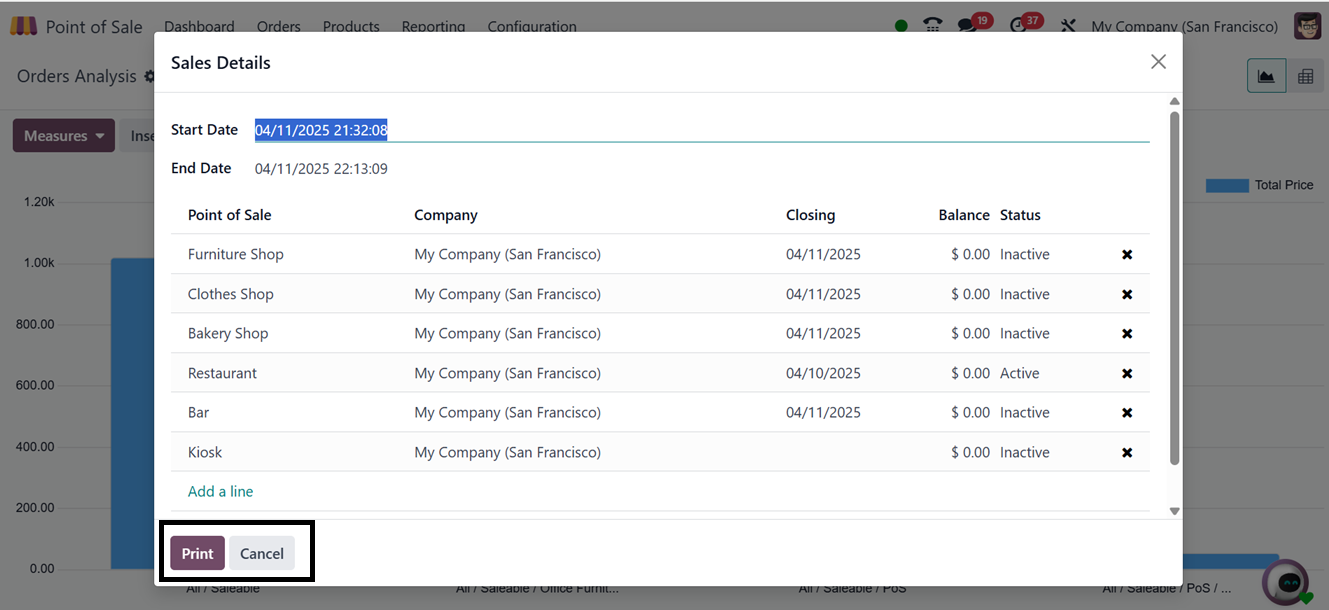
Upon accessing this section, a pop-up window appears where users must
specify the Start Date and End Date to retrieve sales data for a
defined period. Once the date range is entered, clicking the "Print"
button generates a sales report in document format. A preview window
then appears, allowing users to customize the document layout,
including color schemes, background design, text formatting, and
other configurations.
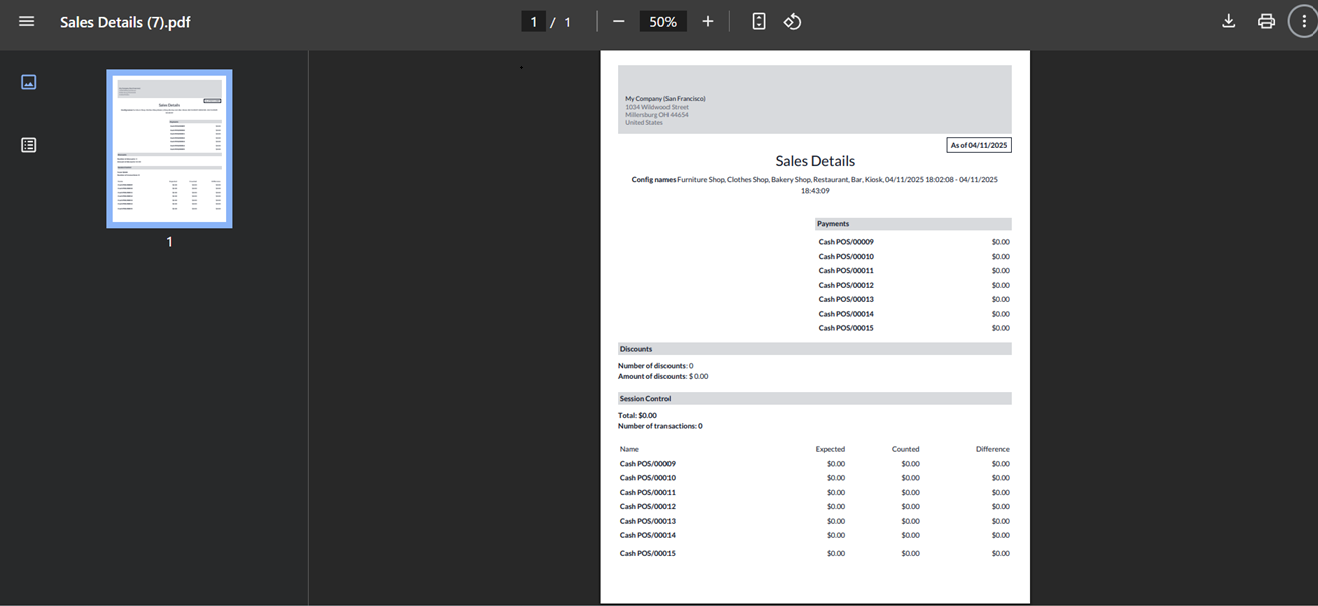
To finalize the report, users must click "Continue", after which the
document will be downloaded and made available for review or
printing. This feature facilitates efficient decision-making by
enabling businesses to generate daily sales reports or extract sales
data for a specified period, ensuring accurate and organized
record-keeping.
5.3 Session Report
The Session Report feature provides a detailed summary of
transactions and activities within a specific PoS session. This
functionality is particularly useful for cashiers, store managers,
and business owners, as it allows them to review and reconcile sales
transactions and payment records.
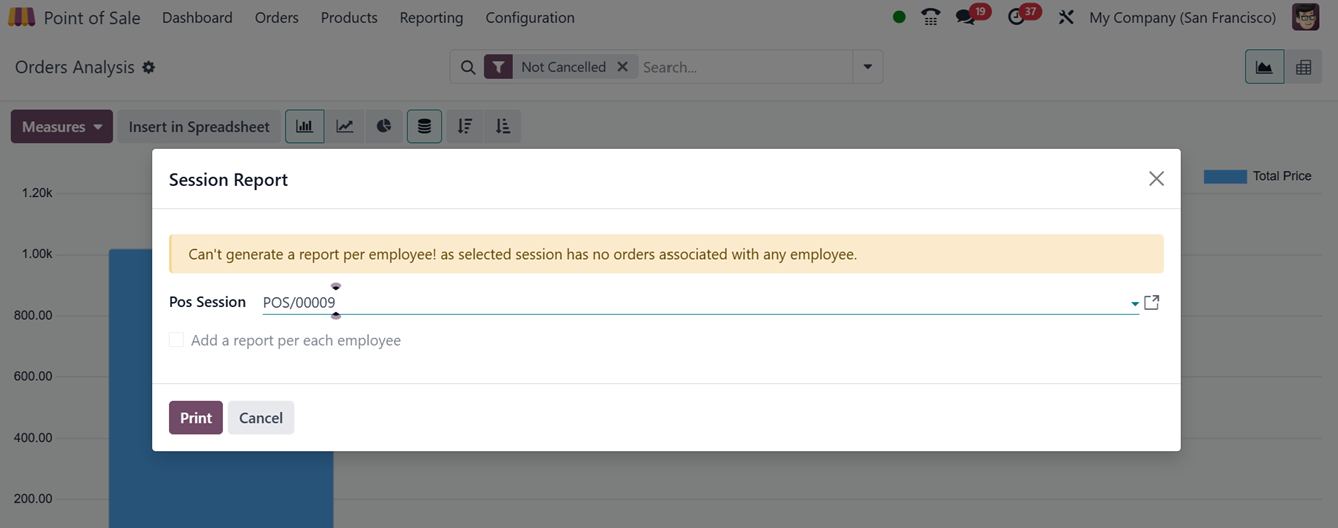
To generate a session report, users must enter a PoS Session ID in
the designated field. After entering the session ID, clicking the
"Print" button will generate a downloadable document containing
sales details for that specific session. The report includes a
summary of sales transactions, refunds, applied discounts, issued
invoices, session controls, tax breakdowns, and payment methods
used.
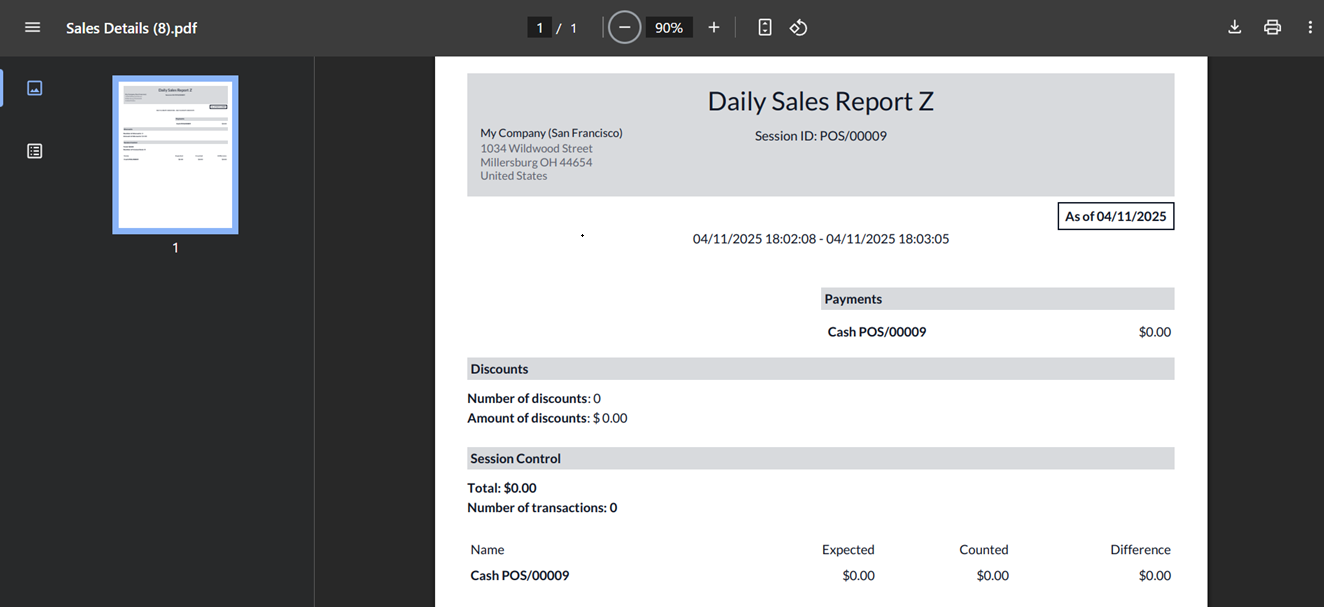
This reporting tool ensures accuracy, transparency, and
accountability in daily operations, enabling businesses to maintain
well-documented financial records.