4. Configuration
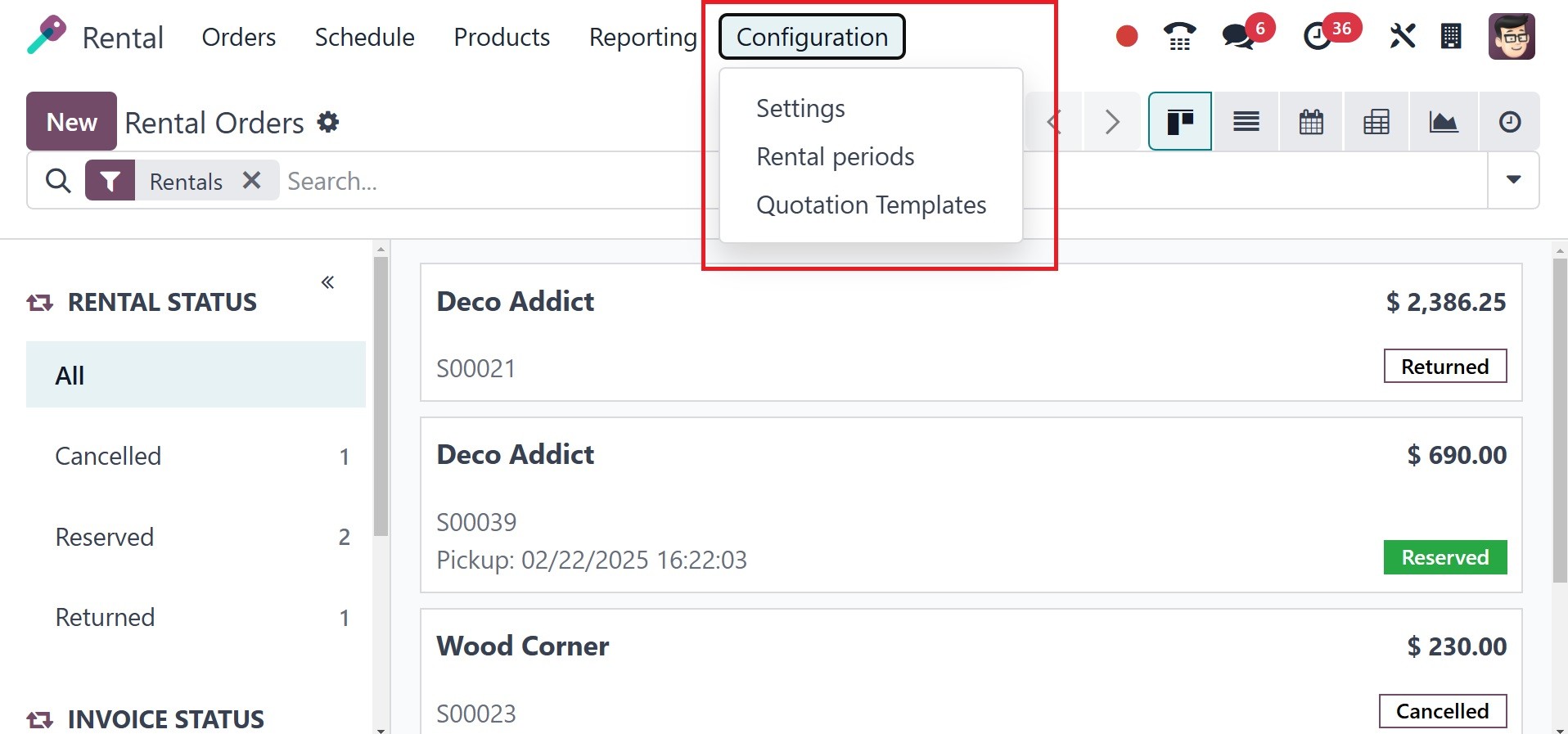
As shown below, the page's setup
menu contains the rental
module Settings, Quotation
Template, and Rental Periods.
4.1 Settings
Renting and renting online are
options under the rental
module's Settings. Under the
rental option in the
settings, you may find the
Default Padding Time, Default
Delay Costs, Rental Picking,
and Digital Documents
options.
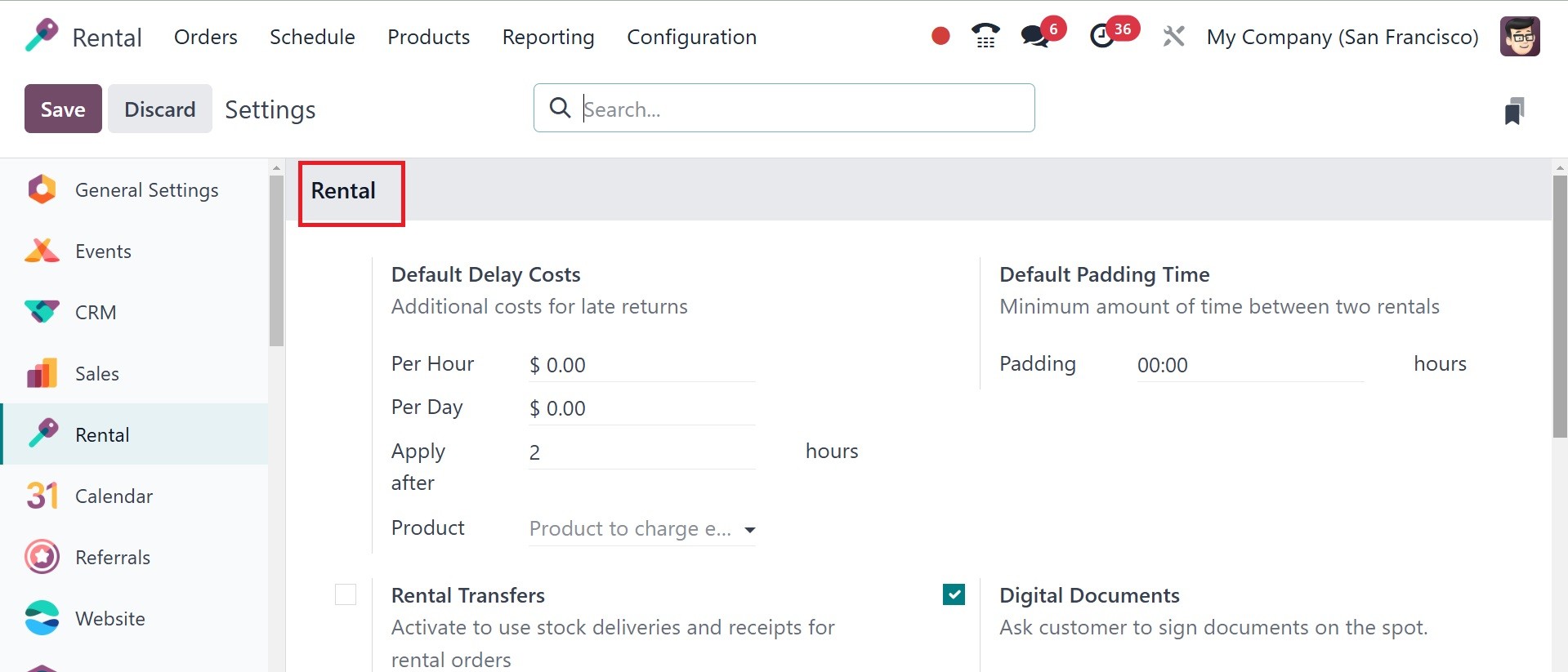
Under the default padding time,
adding the least number
between two rentals is easy.
The amount of time spent will
be considered the item's
preparation time prior to the
subsequent rental. Turn on
rental picking in order to
use stock deliveries and
receipts for rental orders.
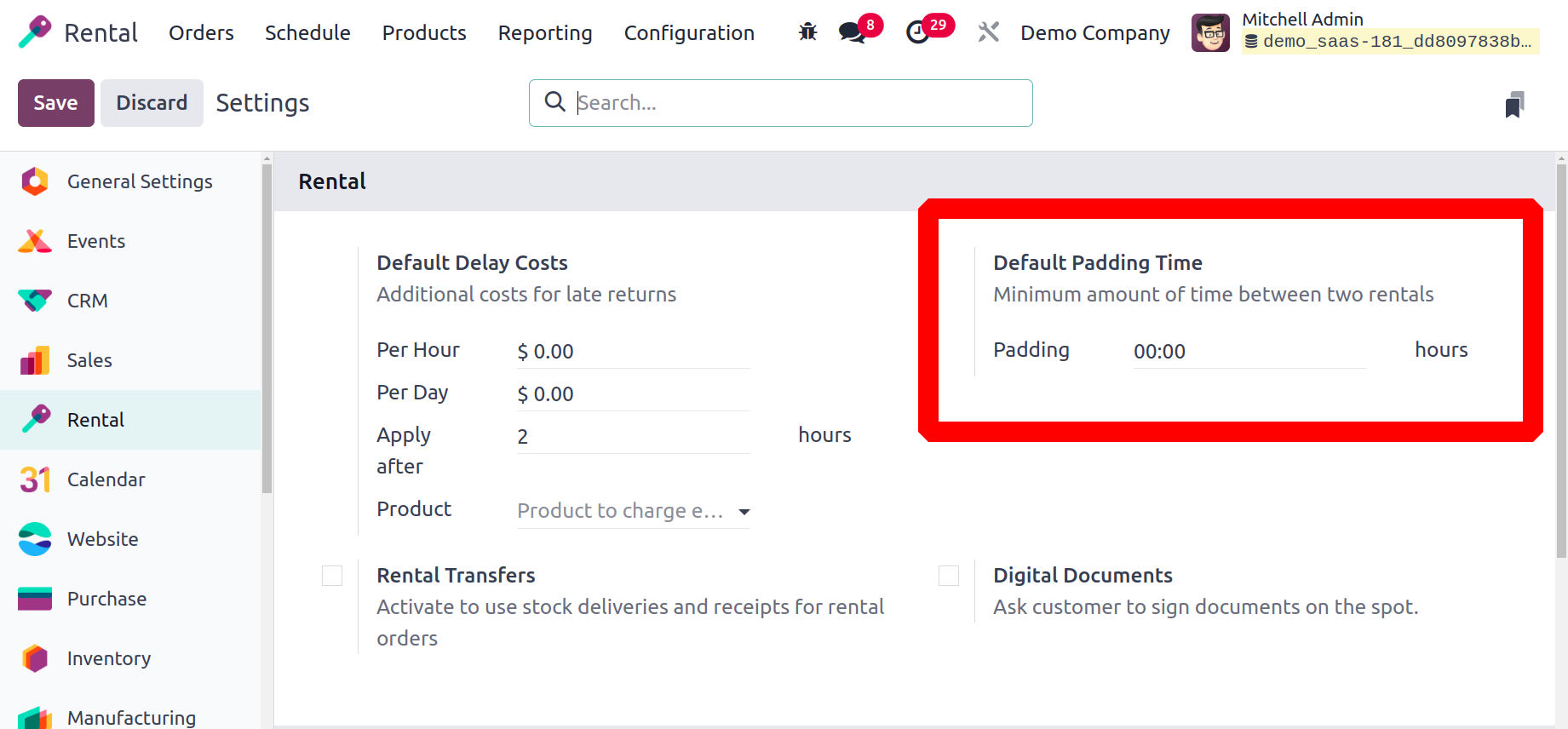
The Default Delay Cost option may
be used to charge an
additional fee for the late
return. The price will be
applied to the new rental
seal. The values for the
manufactured goods can be
altered from the product
form. The cost for extra
hours and days can also be
activated on this option. The
shortest period of time
before this fine is imposed
might be specified here.
Per Hour: Charges a late
fee for each additional hour
beyond the return time.
Per Day: For each
additional day beyond the
rental period, there is a set
penalty.Depending on your
rental policy, you may select
one or both options.
Apply After: This
specifies the amount of time
a consumer has to return an
item after the deadline
without incurring a delay
fee.
Product: Delay costs can
be adjusted per product
(specific fees for various
things) or worldwide (for all
rental products).
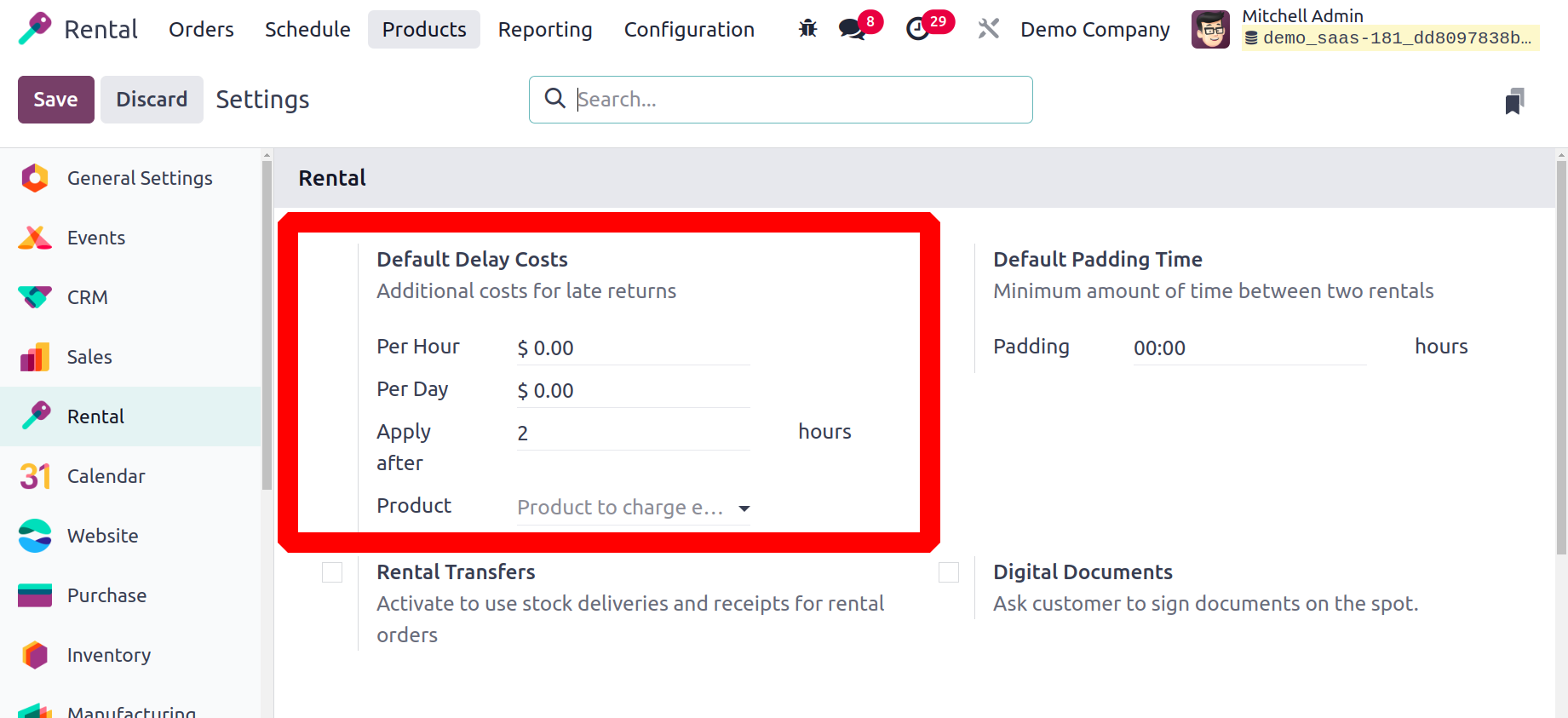
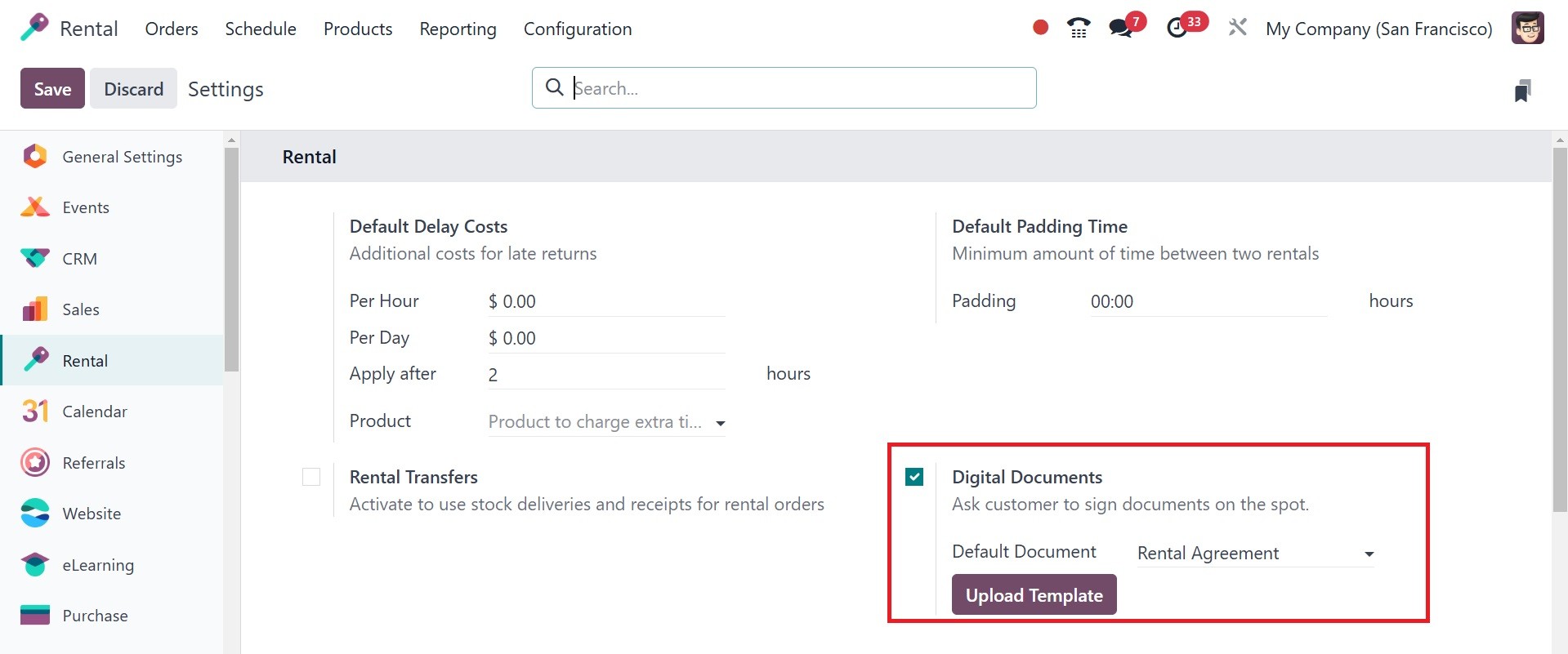
A new default document template
is activated for the
designated places when the
Digital Document option is
selected. The upload template
can also be used to add a new
default document.
Rental Transfer is another option
available under the settings
of the rental module, as in
the screenshot below.
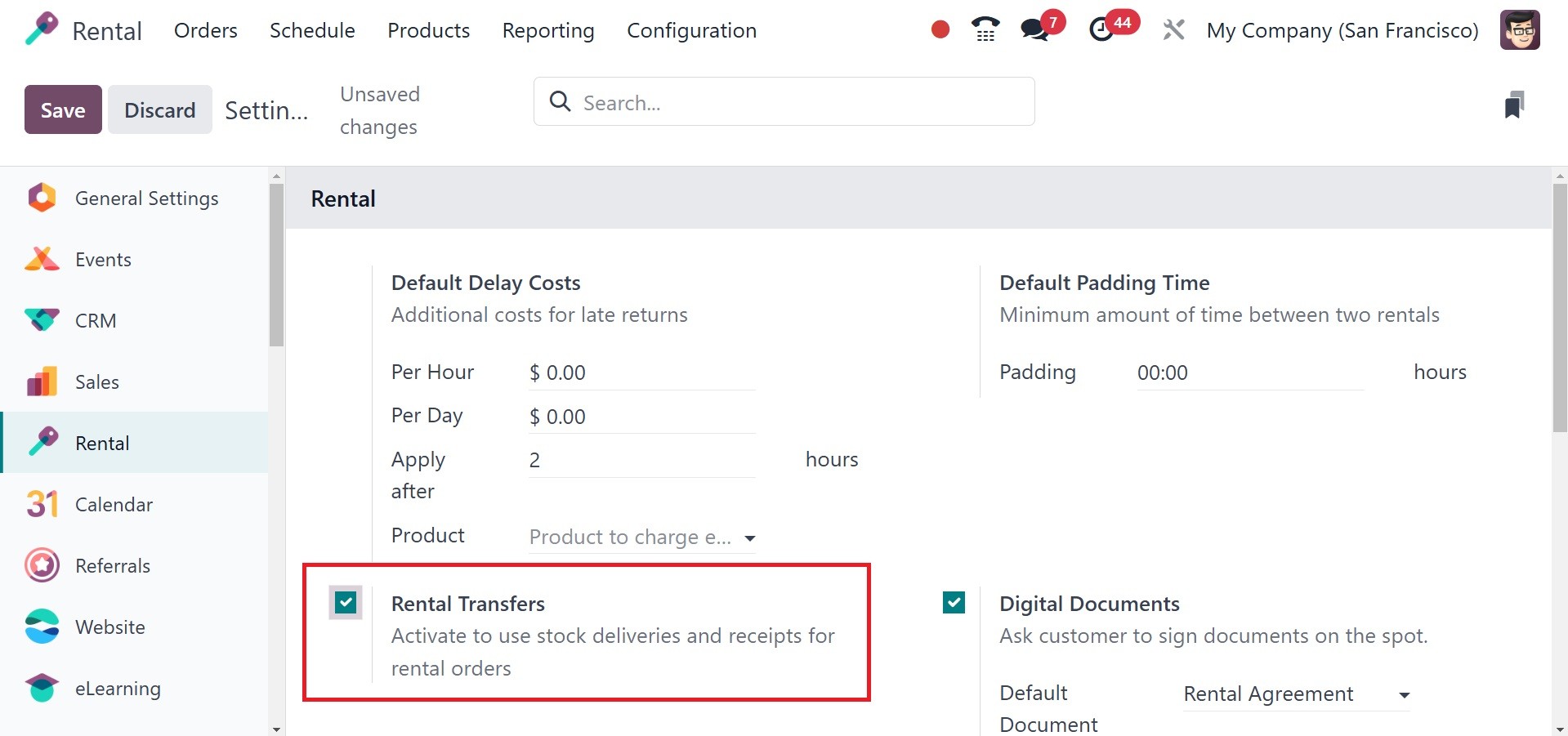
Users can effectively move rented
objects between locations or
warehouses by using the
Rental Transfer feature.
Businesses that need to
transfer rental items between
warehouses while monitoring
inventory and availability
may find this capability
especially helpful.
According to the screenshot
below, the second tab under
Settings is called Rent
Online.
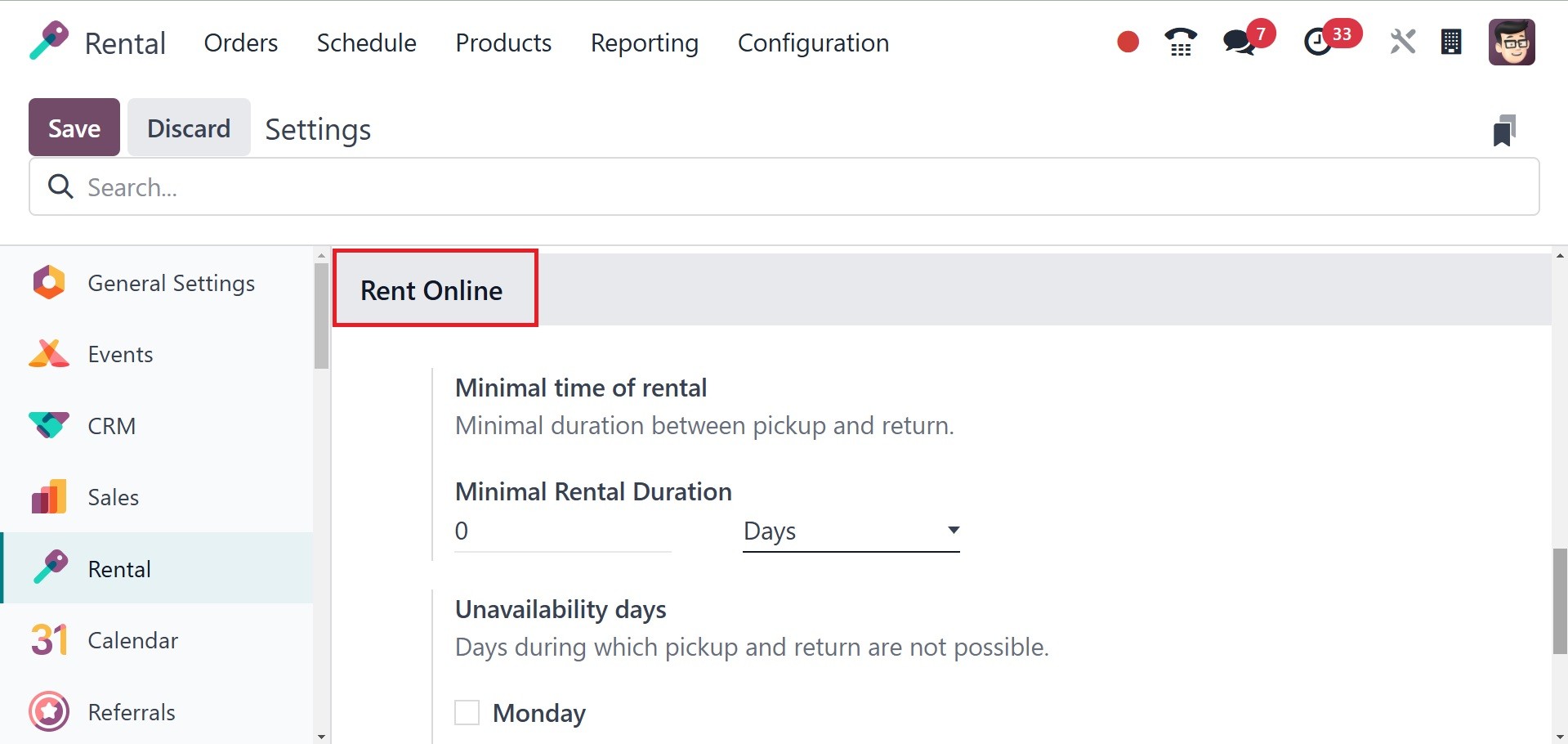
The minimum rental period, its
duration, and the days when
pickups and returns are not
allowed can all be entered
here. This is available to
you every day of the week.
This shows which days are
off-limits to renters. The
days when pickup and drop-off
are not possible are listed
in the Unavailability Days
option of the Rent Online
option.
4.2 Rental Period
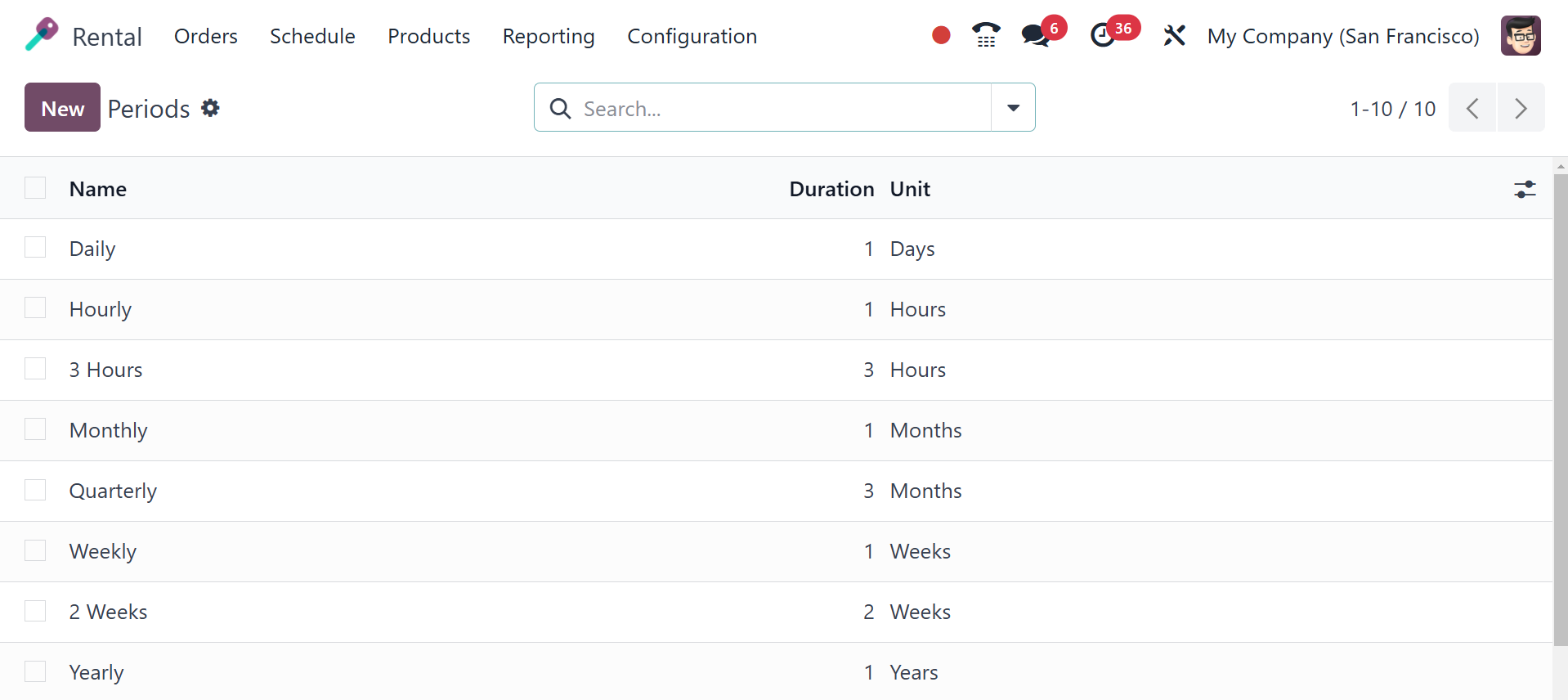
Under the Configuration menu,
which contains details like
name, length, and unit, you
can select an alternative
choice for Rental Periods.
The page will have the exact
same appearance as the one in
the screenshot below. You can
rapidly create a new rental
period and add it to an
existing group by choosing
the New icon and inputting
the required name, duration,
and unit data.
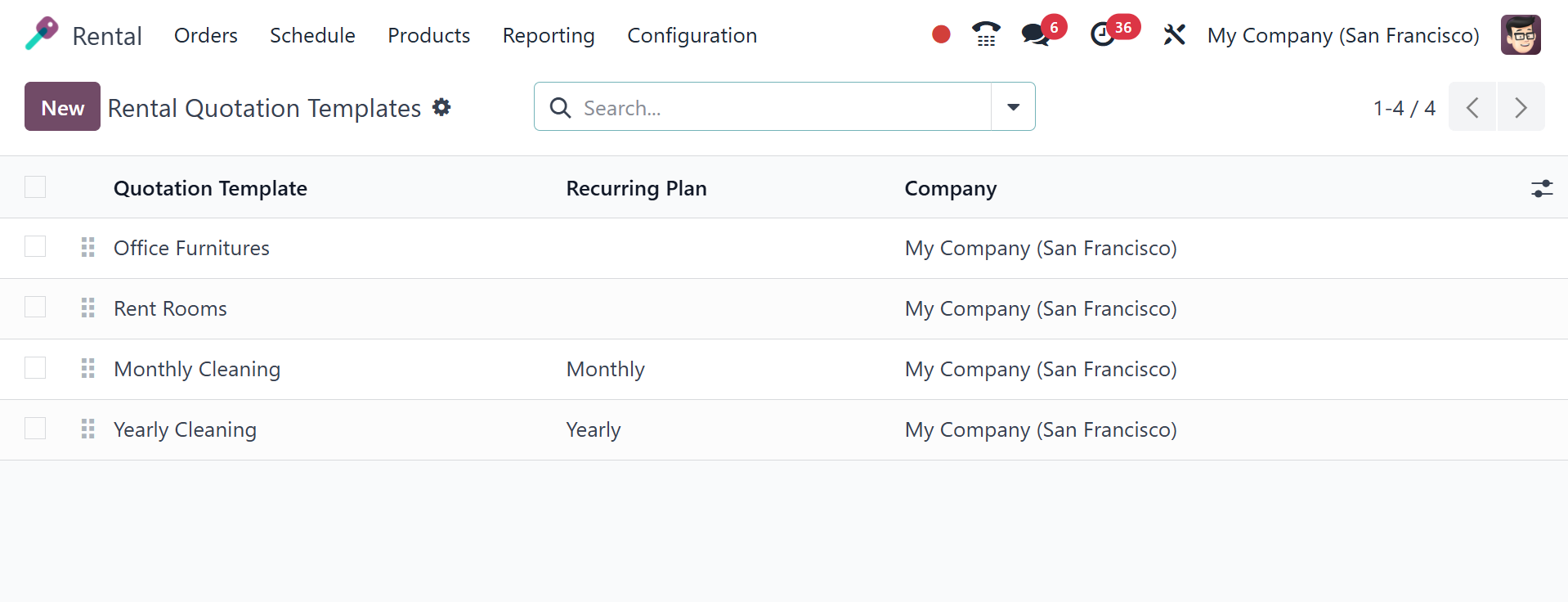
4.3 Quotation Template
Odoo 18 now includes a new
feature called the Rental
Quotation template. From the
Configuration menu, choose
Quotation template to create
a new quotation template. All
of the quotation
templates—including corporate
quotes and recurring
plans—that were utilized in
the rental orders are
included in this list.
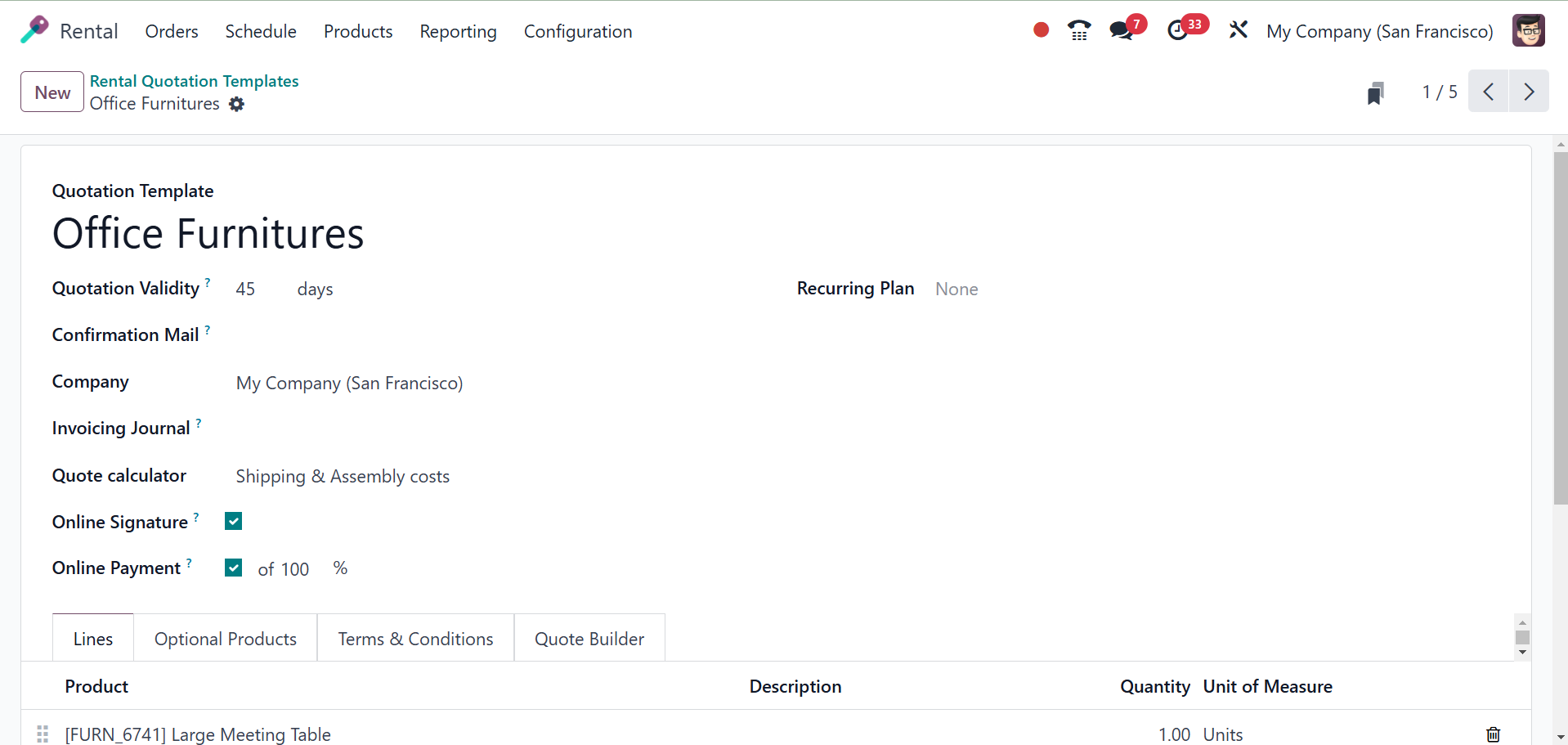
The name of the quotation
template can be entered in
the designated field. You can
choose how many days will be
utilized to determine the
quotation's validity date in
the "Quotation expires after"
section. You can seek the
customer's online signature
to confirm the sales order
immediately by turning on the
Signature option in the
online confirmation box. The
customer can pay for their
orders using online payment
options by turning on the
Payment box.
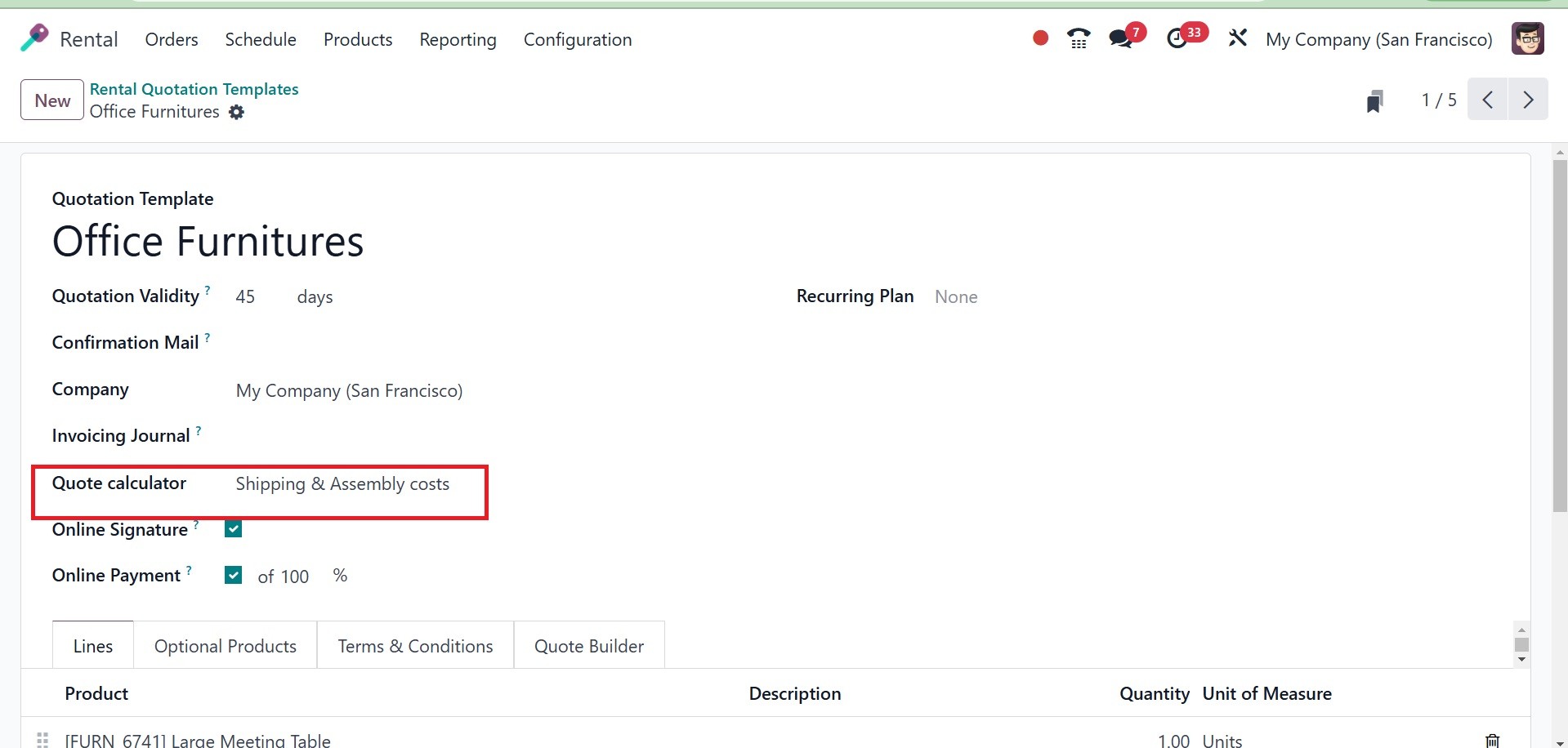
You can select the email template
that will be sent following
confirmation in the
Confirmation Mail section. In
the Company box, you can type
the name of your business.
The Invoice Email field is
used to add the invoice email
template. Businesses can
rapidly estimate rental
charges based on duration,
quantity, and pricing
regulations with the Odoo
Rental module's Quote
Calculator. Before confirming
a rental order, this function
is crucial for producing
precise rental quotes.
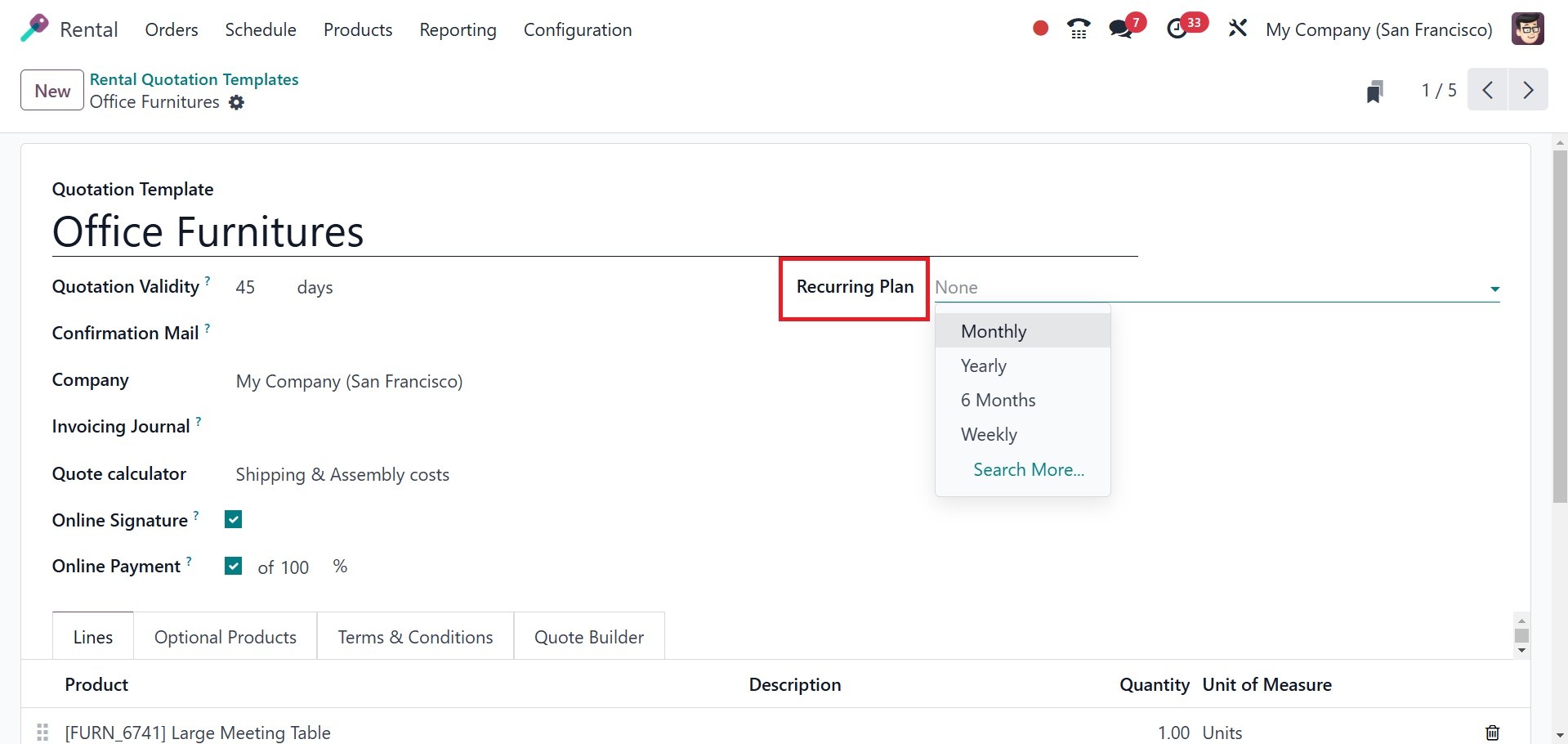
The fraction of the total that
must be paid in order to
validate the quotation is
known as the Prepayment
amount. Recurring plans make
it simpler to manage
subscription-based services
or products with recurring
payments by streamlining the
automated production of
periodic quotations in Odoo
18 quotation templates, as in
the screenshot below.
This box has a tab to add the
product list, as we mentioned
in the Rental Quotation
setup. Use the Add a Product,
Add a Section, and Add a Note
buttons to add products,
sections, and notes under the
Lines tab, respectively.
Under the Optional Products menu,
you can add the optional
items that are permitted for
this sale. You can define the
terms and conditions that
apply to this quotation
template by selecting the
Terms & Conditions option.
The new quotation template
will be instantly added to
your system once you have
completed all the necessary
elements.