17. Activity Types and Plans
In Odoo 18 Enterprise Sales, the Schedule Activity feature plays a
vital role in enhancing customer engagement by enabling businesses
to plan, organize, and track various interactions systematically.
This functionality extends across sales-related and customer
management modules, allowing seamless follow-ups and structured
communication with leads, opportunities, and customers. To configure
activity types, users can navigate to the Configuration menu and
select the Activity Types option.
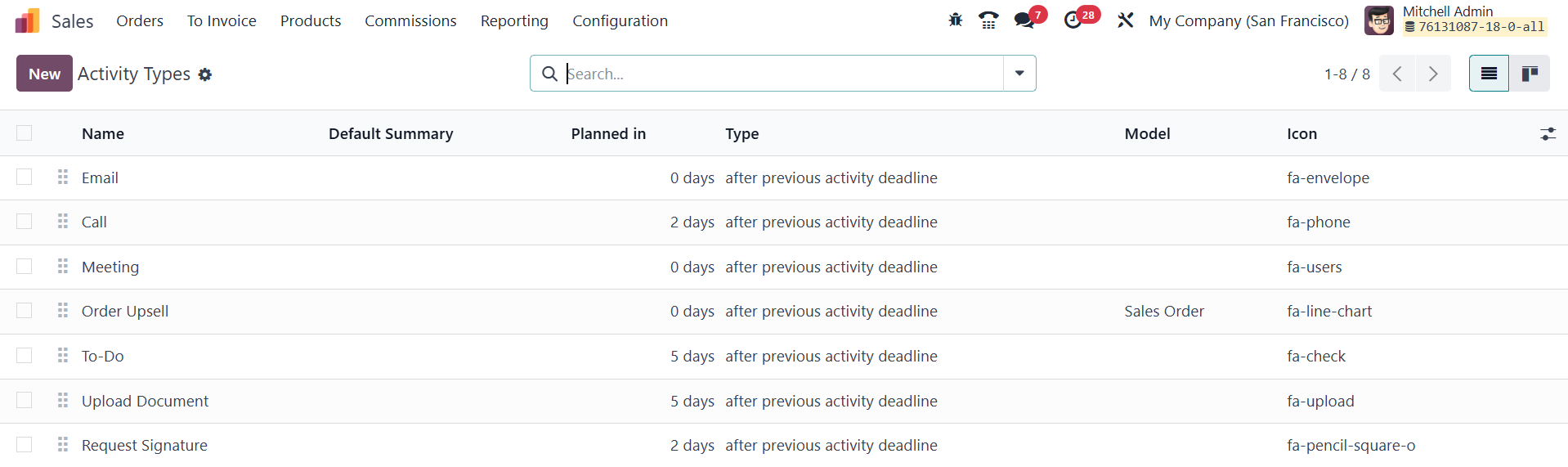
This section provides an overview of pre-configured activity types,
detailing their names, default summaries, planned durations, types,
models, and associated icons. To create a new activity type, users
can click the New button and begin by specifying an appropriate
name.
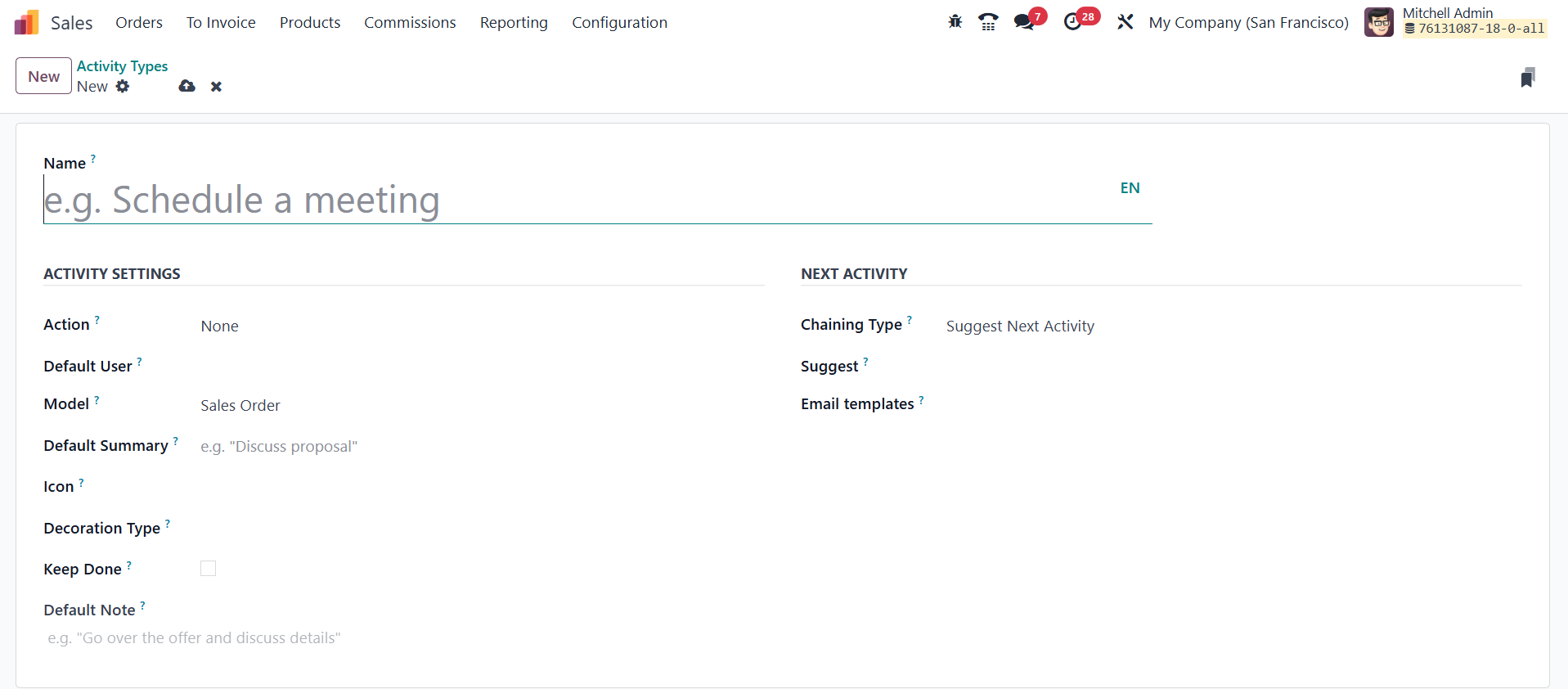
Each activity type must be assigned an Action, which defines its
specific behavior. Available options include Upload Document, Phone
Call, Meeting, Request Signature, Grant Approval, Tax Report, or
None, where selecting a relevant action ensures smooth execution,
such as opening a calendar for scheduled meetings or automatically
marking an activity as completed upon document upload. Users can
also define the Default User responsible for handling the activity
and associate it with a particular Model to limit its usage within
that model. The Default Summary field allows for a brief description
of the activity, ensuring clarity in scheduling and execution.
Additionally, customization options such as Icons, Decoration Type,
and Default Notes help personalize activities for better visual
identification and workflow integration.
Odoo 18 further streamlines activity management by enabling the
automatic scheduling of subsequent tasks. Under the Next Activity
tab, users can configure the Chaining Type to either Suggest Next
Activity or Trigger Next Activity. Choosing Suggest Next Activity
prompts Odoo to recommend a follow-up activity after the current one
is completed, whereas Trigger Next Activity automatically schedules
the next action upon completion of the previous one. Users can also
integrate Email Templates to send predefined messages when an
activity is scheduled, improving communication consistency.
For businesses that require a structured and repeatable approach to
customer interactions, Activity Plans in Odoo Sales offer a robust
solution. This feature allows for the creation and management of
multiple activities within a single plan, making it particularly
beneficial for companies that follow predefined workflows for lead
nurturing, sales pipeline progression, or customer follow-ups. To
configure an Activity Plan, users must navigate to the Configuration
menu and select Activity Plans.

Here, they can define a sequence of tasks, such as calls, meetings,
emails, or document submissions, tailored to their sales processes.
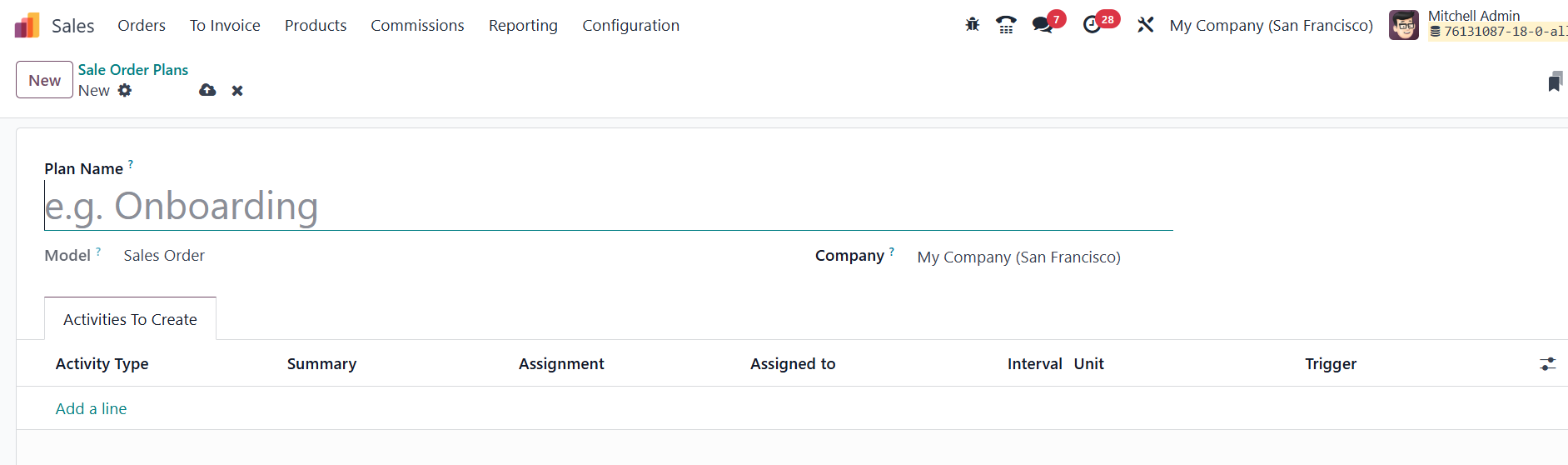
By clicking New, they can enter a Plan Name, select the relevant
Model (such as Leads or Opportunities), and specify the Company if
operating in a multi-company environment. Under the Activities to
Create tab, users can add individual activities using the Add a Line
button, specifying details such as activity type, summary,
responsible user, interval, unit, and trigger conditions.
Once an Activity Plan is assigned to a lead or opportunity, all
defined activities within the plan are automatically scheduled in
sequence, ensuring structured follow-ups without manual
intervention.