14. Combo Choices
In Odoo 18 Sales, Combo Products allow businesses to bundle multiple
individual products into a single package at a combined price, which
may differ from the sum of their individual prices. This feature is
particularly useful for offering promotional deals, product kits, or
customizable packages, enhancing both customer experience and sales
strategies. By configuring Combo Choices, businesses can create
flexible product bundles, manage pricing structures, and offer
attractive deals to customers.
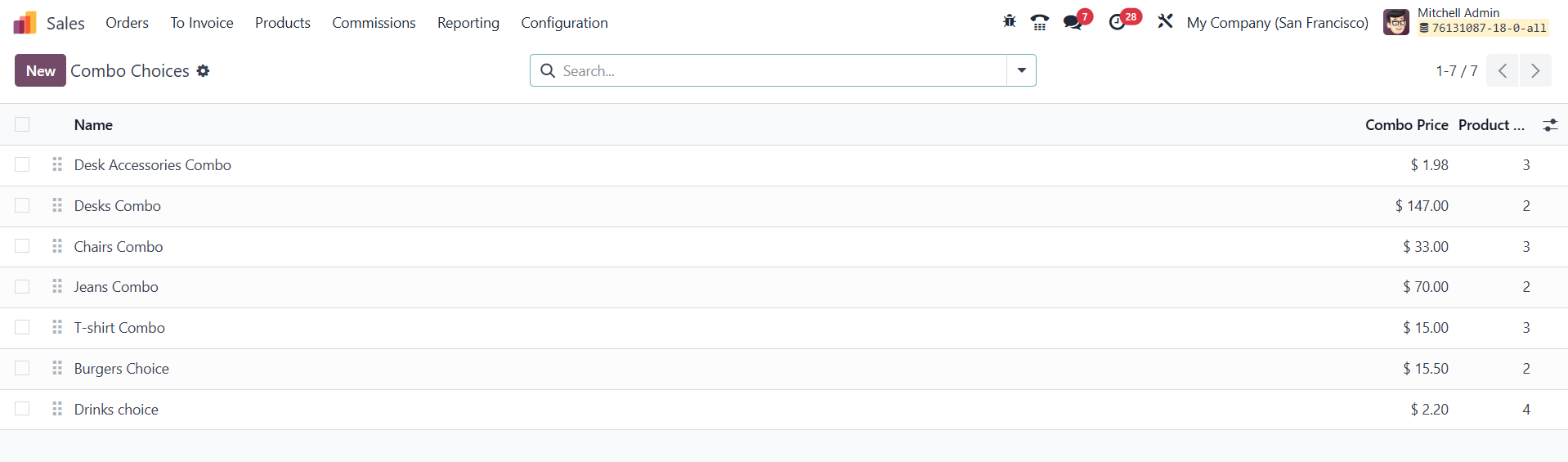
To configure Combo Choices, navigate to the Sales module and access
Configuration > Combo Choices. Here, you will find a list of
pre-existing combo choices that can be edited, duplicated, or
deleted as needed. To create a new combo choice, click the New
button, which opens a form where you can define the details of the
combo product.
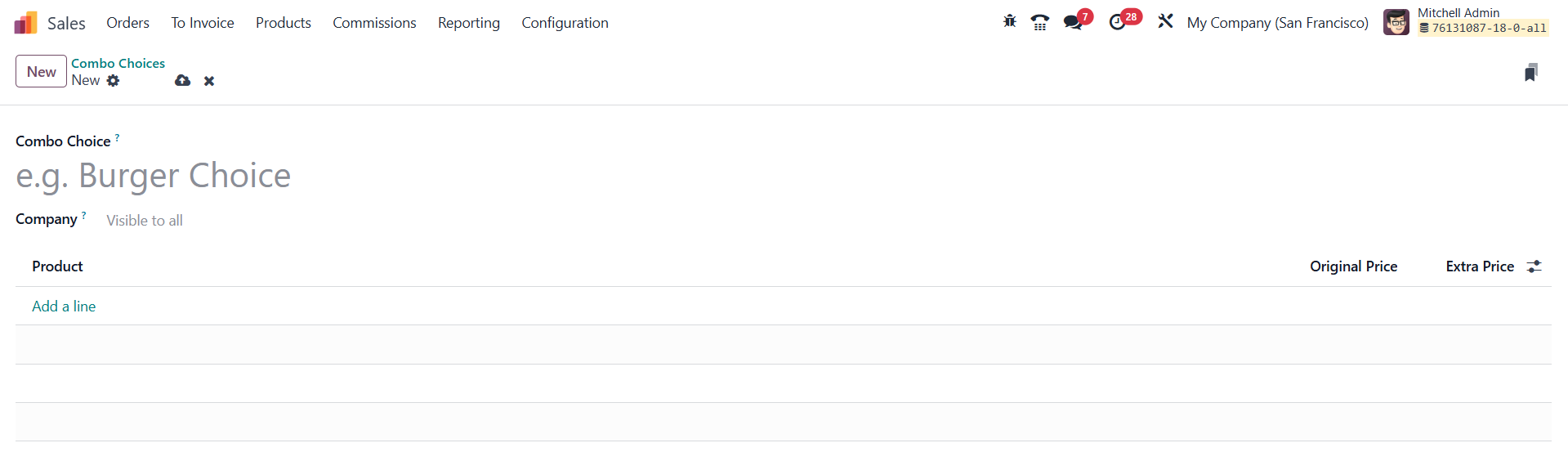
In the creation form, the Combo Choice field allows you to specify a
name for the combo, making it easier to identify and manage multiple
bundles. The Company field is used to specify whether the combo
applies to a particular company in a multi-company setup. If left
blank, the combo choice will be available across all companies. The
Product field enables the selection of individual items that will be
part of the combo.
Pricing for combo products is managed using two key fields:
- Original Price: This reflects the default price of the
product, which is fetched from the product template.
- Extra Price: This allows businesses to define additional
charges that may apply when a product is included as part of a
combo. This flexibility ensures that pricing strategies can be
adjusted based on discounts, bundled deals, or exclusive offers.
By configuring Combo Choices, businesses can streamline product
bundling, optimize sales strategies, and improve customer
satisfaction by offering tailored product packages at competitive
prices.