21. Commissions
In Odoo 18, a new feature has
been introduced to
efficiently manage sales
commissions, offering
enhanced support for sales
teams and individual
salespersons in tracking
performance and incentives.
This feature can be activated
from the Sales module by
navigating to the Settings
menu and enabling the
Commissions option available
under the Invoicing section.
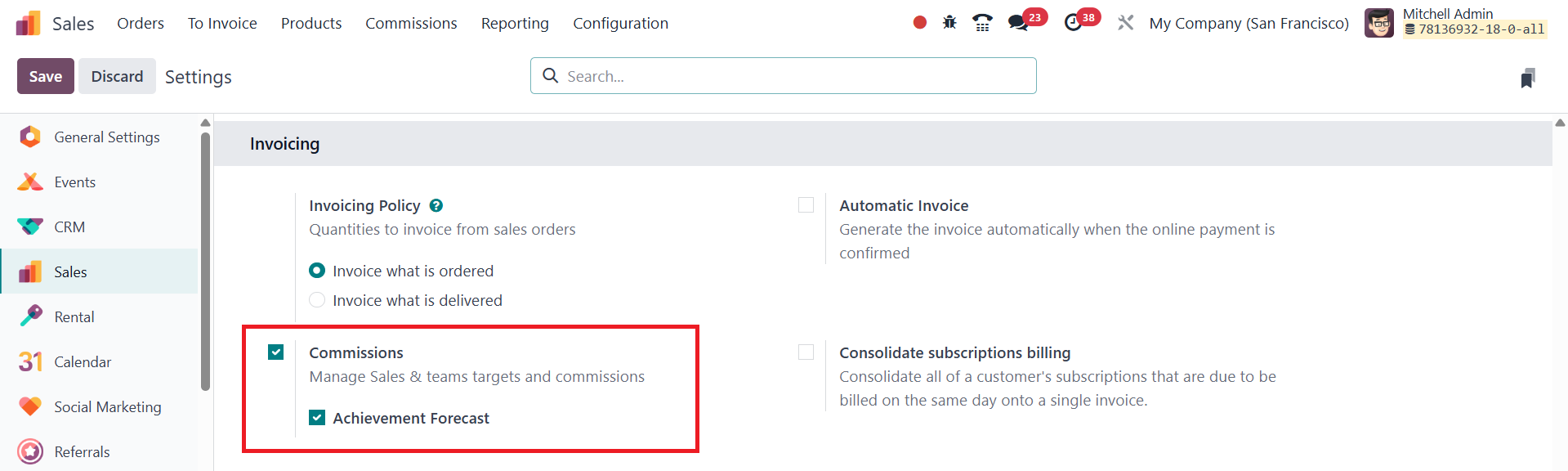
Once enabled and saved, a new
menu titled Commissions
appears in the main
navigation bar, situated near
the Products menu. This
dedicated Commissions menu
provides users with
comprehensive tools to
monitor and manage
commission-related
operations.
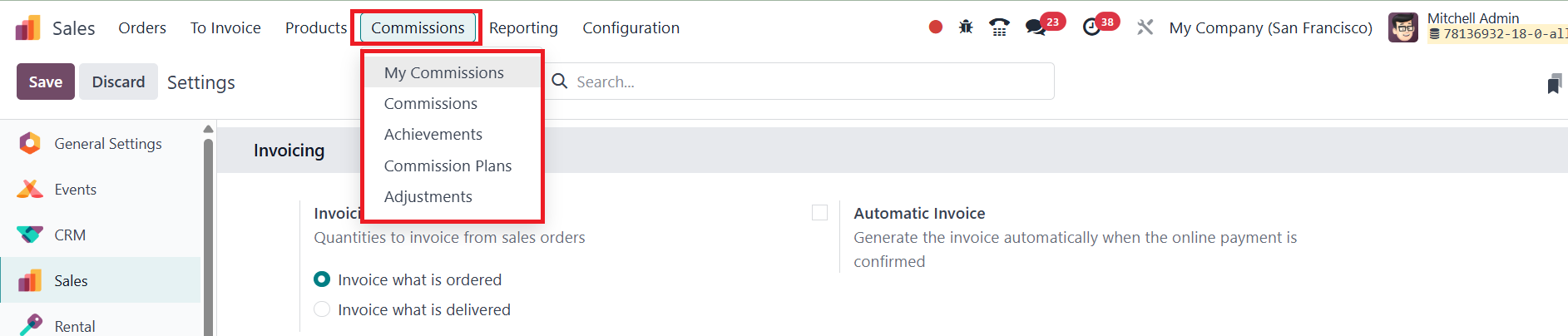
It includes four submenus: My
Commissions, which displays
individual commission
records; Commissions, which
gives an overview of all
recorded commissions;
Commission Plans, where
administrators can define and
assign different commission
schemes based on business
needs; and Adjustments, which
allow for manual corrections
or modifications to existing
commission entries. This
feature is particularly
beneficial for setting clear
sales targets, incentivizing
performance, and maintaining
transparent records, thereby
boosting motivation and
productivity within the sales
team.
To configure a new Commission
Plan in Odoo 18, begin by
navigating to the Commission
Plans menu under the newly
added Commissions section.
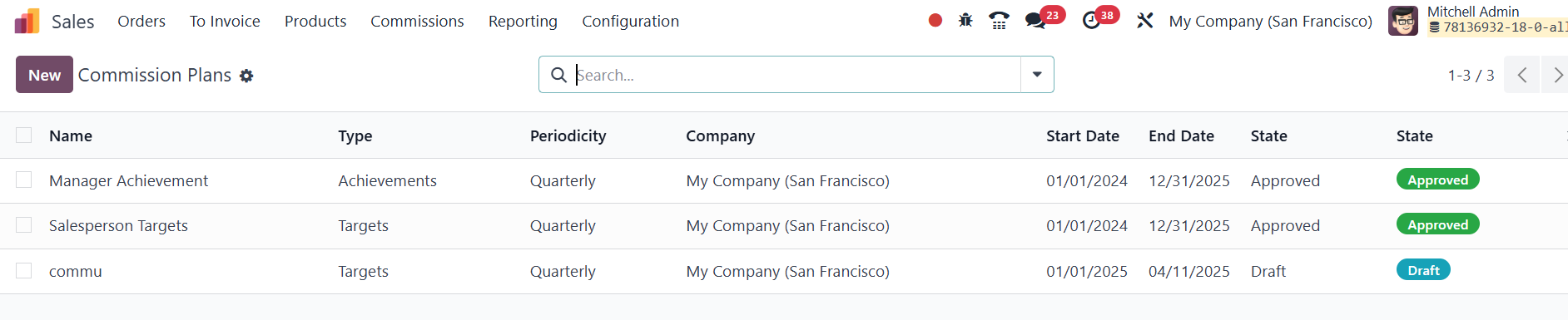
This opens a list view displaying
all previously created
commission plans, with key
details such as the plan
name, type, periodicity,
associated company, start and
end dates, and current
status. To create a new plan,
click on the New button and
start by entering a name for
the commission plan.
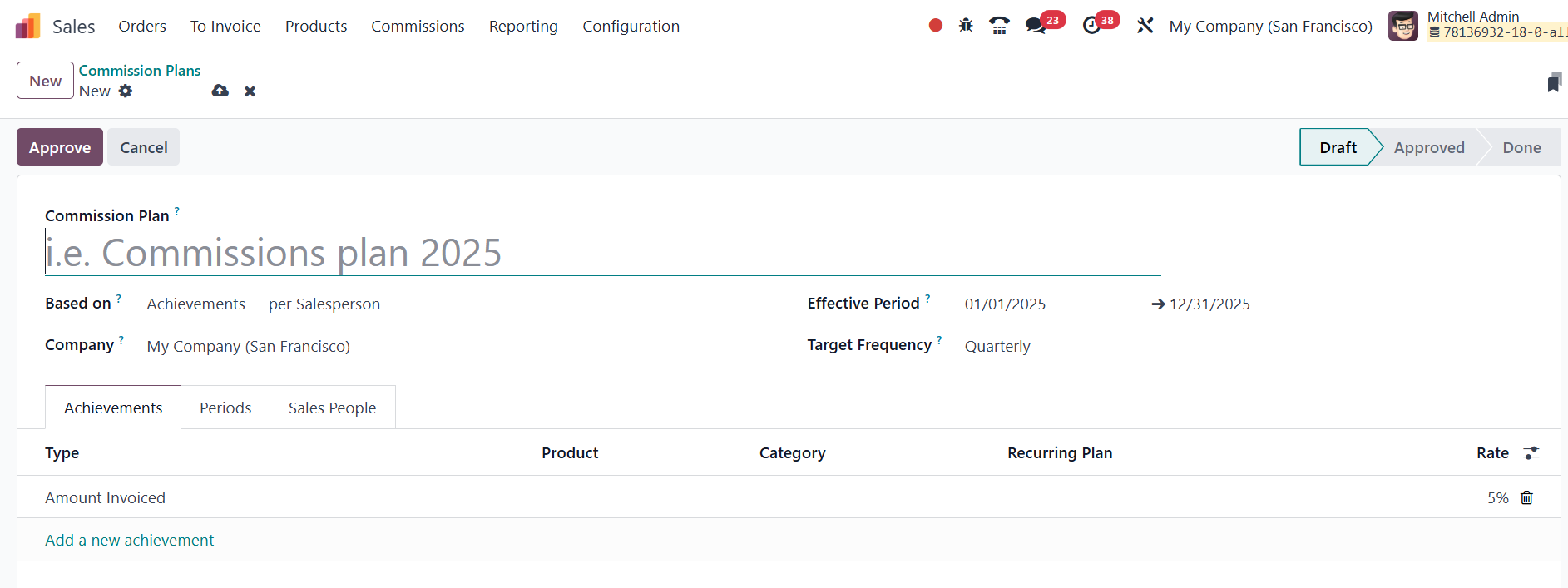
The plan type can be defined
based on either Target or
Achievement, and it can be
applied to either individual
salespersons or entire sales
teams, depending on the
organization’s incentive
structure. Next, set the
plan’s Effective Period, and
the Target Frequency for
commission disbursement
(e.g., monthly, quarterly,
annually). Moving on to the
Achievement tab, users can
define the method of
calculating a salesperson’s
achievement. For example,
setting it at 10% means that
10% of each invoiced amount
will be calculated as the
salesperson’s achievement
metric.

The Periods tab appears next and
is dynamically generated
based on the selected payment
frequency. If the frequency
is set to quarterly, the tab
will display each quarter’s
period.

Under the Salespeople tab, you
can assign specific users to
the commission plan. This tab
allows for both individual
and multiple salesperson
assignments using the Add
multiple salesperson option,
ensuring flexibility in
commission distribution.
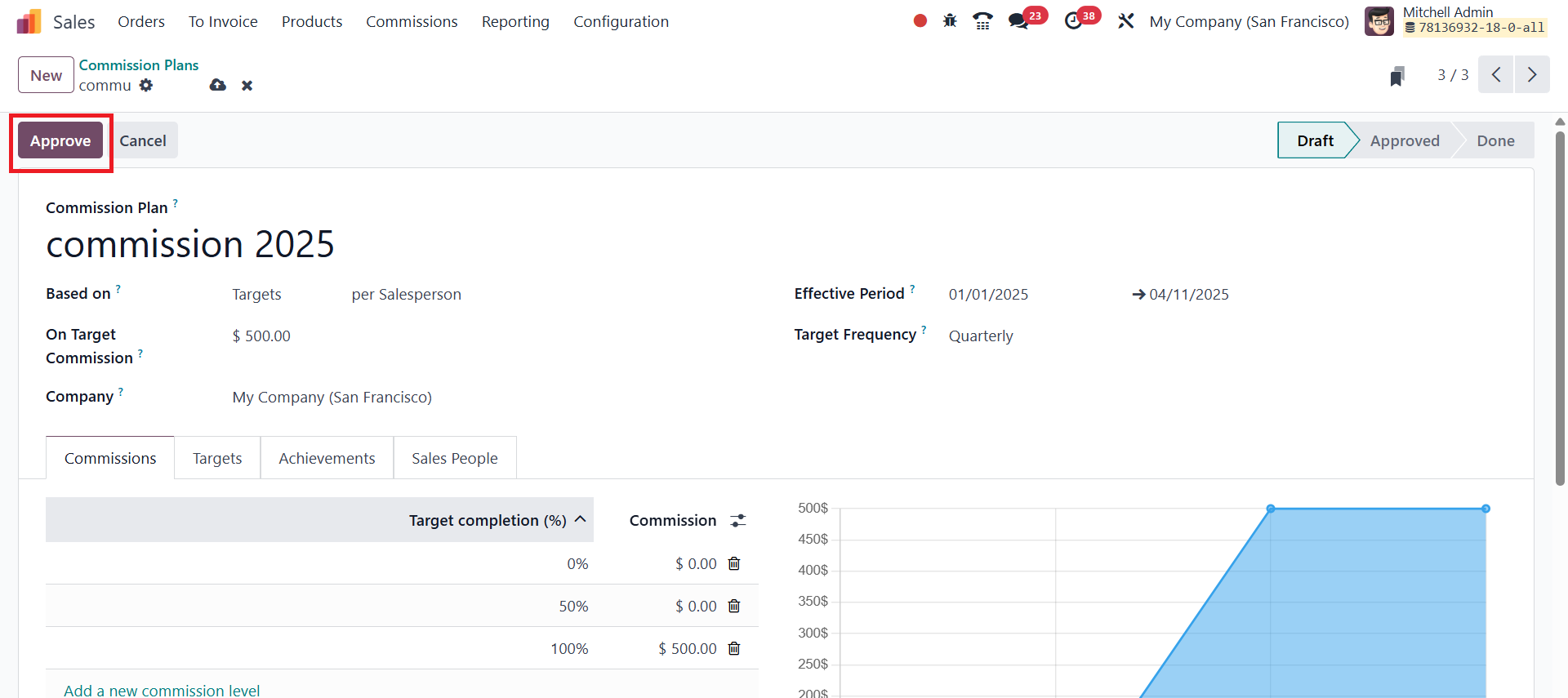
Once all configurations are
complete, click on the
Approve button located at the
top of the form. The plan’s
status will then update to
Approved, indicating that it
is now active and ready for
execution.
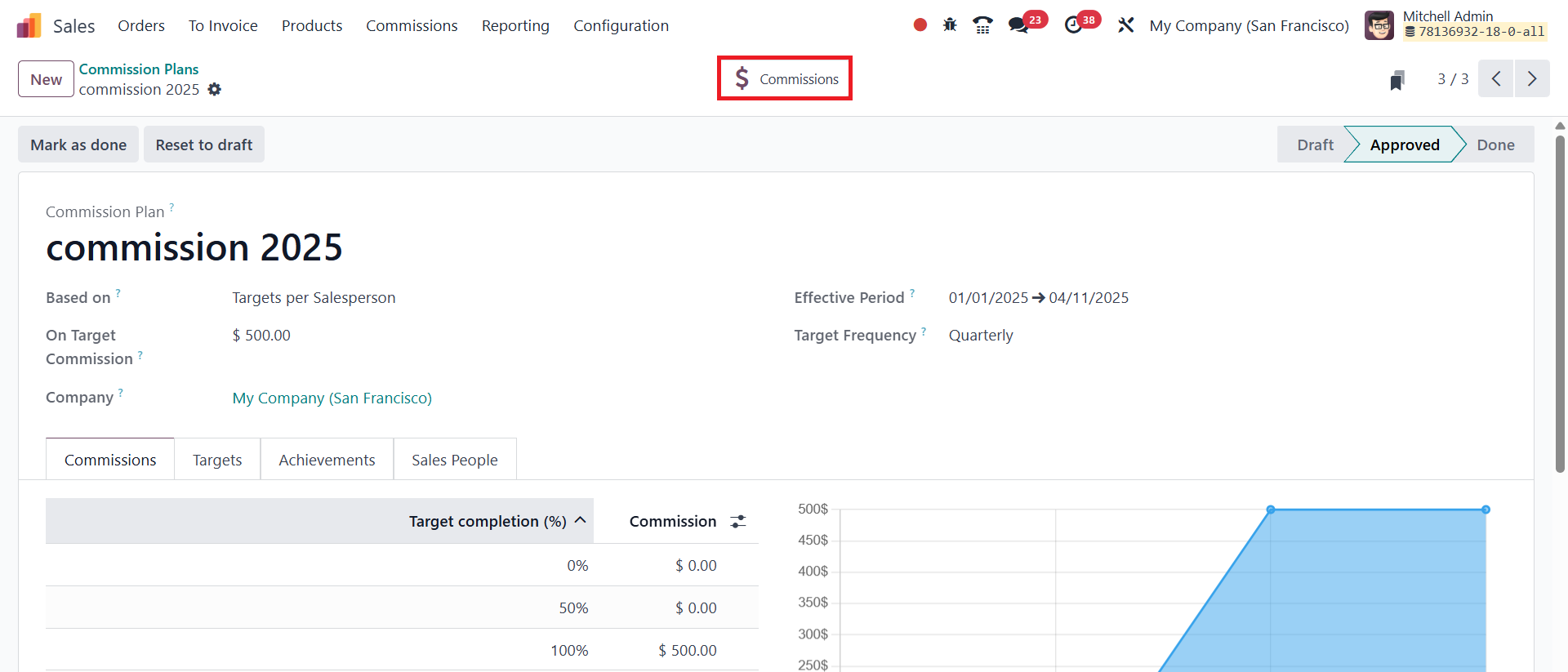
Additionally, there is a smart
button labeled Commissions
that provides quick access to
all the commission records
created under this plan.
Clicking on it will display a
comprehensive list of all
related commission entries,
offering users a centralized
view of performance-based
payouts. With these steps
completed, the configuration
of the new commission plan is
finalized, offering a
powerful tool for managing
sales incentives within Odoo
18.
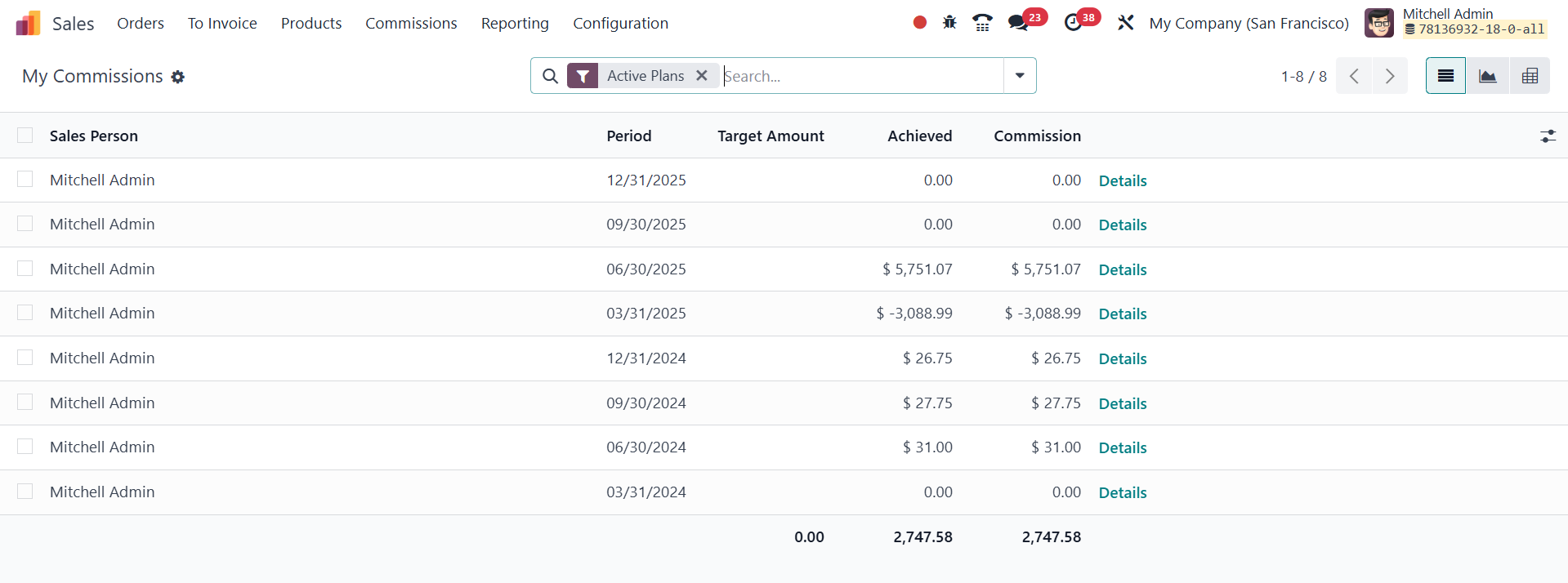
The My Commissions menu in Odoo
18 is a personalized
dashboard under the new
Commissions feature,
specifically designed for
individual salespersons to
track their own commission
earnings and performance
metrics. When a salesperson
accesses this menu, they can
view a detailed list of all
the commission entries that
are assigned to them based on
the active commission plans
configured by the
administrator or sales
manager.

To make changes or corrections to
commission records, users can
navigate to the Commissions
menu and select the
Adjustments option. This
section is specifically
designed to handle manual
updates or modifications to
the calculated commissions.
Within the Adjustments view,
users can see a list of
existing entries that include
important details such as the
Salesperson’s Name, Date,
Type of adjustment, and the
Amount associated with the
adjustment.
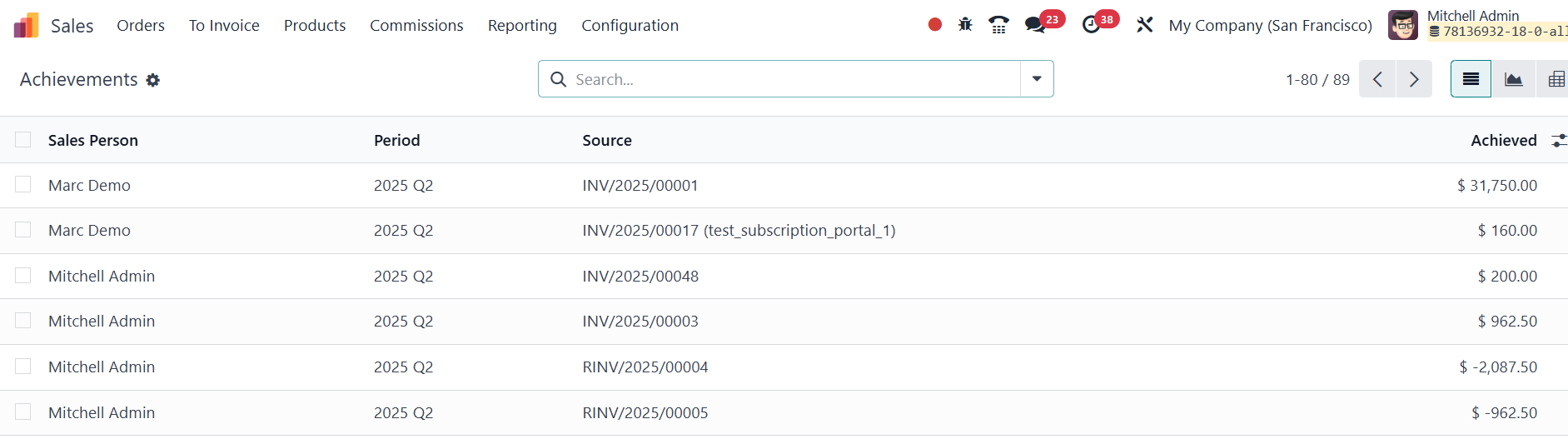
The Achievements of each sales
person can be observed under
the Achievements menu.
With these features, the
Commissions section in Odoo
18 offers a comprehensive and
flexible system to define,
monitor, and manage sales
incentives, ensuring
transparency, motivation, and
alignment with organizational
sales goals.