19. Discounts in the Sales Order
In Odoo 18, businesses can apply various types of discounts to sales
orders, offering greater flexibility in pricing strategies. To
enable these discount features, users must first navigate to
Configuration > Settings in the Sales module and activate the
Discount option.
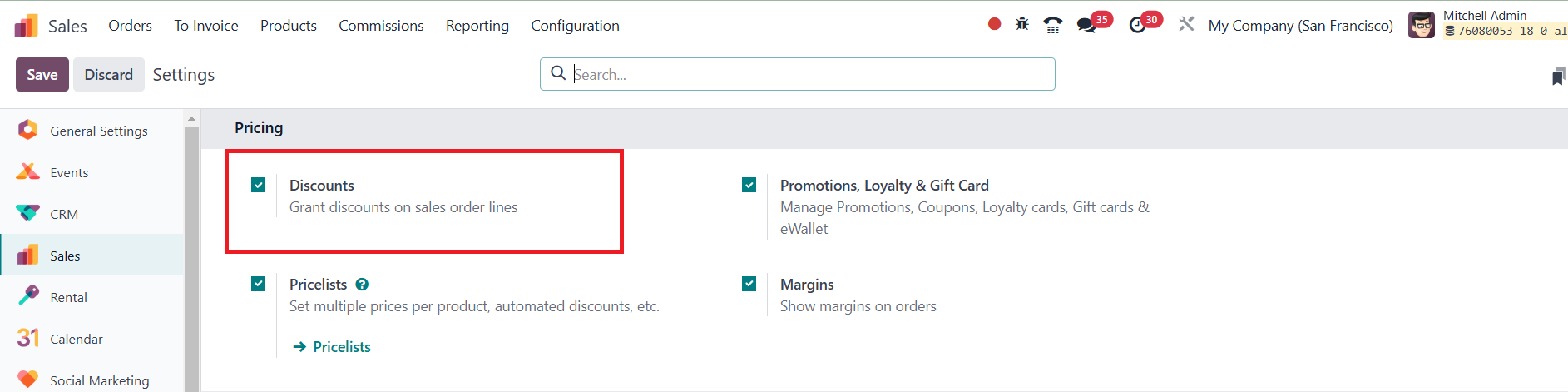
Once enabled, the Discount button appears within the sales order
form, allowing users to apply different types of discounts to
individual product lines or the entire order, making it easier to
tailor pricing based on specific sales conditions.
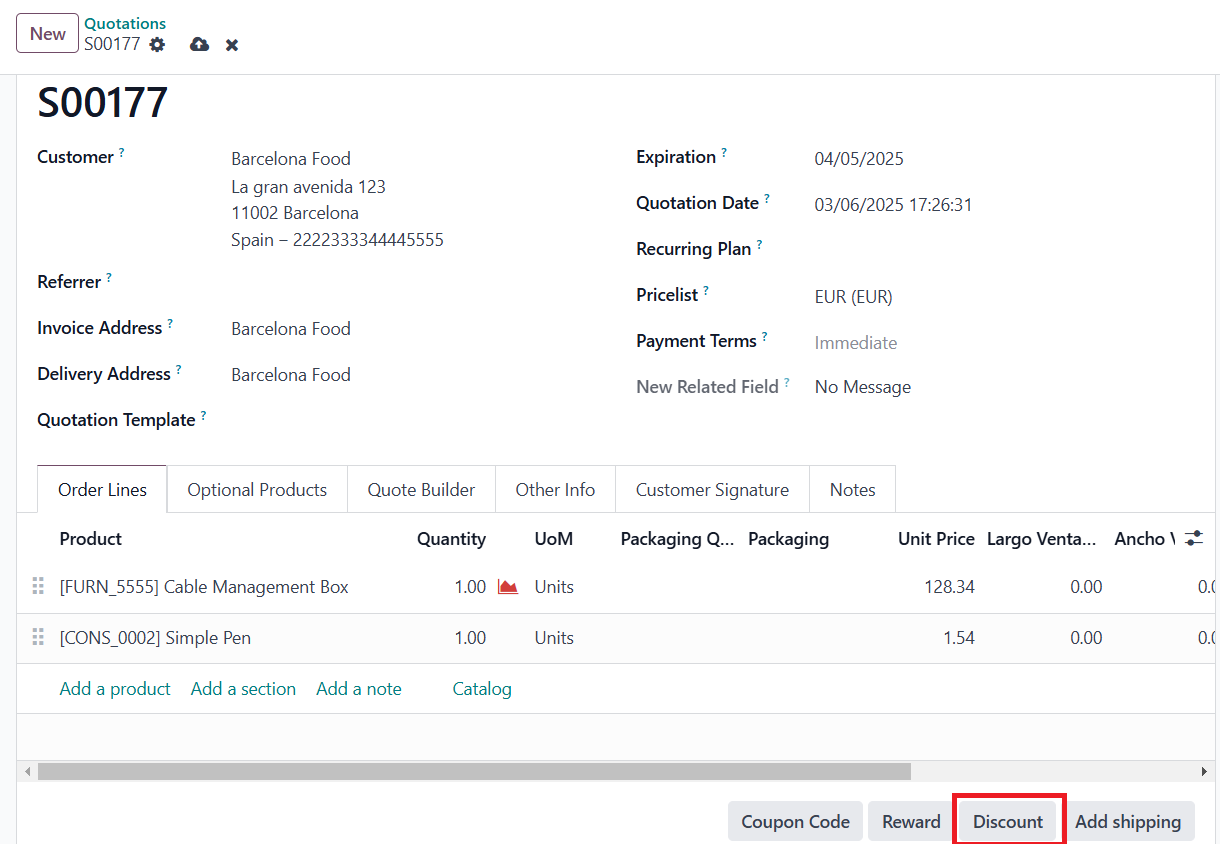
One of the most commonly used discount options is the Line Discount,
which allows users to apply percentage-based discounts to specific
product lines. This feature is useful when different products within
a single order require varying discount rates. To apply a Line
Discount, users create a Sales Order, select the customer, and add
the required products.
Once enabled, the Discount button appears within the sales order
form, allowing users to apply different types of discounts to
individual product lines or the entire order, making it easier to
tailor pricing based on specific sales conditions.
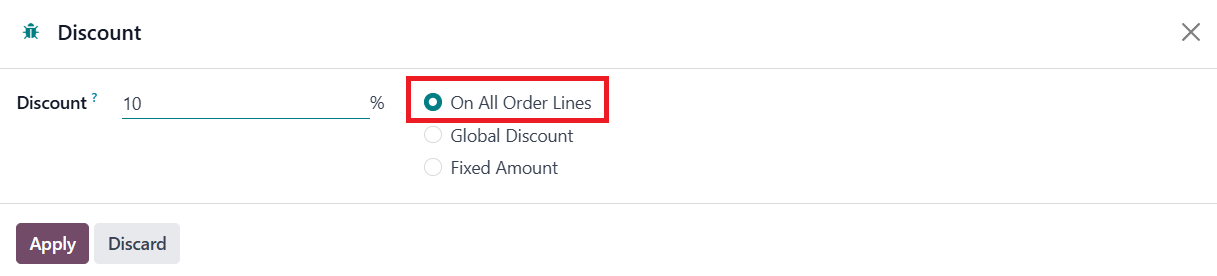
By clicking on the Discount button and selecting the On All Order
Lines option, users can input the desired percentage, which is then
applied to the individual product lines.
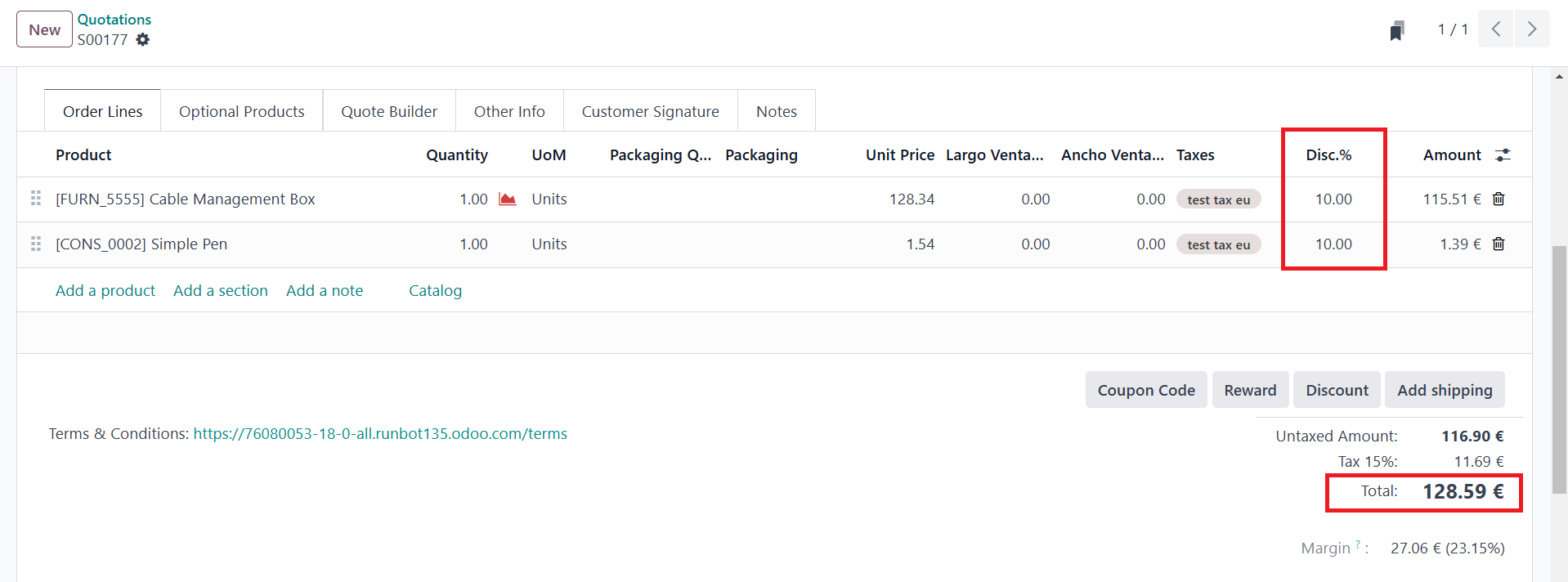
Once applied, Odoo automatically adjusts the pricing accordingly, and
the sales order can proceed to confirmation and further processing.
For businesses that need to apply a uniform percentage discount
across all products in an order, Odoo provides the Global Discount
option. This is particularly useful for bulk purchase discounts or
special promotions.
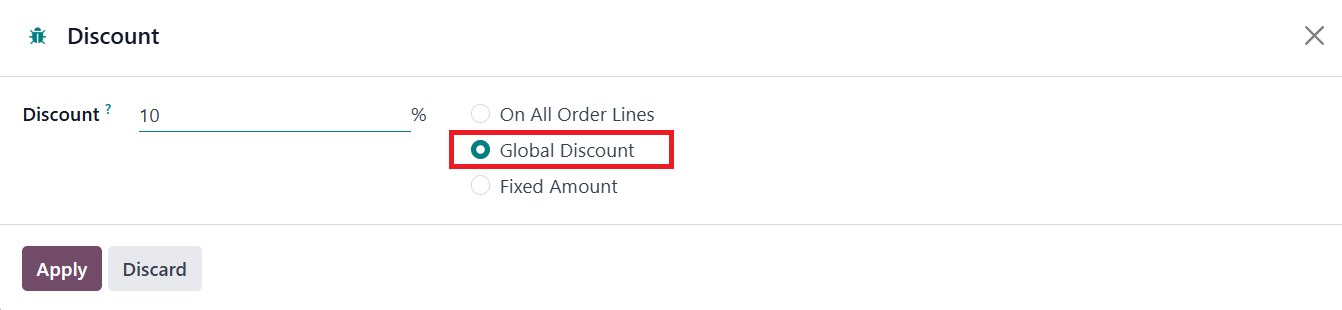
To apply a Global Discount, users click on the Discount button,
choose the Global Discount option, and enter the discount
percentage.
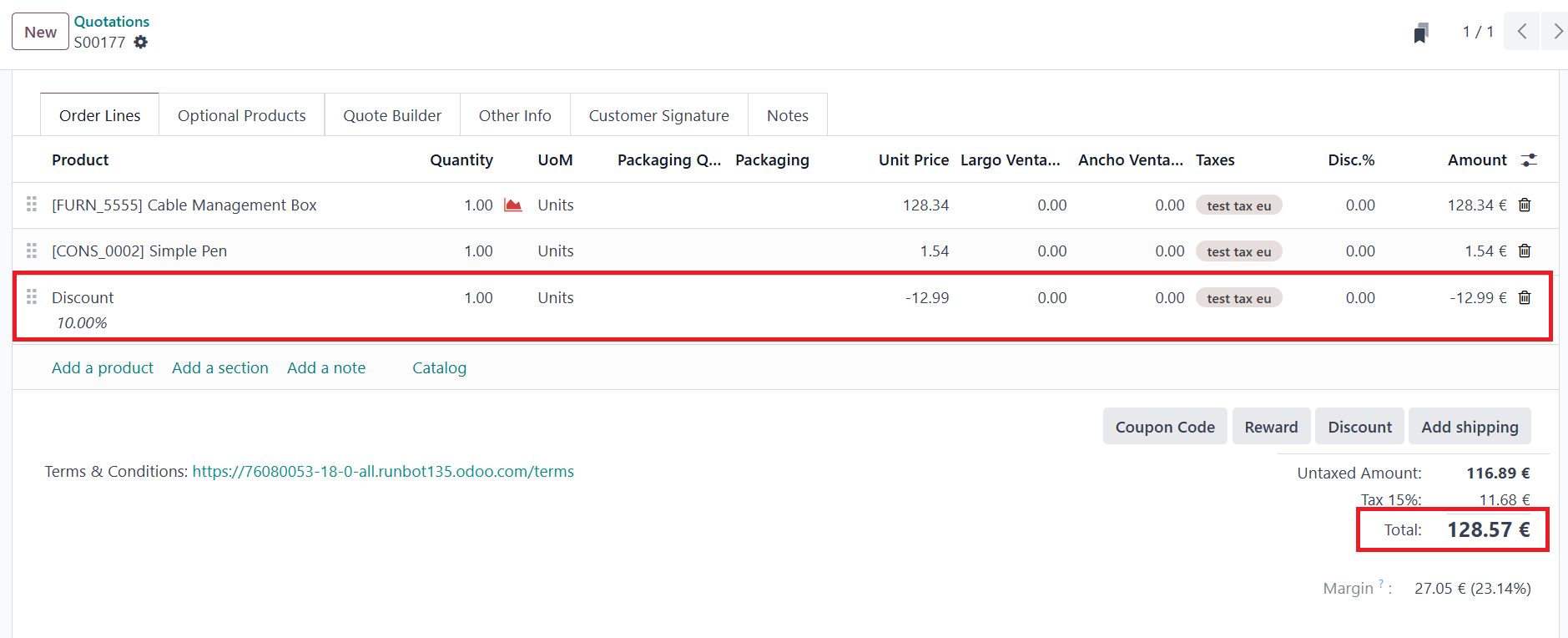
Odoo then updates the total order value by applying the discount to
all included products. Once applied, the order can be processed as
usual.
Another useful discounting method is the Fixed Amount Discount, which
allows businesses to deduct a specific monetary value from the total
order amount. This discount type provides clear and predictable
savings, making it easier for both businesses and customers to
understand the final pricing.
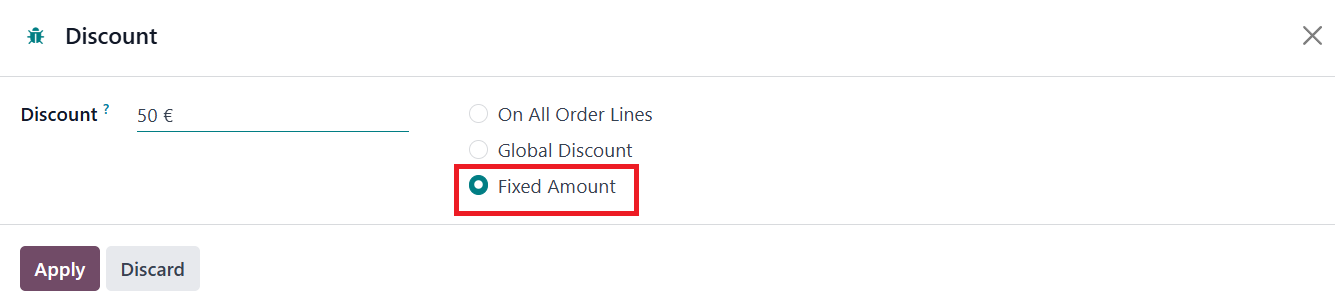
To apply a Fixed Amount Discount, users select the Discount button,
choose the Fixed Amount option, and enter the amount to be deducted
from the total sales order value.
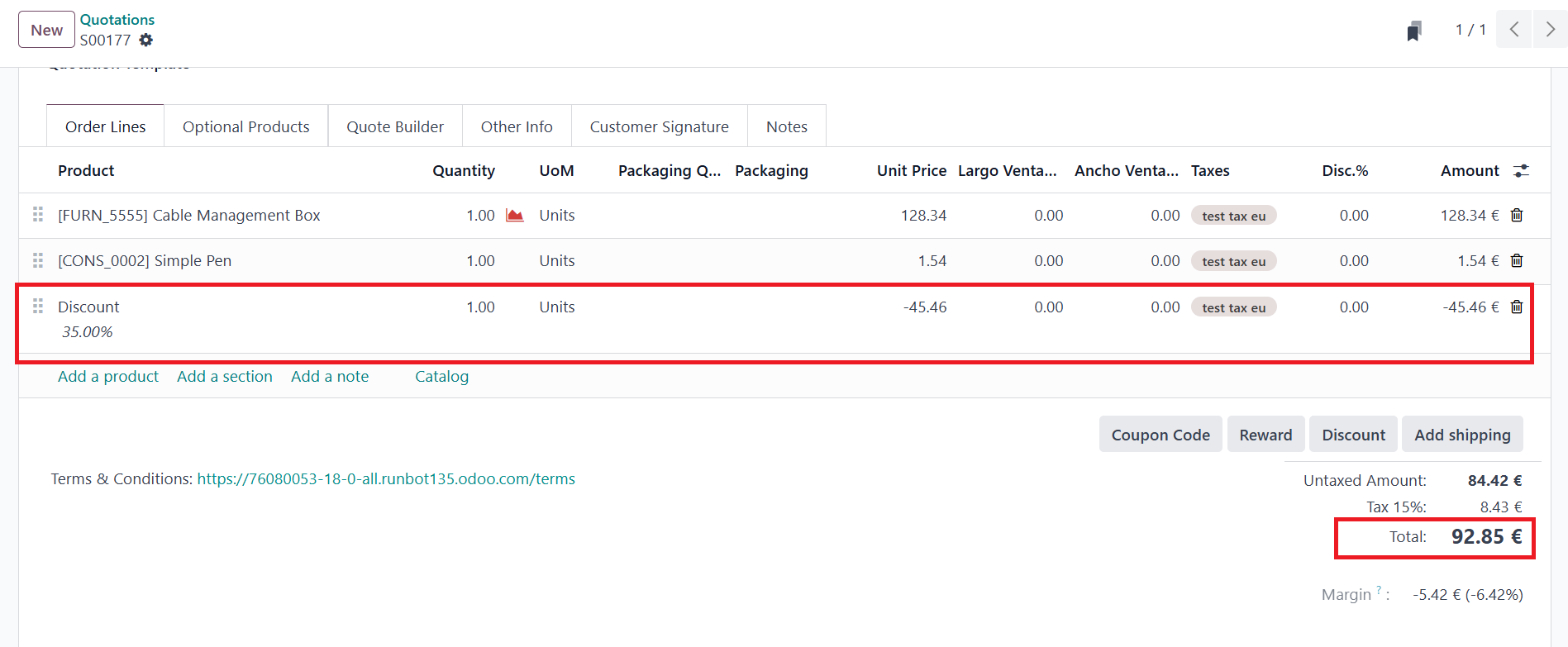
Once applied, Odoo adjusts the final order total accordingly, and the
order proceeds through the regular workflow.