20. Identify Margins from a Sales
In Odoo 18, the Margins feature is an essential tool for evaluating
the profitability of sales orders by providing insights into the
difference between the sales price and the cost of goods sold. To
activate this feature, users must navigate to Configuration >
Settings within the Sales module and enable the Margins option.
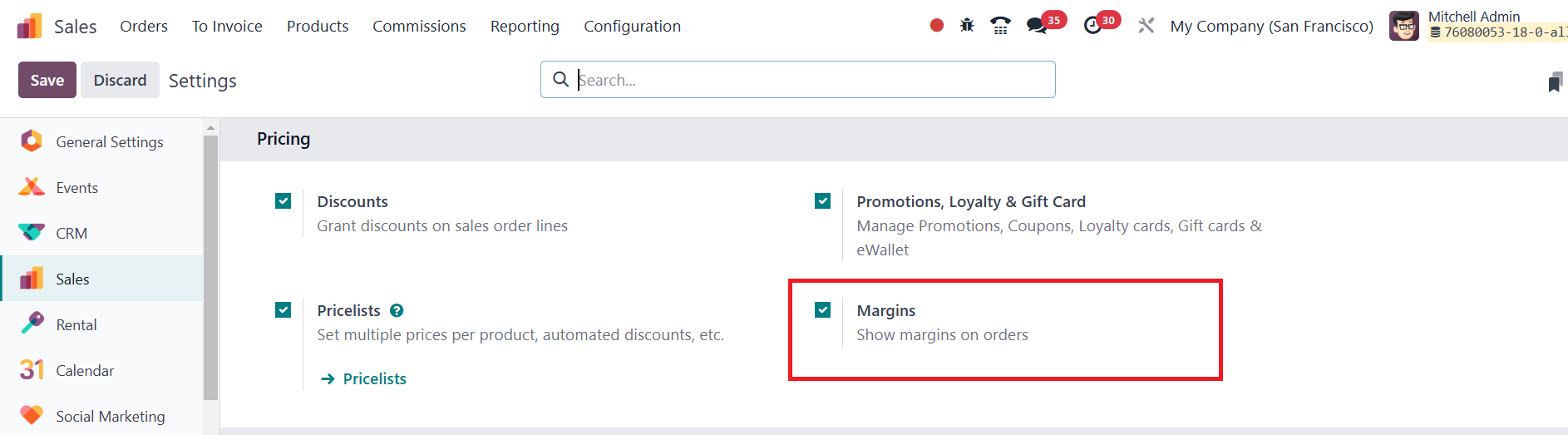
Once enabled, businesses can track profit margins directly within
each sales order, making it easier to assess overall profitability.
The Margins feature displays the total margin for an entire sales
order, offering a comprehensive view of the revenue generated after
deducting costs. Additionally, Odoo provides margin details for each
individual product line, allowing businesses to analyze the
profitability of specific items within an order. The margin for each
product is calculated as the difference between the sales price and
the cost price, helping businesses determine how much profit they
are making on each sale.
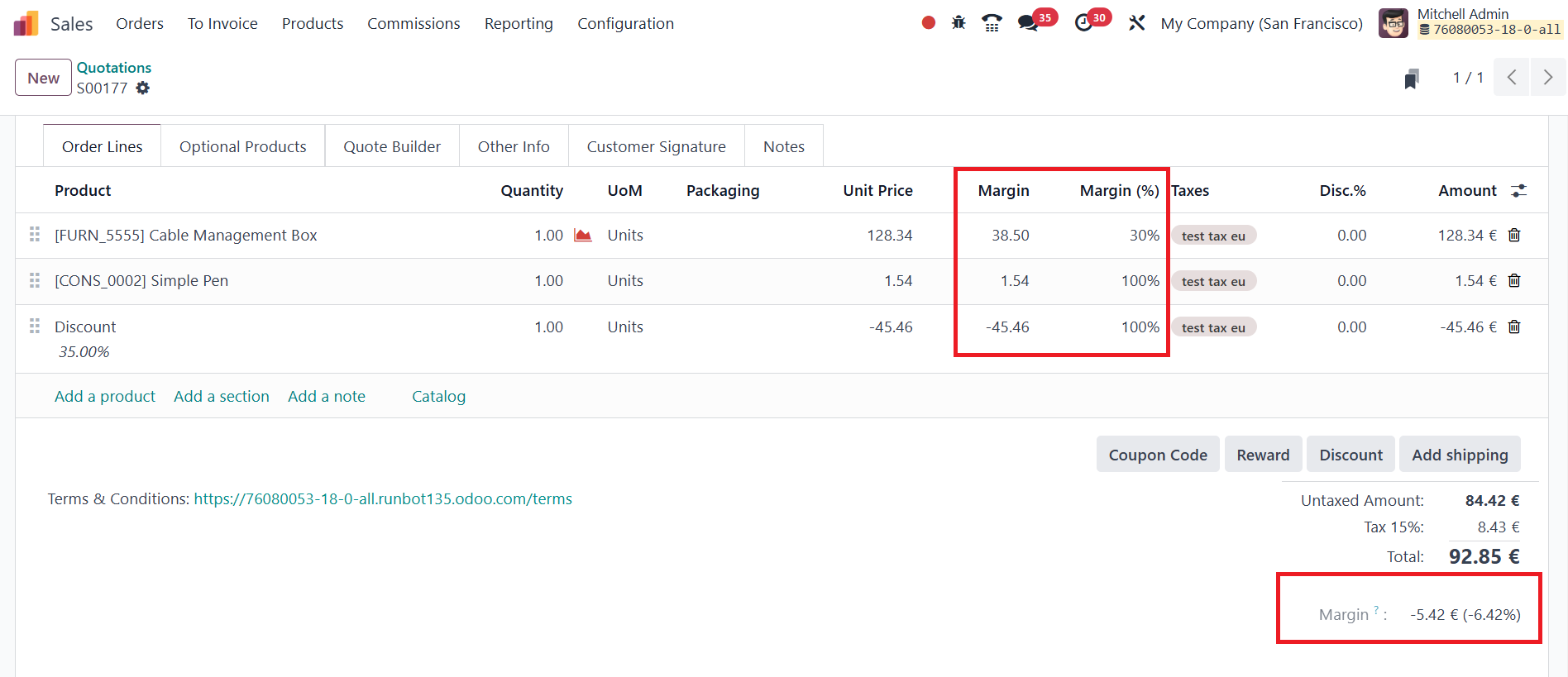
Beyond just monetary values, Odoo 18 also presents the margin
percentage for each product line, giving businesses a more
comparative analysis of product profitability relative to their
sales price