22. Import Amazon Orders and
Delivery Sync
Odoo allows users to register their Amazon seller account within the
database; however, a paid Amazon Seller account is required before
proceeding with the configuration. To connect an Amazon Seller
account in Odoo, go to the Sales app, navigate to Configuration >
Settings, scroll to the Connectors section, activate the Amazon Sync
feature, and then click Save to apply the changes.
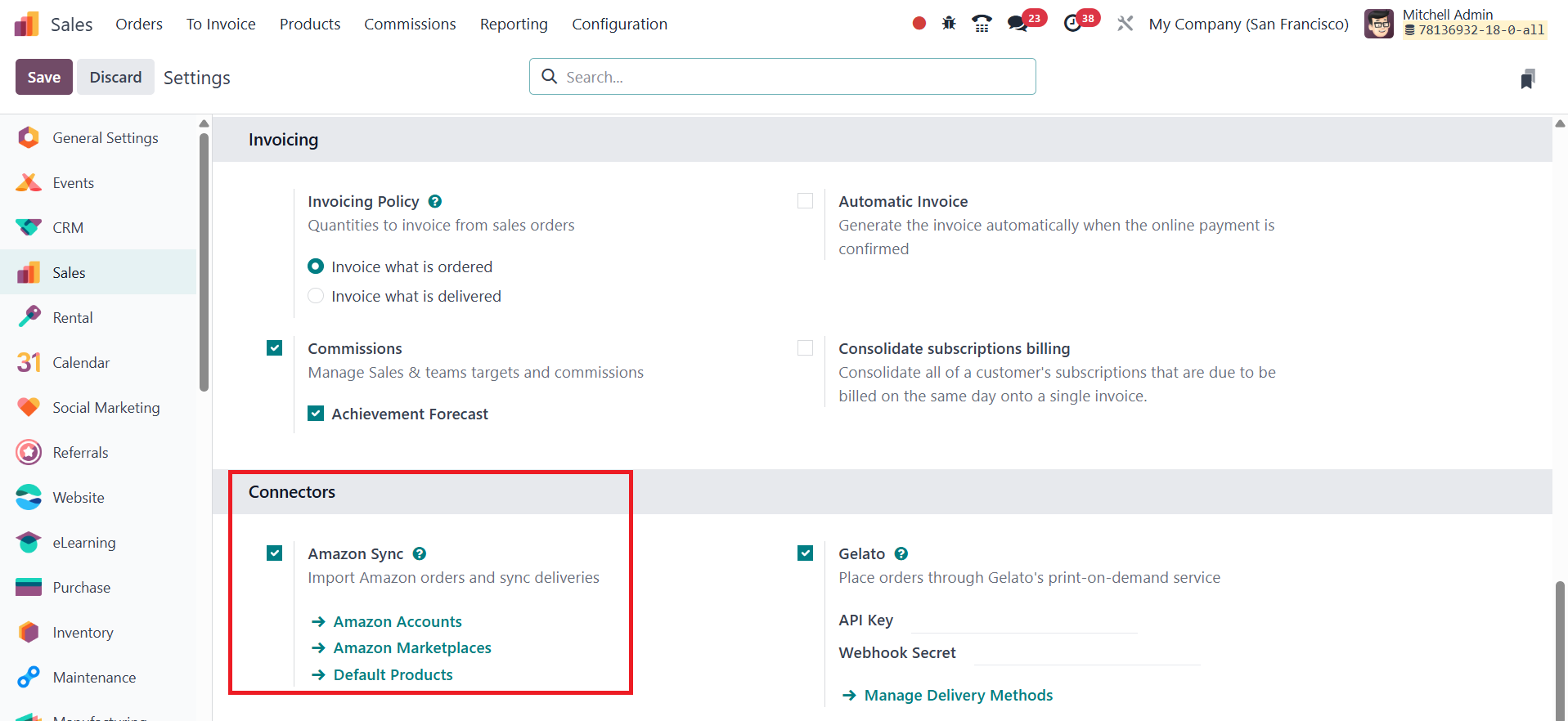
To link an Amazon Seller account in Odoo, click on the Amazon
Accounts link located under the Amazon Sync setting in the Sales
module's configuration. This opens a dedicated Amazon Accounts page.
From here, click the New button to create and connect a new Amazon
account.
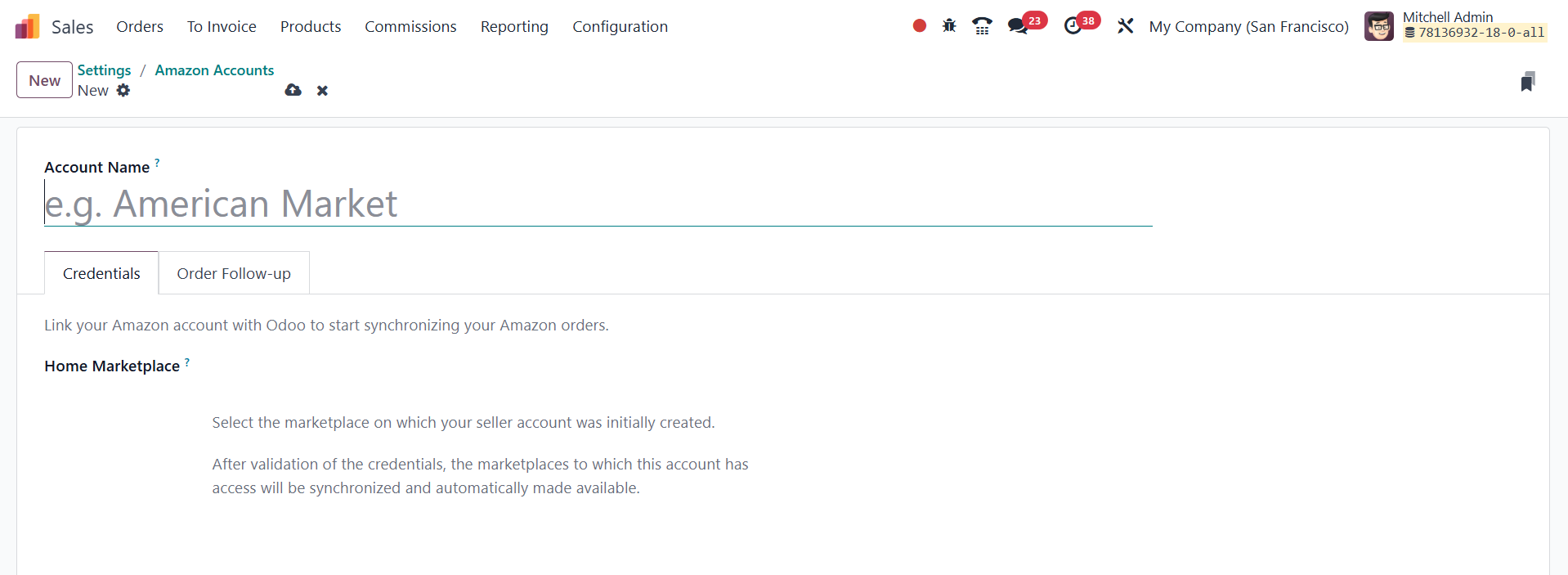
Once the initial details are saved, the Credentials tab will display
a Link with Amazon button.
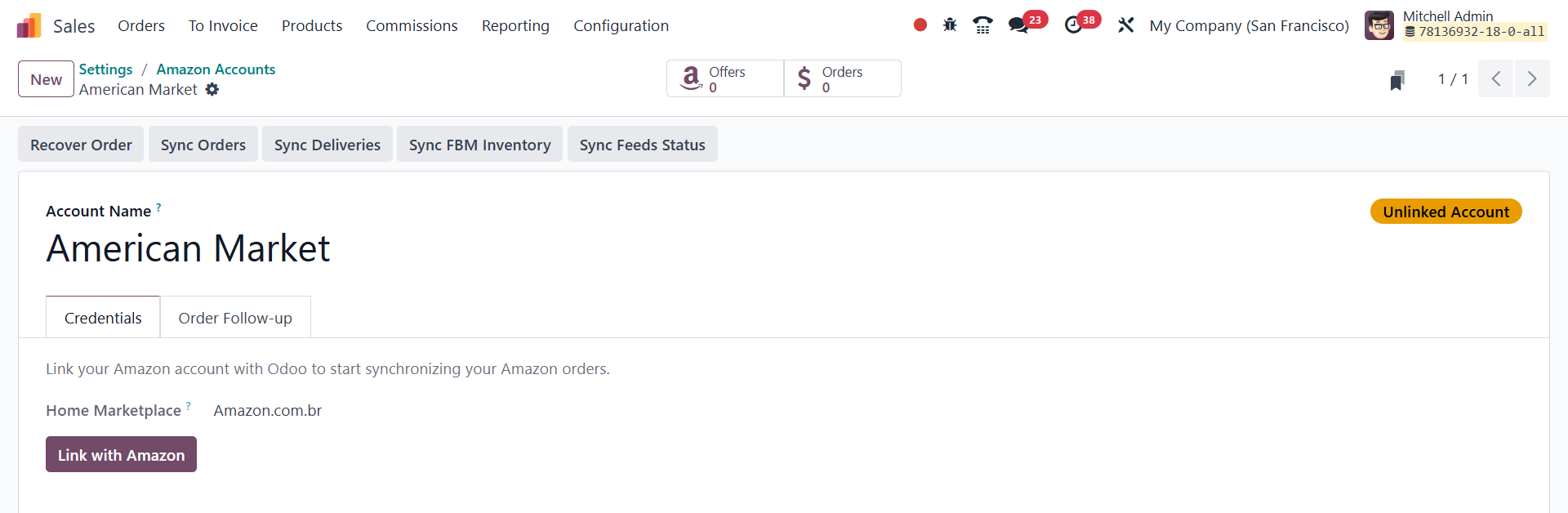
Clicking this button will redirect the user to the Amazon login page,
or directly to the consent page if already logged in.
On the Amazon login page, enter the credentials for the desired
Amazon Seller account. Then, on the consent page, authorize Amazon
to grant Odoo access to the account and its related data. After
granting permission, Amazon will redirect the user back to Odoo,
where the account will be successfully registered and ready for
synchronization. Here, you will get smart buttons to Recover Order,
Sync Orders, Sync Deliveries, Sync FBM Inventory, and Sync Feeds
Status.