4. Pricelists
Odoo 18 Enterprise provides a flexible Pricelist feature that allows
businesses to set different pricing strategies for products based on
various conditions. Users can choose between Per Product pricing,
which applies fixed prices for individual products, or Advanced
Discounts, which allow for more complex discount structures.
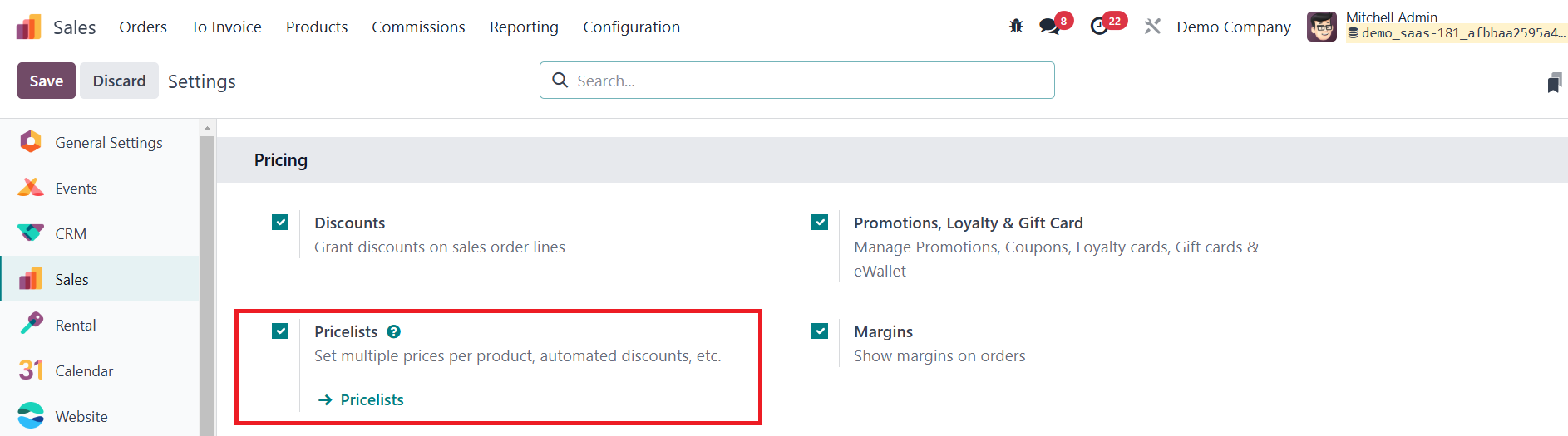
These options enable businesses to customize their pricing models
according to market needs and customer segmentation.
Once the Pricelists feature is enabled, a new pricelist can be
created by navigating to the Products menu or using the external
link in the Pricing tab of the settings menu.
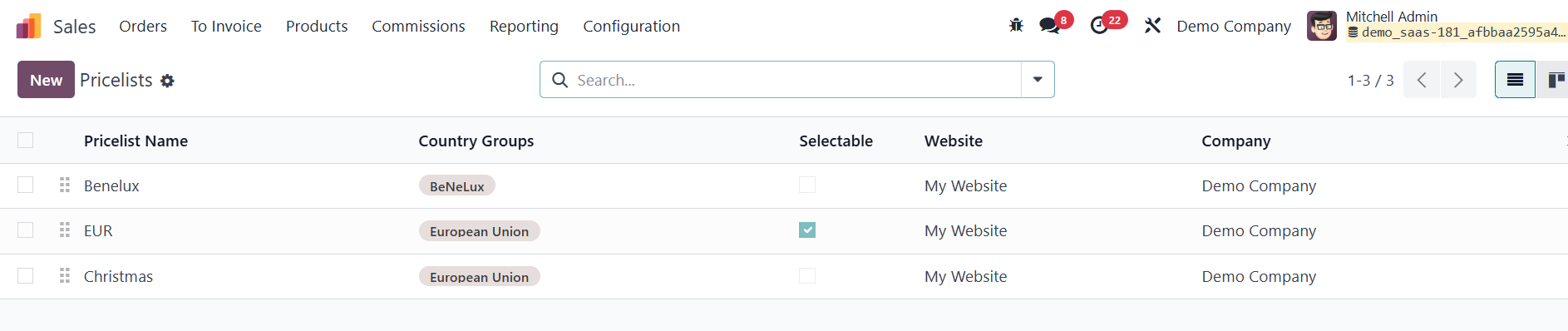
The Pricelist List view displays key details, including Pricelist
Name, Country Group, Website, and Company, making it easier to
manage multiple pricing rules. To create a new pricelist, simply
click the New button and enter details such as the Pricelist Name,
Country Group, and Company Information.
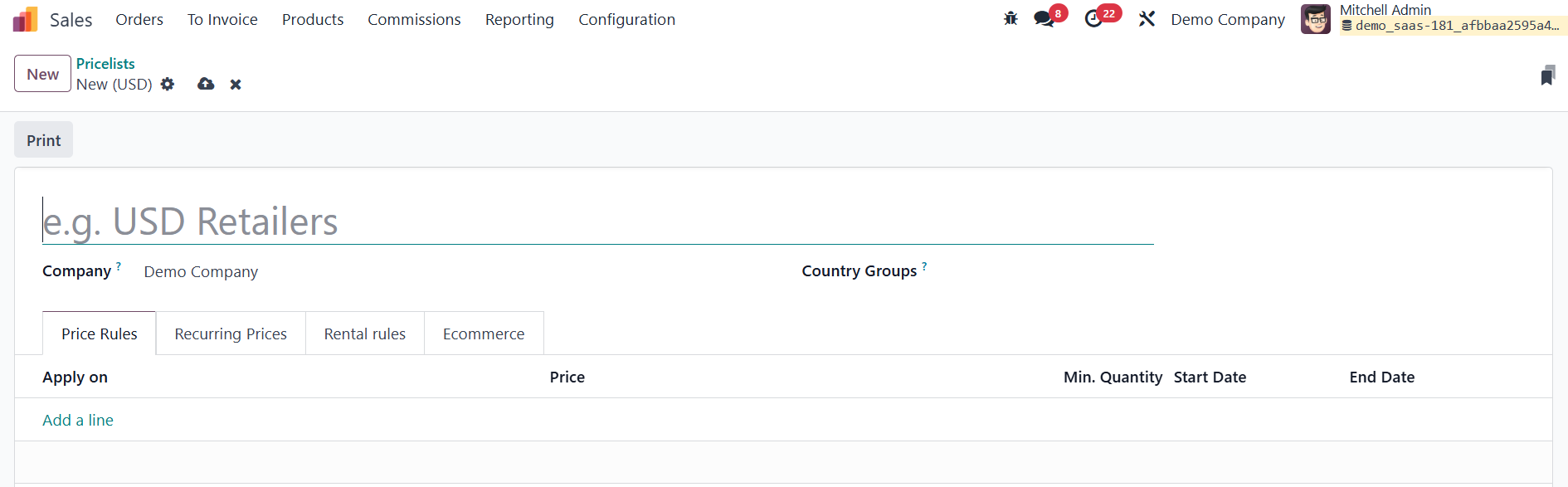
After creating the pricelist, individual Price Rules can be defined
by clicking Add a Line, where businesses can choose a Price Type
such as Formula, Discount, or Set Price. Depending on the selected
method, users can configure details like discount percentage,
product category, minimum quantity, and validity period.
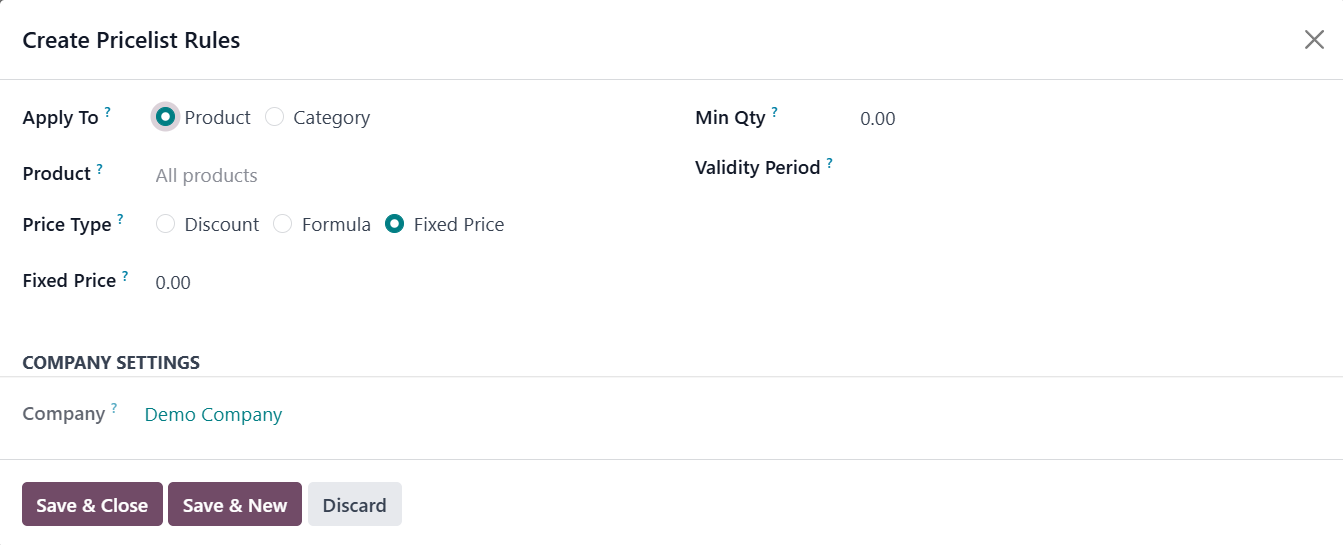
You can apply this pricing rule to either all products or particular
categories.
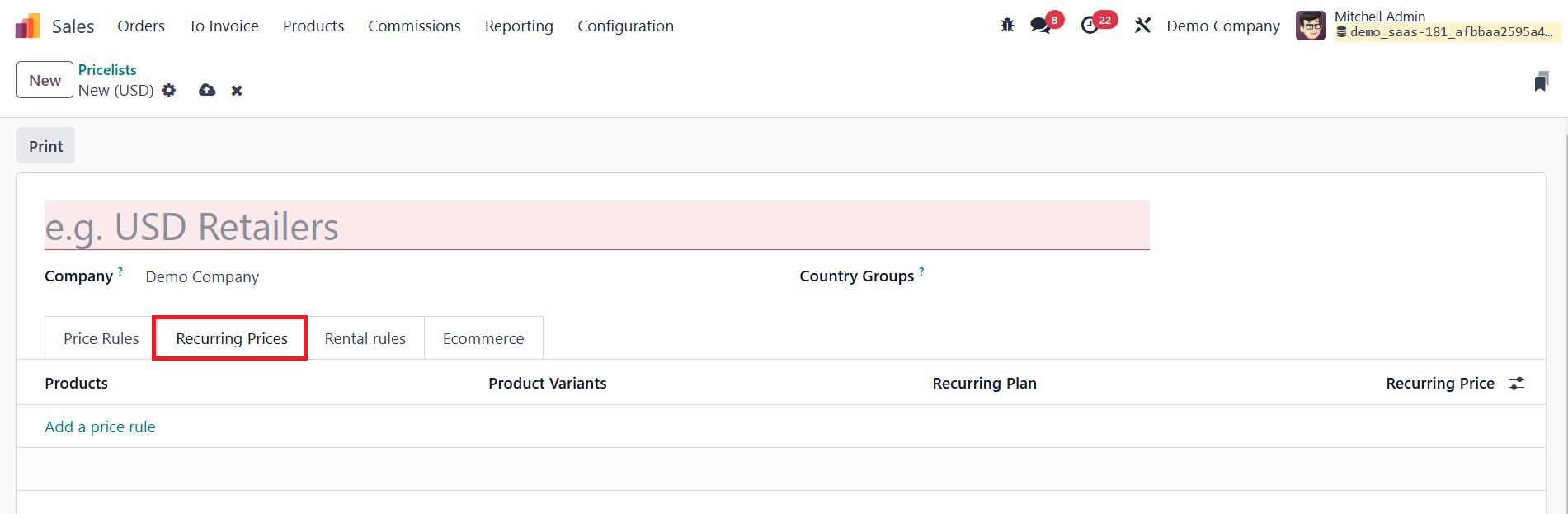
The Recurring Prices tab enables businesses to set up
subscription-based pricing for products and services that require
periodic billing. Within this tab, users can define the applicable
Products and Product Variants, ensuring that recurring pricing rules
apply to specific product versions. The Recurring Plan field allows
businesses to set the billing frequency, such as weekly, monthly,
quarterly, or annually, determining how often the customer will be
invoiced. The Recurring Price specifies the amount charged for each
billing cycle based on the selected plan.

The Rental Rules tab allows businesses to define pricing rules for
rented products based on specific time periods. Within this tab,
users can specify the applicable Products and Product Variants,
ensuring that different versions of a product can have unique rental
pricing. The Period field allows businesses to set the rental
duration, such as hourly, daily, weekly, or monthly, determining how
long the customer can rent the product. The Price field defines the
rental cost for the selected period, ensuring clear and structured
pricing for customers.

The eCommerce tab is essential for managing multiple price lists
across different websites by specifying which website the pricelist
applies to in the Website field. The Selectable option determines
whether customers can manually select the pricelist on the eCommerce
store, allowing businesses to offer multiple pricing options based
on customer preferences. Additionally, the E-commerce Promotional
Code field enables businesses to associate discount codes or special
pricing promotions with a specific pricelist, enhancing marketing
campaigns and customer engagement.