15. Product Categories
In Odoo 18 Sales, the Product Categories feature allows businesses to
efficiently organize and manage products by grouping them into
structured categories. This categorization simplifies product
handling, enhances search functionality, and enables category-based
filtering for quick access to relevant items. To access product
categories, users can navigate to the Sales module and select
Configuration > Product Categories.
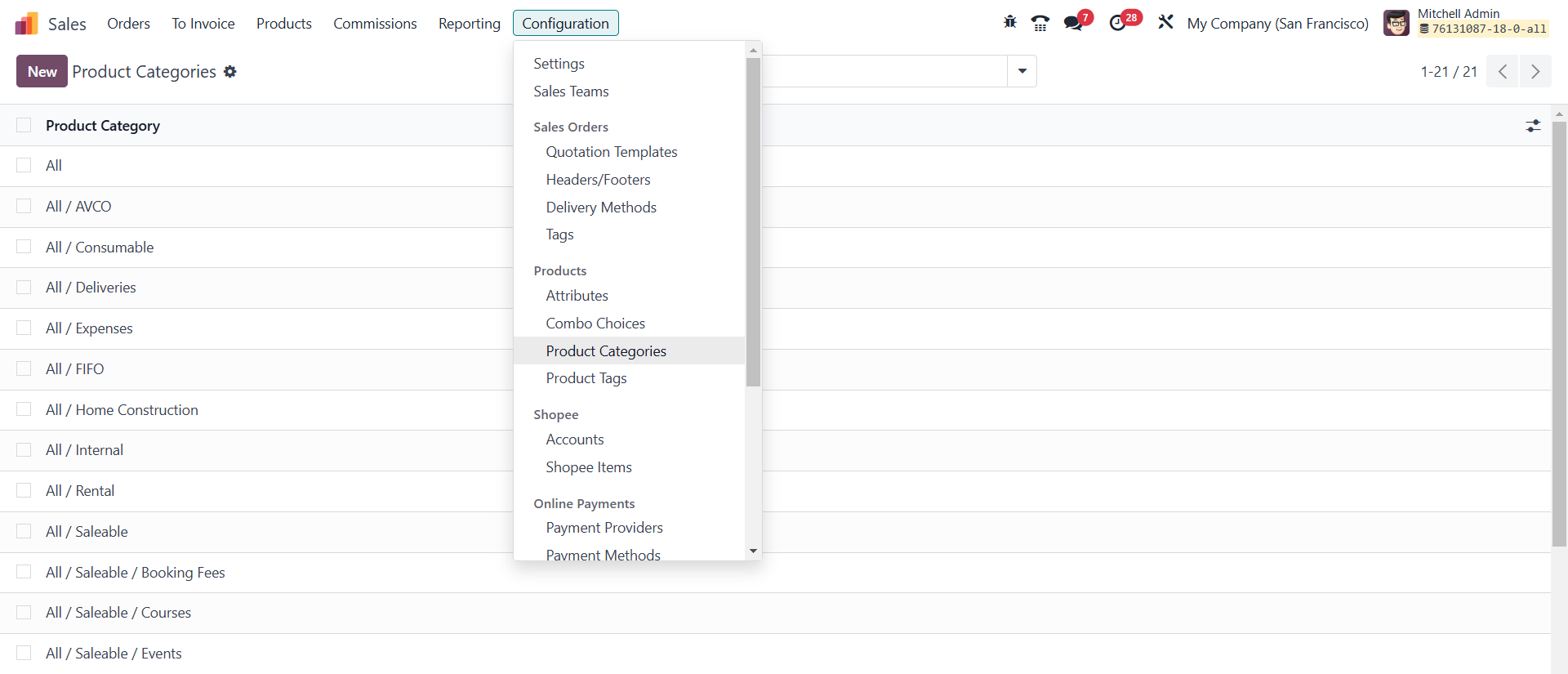
This section displays a list of predefined categories such as All,
Consumable, Deliveries, Rental, Saleable, Internal, and External,
among others. These predefined classifications help structure
product data based on their usage, sales status, and logistical
requirements.
Creating a new product category is simple and can be done by clicking
the New button, which opens a configuration window where users can
specify the Category Name and define a Parent Category if the new
category is a subcategory within an existing hierarchy. Additional
advanced configurations are available under the Logistics, Inventory
Valuation, and Account Properties tabs to refine product management.
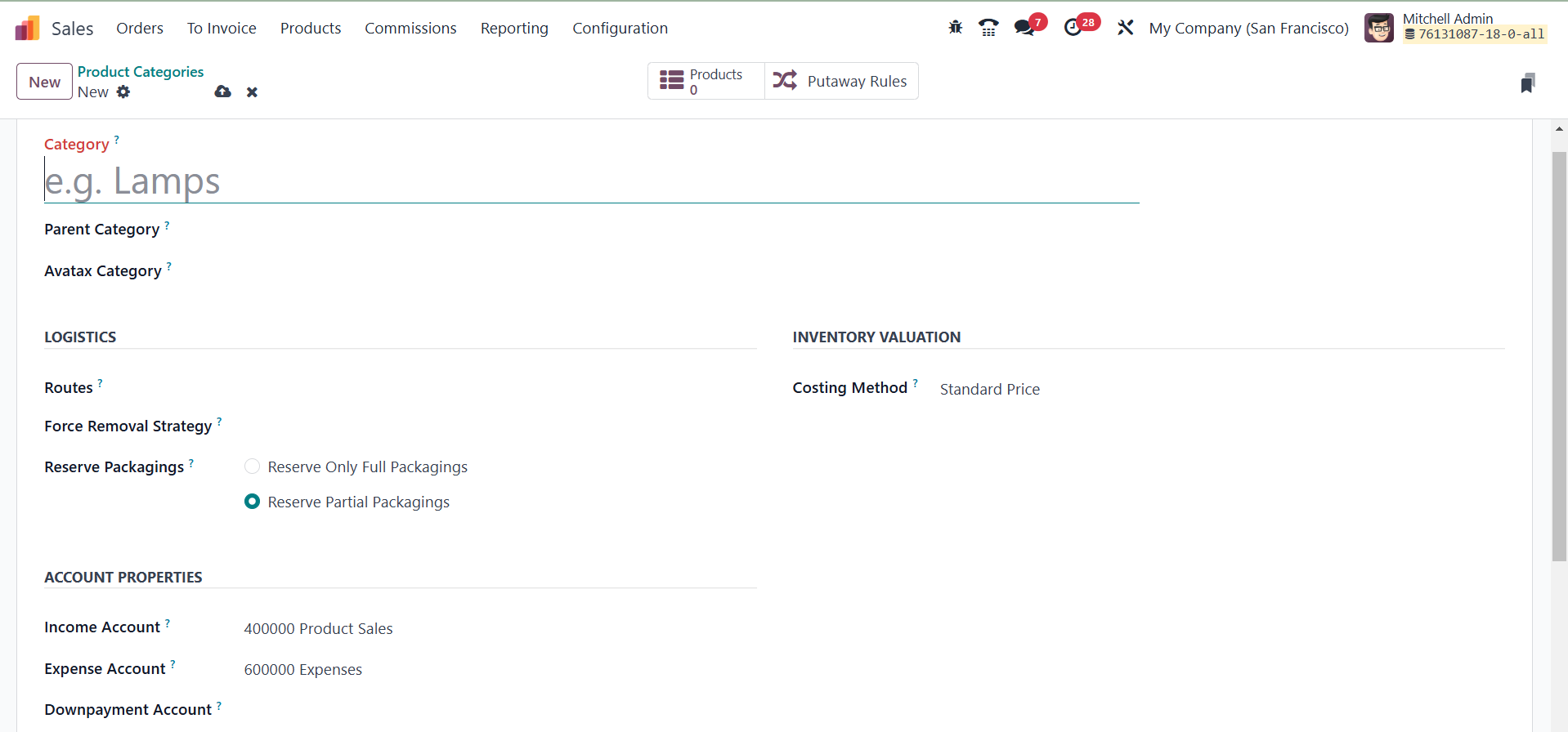
The Logistics tab provides options to define product movement and
storage strategies. Users can set Routes, such as Make to Order
(MTO), Dropshipping, or Buy, to determine how products in that
category are procured and managed. The Force Removal Strategy option
overrides the default source location rules, ensuring a specific
removal process for products in the category. Additionally, the
Reserve Packaging feature allows businesses to choose between
reserving Only Full Packaging, ensuring only complete packaging
units are reserved, or Partial Packaging, which allows the
reservation of available units even if full packaging is not
possible.
The Inventory Valuation tab enables businesses to configure the
Costing method for financial tracking. Odoo offers three costing
methods: Standard Price, which keeps product cost fixed regardless
of purchase price fluctuations; Average Cost (AVCO), which
calculates product cost based on the weighted average of all
purchases; and First-In-First-Out (FIFO), which assumes that the
oldest stock is used or sold first. Additionally, users can specify
the Income Account, Expense Account, and Downpayment Account in the
Account Properties section.
To further streamline product management, Odoo provides smart buttons
within the Product Category window for quick access to related data.
The Products button allows users to view all products linked to a
particular category, while the Putaway Rules button helps define how
products are stored and moved within warehouses based on their
category.