8. Sales Orders
Once the customer confirms the quotation, it is automatically
converted into a sales order. If the Online Signature and Online
Payment options are enabled, the customer can conveniently sign and
complete the payment through the customer portal.
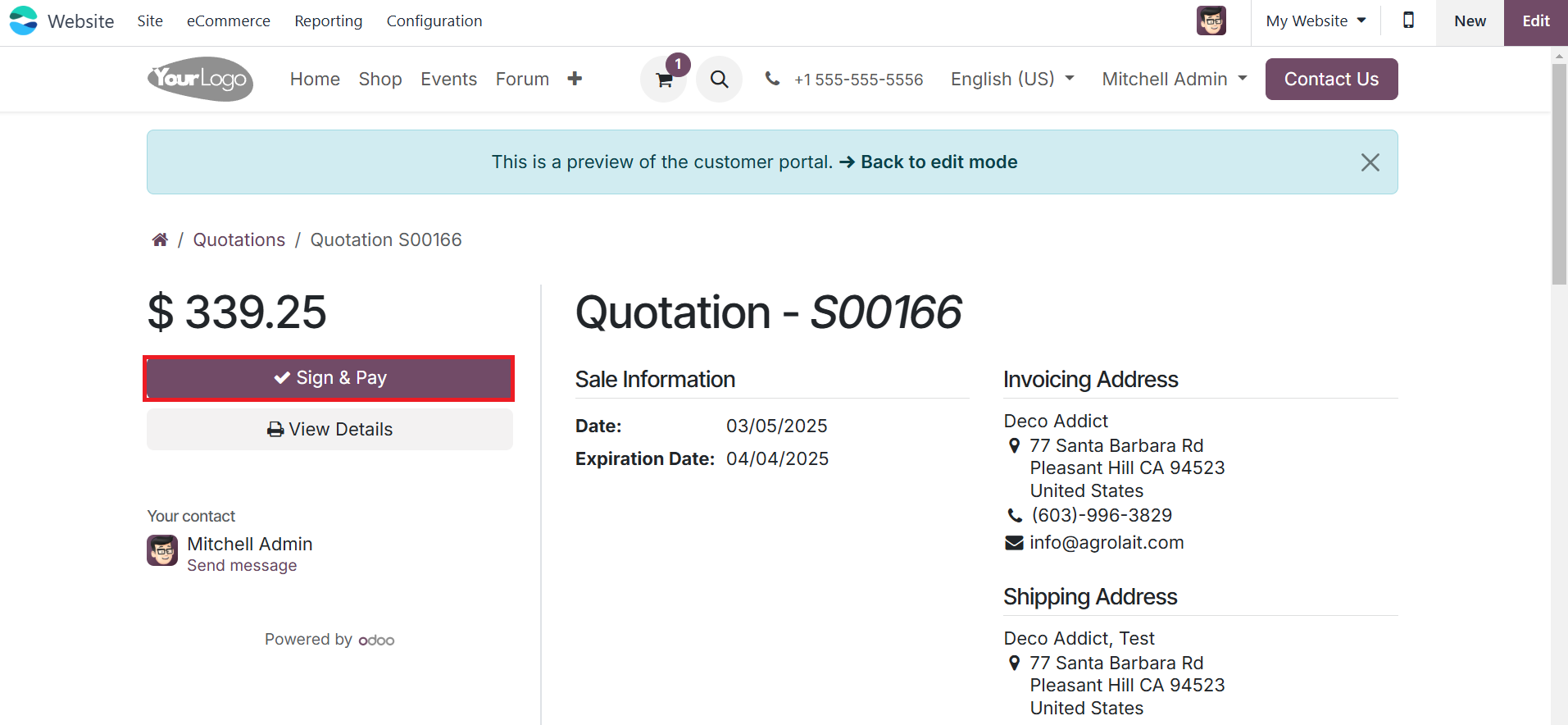
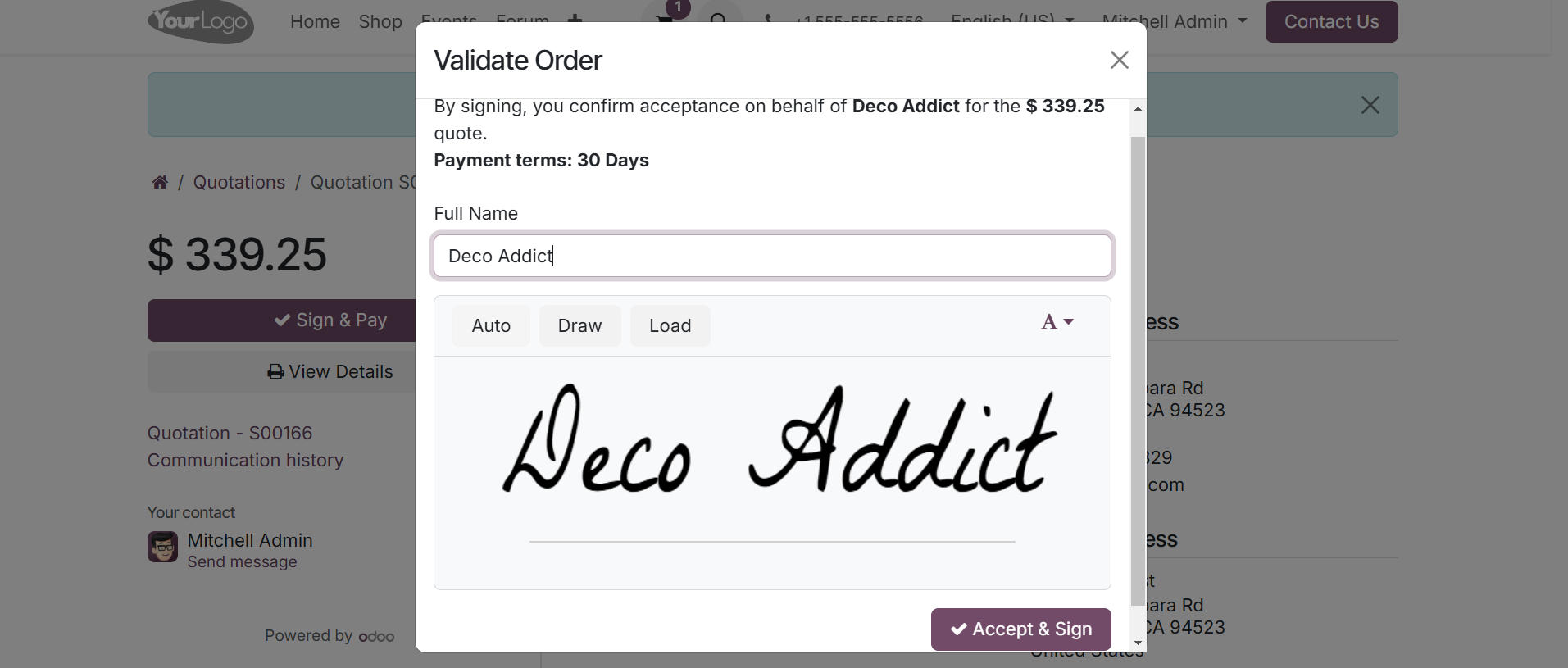
Clicking the Sign & Pay button triggers a pop-up window where the
customer can add their signature.
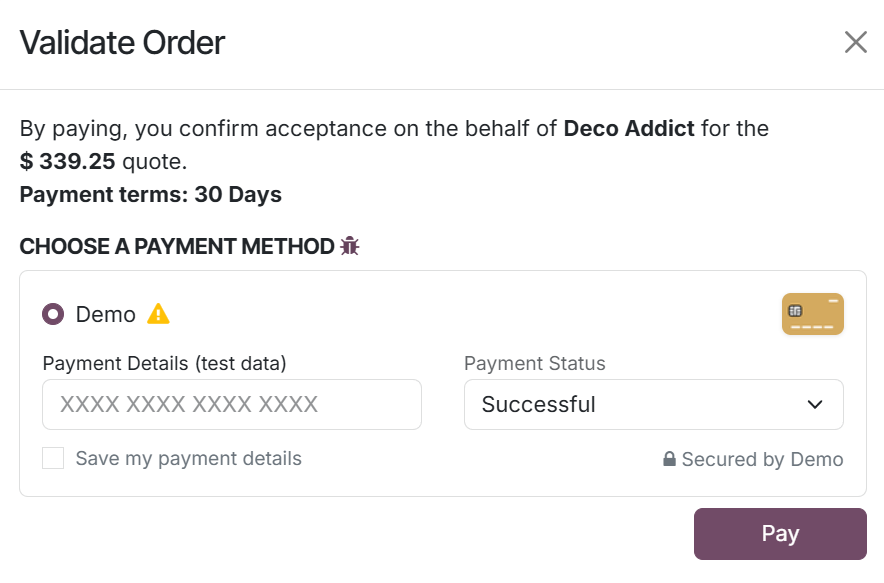
Upon signing, they are redirected to the payment page to proceed with
the transaction based on the specified payment terms.
After the signature and payment are completed, the signed document is
stored under the relevant tab in the backend for reference.
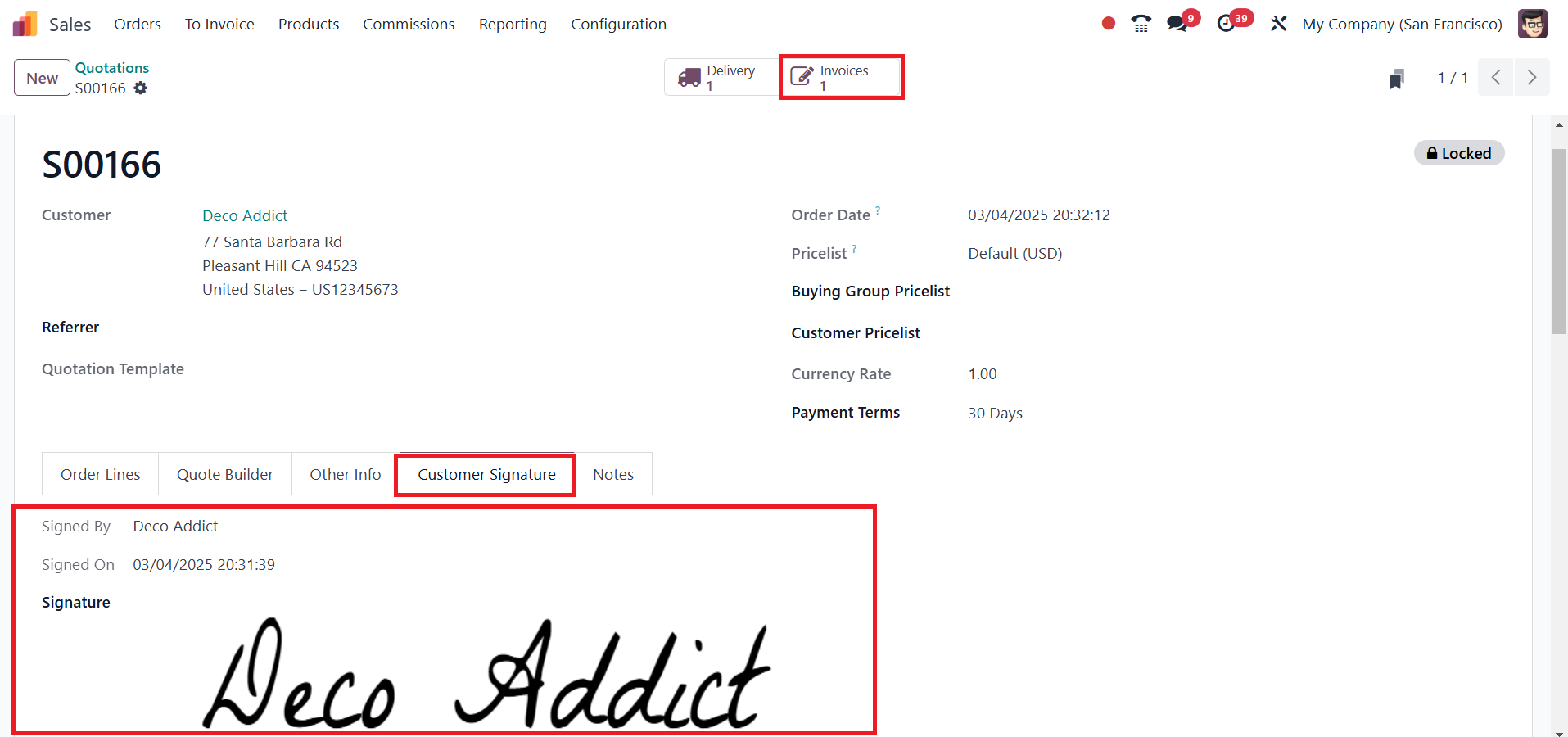
Once confirmed, the sales order is locked, preventing further
modifications to ensure accuracy. However, if necessary, users can
unlock the order using the designated option. A smart button labeled
"Invoices" will appear, indicating the creation of a new invoice.
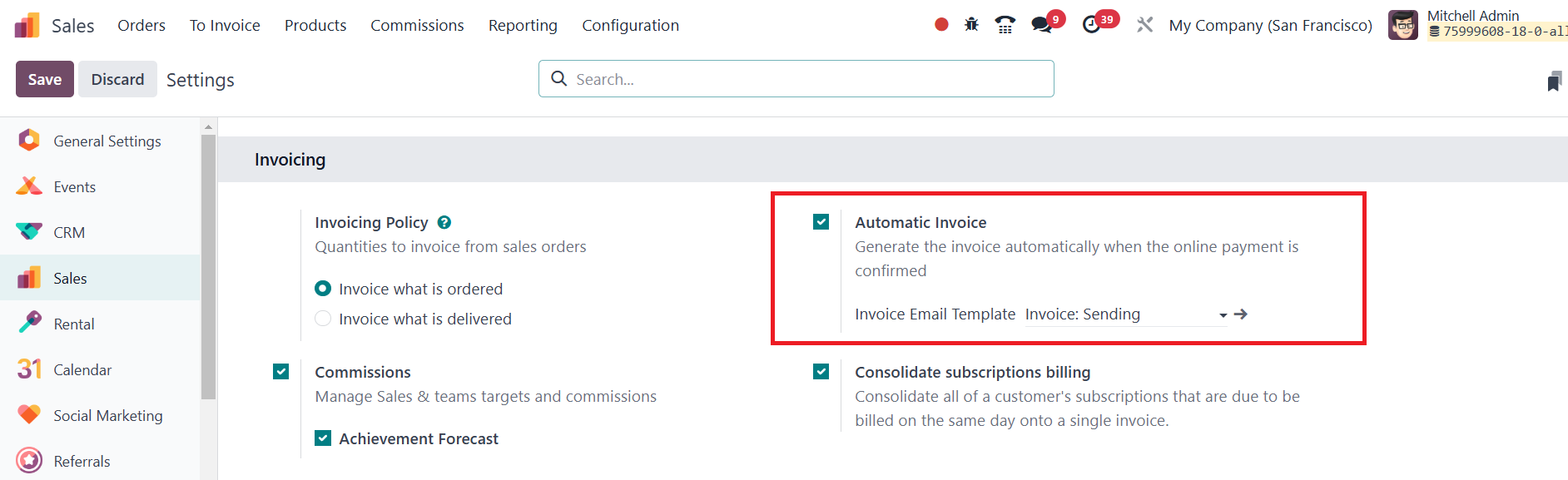
When the Automatic Invoice feature is activated in Odoo 18, the
system seamlessly generates an invoice as soon as the online payment
is confirmed. This invoice will include all relevant details such as
products, pricing, taxes, and payment terms. The invoice remains
linked to the sales order, and its status is automatically updated
to "Paid" once the payment is processed, eliminating the need for
manual invoice creation. This automation not only saves time but
also minimizes human errors in the invoicing process.
The Sales Orders section in the Sales module provides a complete list
of all confirmed sales orders, displaying key details such as order
number, order date, website, customer, salesperson, company, total
amount, invoice status, and order status.
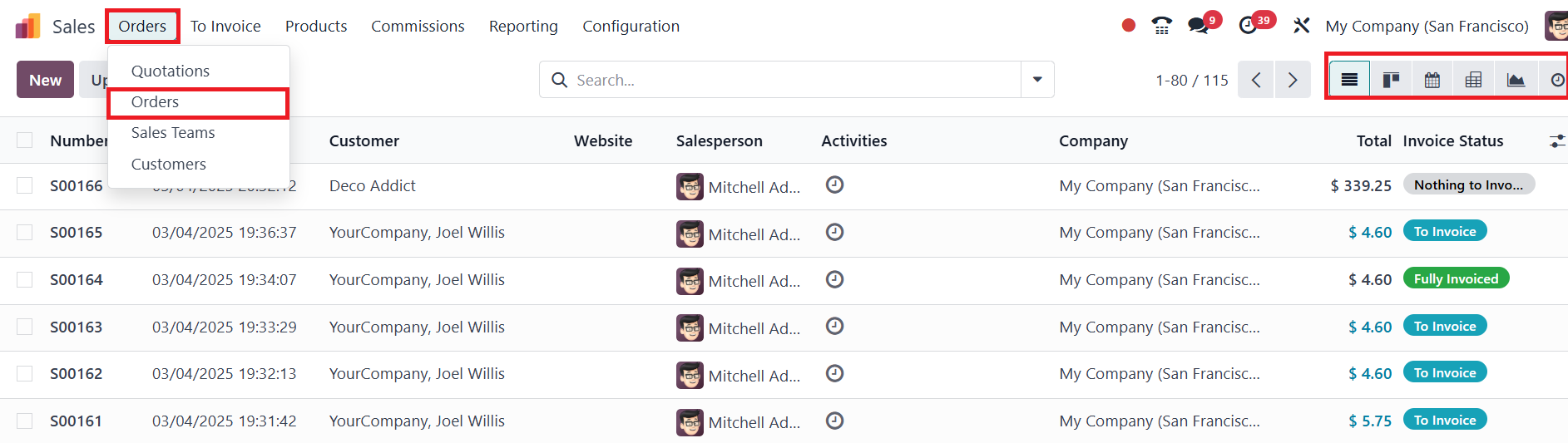
Users can view sales orders in multiple formats, including Kanban,
Pivot, Graph, Calendar, and Activity views, similar to the Quotation
section, ensuring a flexible and organized sales management
experience.
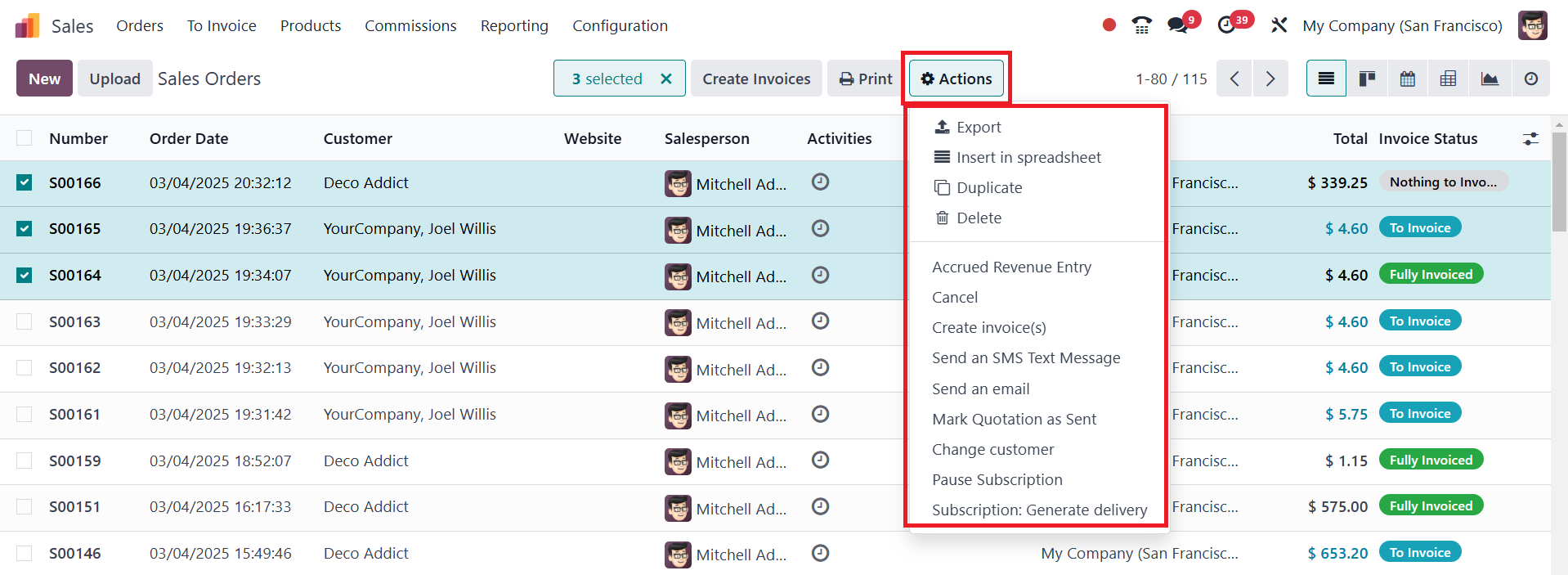
The Action button in Odoo 18 now offers an expanded range of
functions, enhancing the flexibility and efficiency of sales order
management. Users can perform key actions such as Exporting data,
Inserting records into a spreadsheet, Duplicating quotations, and
Deleting entries. Additionally, financial operations like Accrued
Revenue Entry, Creating invoices, and Canceling orders can be
seamlessly executed.
For improved communication, users can send SMS messages or emails
directly from the system. Other essential functions include Marking
a Quotation as Sent, Changing the Customer, and managing
subscriptions with options to Pause Subscription or Generate
Delivery. These enhanced functionalities streamline workflow
management, ensuring a more dynamic and automated sales process.