6. Sales Team
An effective sales team is essential for overseeing all sales-related
operations and driving business growth. The Odoo 18 Sales module
provides a structured approach to creating and managing multiple
sales teams, ensuring that responsible personnel handle sales
programs efficiently. Similar to the CRM module, Odoo 18 offers
configuration options that enable businesses to streamline sales
team management through a unified platform.
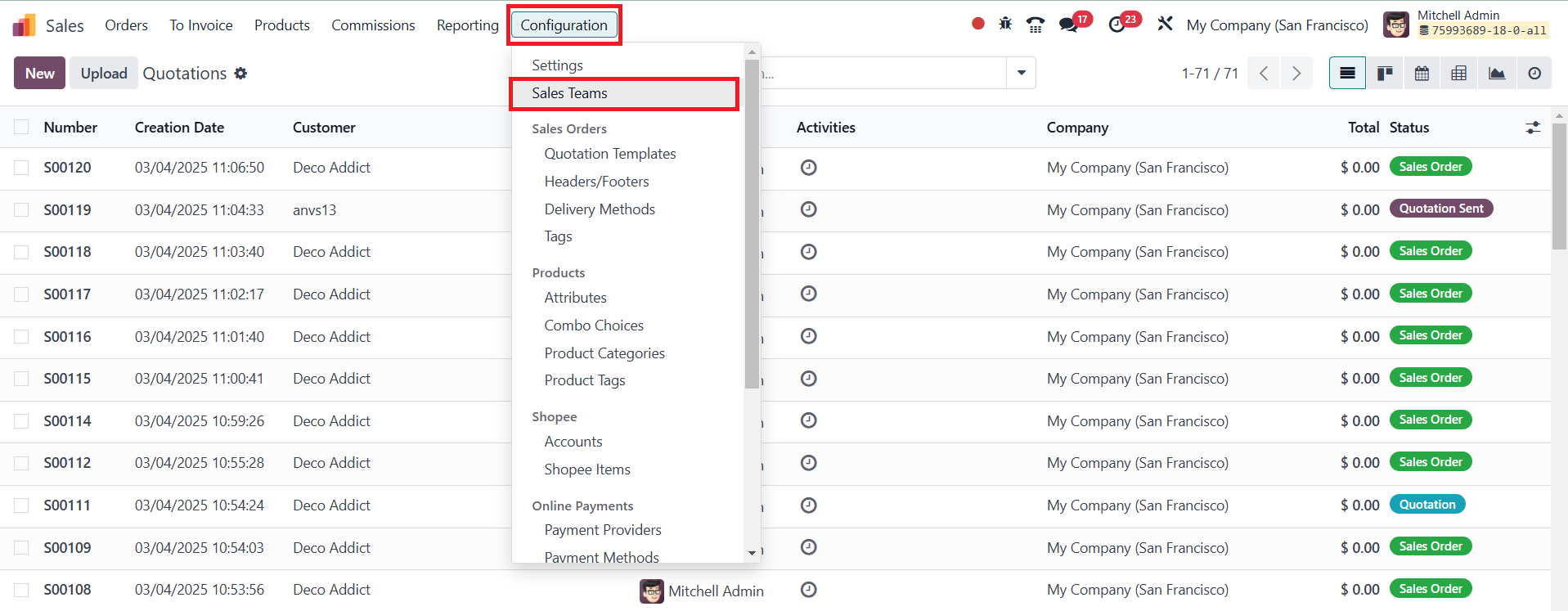
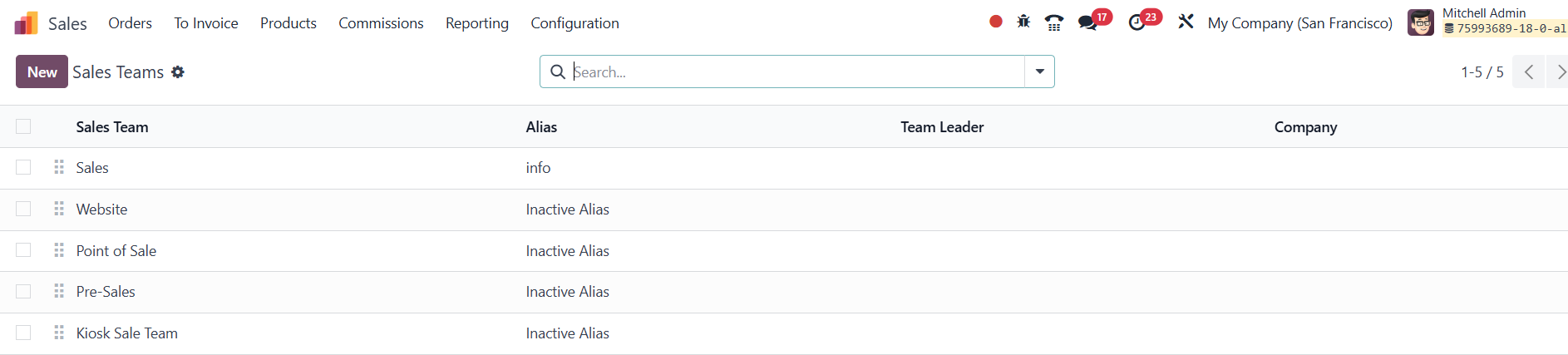
To configure and manage sales teams, users can navigate to the Sales
Teams option under the Configuration menu in the Sales module. This
section displays all pre-configured sales teams, along with key
details such as the team’s name, email alias, team leader, and
associated company.
Businesses can create a new sales team by clicking the New button,
which opens a configuration form.
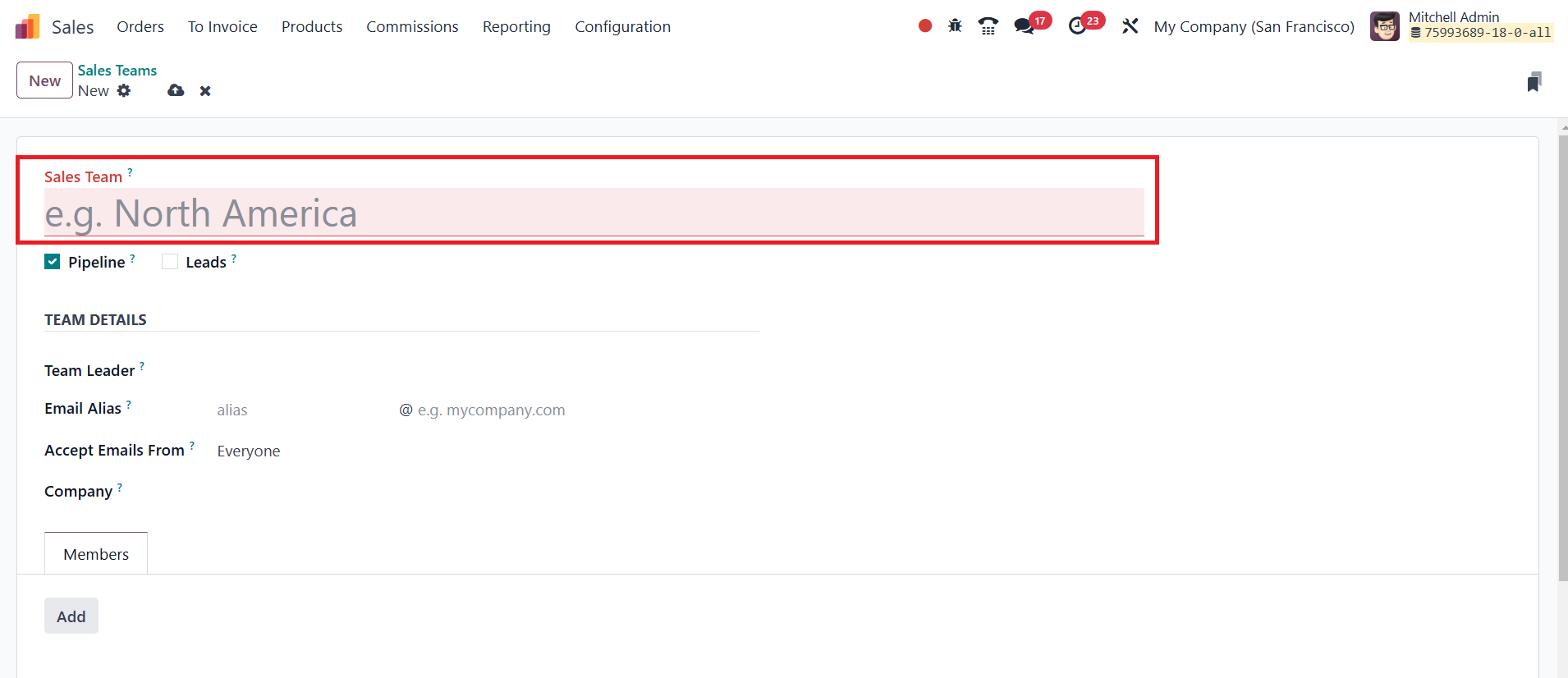
Here, users can enter a suitable team name and enable specific
options based on their sales workflow. Activating the Pipeline
option allows the team to manage pre-sales activities with
opportunities. Additionally, the Leads option helps filter and
qualify inquiries before converting them into opportunities and
assigning them to sales representatives.
Within the Team Details section, the Team Leader can be assigned to
oversee operations, and a custom email alias can be configured for
team communications. Users can also set rules for accepting emails,
specifying whether they should be received from everyone,
authenticated partners, followers, or authenticated employees. In a
multi-company setup, the relevant company can be assigned to the
sales team.
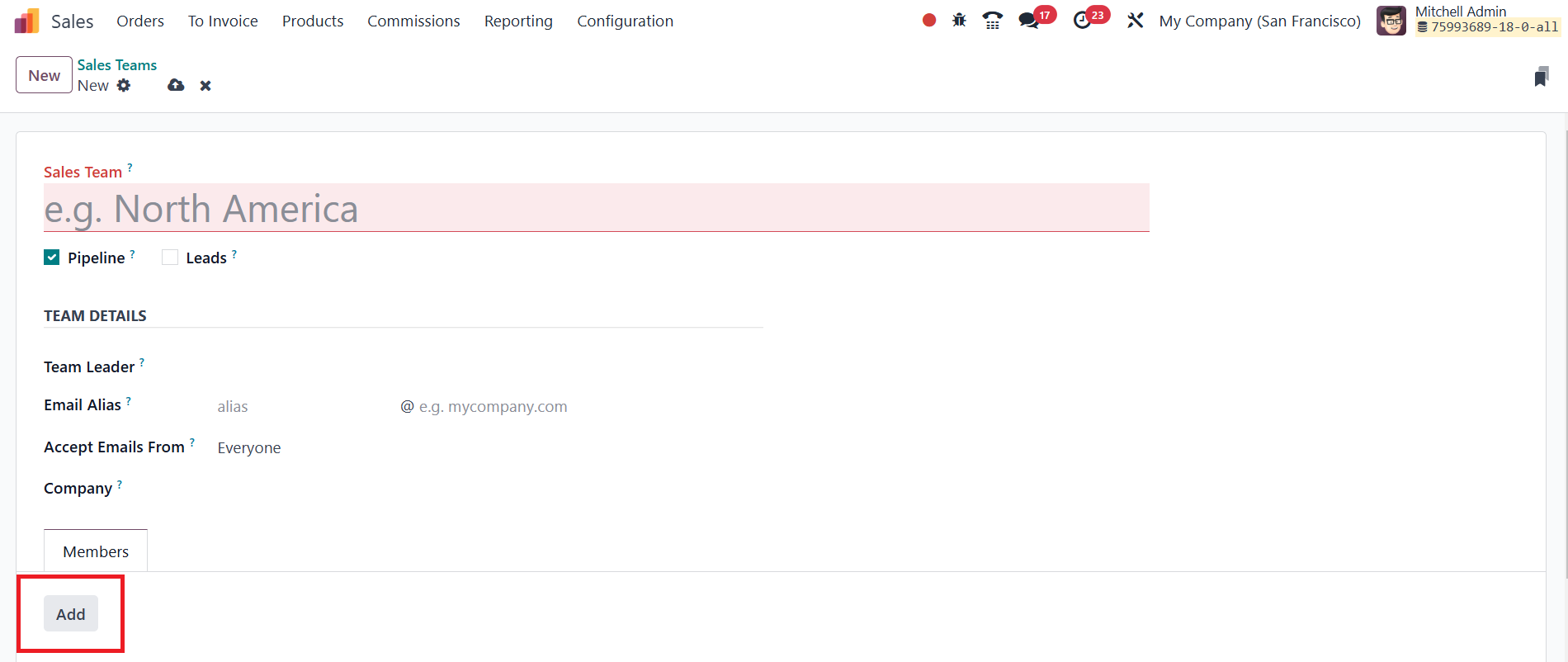
Under the Members tab, clicking the Add button opens a selection
window where employees can be chosen from the system’s records.
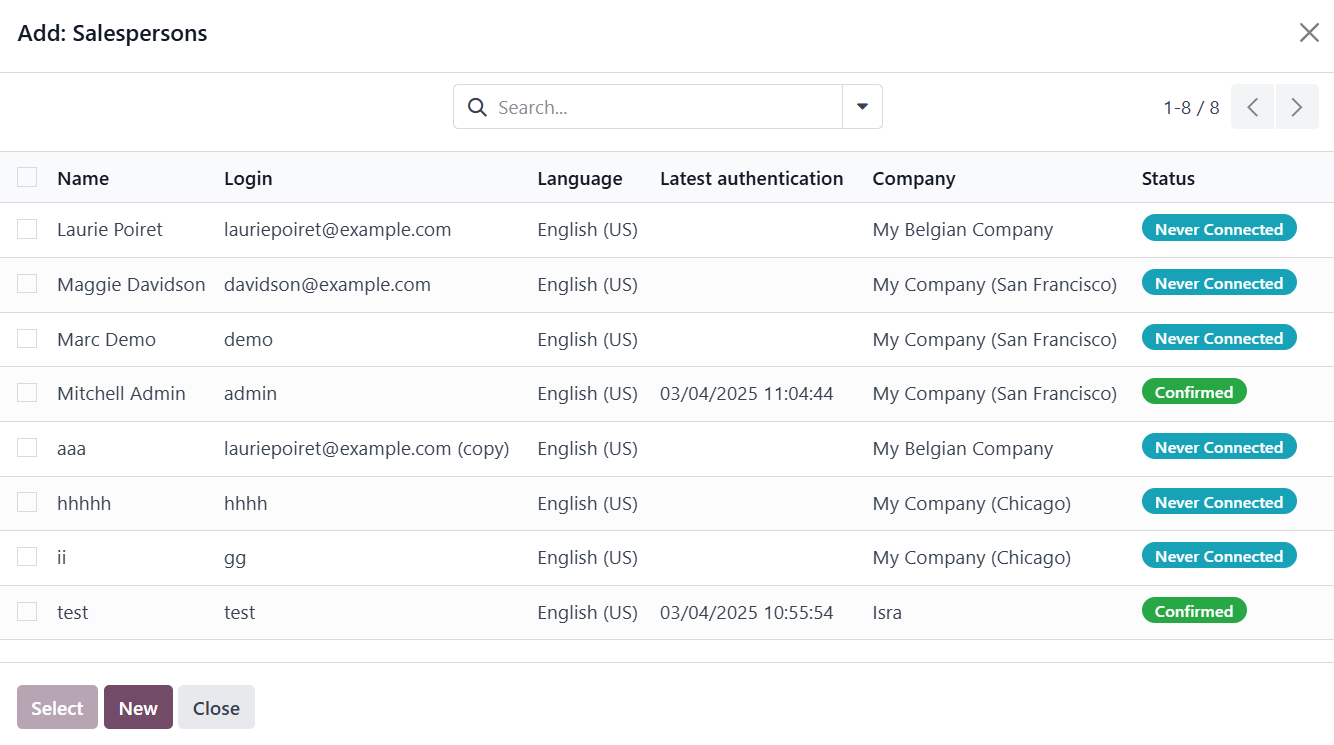
Once selected, these members are added to the sales team, ensuring
that a well-defined group is in place to handle sales operations
effectively.
The Odoo 18 Sales module also provides a dedicated platform for
managing sales teams through the Orders menu.
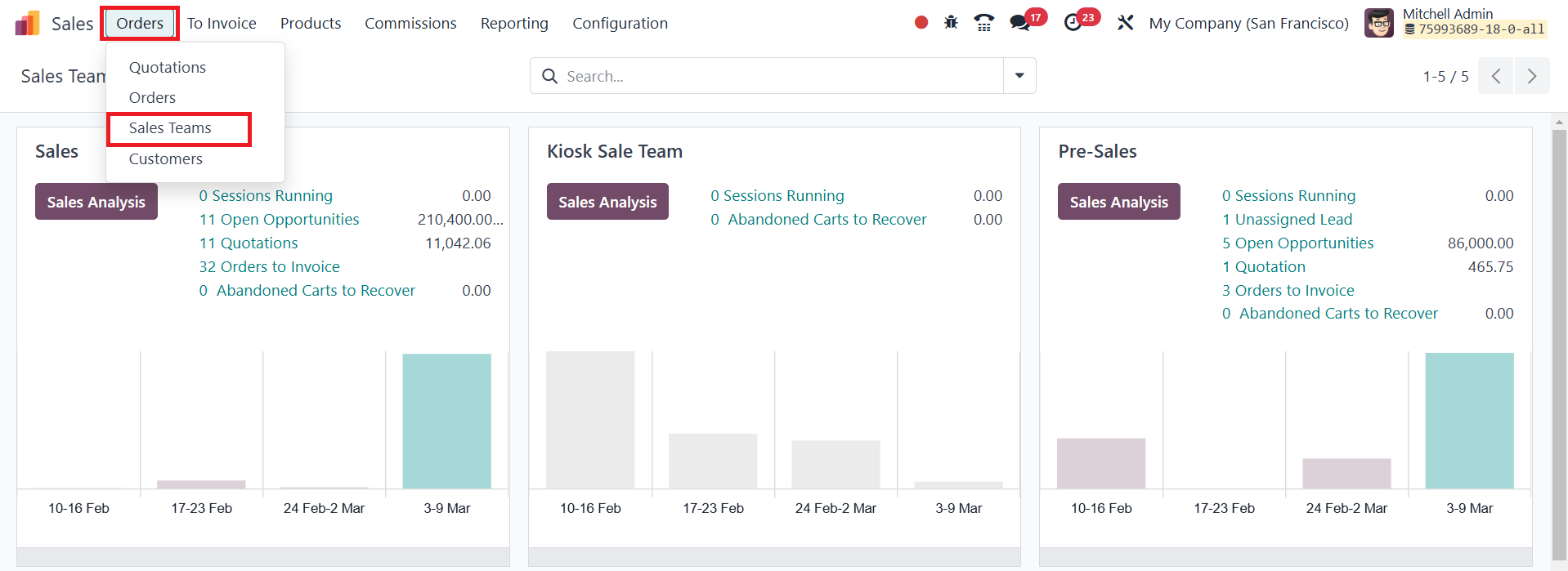
This section presents an organized view of all configured sales
teams, displaying essential sales-related metrics such as the number
of opportunities, quotations, sales orders, orders to invoice, and
leads managed by each team. Businesses can monitor these metrics to
assess the effectiveness of each sales team and make data-driven
decisions.
For a more detailed performance analysis, the Sales Analysis button
allows users to generate comprehensive reports on team sales
activities. These reports provide valuable insights into key
performance indicators, helping businesses refine their sales
strategies. Additionally, the platform offers advanced management
options accessible through the three vertical dots at the top-right
corner of each sales team card.
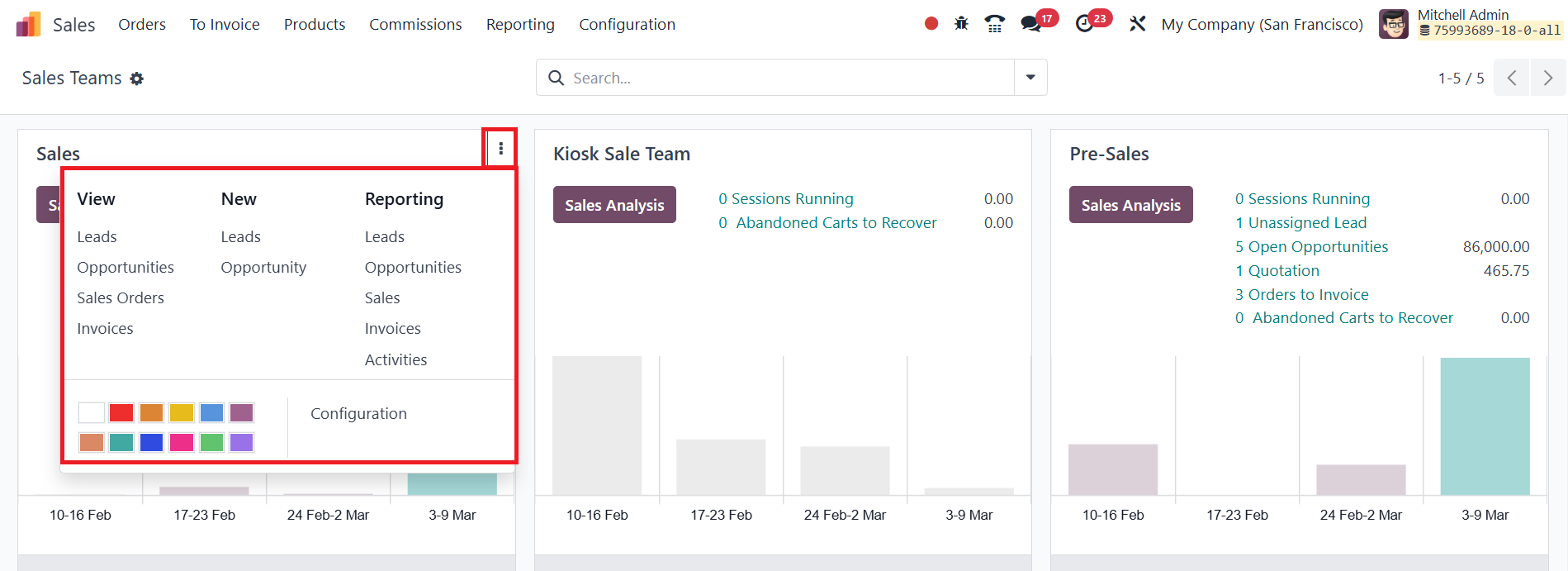
Clicking this menu provides quick access to the team’s leads,
opportunities, sales orders, and invoices. It also includes options
to create new opportunities and leads, along with reporting tools
for generating detailed reports on various sales activities. All
these features are seamlessly integrated into the Kanban View,
offering an intuitive interface for sales team management.