16. Unit of Measure
In Odoo 18 Enterprise Sales module, configuring Units of Measure
(UoM) and their corresponding Unit of Measure Categories is
essential for accurately managing product quantities, especially
when dealing with diverse measurement standards across different
products and regions. This feature ensures seamless handling of
products in varying quantities and measurement scales, enabling
efficient sales, purchasing, and inventory operations. Businesses
dealing with multiple unit conversions, such as weight-based or
volume-based sales, can leverage this functionality to standardize
measurement units and maintain consistency across transactions.
To enable and configure Units of Measure, users must first activate
this option from the Settings menu within the Sales or Inventory
module.
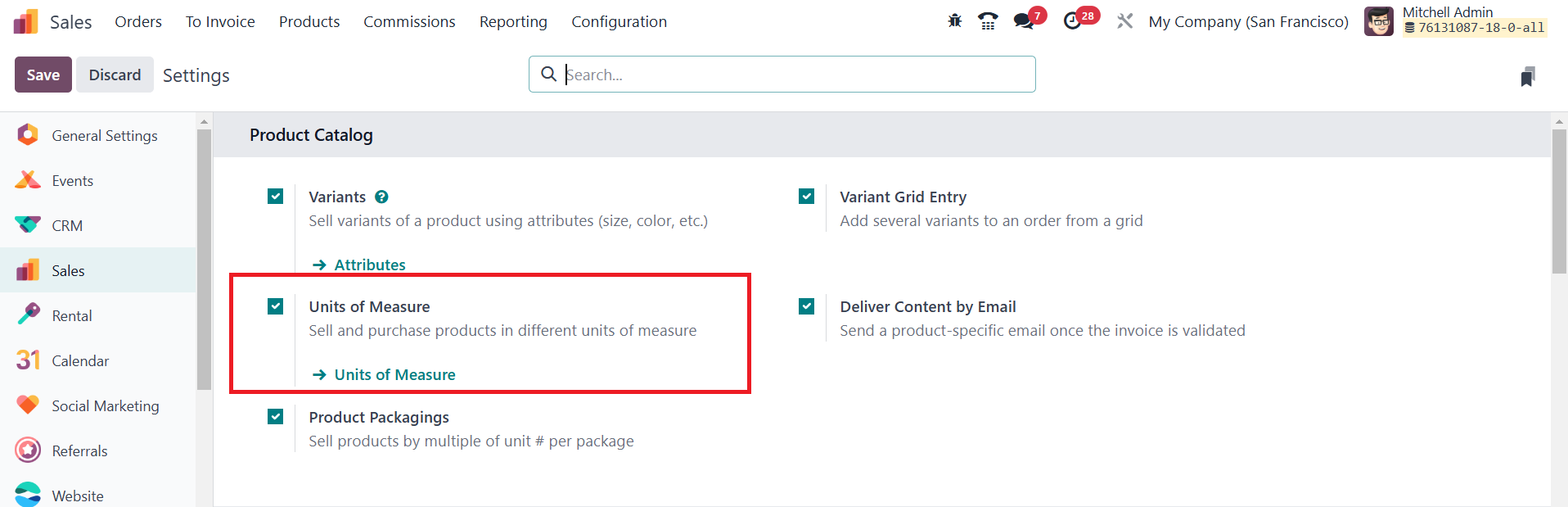
Once activated, the configuration can be accessed through the
Configuration menu under Units of Measure, where a predefined list
of measurement units, such as Units, Kilograms, Liters, and more, is
available.
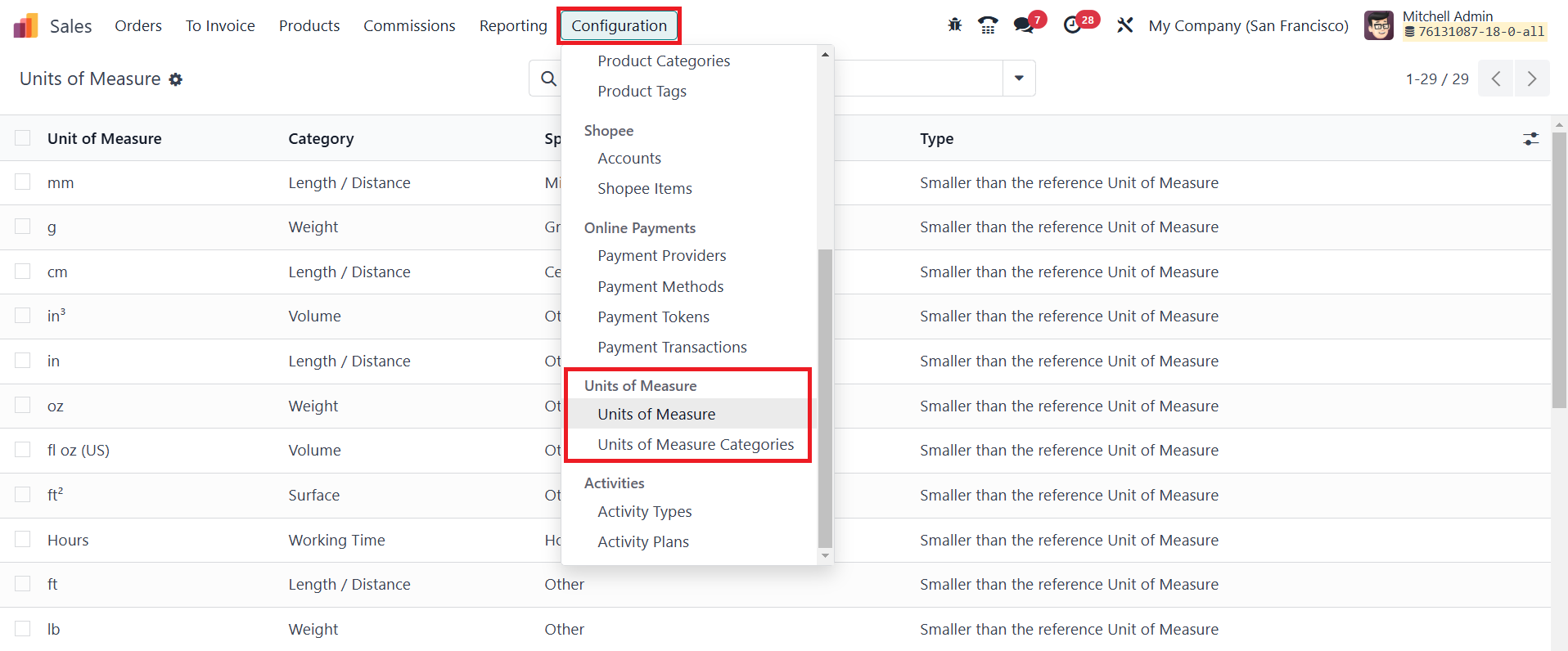
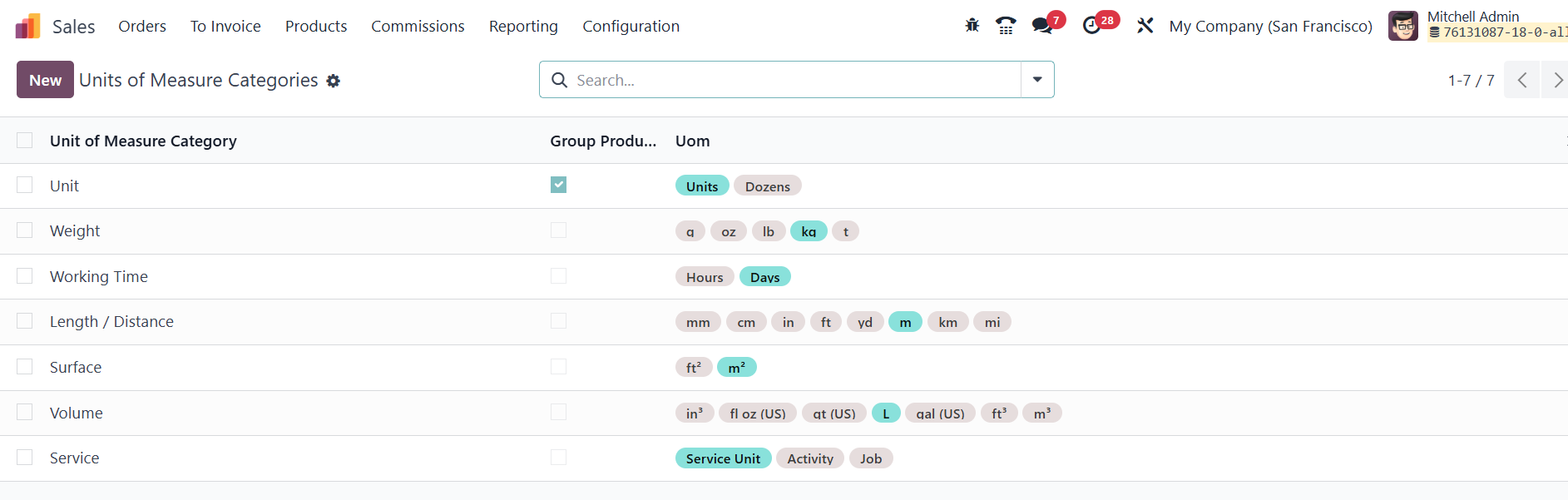
Each UoM must be assigned to a Unit of Measure Category, which
ensures that only units within the same category can be converted
interchangeably. For instance, weight-related units like Kilograms,
Grams, and Tons belong to the "Weight" category, while measurement
units such as Liters and Milliliters fall under the "Volume"
category. This categorization prevents errors in unit conversions
and ensures consistency across operations.
For businesses requiring custom measurement classifications, new Unit
of Measure Categories can be created by navigating to Unit of
Measure Categories under the Configuration menu.
This allows organizations to define their own groupings based on
industry-specific needs. When setting up a category, users can
assign it a name and enable the "Group Products in POS" option if
they wish to categorize products accordingly in the Point of Sale
system.
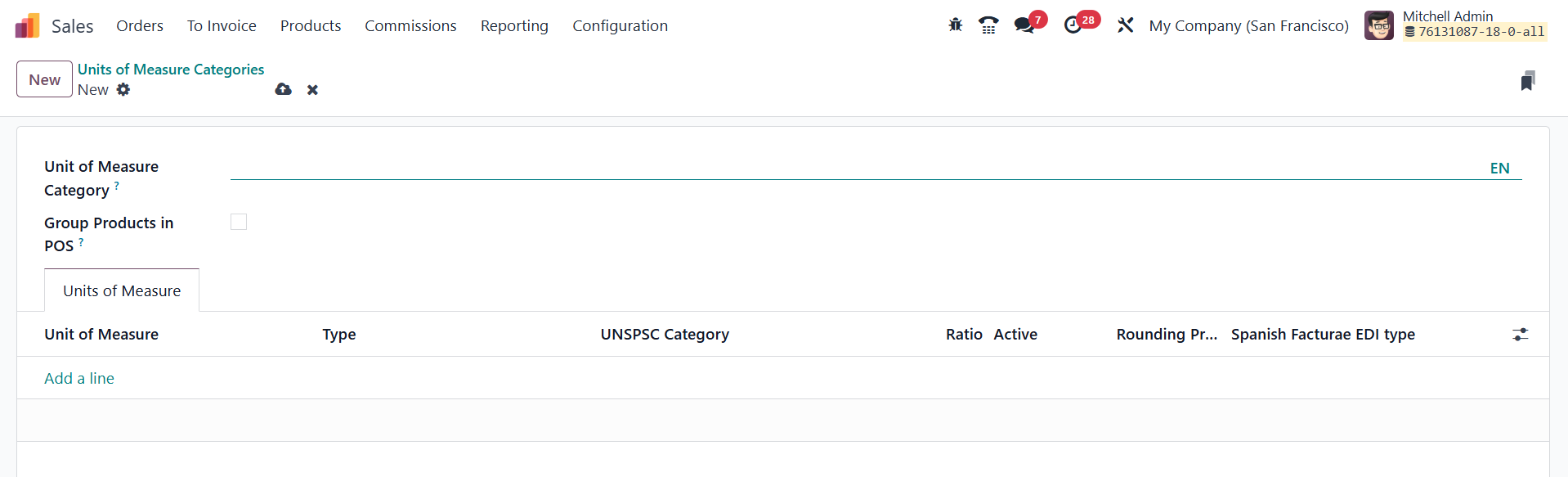
When defining a new Unit of Measure within a category, users can
utilize the Add a Line button to specify details such as unit type
and conversion ratios. The unit type can be classified into three
categories: Reference Unit, Bigger than the Reference Unit, or
Smaller than the Reference Unit. This classification dictates how
the unit interacts with the reference measurement in its respective
category. For example, if Kilogram is set as the reference unit
within the Weight category, a Gram would be designated as "Smaller
than the Reference Unit" with a conversion ratio of 0.001, while a
Ton would be categorized as "Bigger than the Reference Unit" with a
ratio of 1000. Additionally, rounding precision can be configured to
ensure accurate calculations during transactions and prevent
inconsistencies when dealing with fractional quantities.