4. Reporting
The Reporting feature in the SMS Marketing module is a powerful tool
that provides
users with comprehensive insights into the performance and
efficiency of their SMS
campaigns. It offers detailed, day-to-day reports that help track
and analyze every
aspect of your marketing efforts. This feature can be accessed
directly from the
main dashboard of the module. Once opened, reports can be viewed in
various formats,
including Kanban, List, Graph, and more.
Users can choose from different Measures such as Bounced, Clicked,
Canceled, Delivered,
Error, Opened, Scheduled, and Sent, depending on the specific data
they wish to
analyze.
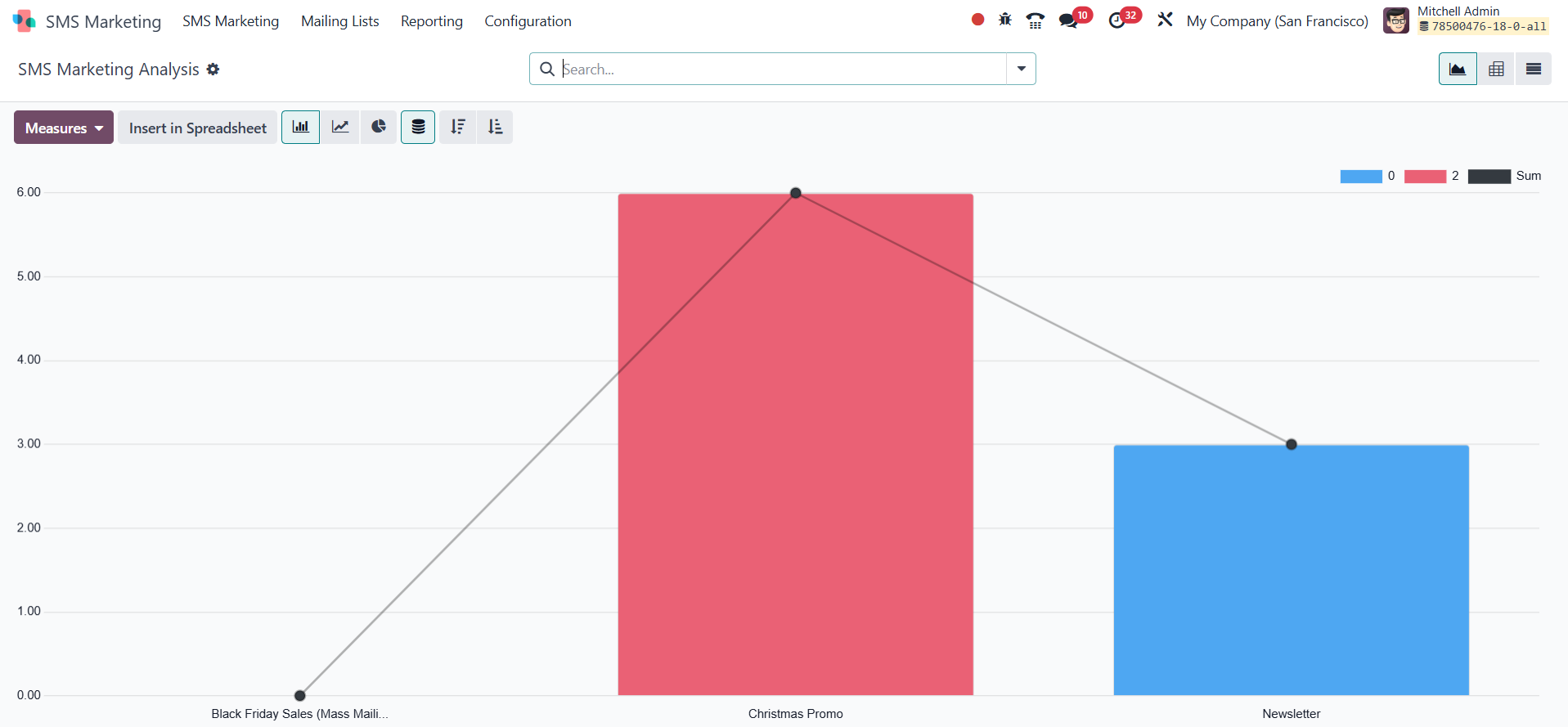
In addition to multiple views, the reporting interface offers handy
tools like Filters
and Group By options to allow easy categorization and sorting of
campaign data.
The Favorites and Search functionalities further streamline data
retrieval, enabling
users to quickly locate specific entries or save preferred
configurations.
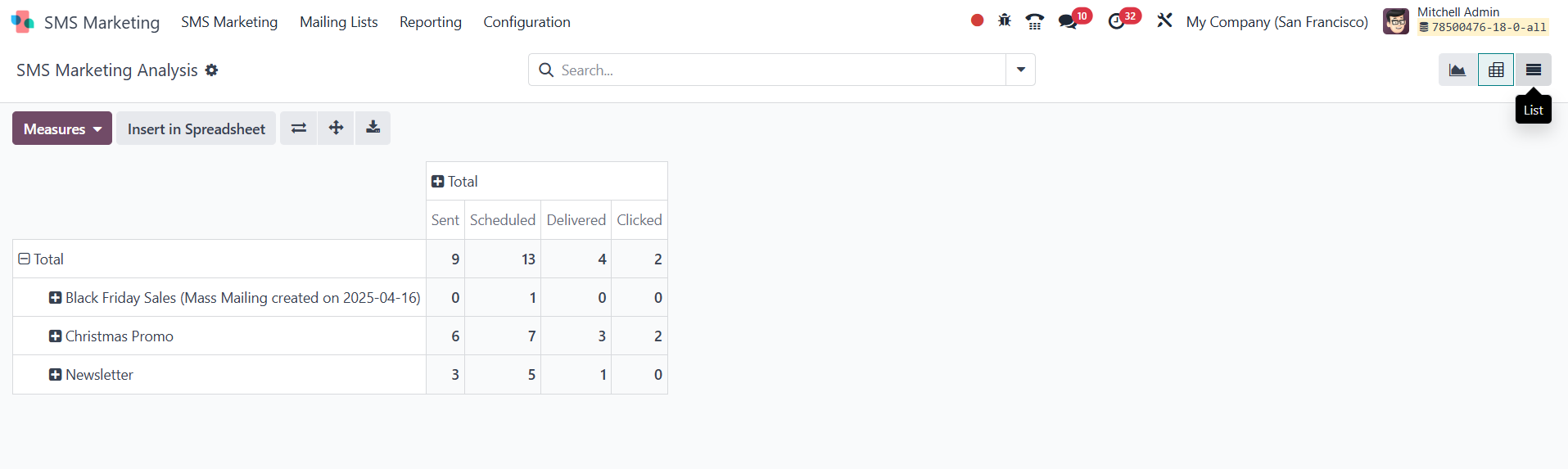
The reports can also be viewed in Pivot View, which presents the
data in a clear,
tabular format for easy comparison and breakdown of performance
metrics like the
total number of Sent, Scheduled, Delivered, and Clicked SMS
messages.
Overall, this reporting functionality is incredibly valuable for
managing and optimizing
sales communications. By leveraging these insights, businesses can
better organize,
streamline, and enhance their marketing strategies, ultimately
improving engagement
and campaign success.