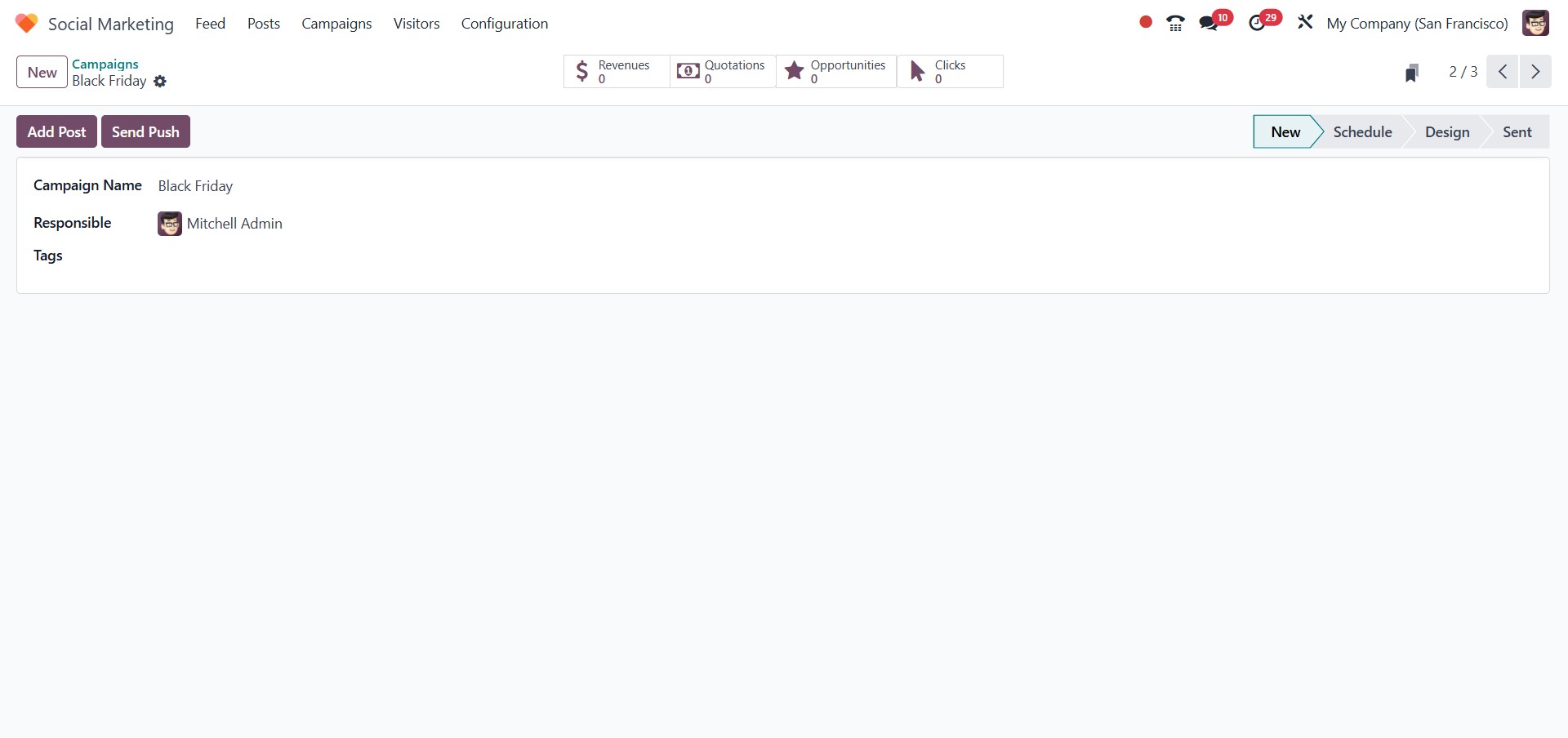
3. Campaigns
Odoo 18’s Social Marketing module also allows you to create and
manage comprehensive marketing Campaigns. All campaigns created
within the module are accessible from the Campaign menu, where they
are organized by their respective stages.
In the campaign creation form, you can enter essential details such
as the Campaign Name, assign the Responsible User, and
add any relevant Tags to help categorize and track your
campaigns effectively.
This feature streamlines campaign planning and execution, enabling
better coordination across your marketing activities.
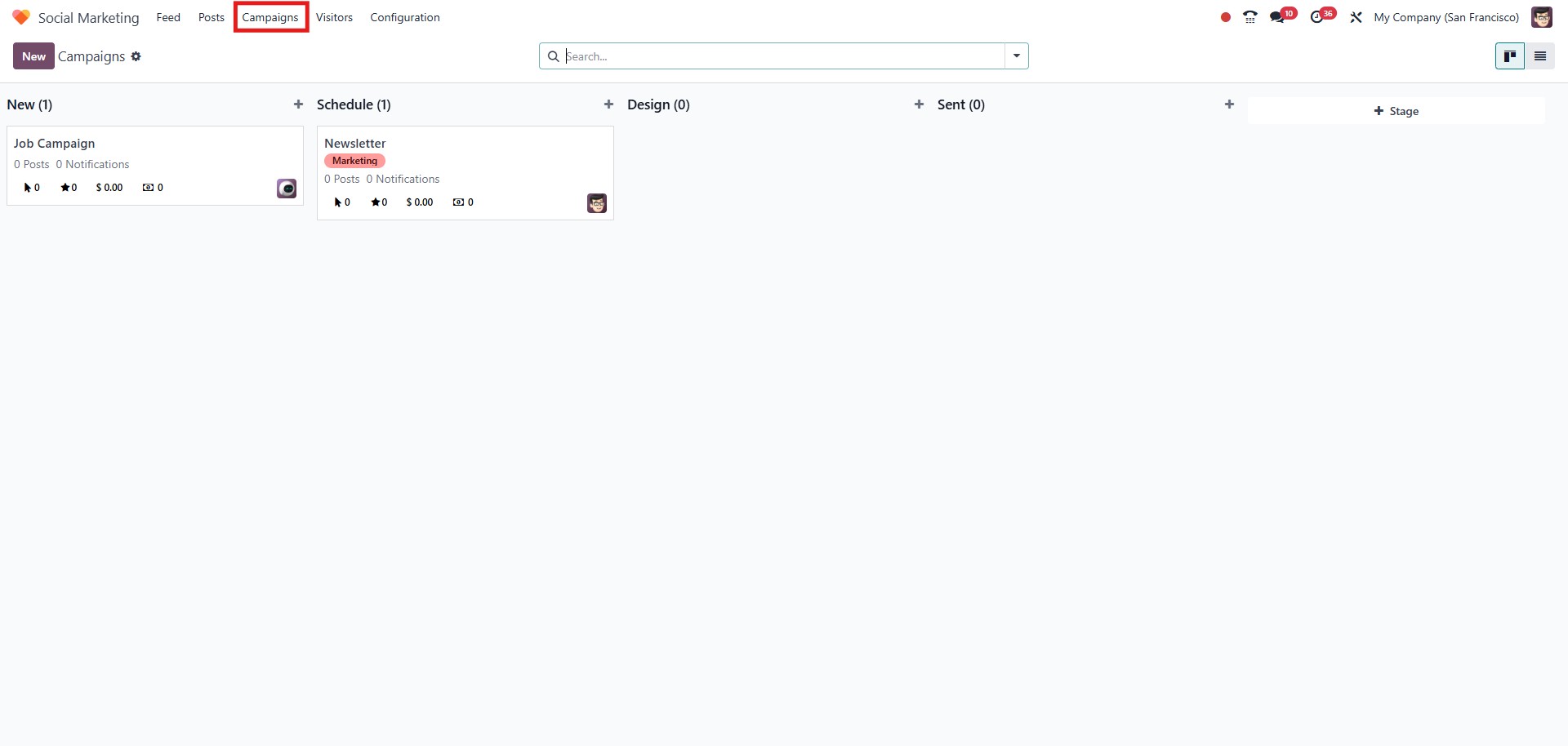
The Settings menu in the Campaign dashboard includes the
following options:
- Fold: Collapses the selected stage to hide its campaigns
from view and reduce clutter.
- Edit: the campaign form to modify its details.
- Automate: Allows you to set automation rules for
campaigns at that stage.
- Delete: Permanently removes selected campaigns.
- Archive All: Moves all campaigns in the stage to an
archived state, hiding them from active view.
- Unarchive All: Restores all archived campaigns in the
stage to the active dashboard.
These options help you manage and streamline your campaign workflow
efficiently.
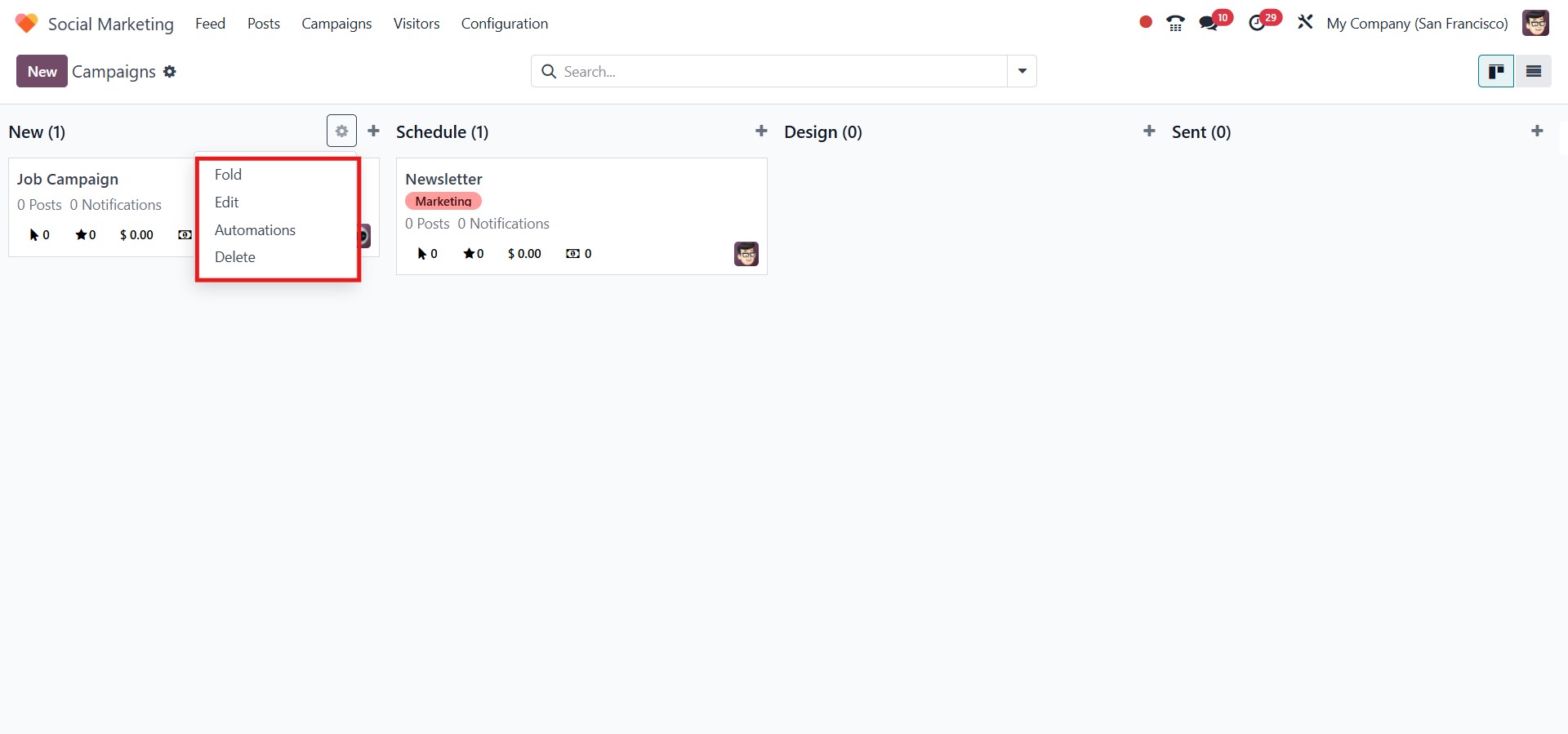
To create a new campaign, click the New button or use the +
icon available within a specific stage column.
In the creation form, enter the Campaign Name, assign the
Responsible User, and add any relevant Tags to help
classify the campaign.
Once the necessary details are filled in, click the Add button
to create the campaign. If you need to make changes later, simply
click the Edit button to update the campaign details.
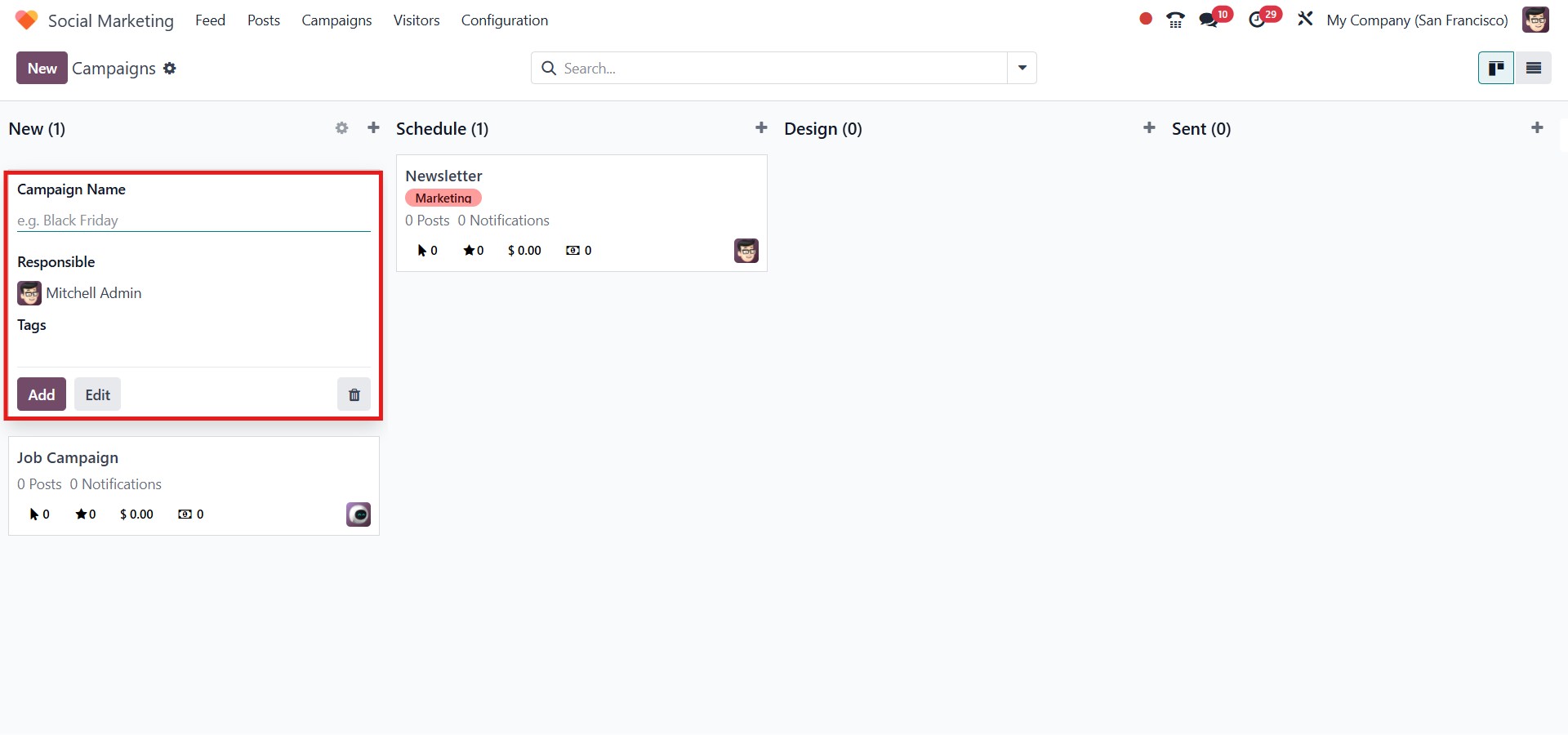
To add a new post to your social media channels, click the Add
Post button. Additionally, you can send push notifications
using the Send Push button.
The smart tabs provide a quick overview of key performance
metrics, including:
- Number of Clicks: Shows how many times users clicked on
your social media post or campaign link.
- Opportunities Generated: Indicates the number of
potential leads or sales opportunities created from the
campaign.
- Quotations Created: Reflects the number of sales
quotations generated as a result of the campaign.
- Total Revenue: Displays the total income earned from all
confirmed sales linked to the campaign.
These metrics help you evaluate the effectiveness of your campaign at
a glance and guide future marketing strategies.