4. Insert
Under the insert menu, you have options like insert row, insert
column, insert cells, insert sheet, chart, pivot table, image,
table, function, link, checkbox, dropdown list, and insert column,
respectively.
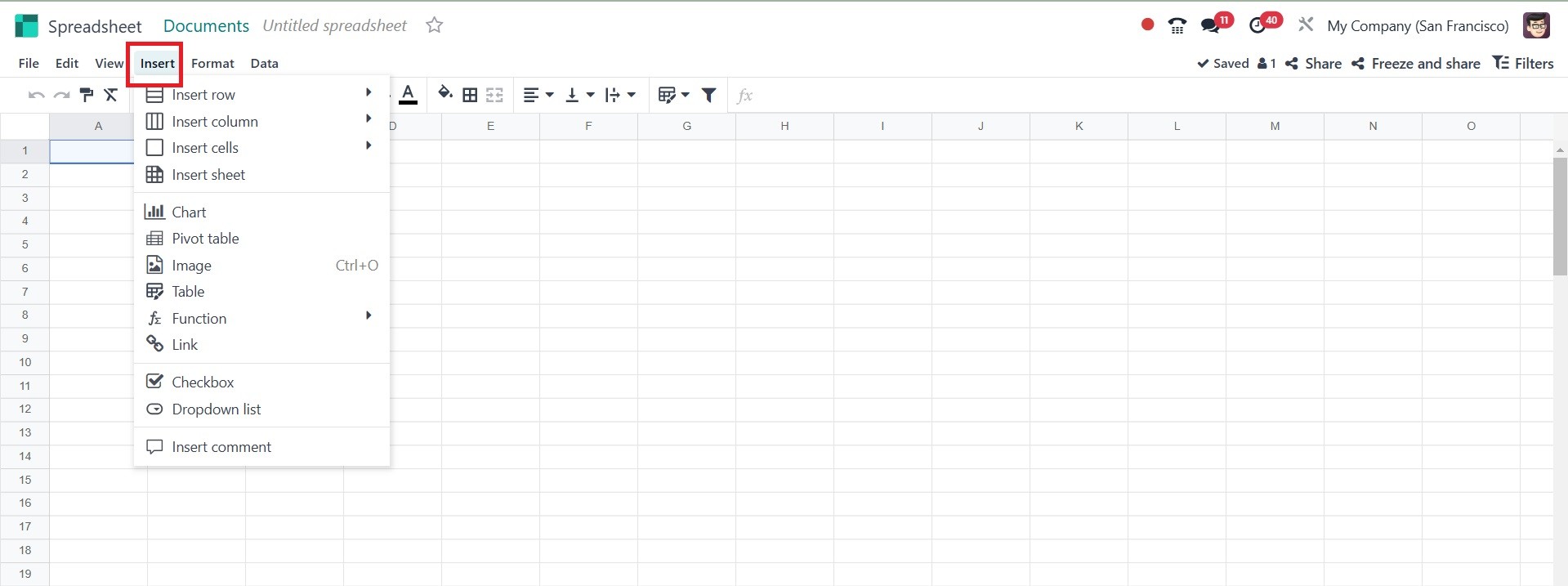
The Insert menu is used for adding new elements to the spreadsheet:
- Insert Rows – Insert a new row.
- Insert Columns – Adds a new column.
- Insert cell - add a new cell.
- Insert sheet - add a new sheet.
- Charts – Allows adding visual data representations (e.g., bar,
pie, line charts).
- Pivot Tables – Creates summary reports.
- Images – Embed images in the spreadsheet.
- links – Inserts clickable links.