3. View
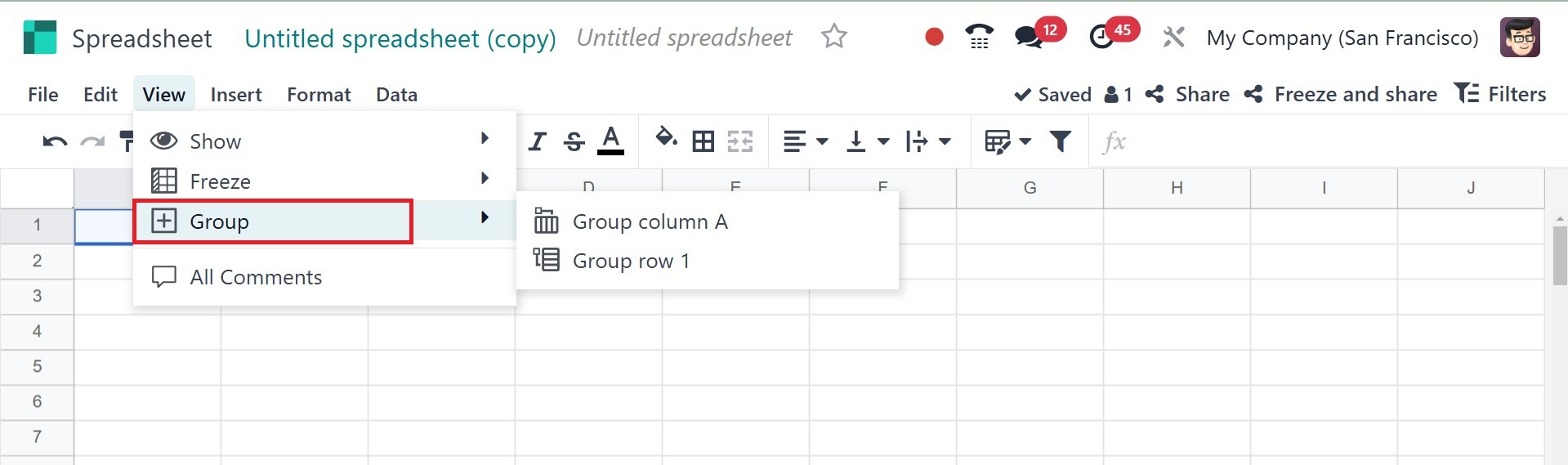
Under the view menu, you have the options, such as show, freeze,
group, and all comments, as in the image below.
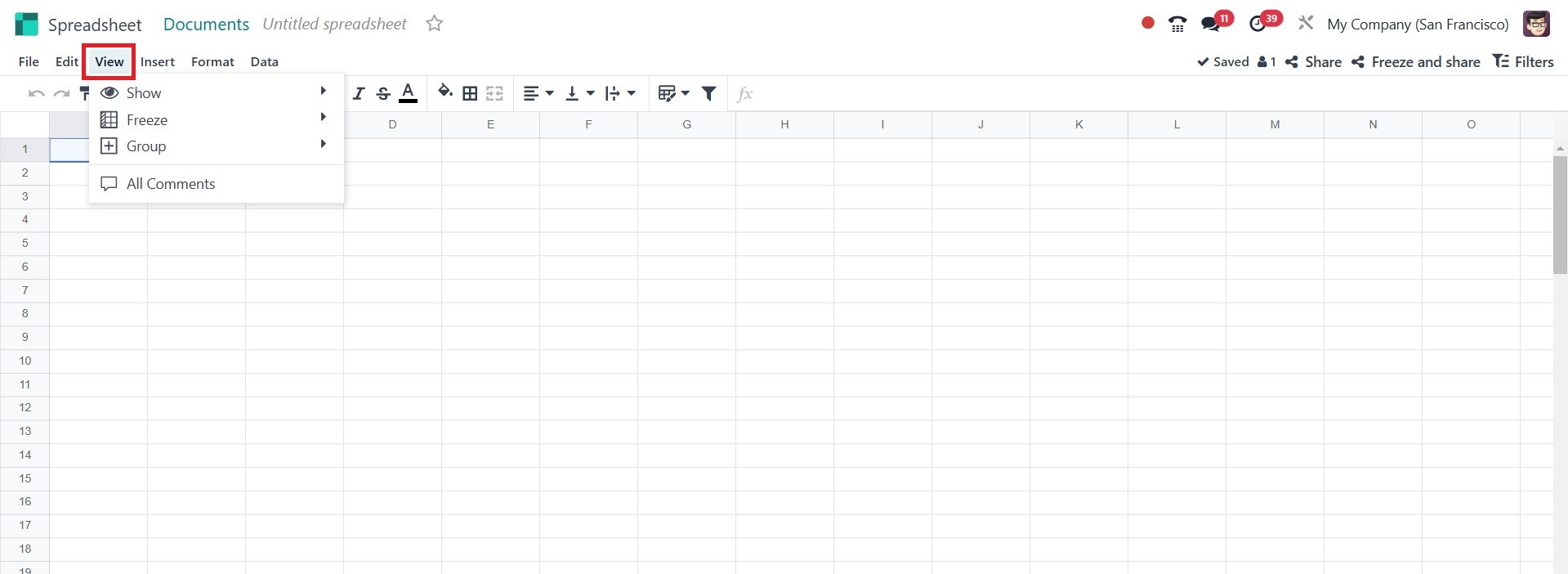
The View menu helps adjust how the spreadsheet is displayed,
including:
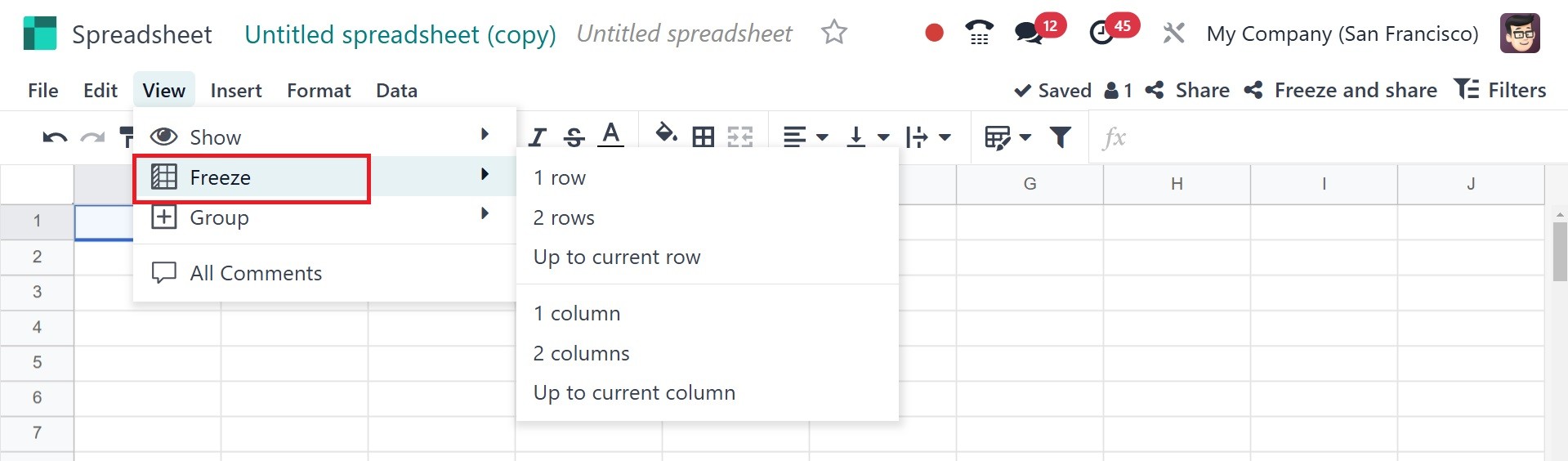
Freeze: Locks specific rows or columns for easier scrolling. It cna
be freezed accordingly, as in the screenshot below.
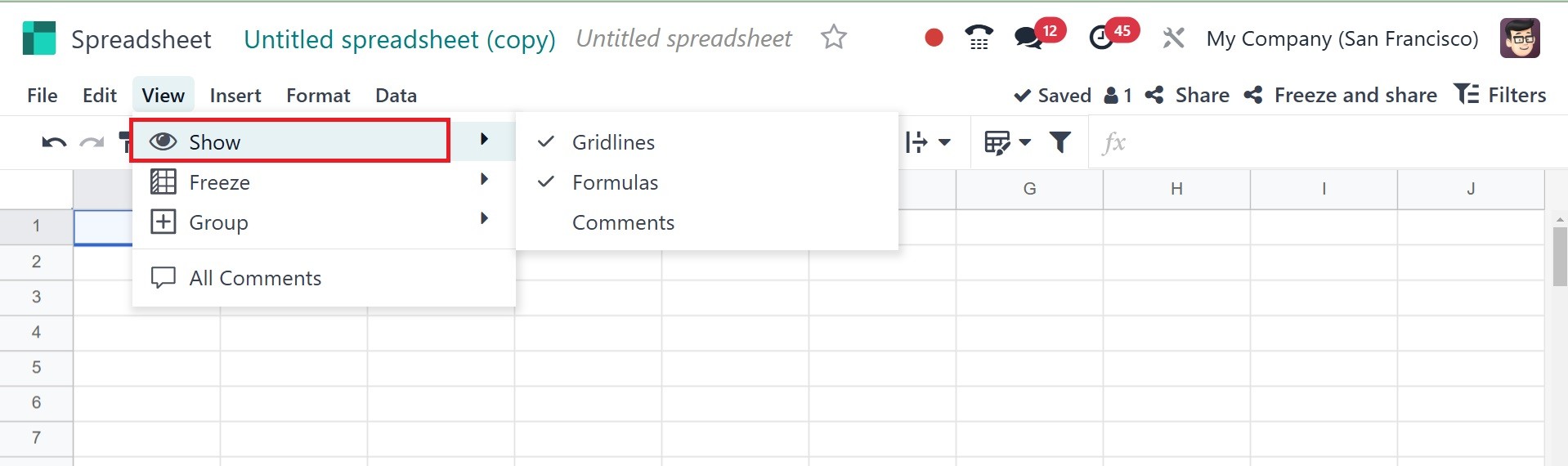
Show: Toggles visibility of cell gridlines, formula, and comments, as
in the screenshot below.
Group: There, you have the group columns and group rows.
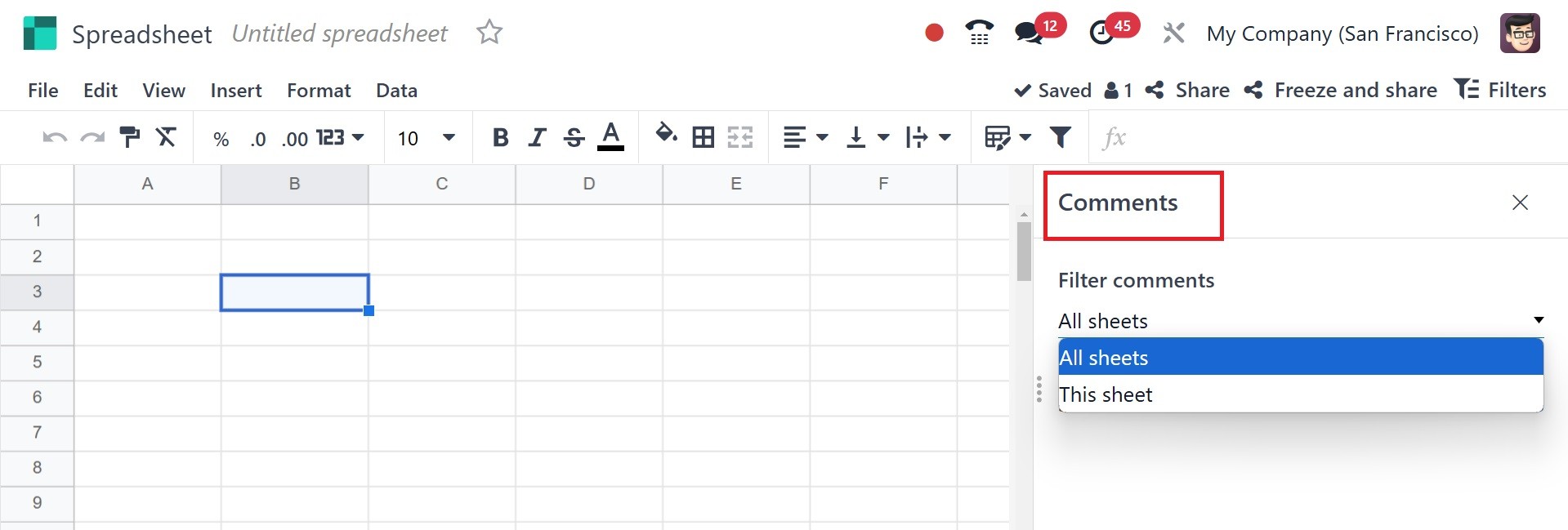
All comments: There you have the comments and option to filter the
comments.