12. Access Control Lists
When authorization and security are implemented, an application or
software solution performs noticeably better, particularly when used
as management tools. The Odoo 18 Studio module now includes the
Access Control Lists settings menu since they are cognizant of these
factors. This menu will define the various Access Control aspects of
the process and the applications being developed.
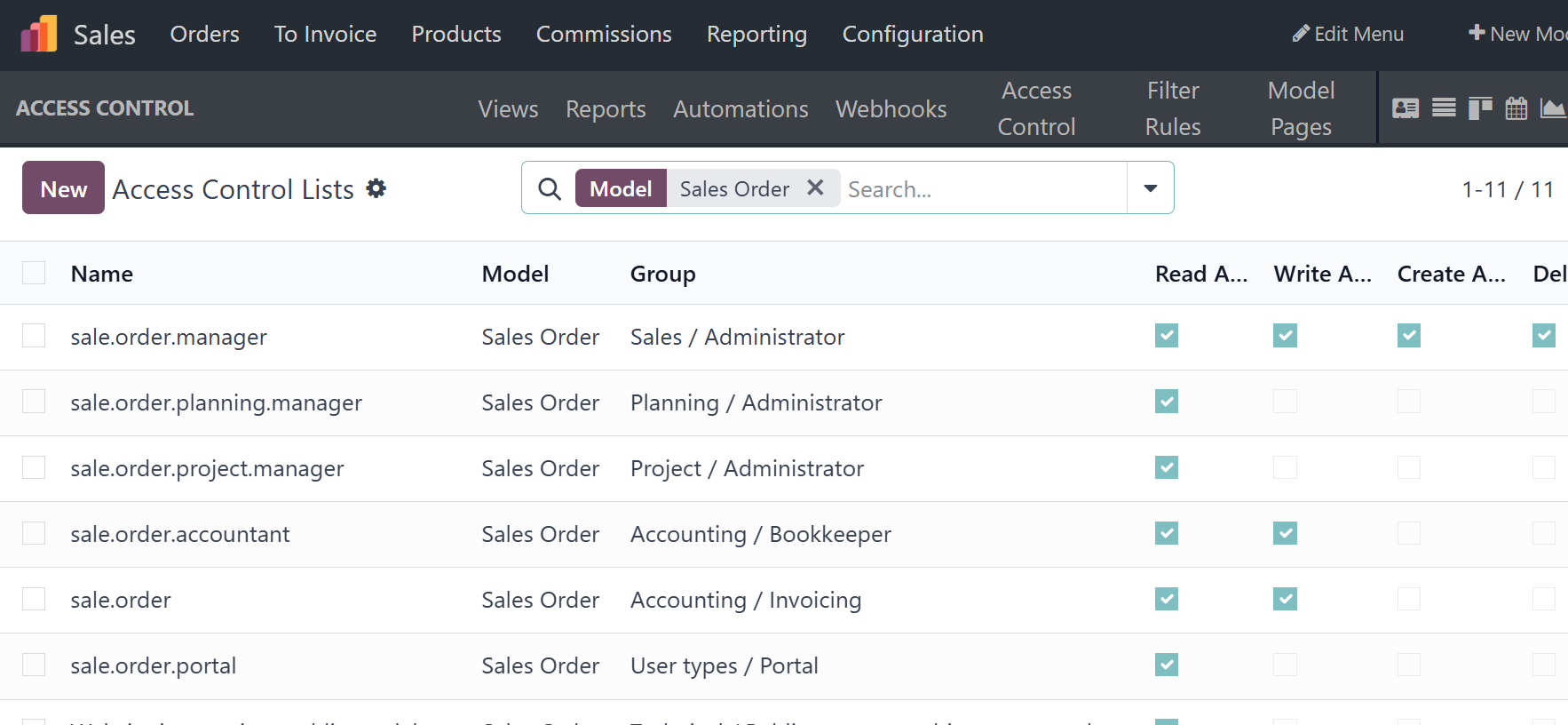
Along with the established Access Controls, this section will list
the Name, Model, Group, and a number of Access Categories, such as
Read Access, Write Access, Create Access, and Delete Access, which
can be enabled or disabled using the check box. To help with the
different Access Control's searching needs, a search function is
also included. Additionally, by classifying the tasks according to
necessity, the Group By and Filtering tools will enhance their
operational advantage.
If you want to build a new Access Control, you can select the New
option to open the creation window, as seen in the screenshot below.
The group's name and the access control that might define its
activities are provided here. Next, the Model Control should be
described. To execute and activate Access Control, you need to
enable the Active option.
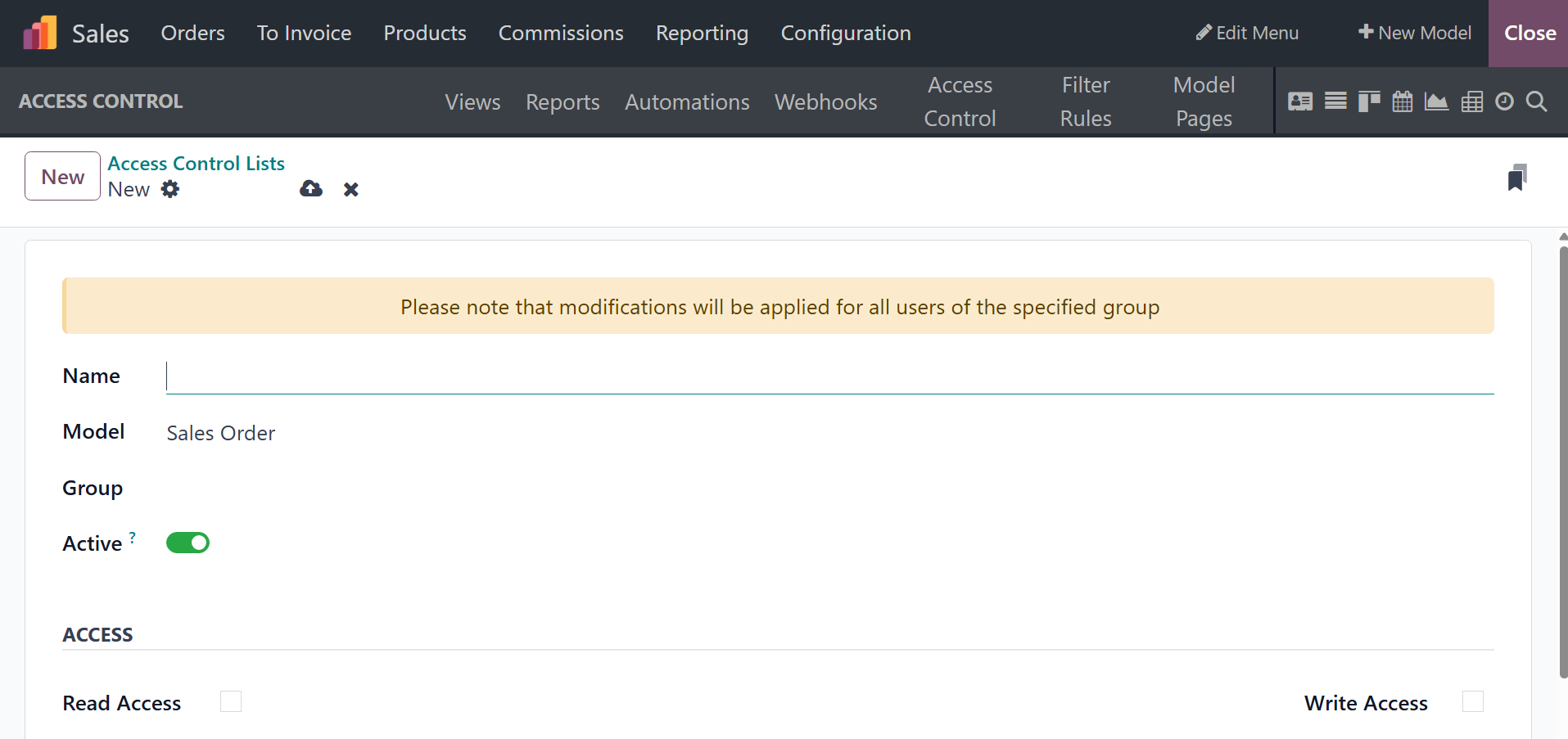
Additionally, access details like Read Access, Write Access, Create
Access, and Delete Access can be enabled or disabled based on the
needs. Furthermore, the designer has the option to change and adjust
the appropriate percentage of the Access Control whenever needed.
The main focus for all facets of user authorization is the Access
Control, which can be precisely customized depending on the
applications. Let's proceed to the part that explains the Filter
Rules now.