6. Approvals on the button
Depending on the operation, approving records might occasionally be a
necessary part of the business workflow. The process for approval
can vary; occasionally, more than one permission is needed,
employees must adhere to a specific order of approval, and they must
be informed of the approval process. The Odoo 18 studio module now
makes all of this possible.
Take approval for the sale order confirmation as an example. Let's
modify the form view and configure the confirm button for approval.
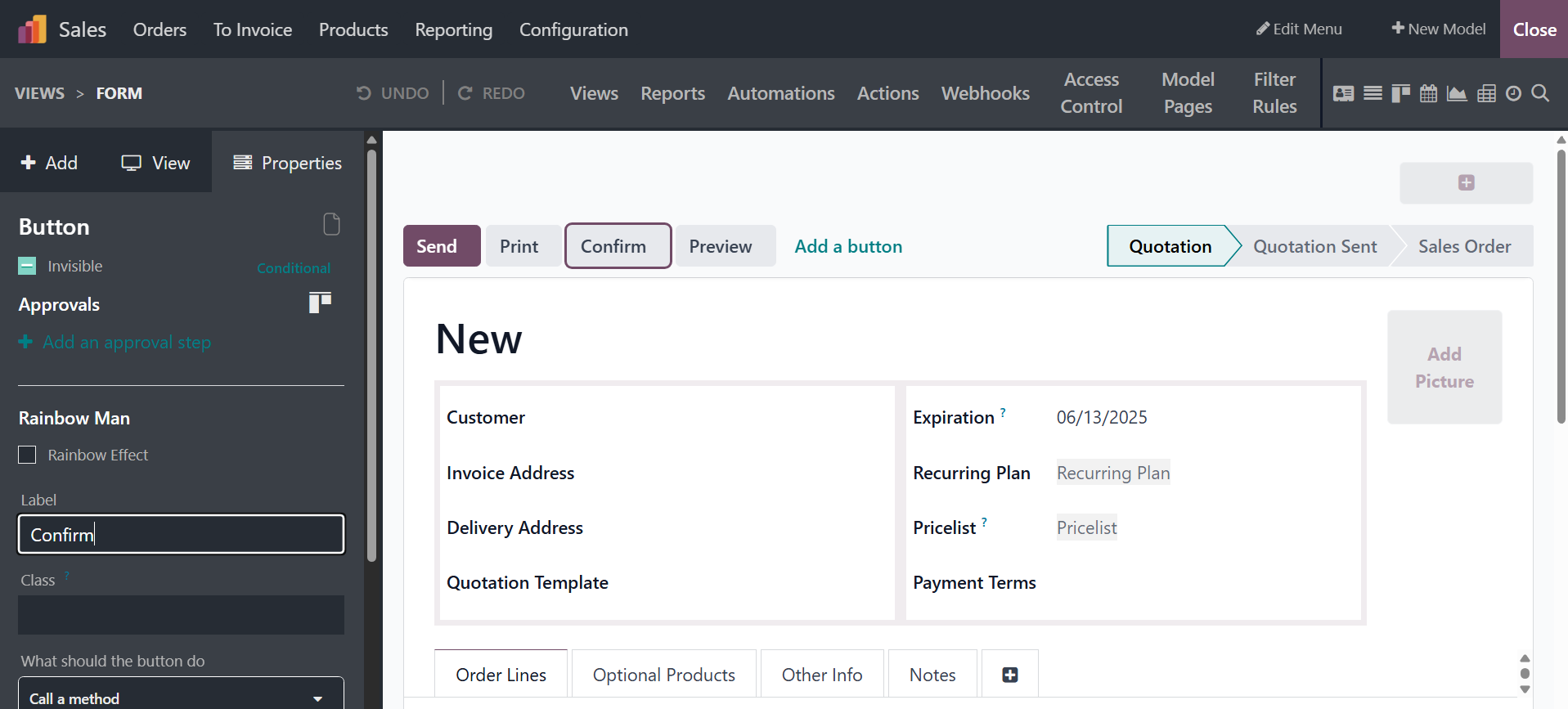
In order to add approval, click the button that has to be configured
and enable the boolean "Set approval rules." You can designate
responsible parties, users to notify, and the permitted group to
approve. Users can set the notification order in the provided field
and approve solely using the boolean "Exclusive order." This will
assist in getting alerts for the user's consent.
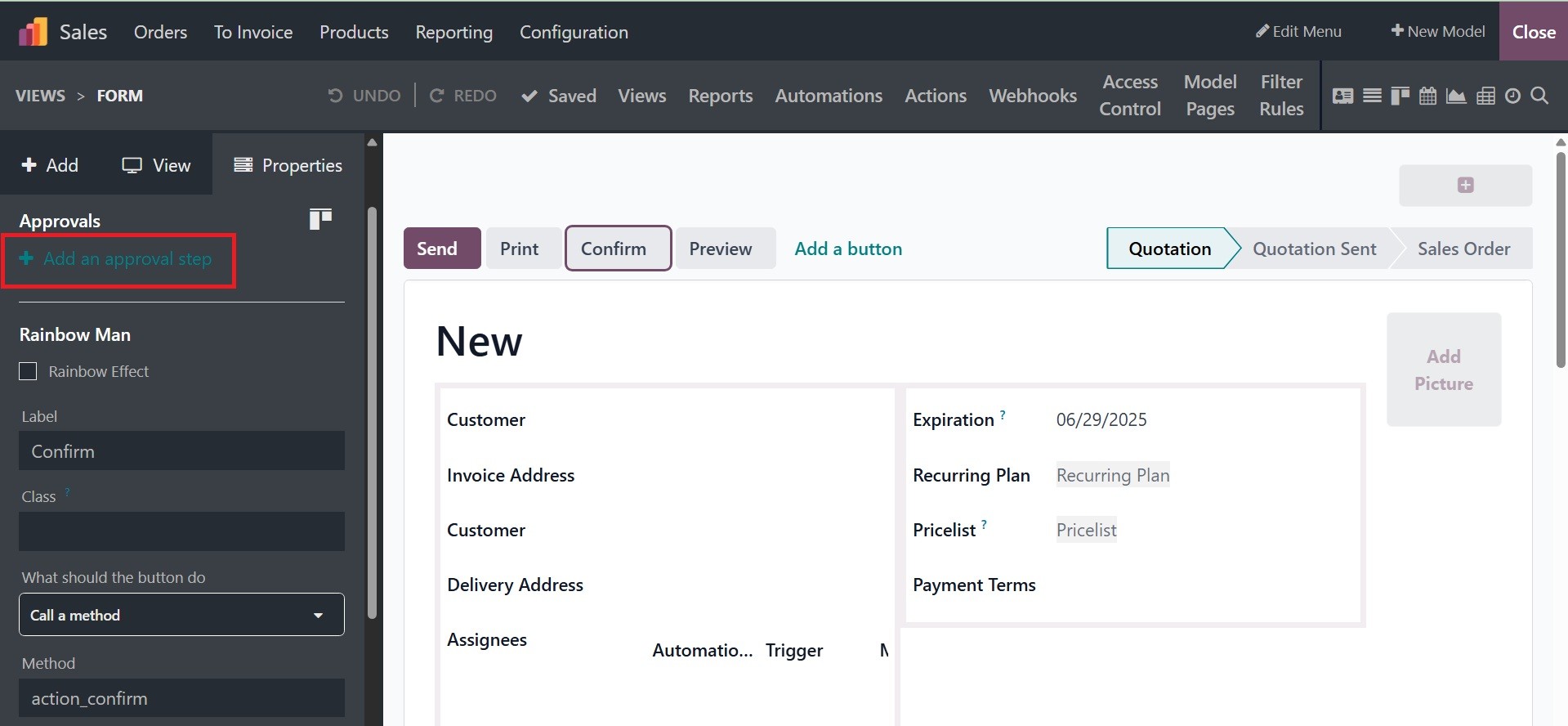
By selecting the "+ Add an approval step", you can configure multiple
approvals. Include an approval option that allows you to add more
fields for the next approver, such as groups and responsible
parties.
The Odoo18 Studio module allows you to modify the module in whatever
way you choose. These modifications will also help the company's
permission and approval procedures. The approvals can be implemented
and modified based on the firm's operational and functional needs.