13.Filter Rules
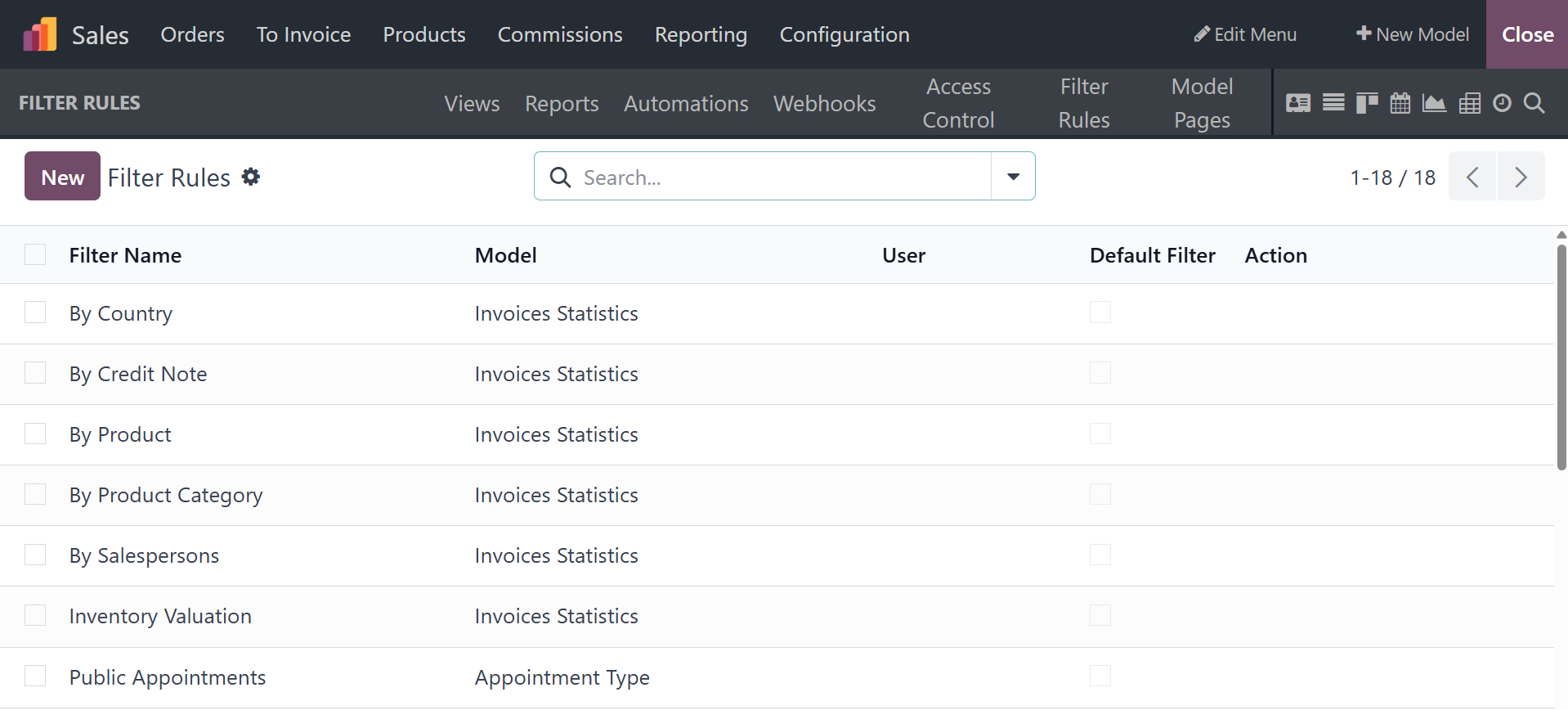
The Filter Rules menu in the Odoo18 Studio module is a special tool
for app configuration. Additionally, this menu's advanced operations
features will help the Filtering components of the different menus
of the apps being produced with the Odoo Studio module. Along with
the filter name, model, user, default filter, and action, each
defined filter rule will be displayed in the Filter Rules menu. It
is also possible to enable or disable the Default Filter action of
the defined Filter Rules.
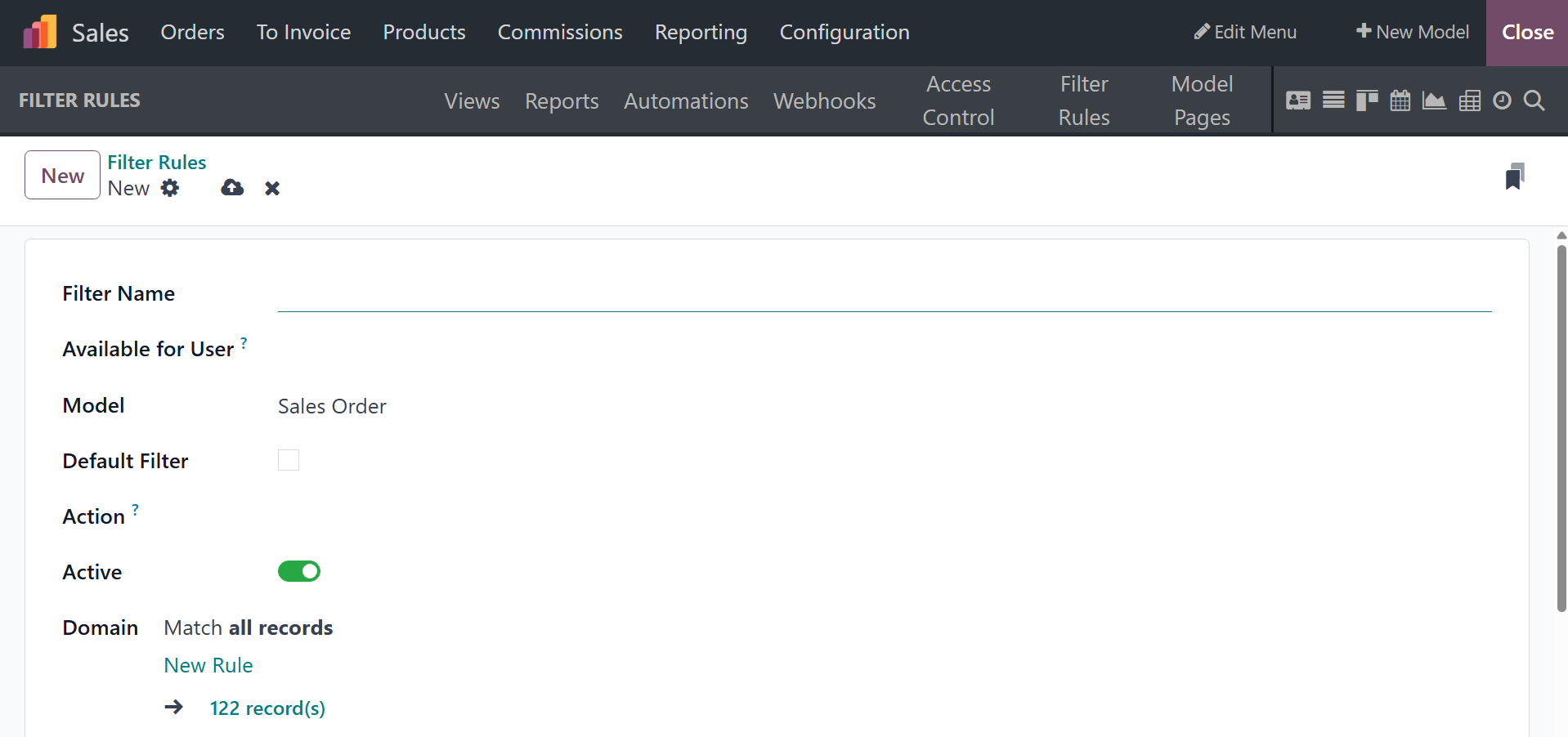
To establish a new Filter Rule, you can select the make and
definition displayed with a form, as seen in the screenshot below.
This component must first establish the Filter Name and the
Available for User, Model, and Action that the Filter Rule should
initiate. Furthermore, you have the option to select Default Filter,
which will make the relevant Filter Rule the default one when the
program is utilized. It will become active if the option is defined
as Active. When choosing your own Filter Rule, which you may modify
by using the Add Filter option, the functional features of the
previously stated websites will be taken into account.
Furthermore, the Context will be allocated according to the Filter
Rule mentioned in the pertinent Domain. Additionally, the
descriptive component of the Context can be described. The Sort
details for the relevant Filter Rule will be defined in addition to
the description.
This will be useful for configuring the filter and for the
application's operation. Through the same menu, all of the Filter
Rules created on the Odoo18 platform for the newly produced
applications can be modified or eliminated in accordance with the
requirements.
As of right now, we will be able to understand the Filter Rule menu,
which is found on the webpage for the Odoo Studio module. It is an
impressive tool when it comes to the new applicant's specific tools
for the section that follows, which describes the website and menu
of the Odoo18 Studio module.
In conclusion, the Odoo18 Studio module is an excellent tool that
will provide you with crucial operational and functional features,
enabling you to introduce tools that are specifically tailored to
your needs. Furthermore, because it can update both the
configurational and operational modules, the Odoo18 studio module is
an impressive and evident tool for business management with Odoo18.
Just a summary of the studio module will be covered in this chapter.
Through module development, view refinement, report generation,
setting configuration, and automated workflow implementation, the
Studio module enables users to customize their Odoo experience to
meet exact business needs. See the Odoo 18 Studio book for a more
thorough explanation.