9. How is the List view's data
sorted?
One view type that contains comprehensive information is the List
view, which will provide a detailed description of every entry. The
List view can be set up for any new applications that were made with
the Studio Module. Additionally, the present List view of all the
applications available in Odoo can be customized with special
elements with the help of the Odoo Studio module. The setup window
will open when you select the Studio module option in the program's
List View. Order Reference, Creation Date, Customer, Salesperson,
Activities, Company, Total, Status, and Currency are among the Sort
By options available under the view menu.
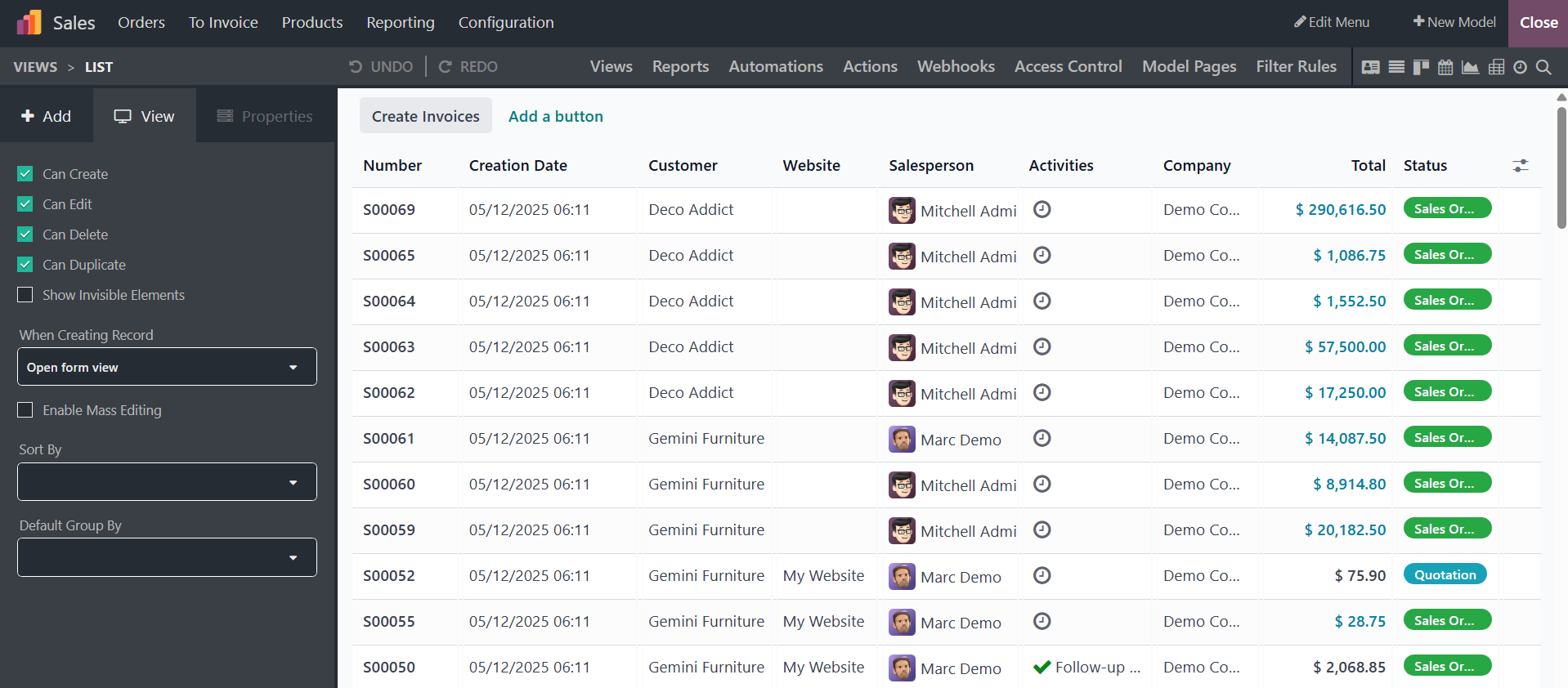
Once the Sorting operation is enabled based on the different options
you have chosen and the Studio Module is saved, the elements
represented in the List View will be sorted according to the sorting
option defined. The following section explains the Mass Editing
feature of the Odoo18 Studio module.
We can now better set up the application as we have a better
understanding of the Odoo18 Studio module's Reports menu.