5.Configuration Menu
The Timesheet module's 'Configuration' menu provides access to the 'Settings' section,
where various parameters can be adjusted to enhance module performance.
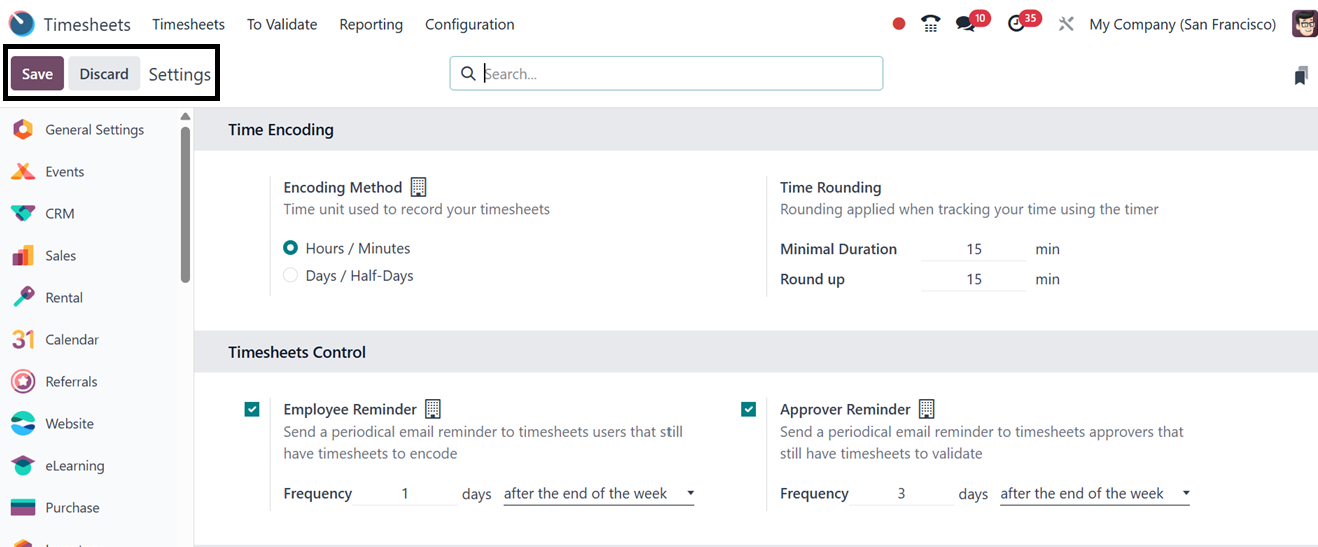

The 'Encoding Unit' under the 'Time Encoding' tab allows users to define the time
unit used for recording timesheets. The 'Time Rounding' box facilitates the configuration
of 'Round Up Time' and 'Minimal Duration' for rounding time entries when using the
timer.
The 'Employee Reminder' option under the 'Timesheets Control' tab enables automatic
reminders for employees to submit their timesheets periodically. Similarly, the
'Manager Reminder' option allows managers to receive reminder emails at predefined
frequencies.
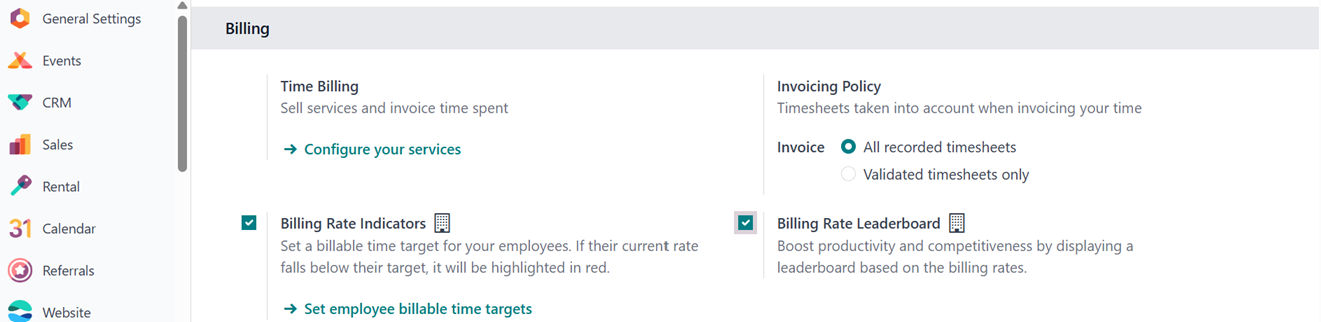
The 'Time Billing' option under the 'Billing' menu facilitates the sale of services
and invoicing based on recorded timesheets. Selecting 'Configure Your Service' redirects
users to a new window displaying all configured services. New service products can
be created using the 'New' button. The invoicing policy for service products can
be set to timesheet-based billing within the product settings.
Then, you can define invoicing policies under the 'Settings' menu, specifying whether
all recorded timesheets or only approved ones should be considered for billing purposes.
The 'Billing Rate Target' option allows for configuring employees' target billing
rates, with discrepancies highlighted in red if the current rate falls below the
set target.
The 'Billing Rate Leaderboard' enhances productivity and competition by displaying
a ranking based on billing rates. Additionally, the 'Time Off' option ensures that
approved time-off requests and legal holidays are automatically reflected in employees'
timesheets by mentioning the Project and Time Off options.
5.1 Invoicing Policy
The Timesheet module's "Invoicing Policy" specifies how and when billable hours,
which are documented on timesheets that are sent to clients. This feature is essential
for service-based businesses billing by time and can be configured when setting
up a service product in Sales or Invoicing, or via the Configuration Settings window,
as shown below.
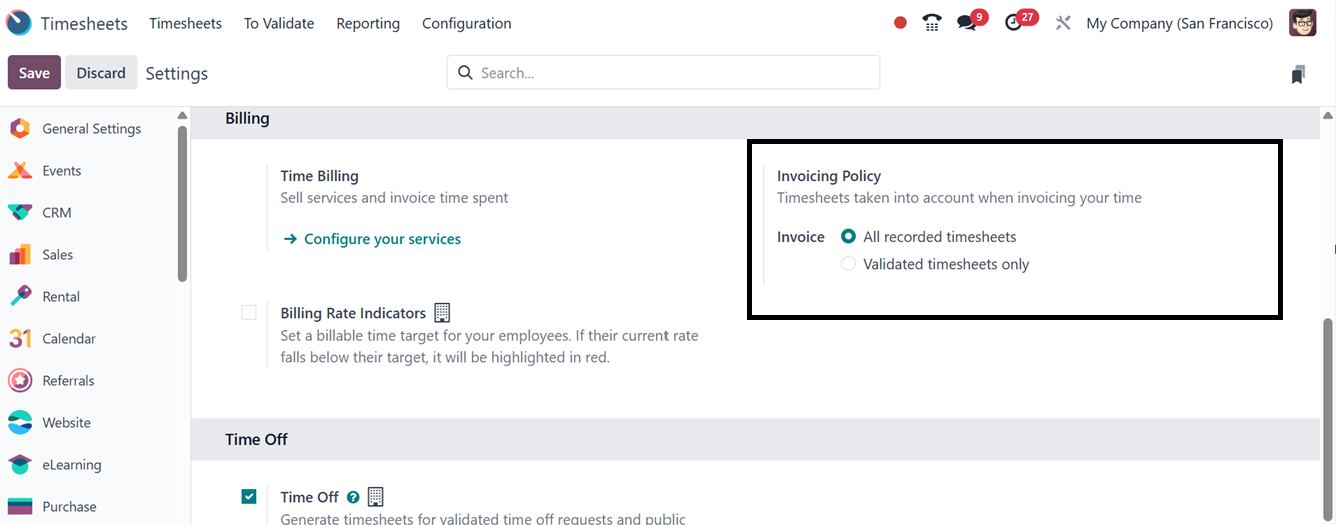
Here, you can select between two invoicing policies when configuring a service product
in the ‘Product Type’ as "Service" with the "Based on Timesheet" option enabled:
- Based on Timesheets (Delivered Quantity), where invoices reflect the actual hours
logged on timesheets fit for hourly or daily services.
- Based on Ordered Quantity, where invoicing is done based only on the validated
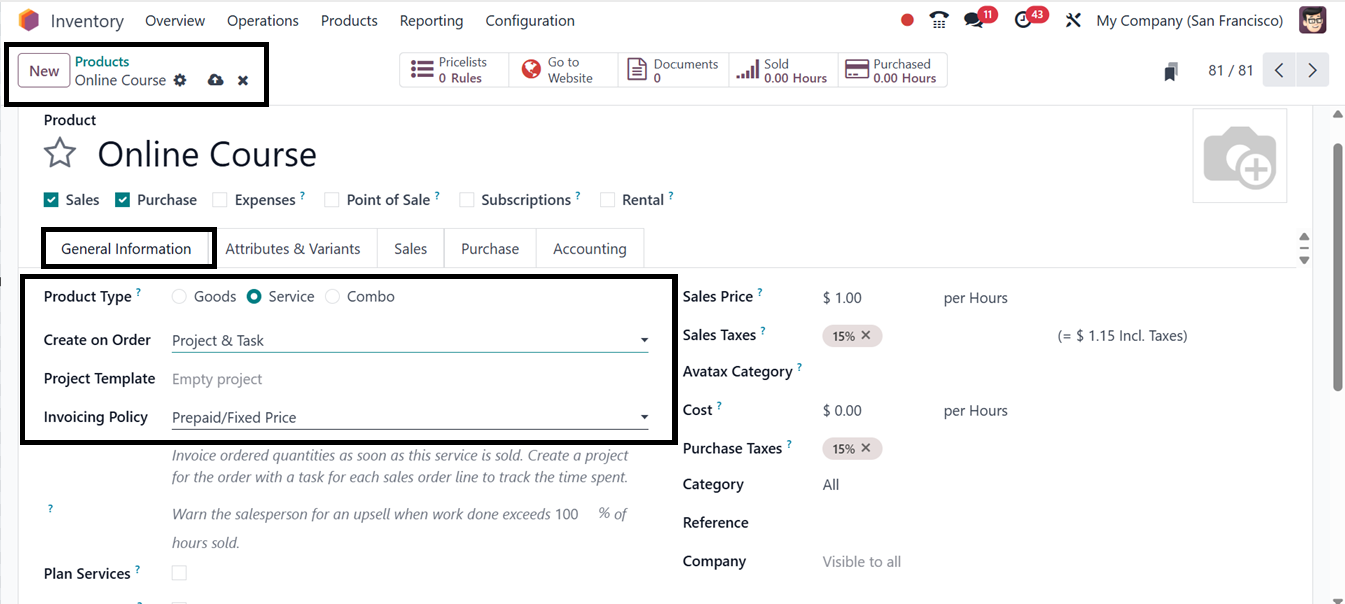
Enabling the correct invoicing policy and setting the ‘Create on Order’ option to
either "Project," "Task," or “Project & Task” are necessary to guarantee optimal
performance. The product must be of the type ‘Service’, as illustrated in the screenshot
below.
5.2 Tips
The 'Tips' window in Odoo 18's Timesheet module is a tool for managing and editing
informational tips for employees. It provides best practices, reminders, and useful
tricks for timesheet management. The interface displays a dashboard-style list of
available tips, allowing administrators to add, modify, or remove entries.
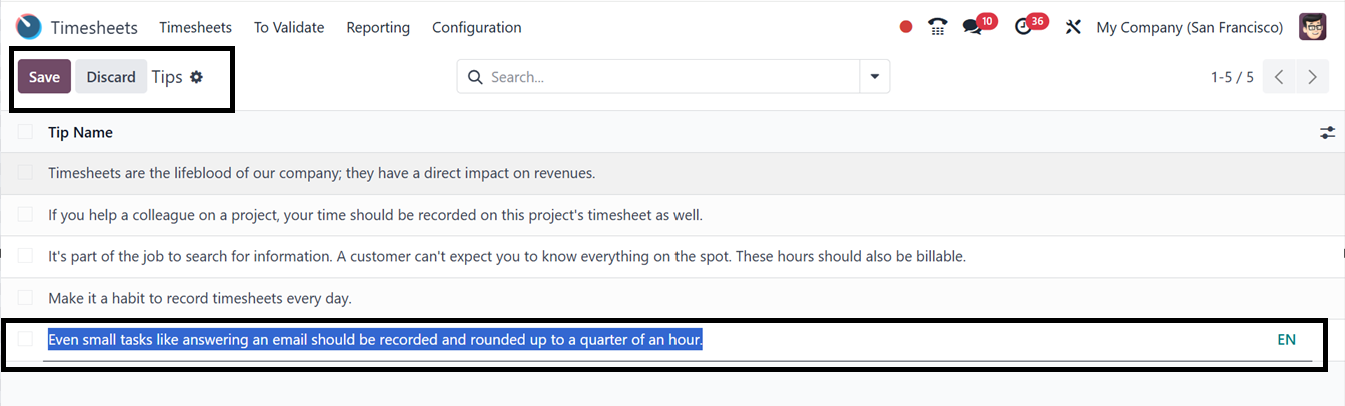
You can simply create a new entry using the ‘New’ button, which opens a new editing
line on the dashboard window, as depicted in the above screenshot. You can include
descriptive content in a new tip entry for enhanced user guidance. This promotes
accuracy in time tracking, and maintaining consistent standards across teams.
The Odoo 18 Timesheet module effectively records employees’ working hours for specific
projects and activities. This data is instrumental in generating accurate client
invoices based on completed work hours.