2. Configuration Menu
In Odoo 18, configuring the WhatsApp Business Accountis an
essential step for integrating the WhatsApp module with the WhatsApp
Business API. This setup enables Odoo to send and receive WhatsApp
messages across various business documents and workflows.
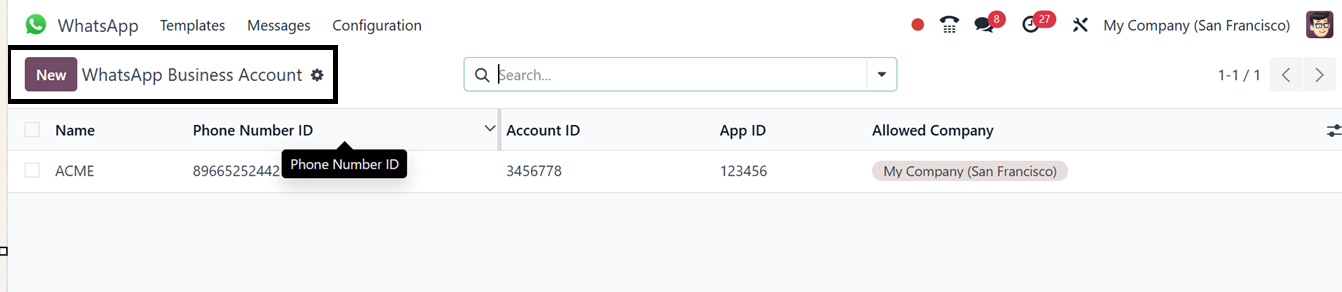
You can see the available WhatsApp business account details in a
dashboard with their Name, Phone Number ID, Account ID, App ID and
Allowed Company, as illustrated in the screenshot below.
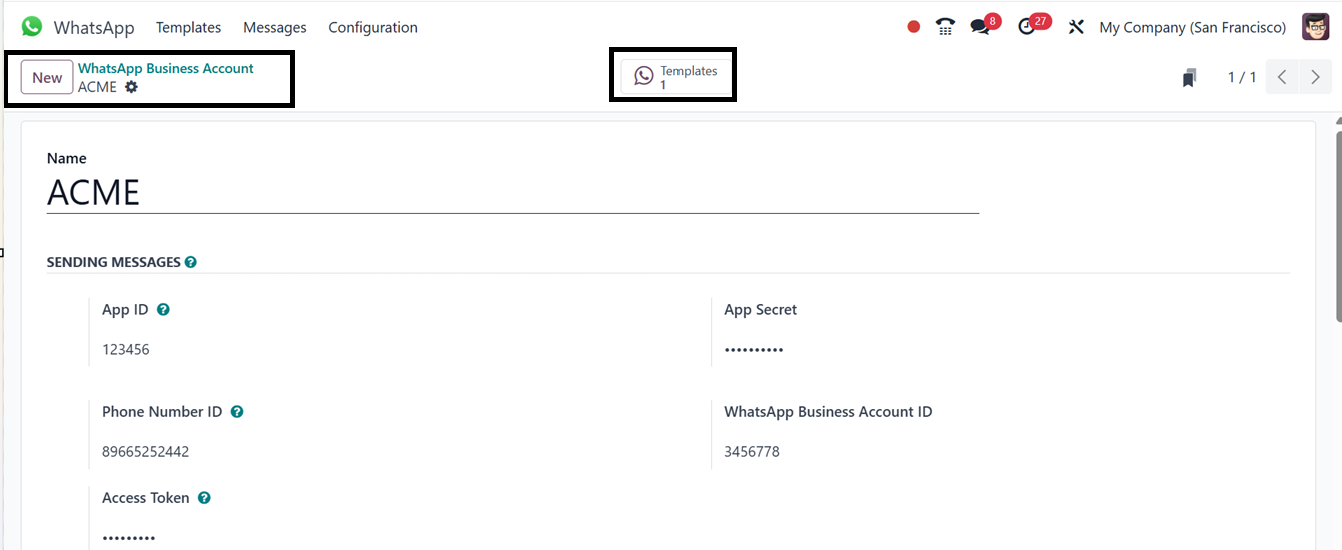
Adding a new business involves opening a new account configuration
form and filling in the key fields, including the Account
Namefor easy identification. Then, edit thePhone Number
IDand its Access Token password. The App ID
provided by Meta and its password can be edited in the App
Secretfield to allow secure communication with the API.
The configuration also involves entering the WhatsApp Business
Account IDand provides options to verify the app
credentials and password using the ‘Test Credentials’button,
as well as to import available message templates for the account
using the ‘Synchronize Templates’button.
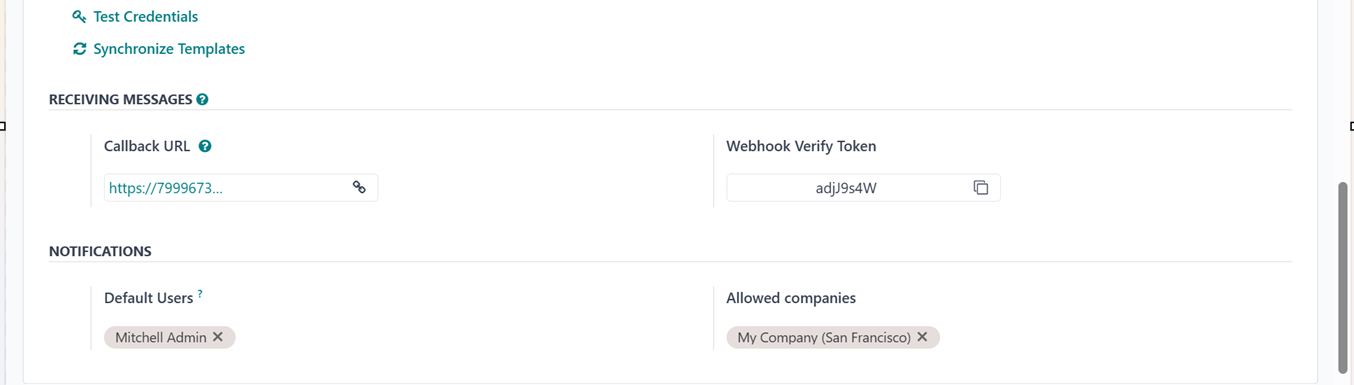
Then, you can mention multiple users or companies in the ‘Default
Users’and ‘Allowed Companies’fields if multiple
persons or companies are using this particular business account. The
‘Callback URL’and the ‘Webhook Verify Token’settings
allow real-time updates such as message delivery and read statuses.
Overall, this configuration connects Odoo to WhatsApp, enabling both
automated and two-way messaging directly from records like sales
orders, invoices, or support tickets.
Finally, you can check or manage the WhatsApp message templates used
only for this particular business account by clicking on its
‘Template’smart button. So, you can add new templates for
different purposes using the ‘New’ button, as we have discussed in
the previous section.

In summary, the integration of Odoo with WhatsApp in the Odoo 18
WhatsApp Module streamlines messaging workflows, enhancing customer
support, sales follow-ups, and operational efficiency by enabling
two-way communication, real-time updates, and seamless WhatsApp
Business API integration.