3. Reporting
A dedicated reporting component is included in the Odoo 18 Referrals
module to facilitate the study of employee referrals. When the user
chooses the Reporting option in Odoo 18 Referral, an Employee
Referral Analysis box is displayed. The Pivot view in the Employee
Referral Analysis window displays a pivot table. The pivot table
shows each employee's individual points earned, employed, lowered
employee referral statistics, and application information. You may
also add other data, such the count and points granted for not being
employed, to the pivot table after choosing the Measures icon.
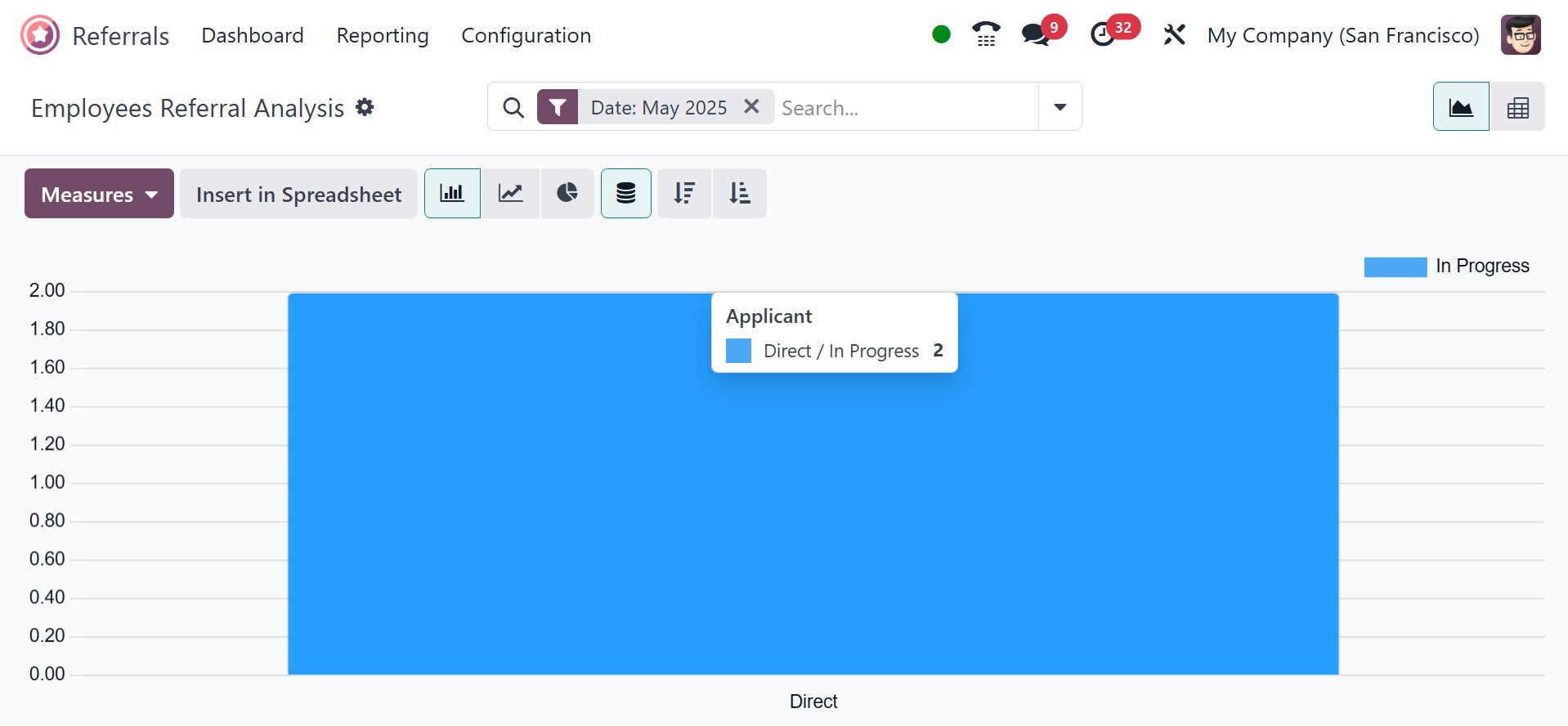
The Applicant's rate is displayed on the Y-axis and Medium on the
X-axis in the graph view of the Employee Referral Analysis box.
Adding other metrics to the graph is easy after you select the
Measures icon. Earned Points, Count, Employee Referral Hires, and
more metrics can be added to the graph.
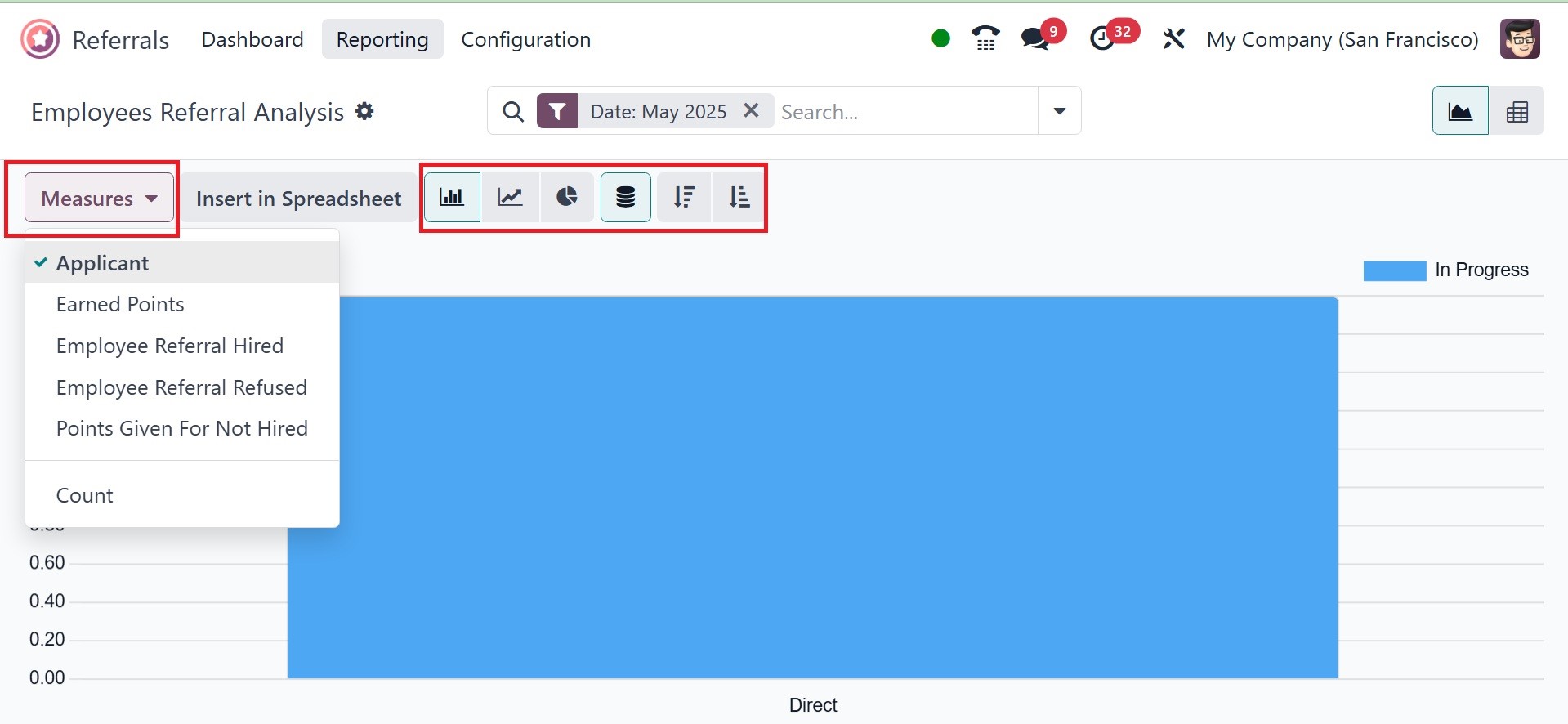
One can view the graph as a line chart, pie chart, or bar chart. You
are also provided with the points analysis, as in the image below.
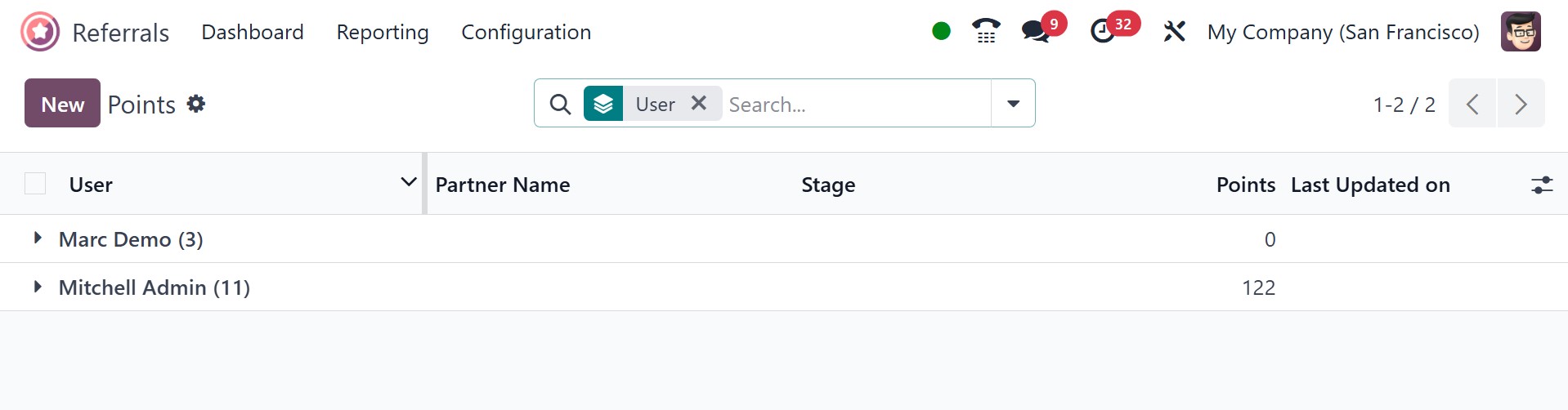
There, you can have the user, partner name, stage, points, and last
updated on, respectively.
The Odoo Referral module offers a digital solution to identify better
candidates more quickly by streamlining the employee referral
process. It provides a consolidated platform for handling referrals,
awards, and progress monitoring by integrating with other Odoo apps,
such as Recruitment, Employees, and Website. By utilizing employee
networks and gamifying the process with points and rewards, this
module assists firms in cutting down on referral time and expenses.
Altogether, assessing employee referrals in Odoo 18 is simple.