Configuration of Bank Payments
Integrating bank operations with company accounting at the right time is essential for efficient and smooth finance management operations. It receives excellent support and direction from the platform, and Odoo18 Accounting offers an amazing path for it. Odoo18 encourages you to set up bank accounts and the business payments associated with them. There are several benefits to setting up bank payments in business accounting software, including
- Automating bank payments can improve the productivity of your finance and accounting personnel by reducing the need for human data entry and processing.
- Automating bank payments can help improve the quality of your accounting records by eliminating errors that may occur when processing payments manually.
- By setting up bank payments in your accounting software, you can learn more about the financial operations of your business. Fraud detection and prevention may benefit from this.
- Reducing administrative costs such as postage and office supplies can be achieved by automating bank transactions.
- Furthermore, the platform's reconciliation capability will confirm that the operations of the bank accounts and the organization's operational ledgers have a solid correlation.
Add a Bank Account
The 'Add a Bank Account' option is part of the Odoo 18 Accounting module. The user can add new bank accounts to the Odoo18 database with the aid of this feature. The user can specify the account type, bank name, and number. The owner's name, address, and currency of the account may also be supplied by the user. Businesses that need to monitor their balances and transactions across multiple bank accounts will find it useful. This is the simplest and quickest approach to add bank accounts. You can save time and money by allowing your bank statements to be automatically reconciled, which is an excellent method to monitor your accounts.
As can be seen below, the Add a Bank Account menu is the first menu in the Banks section of the Configuration tab.
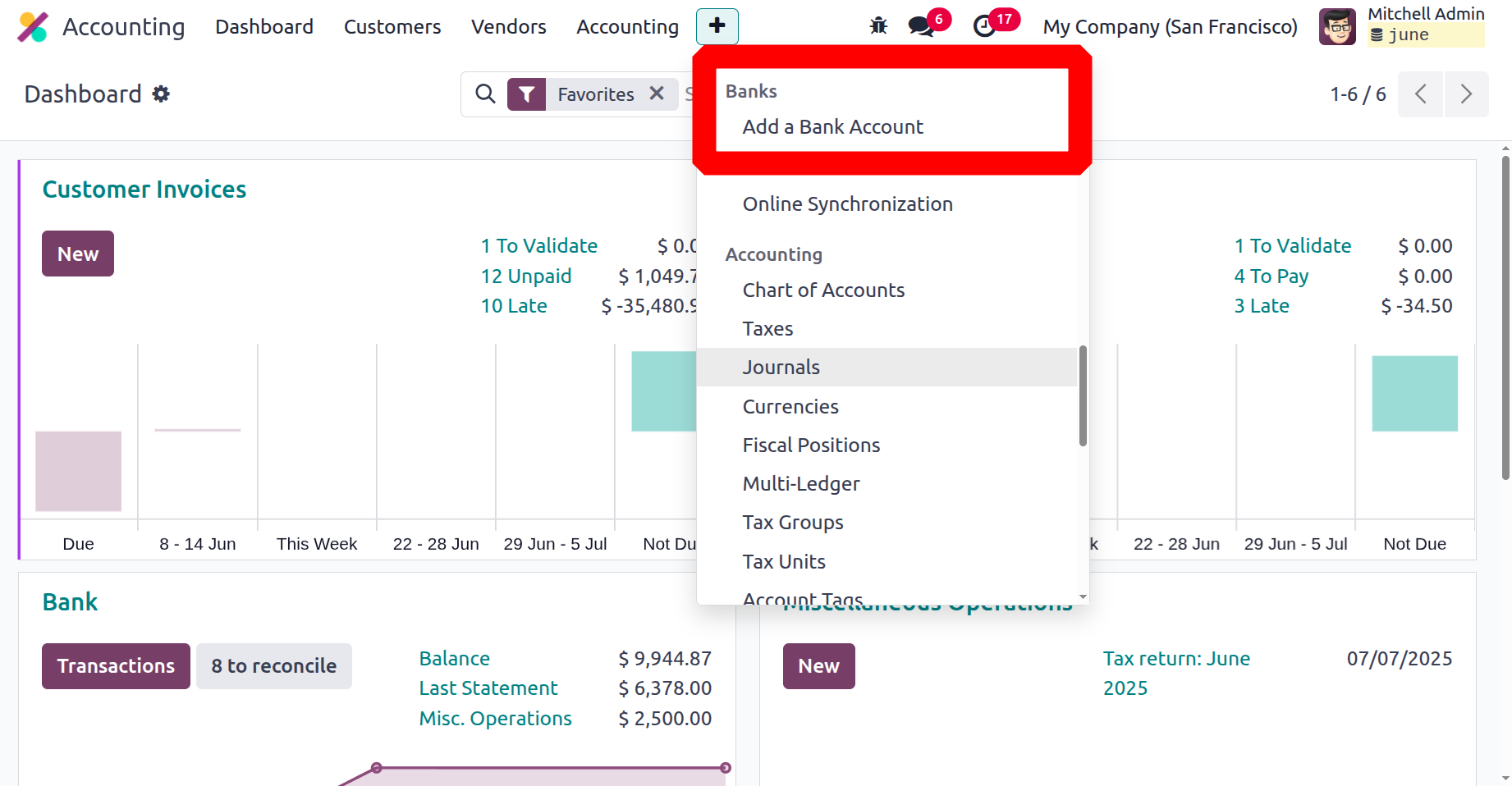
Using this Add a Bank Account menu, you can create several bank accounts based on the requirements of your business. A pop-up window for adding a bank account will show up as soon as you select a menu item, giving you the opportunity to view the information for the default bank. This pop-up allows you to choose your bank and verify that it will be set up to work with the Odoo18 platform.
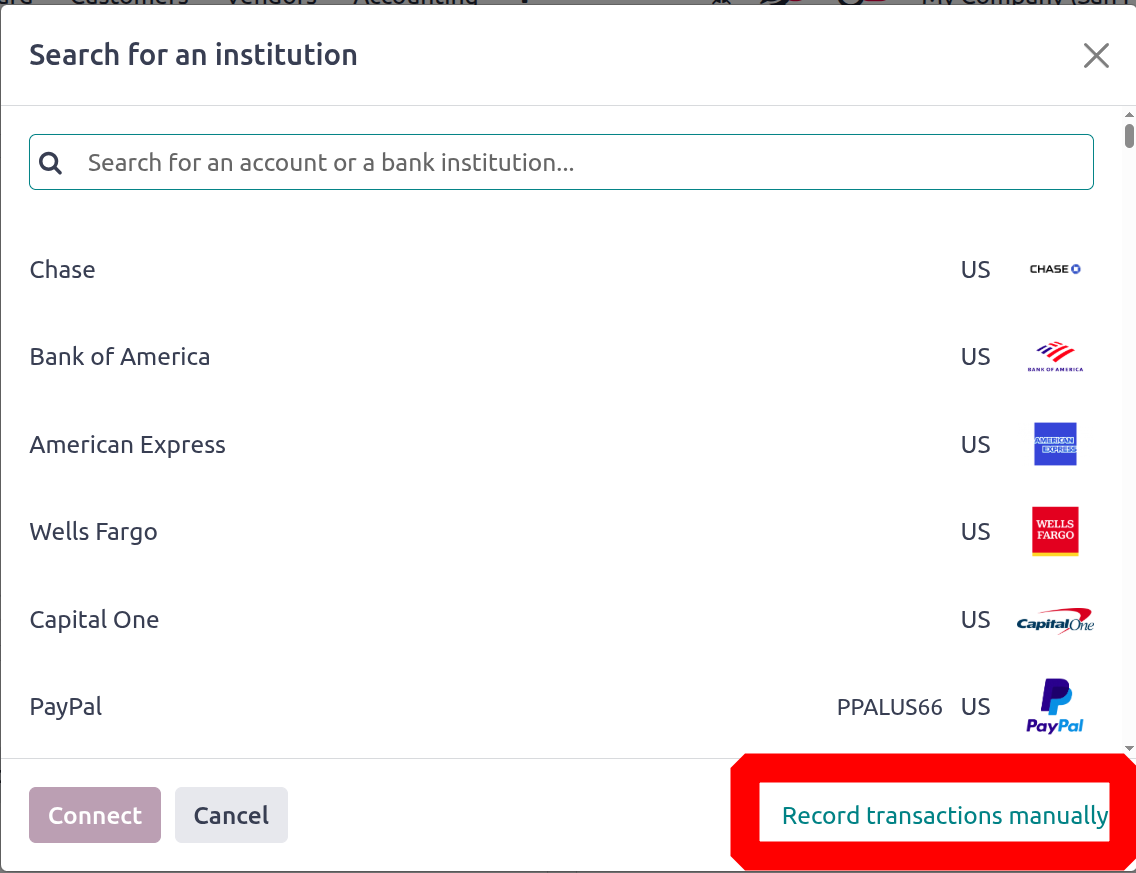
By default, this window will display almost all bank information from around the globe. If your bank isn't shown in the window, you can choose the "Record transactions manually" option from the menu in the lower right corner. Consequently, as illustrated in the example, a new pop-up window for bank account configuration will show up.
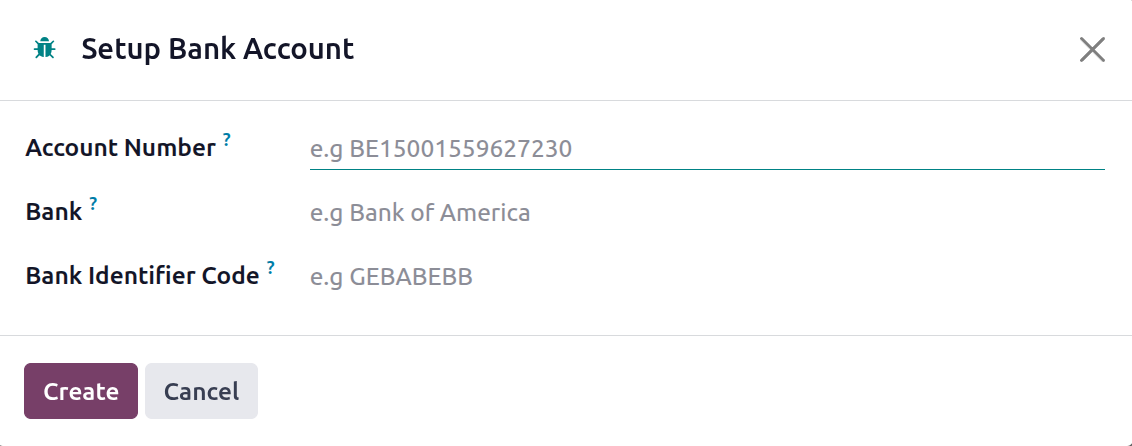
You can fill in the relevant fields here with the Account Number, Bank, Bank Identifier Code, and Journals. You can either establish a new diary for this bank account by leaving the Journal form blank, or you can select an already-existing journal to link with the bank account. Once all the information has been entered, click the Create button in the lower left corner of the pop-up to activate your bank account in the Odoo18 system.
Since it is now evident how to add a bank account to the Odoo18 platform, we may go to the Reconciliation tool located in the Configuration tab of the Odoo18 Accounting module.