Multi Ledger
Since categorisation is an essential component of business operations, you will have the chance to classify a variety of business operations items. The Odoo18 platform allows you to define many journals for a business's accounting processes to function properly. When defined in different journals, there is a considerable chance that entries will be confused. Thus, the Odoo18 platform offered a unique capability to organise the journals. This state-of-the-art feature will be quite helpful in classifying all of the configured journals.
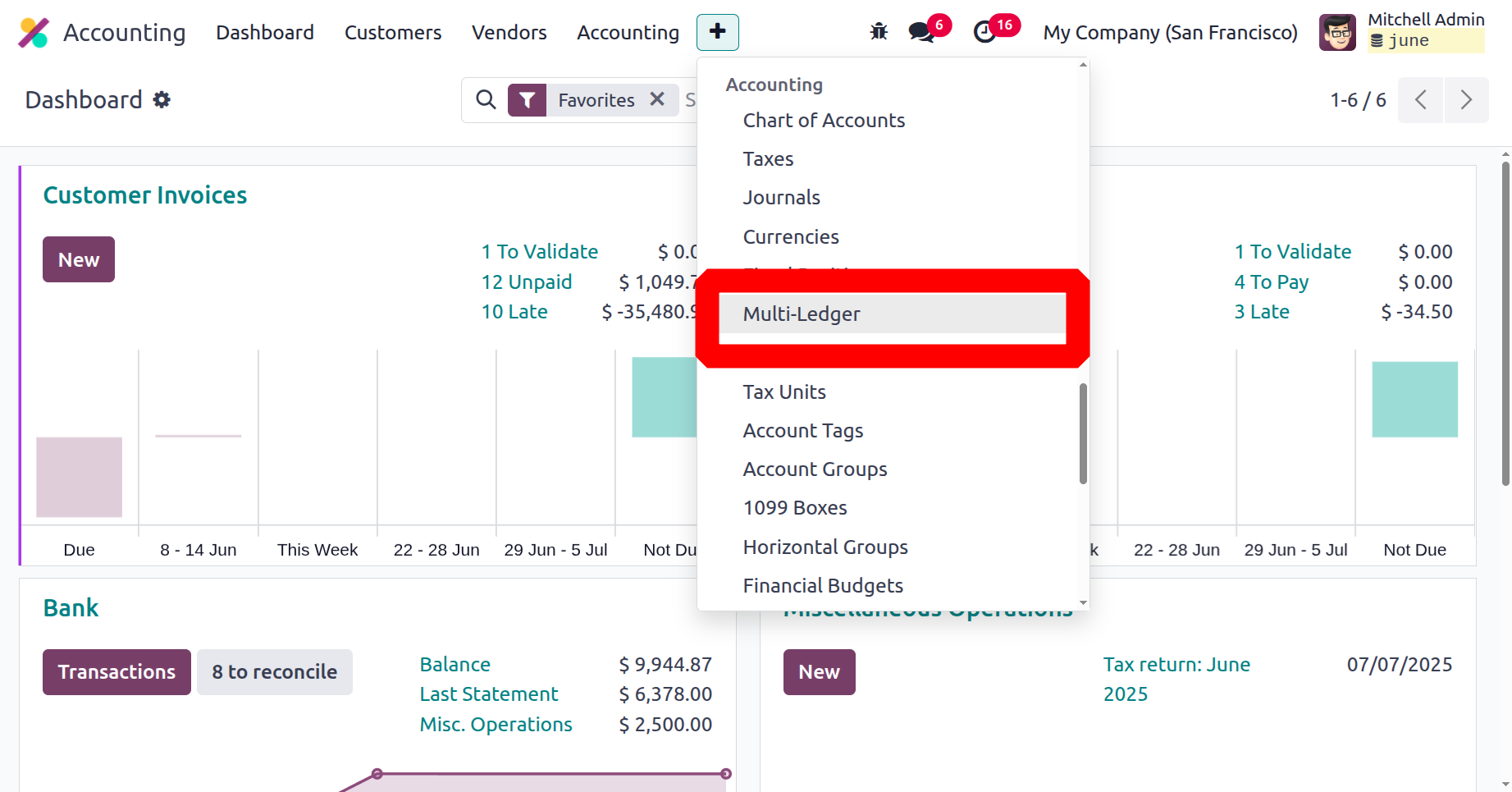
To examine all of the journal groups that were previously described in the Multi ledger window, navigate to the Multi Ledger menu from the Accounting module's Configuration menu.
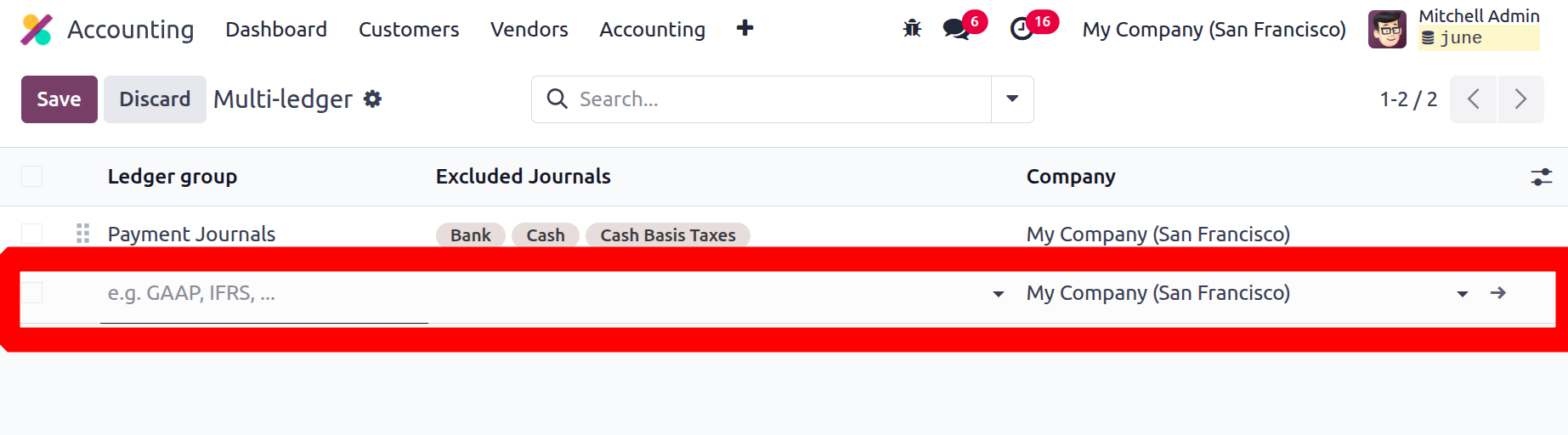
When you choose the Multi Ledger menu, the window will open. The New button allows you to create new Journal Groups. A new line for setting up journal groups will show up in the same window as soon as your cursor crosses the New button. You can enter the names of the Journal Groups and list the Excluded Journals there. Customisation is possible for the Company field, which will be assigned automatically.
The several sorting tools that Odoo18 provides are also accessible from this window. The pre-set and programmable filters, along with the Group By options, allow you to quickly sort out the required groupings.
Journal Grouping is one of the most notable features of the Odoo18 Accounting module that lets you group your accounting journals into different categories. The groups can be used to organise accounting data more efficiently and expedite reporting. This feature will make it easier for users to view and track all of their transactions. Journal grouping also improves the accuracy of the financial records by providing a centralized way to compare the different types of transactions. These categories can then be used to better organise and analyse financial data.
This feature allows you to arrange journals according to the company, type of transaction, or other criteria. This makes it simple for users to search for and obtain certain journals as needed. Journals can be arranged by transaction type, which helps users keep their money organised. Accounting reconciliation is aided by users' ability to rapidly identify which journals need reconciling.
These Journal groups are used in reporting to compile relevant data for display. You can finish the Filtering and Group By tasks for different journal and accounting tasks. Report generation is given top attention on the Odoo18 platform, and a range of reports related to accounts may be obtained in a matter of seconds by using the filtering features. You only need to choose Journal Types as the filtering criteria to streamline the process.
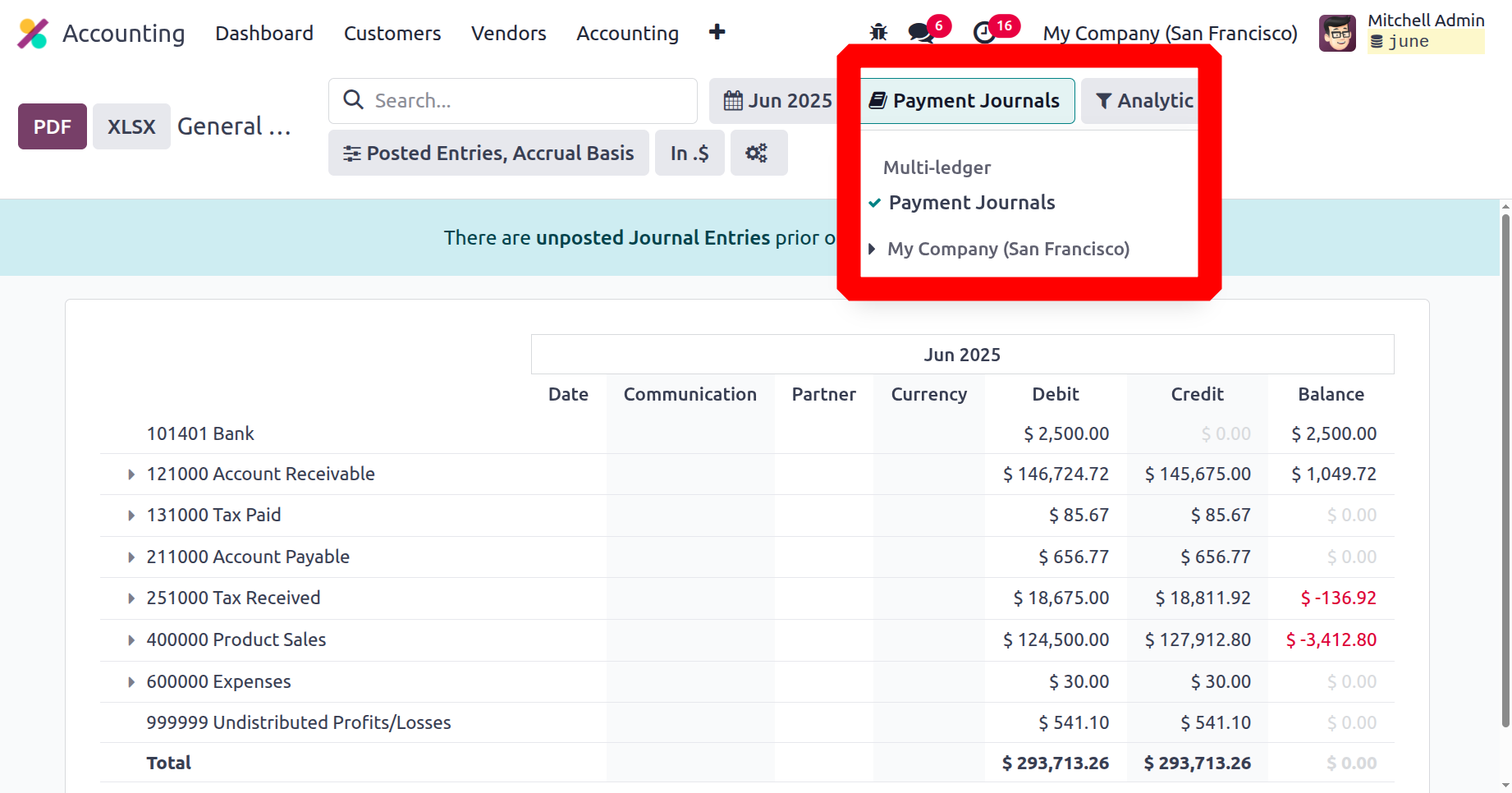
Since the journal group "Payment Journals" has been chosen in the report, the journals Bank, Cash, and Cash Basis Tax that are referenced in the journal will not be included in the filter of reports. Therefore, the Journal Group feature has a significant impact on the accounting department of any organisation for the effective operation of journal management operations.
In the section that follows, after fully comprehending Multi Ledger's features, let's examine the horizontal groups tool that comes with the Odoo18 Accounting module.