Partner Reports
Managing a business requires you to deal with a lot of customers and suppliers, to whom you will sell products and services as well as procure raw materials. With the use of remote technologies, each of these activities is completed independently. This is a unique collection of commercial institutions that your company has partnered with to work towards the shared goal of being the best at what you do. These businesses will operate under an agreement whether they are owned by the same person or by different people. Depending on the needs, goods and services will be transferred between each other.
An organisation may occasionally collaborate with a different company operating in a different industry to conduct business under the partner's name. Because it will reduce their import and export taxes and increase their customer base, both businesses will benefit. To assist a business's Partner role, Odoo ERP offers special Partner and Partnership management features. The element of partnership operations may be easily recognised in Odoo operations due to a unique ledger and the feature of internal transfer between partners and common holding.
Both the business and the development of focused management strategies depend heavily on the financial aspects of Partner operations. The financial management of the Partner operations would be aided by the Odoo Accounting module. Additionally, the Partner-specific reports in the Accounting module's Reporting menu allow the Odoo platform to handle the reporting features of partner functionality. You may be sure that you have a solid grasp and analysis of the financial aspects of your company's partner activities because of report production alternatives, including Partner Ledger reporting, Aged Receivable reports, and Aged Payable reporting features. In the following sections, we will discuss each of these partner report kinds in more detail.
Partner Ledger
The Partner Ledger reporting option in the Odoo Accounting module gives you access to the partners' Ledger data and completed entries. Furthermore, each Partner Ledger's financial characteristics will be showcased. The Accounting module of the Odoo platform's Reporting tab may be the source of the menu. All of the others who are employed by your company will be listed on the menu. The drop-down arrow option allows you to expand the summary and information under each Partner. All Partners, the Transaction Date, the Journal Involved, the Transaction Account, the Transaction Reference Details, and the Transaction Date will be covered in this section. In addition, the Opening Balance, Matching Number, Due Date, and Credit and Debit Amounts will be mentioned.
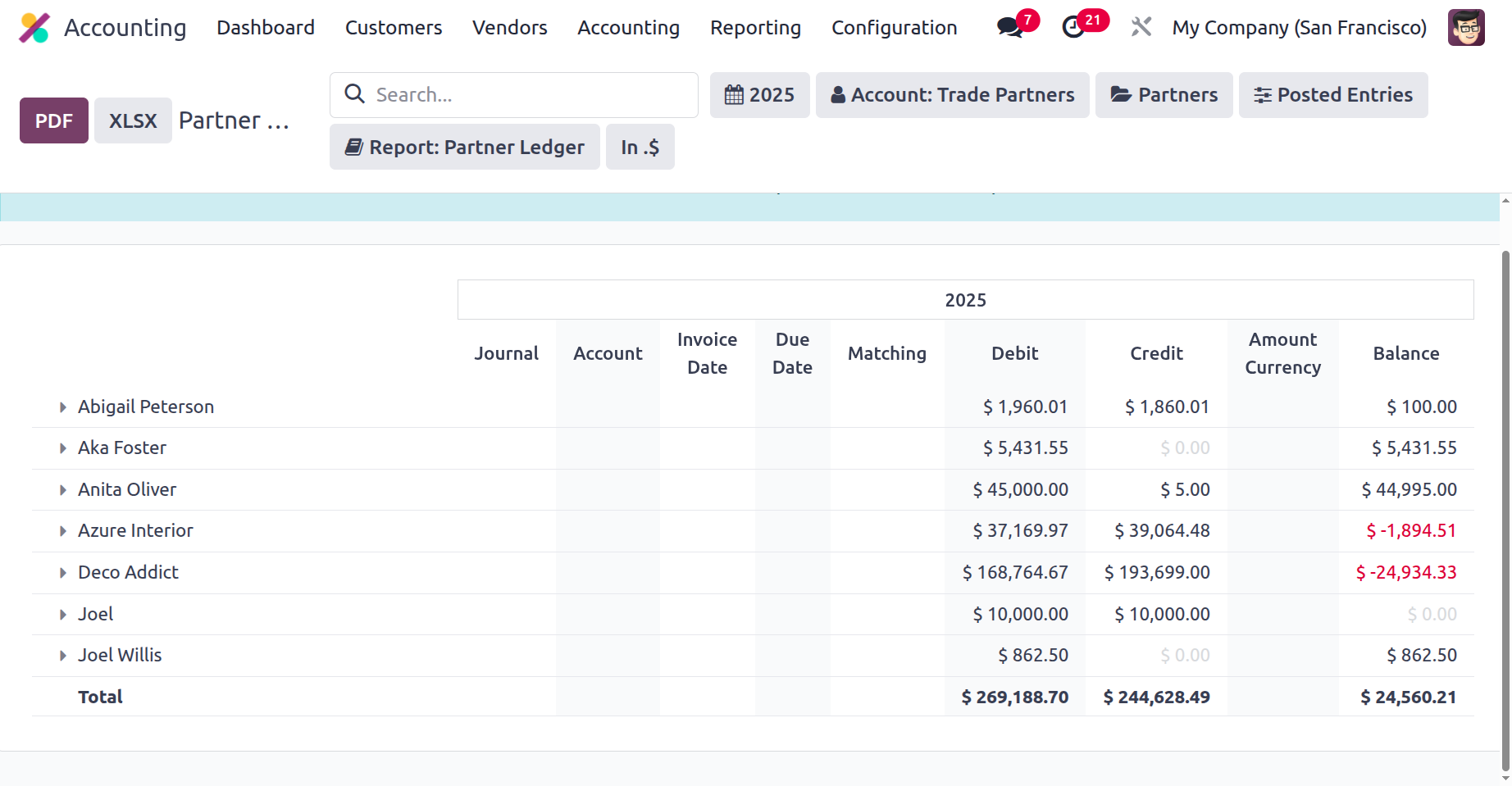
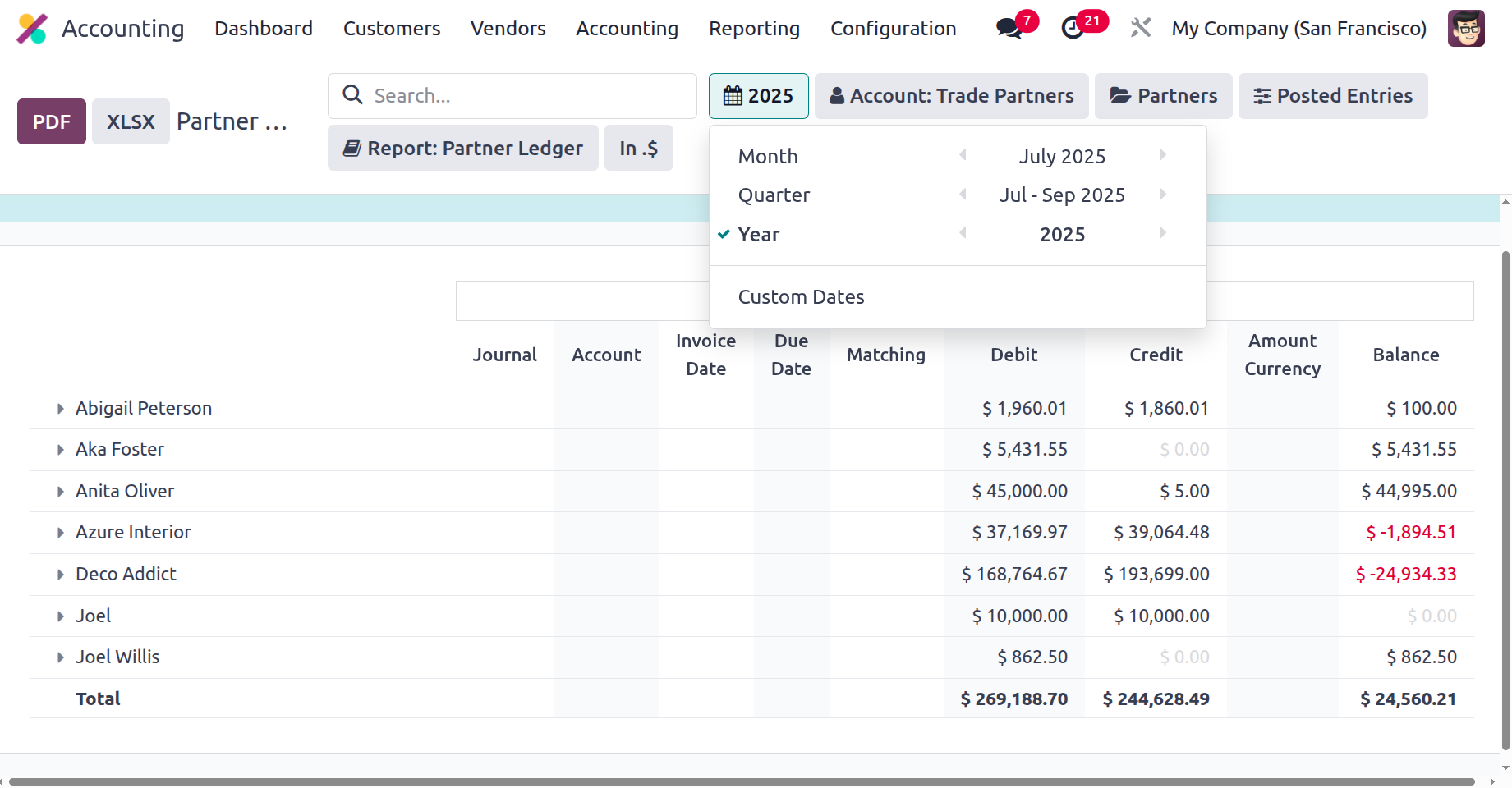
If the entries have been described, there is a Search option. This search box may be used to seek up selected Partner products. Furthermore, you will benefit from the Distinctive filtering and Group by features, which let you sort data based on both custom and default predefined filters. The Fiscal Period filtering tool can be used to filter the Partner Ledger entries by fiscal period, as seen in the following images.
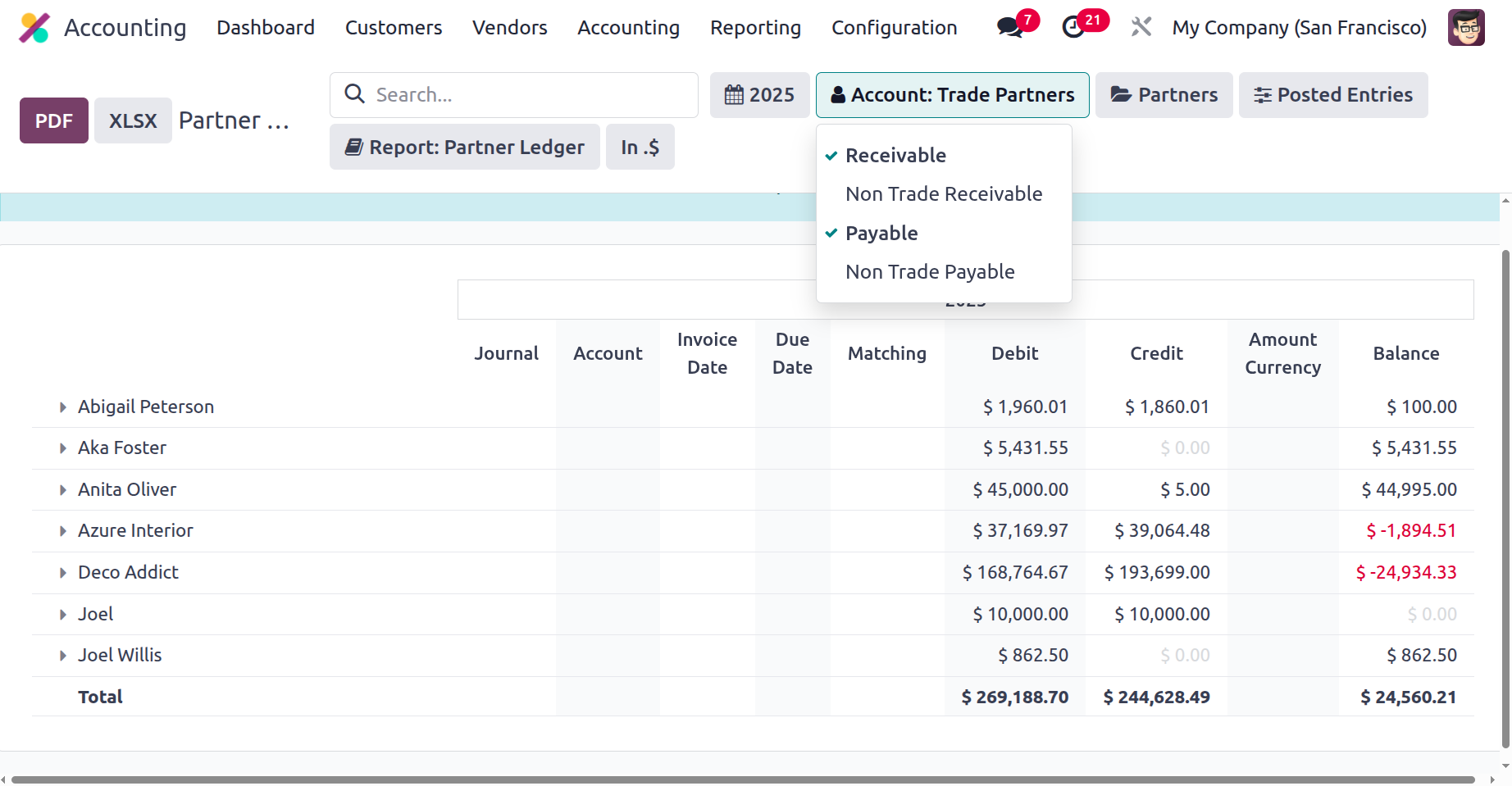
It is also possible to classify the Partner Ledger entries according to the account in which they are listed, such as the Payables or Receivables account. The sorting tool according to the Accounts on which the Partner Ledger entries are defined is shown in the screenshot that follows.
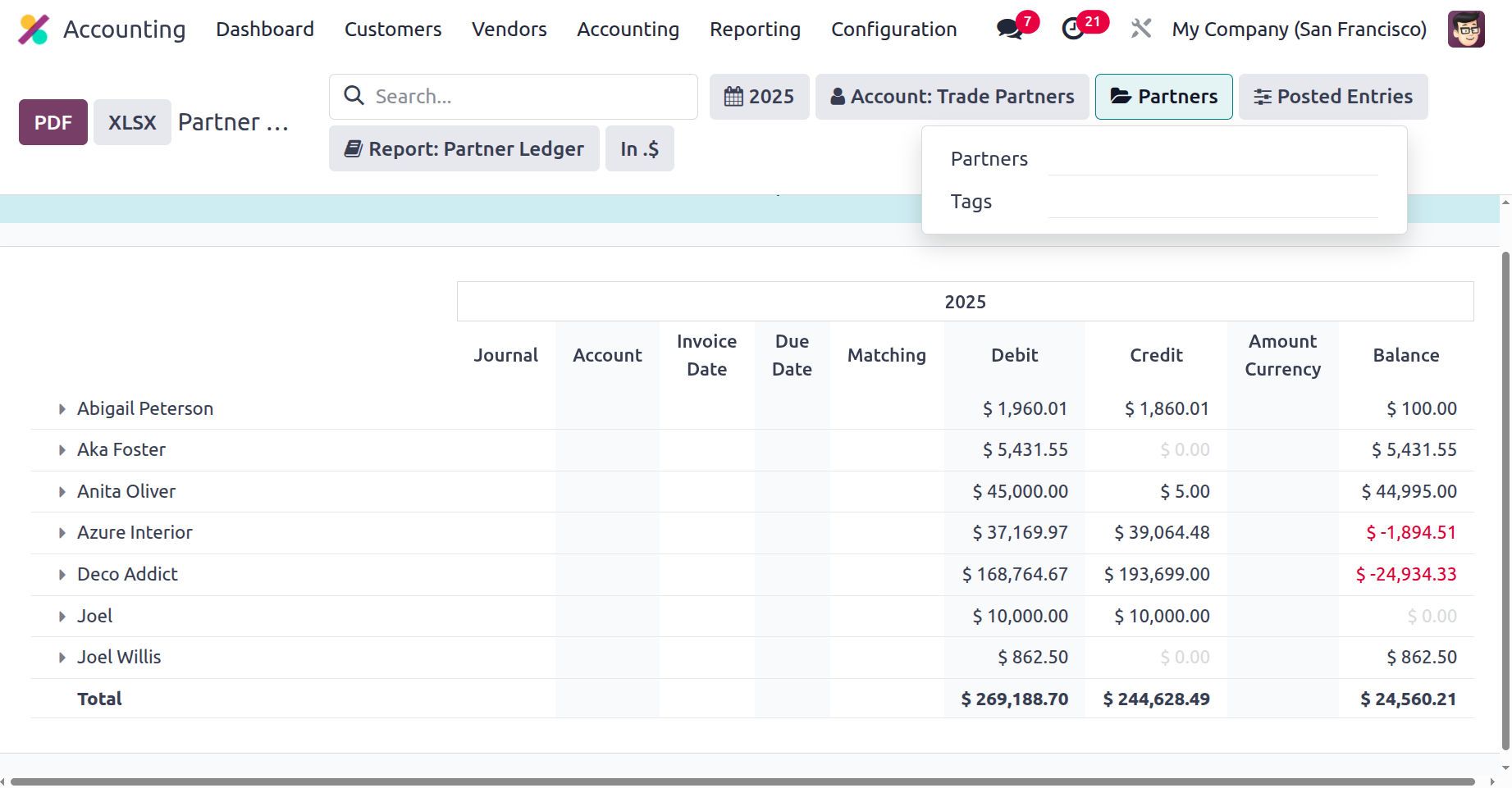
Additionally, you may list out the various Partner Ledger entries by using the Partners filter choices to specify the Partners and Tags by choosing them from the drop-down box. The Partner screening tool is seen in the screenshot below.
You can also utilise the filtering mechanism to group the Partner Ledger according to the Posted Data, Include Unposted data, Only See Unreconciled Entries, or Unfold All to view all of the designated Partner Ledger data. Additionally, there are buttons to print reports in XLSX and PDF formats. Additionally, the available SAVE option can be used to save the Partner Ledger report after making changes to the entries.
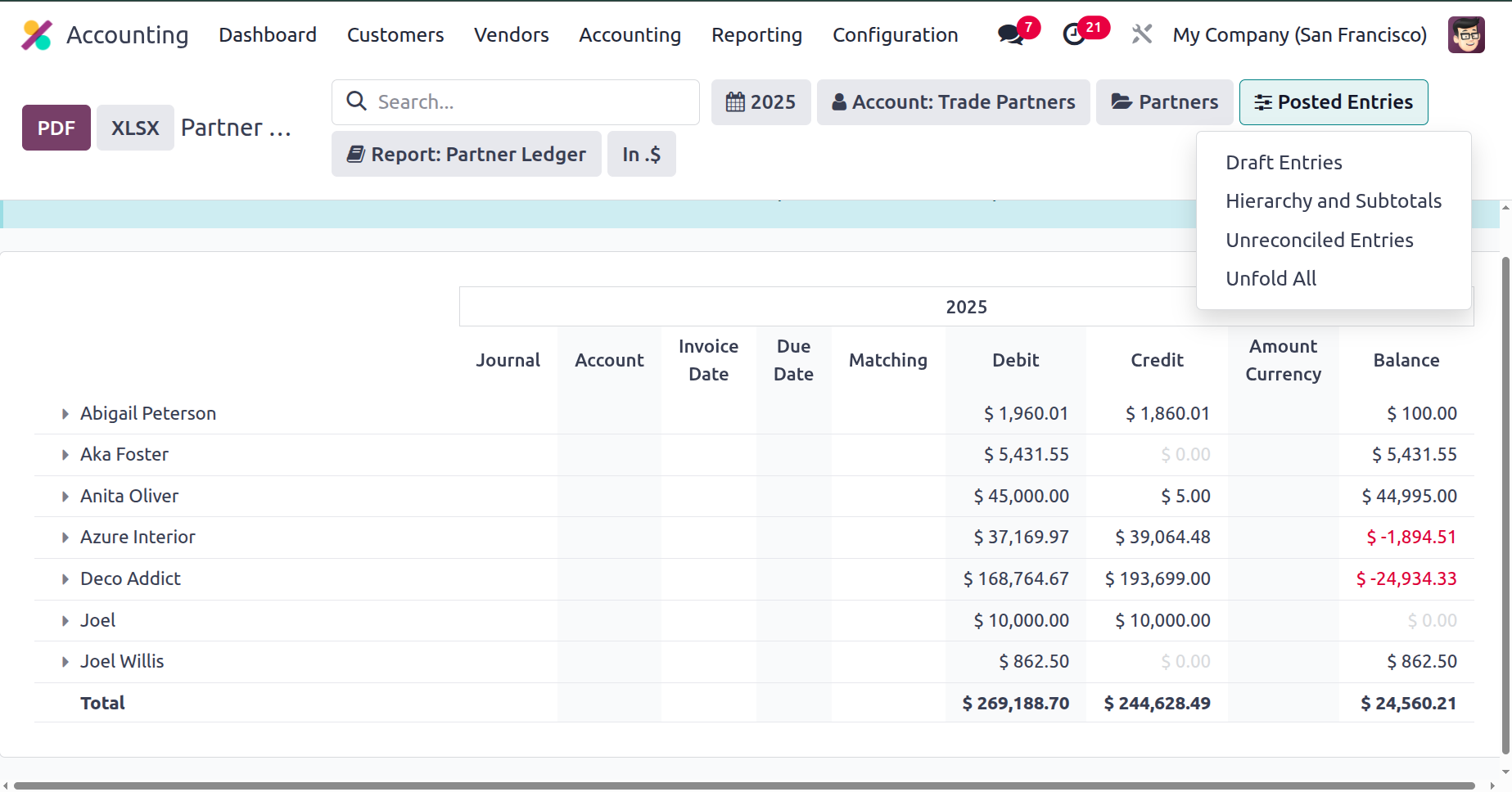
Choose one of the Reconcile options for each Partner shown in the Partner Ledger to reconcile the financial entries defined in connection with the partner operations. You can decide whether or not to reconcile after clicking Reconcile, which will lead you to the Partner's unique Reconcile window.
You may find out how the Partners' financial activities stack up against the firm's by using the Partner Ledger reporting function in the Odoo 18 Accounting module. Additionally, it is a useful tool for the organisation because it allows you to use special filtering and grouping tools to sort out the important information. After learning how Partner Ledger reports operate, let's examine the Aged Receivable reporting menu, which is the next partner-based report type in the Odoo Accounting module.
Aged Receivable
Products and services that are not paid by a client or partner are categorised by the company as old receivable payments. Even after the predetermined payment period has passed, the delayed amount will be considered an aged receivable. Assume that the invoice date is December 1st, 2024, and that the payment period is 10 days. Therefore, if the customer has not made the payment by the relevant payment period, which is December 10, 2024, it is deemed Aged Receivable. The amount is receivable, but it is due.
Products and services that are not paid by a client or partner are categorised by the company as old receivable payments. Even after the predetermined payment period has passed, the delayed amount will be considered an aged receivable. Assume that the invoice date is December 1st, 2024, and that the payment period is 10 days. Therefore, if the customer has not made the payment by the relevant payment period, which is December 10, 2024, it is deemed Aged Receivable. The amount is receivable, but it is due.
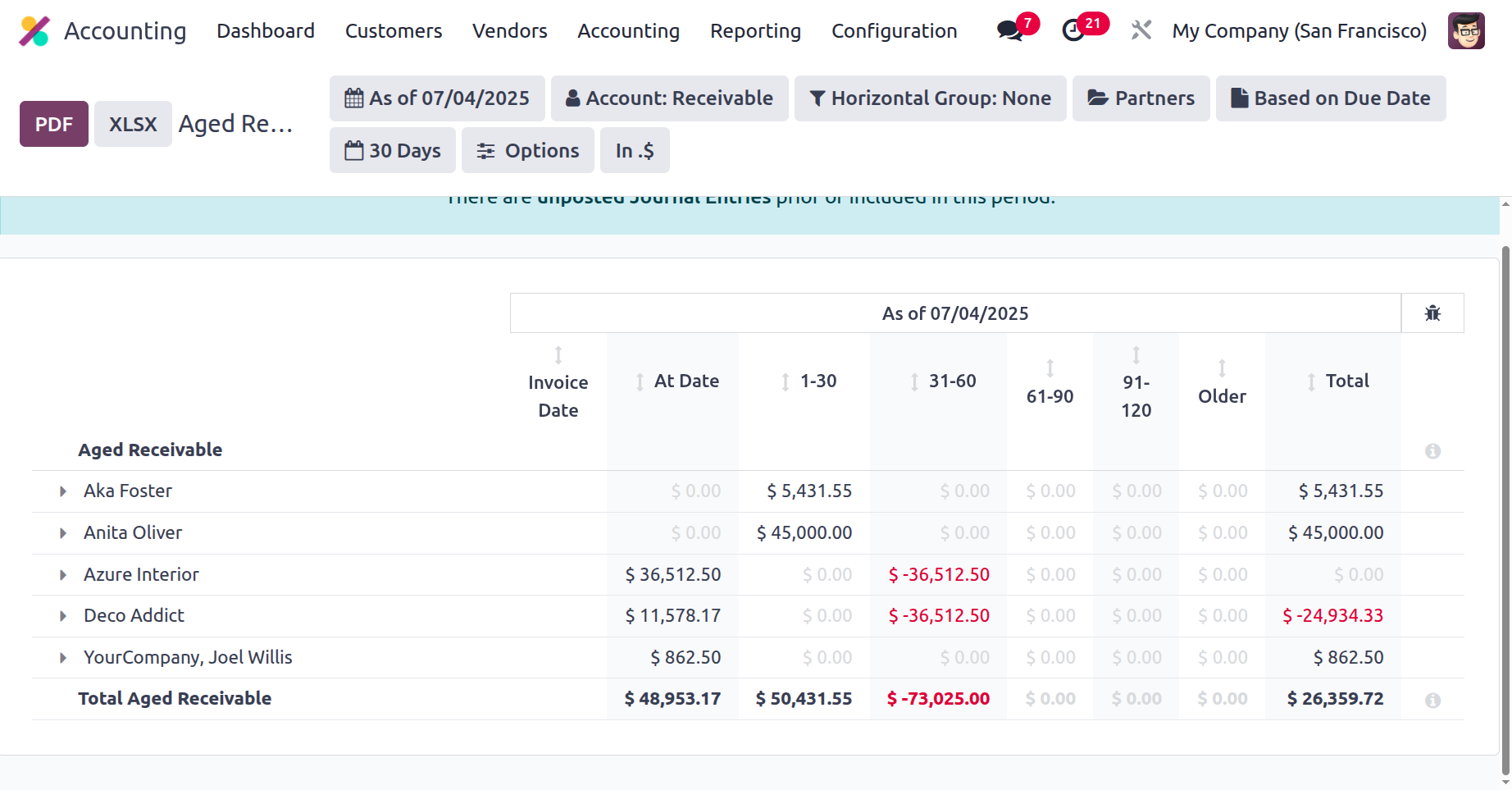
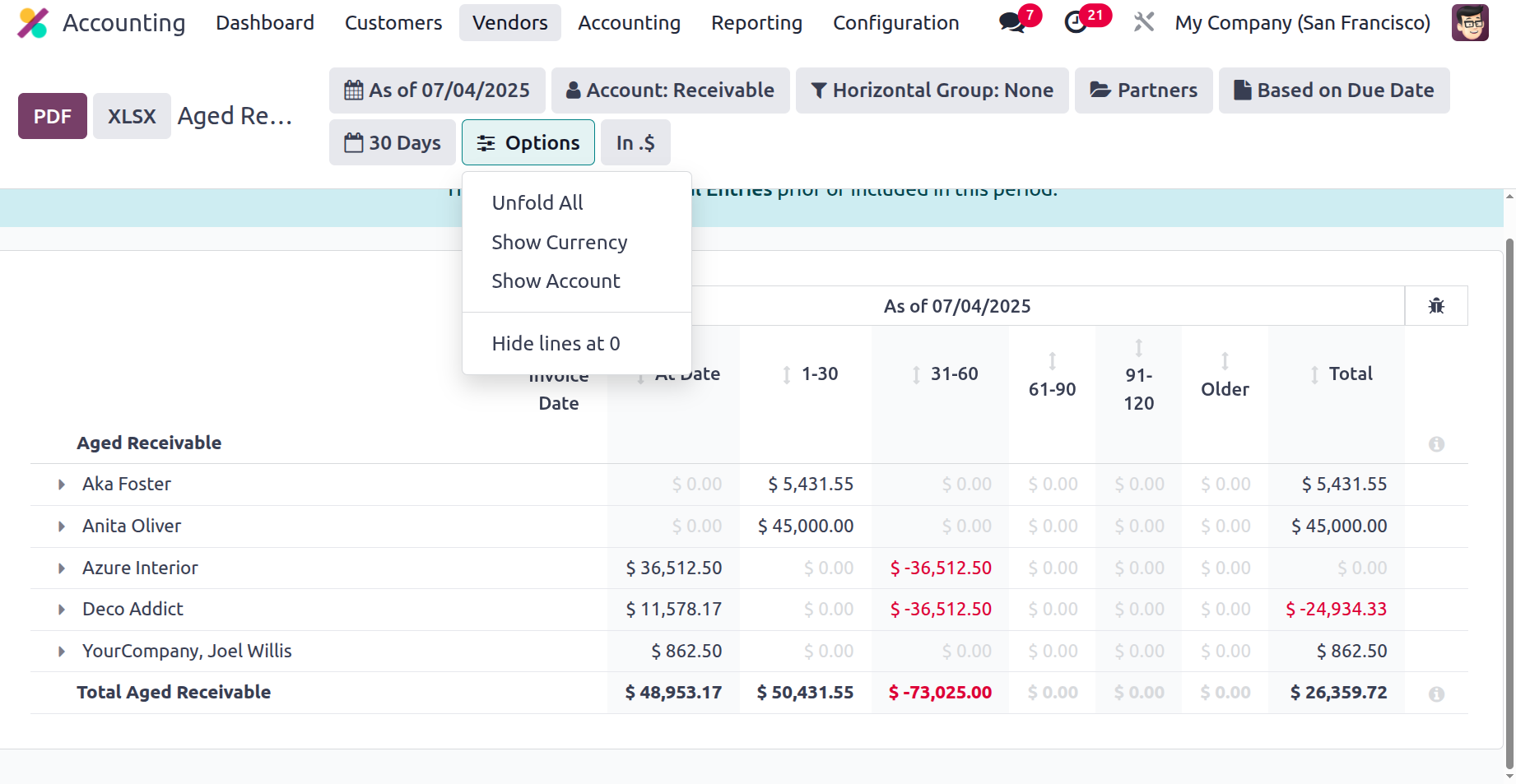
The Odoo Accounting module's Reporting tab provides access to the Aged Receivable reports. Based on the current partners and clients, the Aged Receivable entries will be shown here. All of the partner-related entries will be shown and available through the different drop-down arrow options. When the arrow is lowered, the invoice details for each of their older receivables will be shown independently from the partner or client information. To further indicate the amount to be paid if the payment is extended based on the duration, the Report Date, Journal Details, Amount Involved, and Expiration Date are all shown as 1- 30, 31-60, 61-90, 91-120, and older, respectively.
At the end, the total amount owed will also be displayed. The Aged Receivable reporting option, which defines all Aged Receivable items, is displayed in the screenshot below.
Additionally, the different filtering and Group by options will let you arrange the data in a way that suits your needs. You can use both common and easily accessible bespoke tools to aid in sorting processes. As seen in the image below, the fiscal period might serve as the basis for the first filtration.
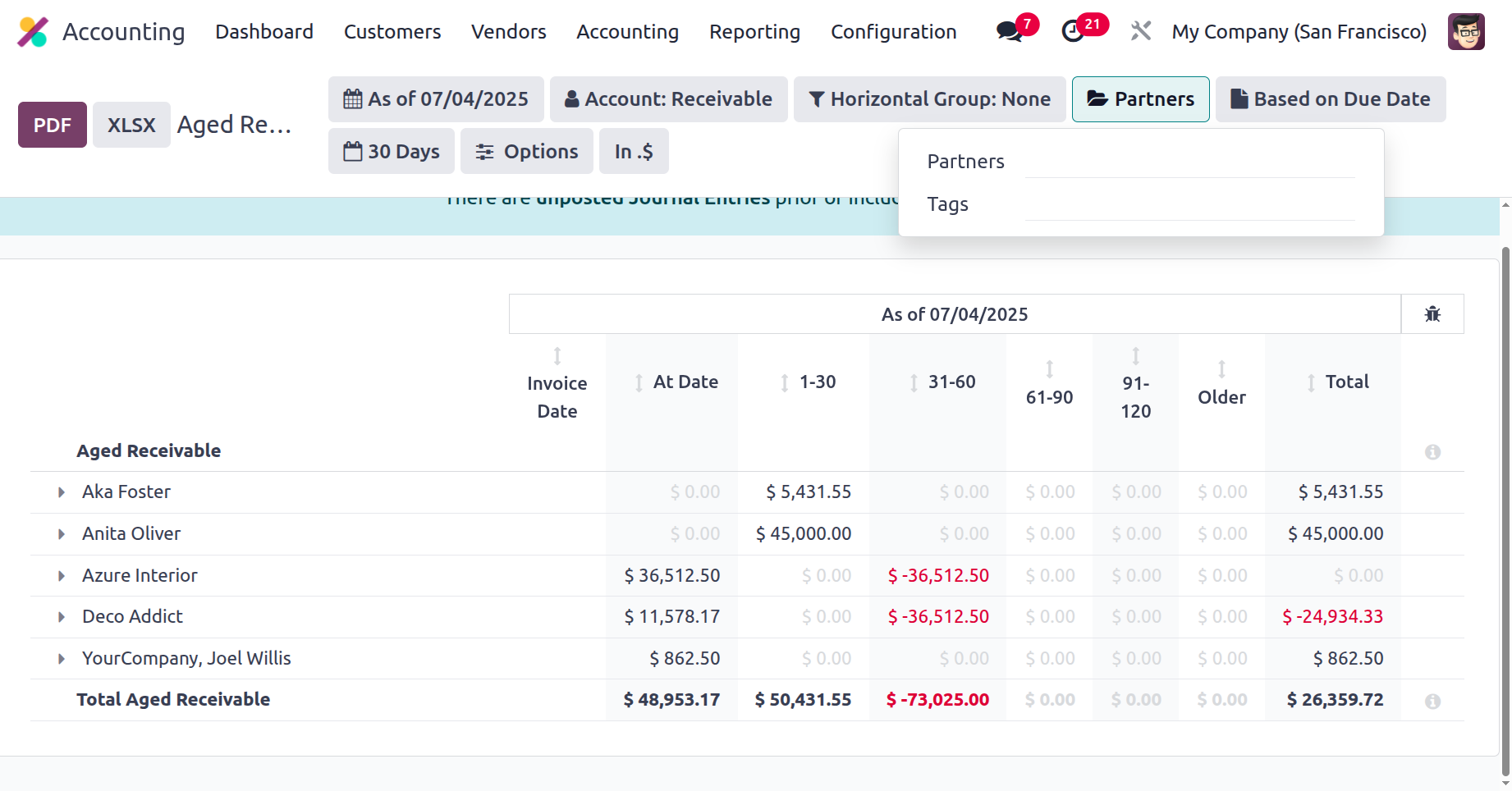
The Partners and any associated tags will subsequently be defined and available for selection from a drop-down menu in the Partner-based filtering tool. A list of all operating partners and the tags that are associated with them will be given to you; you can select from this list.
The Partners and any associated tags will subsequently be defined and available for selection from a drop-down menu in the Partner-based filtering tool. A list of all operating partners and the tags that are associated with them will be given to you; you can select from this list.
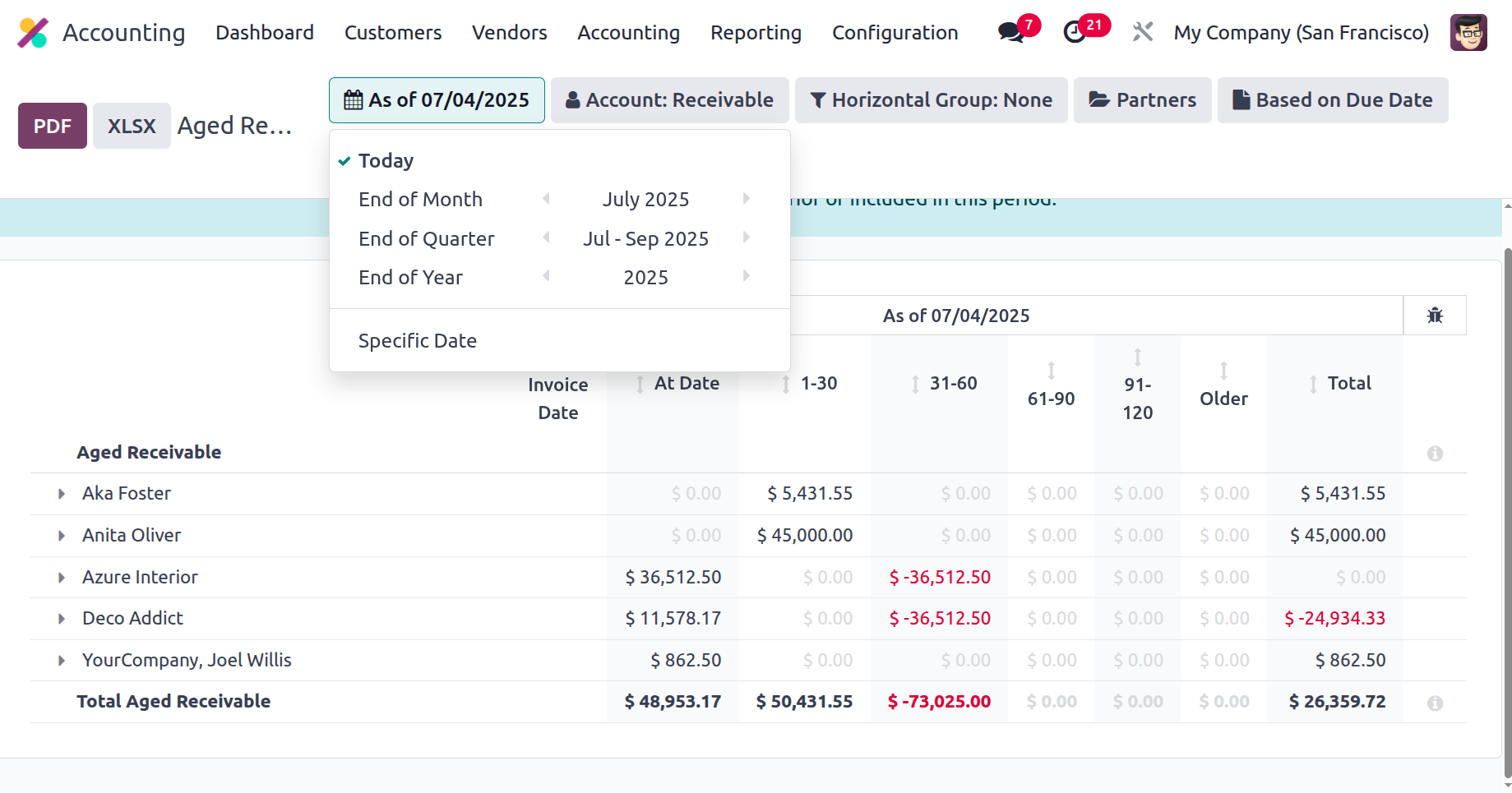
You can select Unfold All Filtering from the Options tab to see every item for Aged Receivable. Additionally, there are buttons that let you print reports in XLSX and PDF formats. You may save financial information by using the Store button to save reports to the appropriate location in the Documents module.
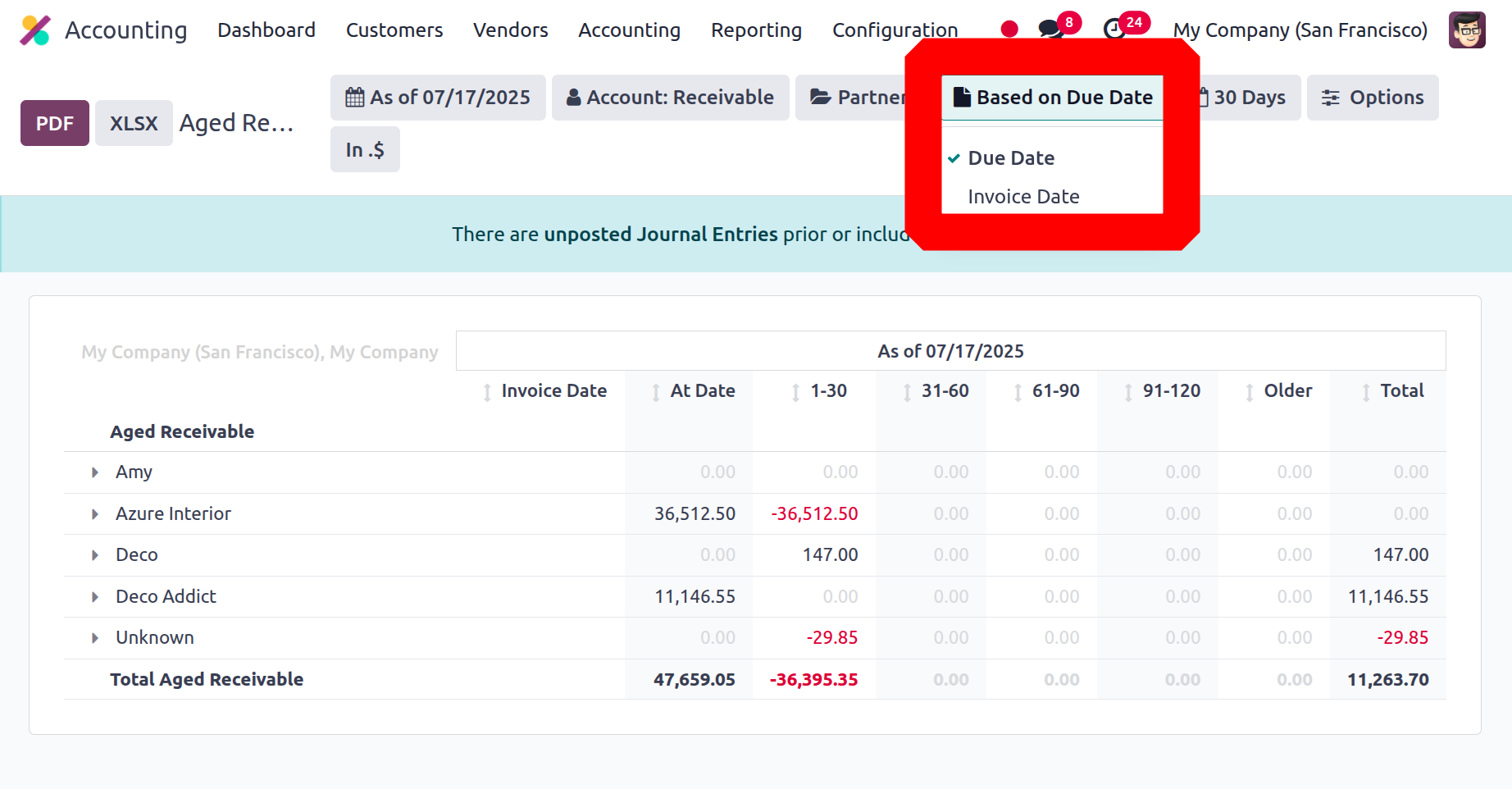
The Aged Receivable report can filter either on Based on Due Date or based on Invoice Date.
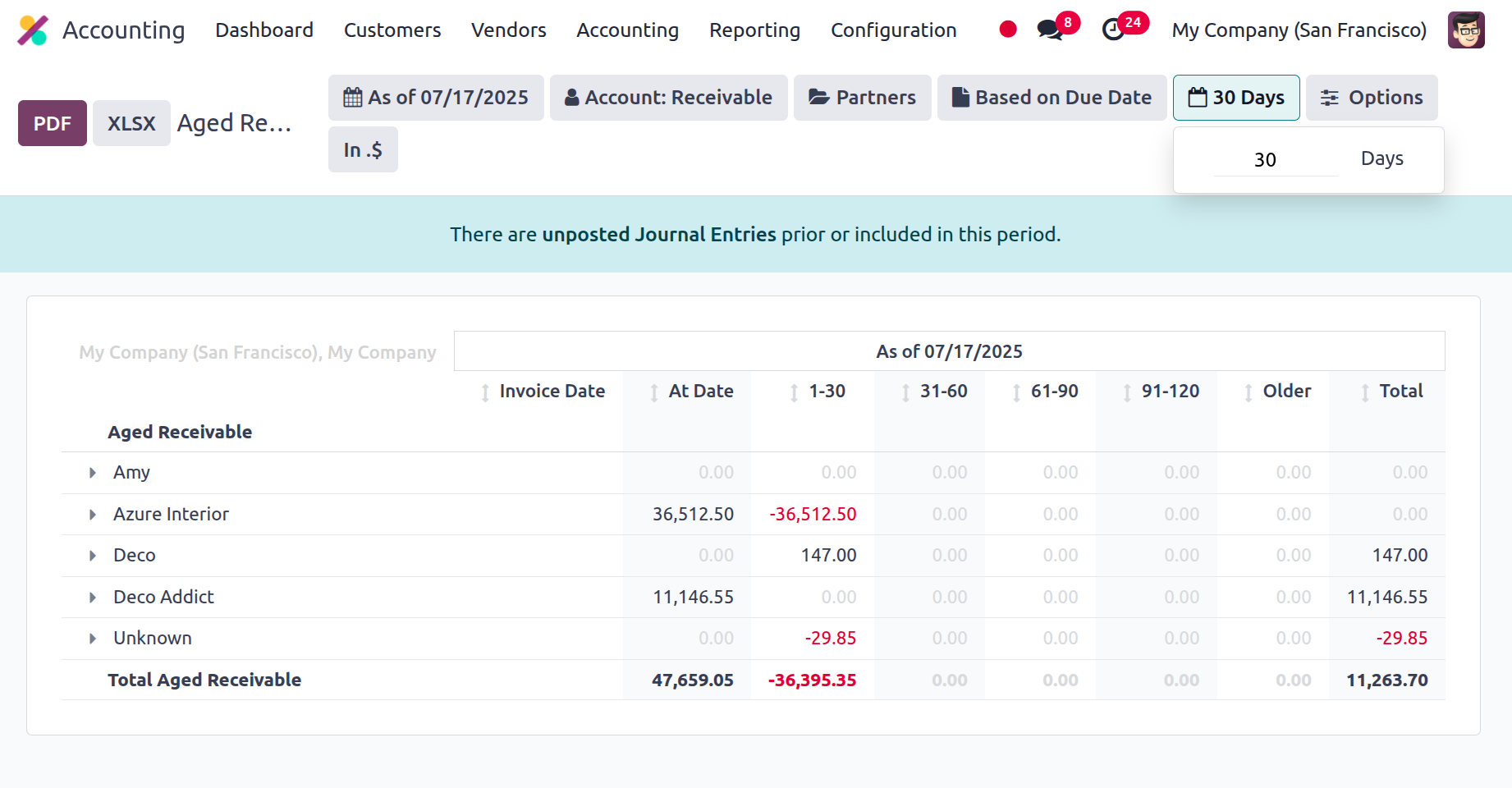
The date that the values were added to the report might then be mentioned by the user. The entries made after the 30-day deadline will be viewable if the 30-day filter is applied.
Now that we understand the Aged Receivable report function, which is accessible in the Accounting module of the Odoo platform, let's go to the next stage, where the next partner foundation for reporting the Aged Payable reports is constructed.
Aged Payable
The Aged Payable reporting feature in Odoo and the Aged Receivable reports in the Odoo Accounting module are identical. However, the late payment that your business needs to make to the partner will be the basis for the report. This reporting feature will help you understand the aspect of the overdue payments that you ought to have made. The Aged Payable entries for each of the Business Operations Partners or Vendors will be defined in the Aged Payable reports, precisely as they are in the Aged Receivable reports.
The entries in the Aged Payable reports will also display the Report Date, Journal Details, Amount Involved, and Expiration Date. If there is any depreciation, the amount will be shown as 1- 30, 31-60, 61-90, 91-120, and older ones that indicate the amount to be paid if the payment is extended based on the duration. At the end, the total amount owed will also be displayed. The Aged Payable reporting menu, which defines all Aged Receivable items, is displayed in the screenshot below. As seen in the image below, the filtering options in the Aged Payable report are the same as those in the Aged Receivable reports.
Now that we have discussed all of the partner-based reporting tools, let's go on to the next section of the chapter. The accounting module of the Odoo platform offers all of these partner-based reporting features. The following portion of the chapter will provide a definition of management reports.