Audit Trails
An important tool for maintaining transparency and accountability in financial operations is an accounting audit trail. They enable auditors to follow and verify the accuracy of entries by providing them with a comprehensive, chronological record of all financial transactions. Spotting errors, fraud, or discrepancies promotes financial integrity and regulatory compliance. Additionally, audit trails increase the accuracy of financial statements by providing a comprehensive record of all operations that can be reviewed and modified as necessary. Ultimately, accounting's use of audit trails ensures a strong foundation that encourages stakeholders' confidence and facilitates effective financial management.
As a result, the Audit Trail option appears in the accounting module's Settings in Odoo 18. Try the option to activate the audit trail.
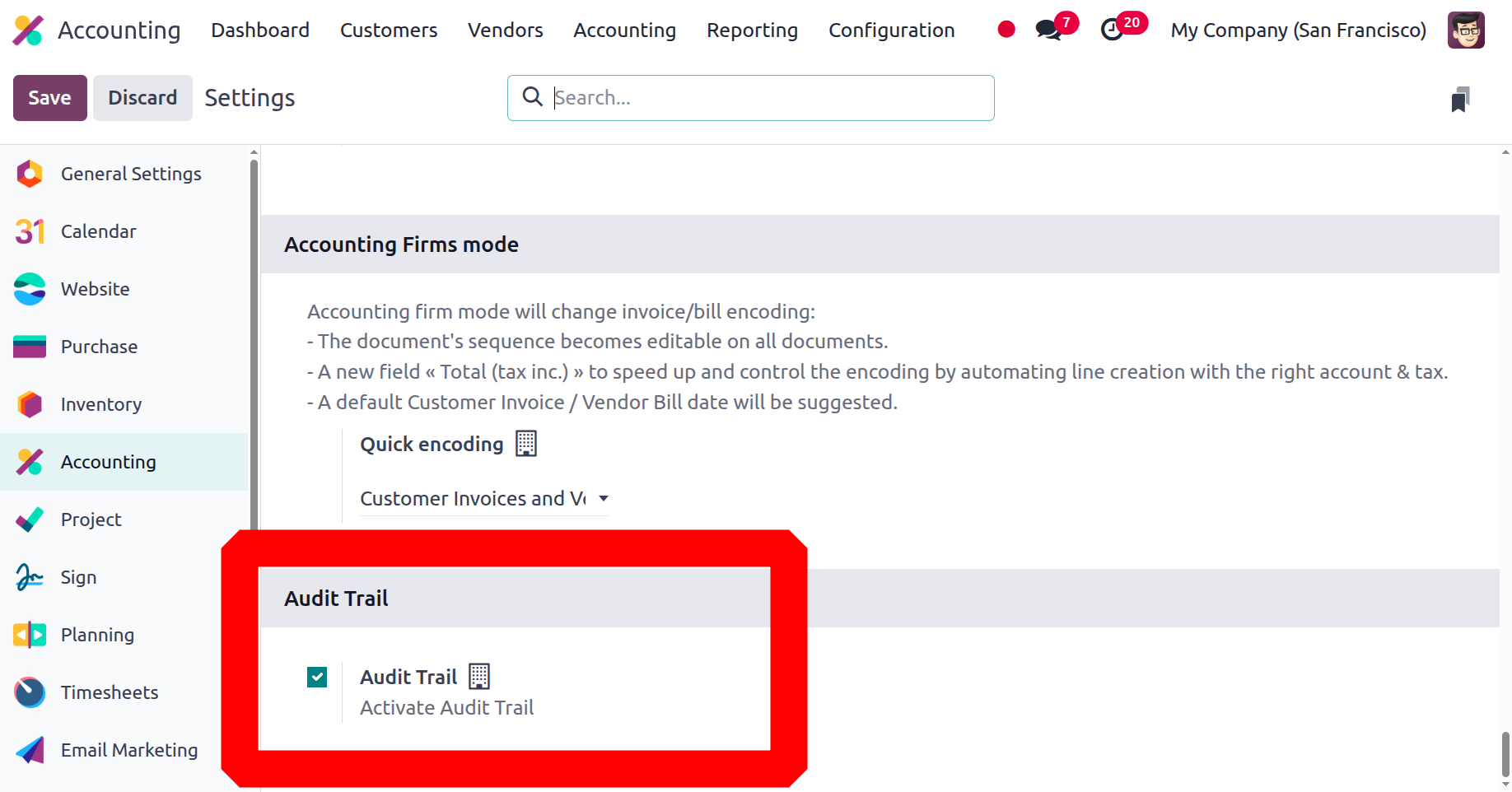
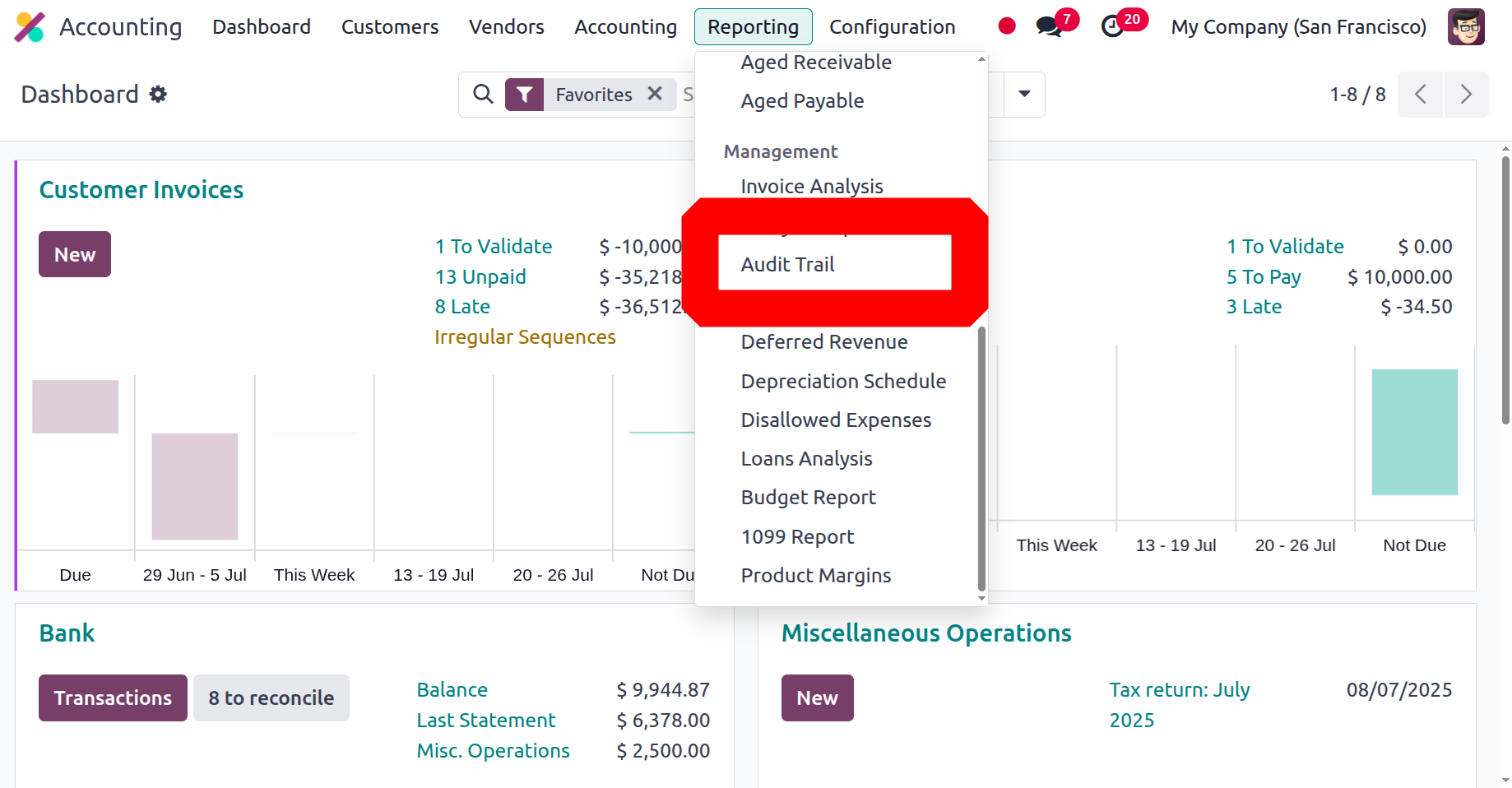
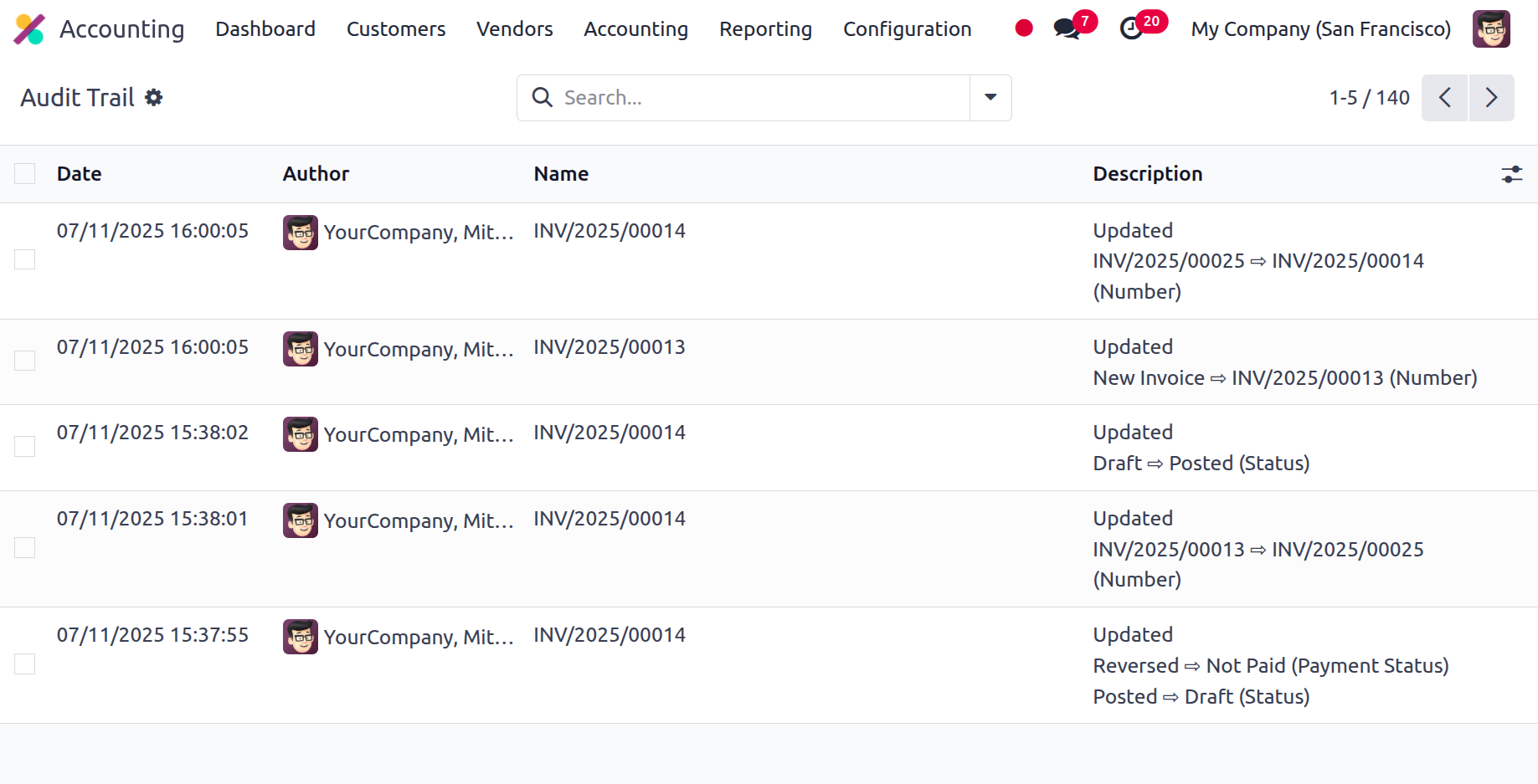
This audit trail will document any changes made by users to an invoice. so that each invoice's changes and amendments are simple for the auditor to understand. You may get this by choosing the Audit Trail under the Management Reports in the Reporting section.
The date, author, journal entry, and description are available here, as shown in the picture below.
Starting with specialised tools and solution providers that will open the door for the company's financial management efficiency, the Odoo Accounting module will function as the solution provider for an organization's business operations management tasks. You can gain a comprehensive understanding of your company's accounting management procedures by reading the Odoo Accounting book. We began by going over an overview of Odoo in the book. We then went on to the Odoo Accounting module's configuration options and tools, which would form the basis of administration and operations.
The next chapter concentrated on the Accounting module's configuration tools. All of the options, including Accounting configurations, Payment Options, Management Options, Analytical Accounting, Configuring Invoicing, and Configuring Bank Payments, offer information on how to set up Odoo's configuration tools to best suit your needs. In the fourth chapter, we focused on the financial management aspects of customers and suppliers using Odoo Accounting. Discussions were held regarding the Accounting Module Dashboard, Odoo Accounting module Vendor management methods, and Customer Finance management with the Odoo Accounting module.
A thorough explanation of the accounting management tools, accounting management actions, accounting ledgers, journal management, and administration of various miscellaneous entities is provided in the book's fifth chapter, which focuses on the accounting management tools in the Odoo 18 Accounting module. Furthermore, we covered reporting—the strongest feature of Odoo Accounting—in the sixth chapter. This chapter included examples of the Odoo platform and covered a variety of areas, including audit reports, management-based reporting, partner reports, and US GAAP reports.
We focused on the Odoo platform's Configurations of Admin settings in the seventh chapter of the Odoo Accounting book. This chapter provided a detailed explanation of the User, Company, and Translation settings on the Odoo platform. Lastly, this chapter defines the new accounting practice, Strono Accounting and Accounting firms mode that was introduced in Odoo 18.
In general, the Odoo 18 Accounting module effectively met the need for functional reference materials, thereby filling a gap in the Odoo resource.